Thursday, 22 October 2026 · 11 Jumada I 1448 AH Sun – Thu · 9:00 – 18:00
+971 56 914 9477 العربية
WhatsApp

DEY01

BenQ DEY01 Android Media Player for X-Sign Digital Signage

WhatsApp
Priceon request
QuotationWithin 1 working day
DeliveryConfirmed with your quote, based on stock
Overview

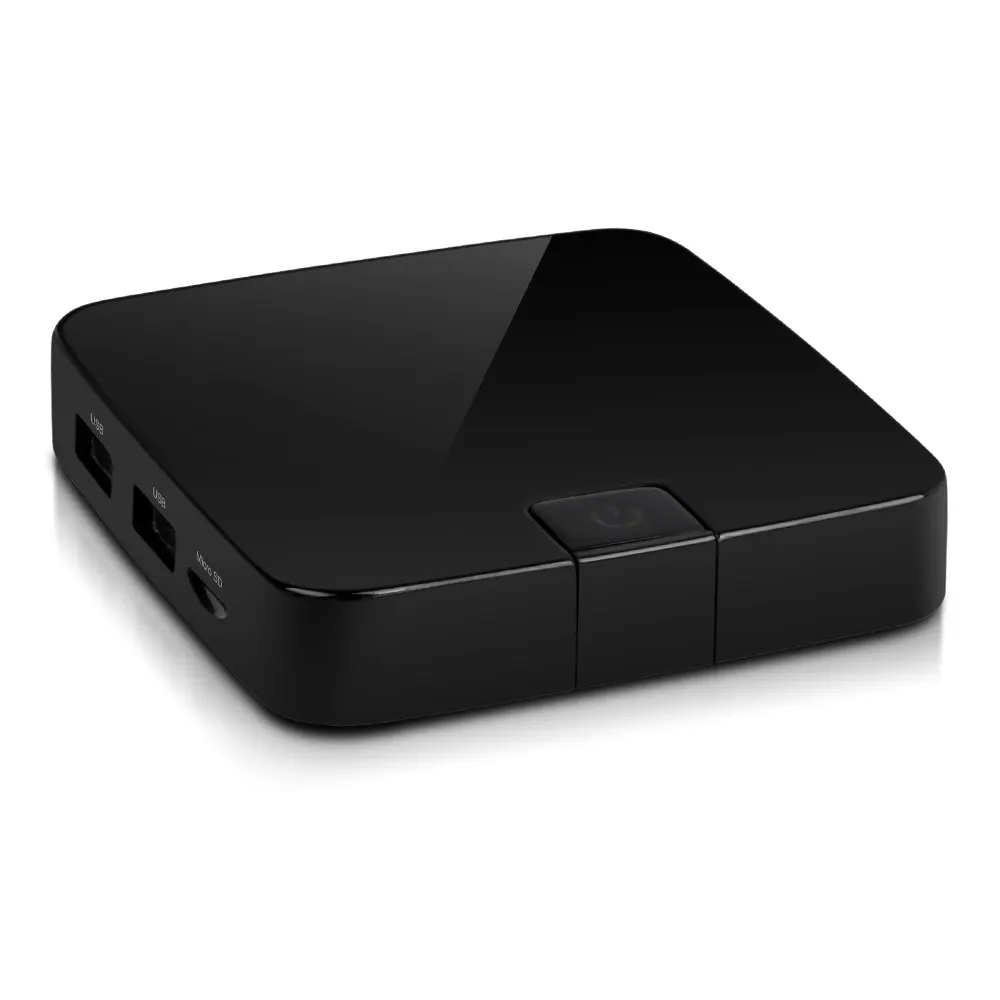
The BenQ DEY01 is an Android 6.0 media player for BenQ's X-Sign 2.0 content player. It handles 4K UHD source content and offers Wi-Fi on 2.4 GHz and 5.8 GHz, with a quad-core ARM Cortex A53 processor. With one RJ45 port and a bundled HDMI cable, it suits schools, retail outlets and lobbies across Qatar that need a compact player behind the screen.

What the DEY01 does in an X-Sign display setup

The BenQ DEY01 is a compact playback unit that runs Android 6.0 and is designed to work with BenQ's X-Sign 2.0 content player. Instead of dedicating a full computer to each screen, facilities teams can place this small box behind a display and let it handle playback. That keeps the front of each installation tidy, which matters in reception areas, corridors and meeting suites where the screen is the visible element.

Specifications that matter for planning

  • Video source: supports 4K UHD source content
  • Processor and graphics: quad-core ARM Cortex A53 at 2 GHz with a Mali 450 GPU at 750 MHz and dynamic voltage and frequency scaling
  • Wireless: IEEE 802.11 b/g/n/ac on 2.4 GHz and 5.8 GHz bands
  • Wired connection: one RJ45 port
  • Included accessories: one HDMI cable (v2.0) and two USB cables for touch
  • Wall mounting: 82x82x19mm VESA pattern, with screw type and maximum length given in the manufacturer specification
  • Listed weight: 159g

Where the DEY01 fits across Qatar

Consider a private school in Al Wakrah refitting its main corridor. A player box hidden behind a wall-mounted panel keeps cable runs short and the wall clean, while 4K UHD support keeps timetables and announcements sharp on a large screen. The 2.4 GHz and 5.8 GHz Wi-Fi options also give the IT team a choice of band if a wired connection is not practical at that point.

In a shopping mall in West Bay, a retailer might run product visuals on several screens at once. The processor and GPU details matter when the same box must play motion graphics, so ask the SmartRooms Qatar team to match the content type to the hardware before rollout.

At a government service centre in Msheireb, the touch cables deserve attention. If the display is a touch model, the two USB cables included with the DEY01 provide the touch connection, so the team can plan a touch-enabled information screen around this player.

Planning the installation in Qatar

Measure the space behind the display before ordering and check the mounting holes against the 82x82x19mm VESA pattern and the listed screw specification. A free site survey from SmartRooms Qatar can confirm the power outlet location, cable route and wall construction before any drilling.

Qatar's summer heat is a real planning factor. Temperatures above 45°C and dust storms affect windows, entrances and any space close to outdoor air. The manufacturer data provided does not list an operating temperature range for the DEY01, so confirm the exact location with the SmartRooms Qatar team before installation rather than assuming it will suit a hot or dusty position.

The accessory list also shows no power adapter, so confirm the power supply arrangement when you request your quotation. Organisations buying through a purchase order or a government tender can submit that paperwork with the quote, and SmartRooms Qatar delivers to all eight municipalities. Request a quote for the DEY01 with your display model, room plan and quantity, and the team will reply with a quotation usually within one working day.

Highlights

  • Android 6.0 media player for BenQ X-Sign 2.0 content
  • 4K UHD source content support
  • Quad-core ARM Cortex A53 processor at 2 GHz
  • IEEE 802.11 b/g/n/ac Wi-Fi on 2.4 GHz and 5.8 GHz
  • One RJ45 port, HDMI 2.0 cable and two touch USB cables
  • 82x82x19mm VESA wall-mounting pattern

Estimated timeline

Quotation within 1 working day · delivery timing depends on stock availability, and we confirm it with your quotation.

Specifications

5 specifications · Source: manufacturer · checked Oct 2026
Control1
RJ45 Port
1
Mechanical2
Weight (Without Packing / With Packing) (kg)
159g
Wall Mounting (VESA) (mm)(Screw type /Max. length)
82x82x19mm
Package/Accessory2
HDMI Cable
1 (V2.0)
USB Cable for Touch
2

Downloads

0 files from the manufacturer
No downloadable files are listed for this model yet. Ask us and we will send the datasheet.

Questions about DEY01

What is the BenQ DEY01 used for?
The BenQ DEY01 is an Android 6.0 player box that drives digital signage screens. It is built to work with BenQ's X-Sign 2.0 content player and serves as the playback unit behind a display. Typical uses include reception welcome screens, menu boards and wayfinding displays. Because it supports 4K UHD source content, it suits organisations in Qatar that want sharp visuals on larger panels without installing a full desktop computer at each screen.
Is the DEY01 compatible with BenQ's X-Sign 2.0 content player?
Yes, the manufacturer states that the DEY01 is compatible with BenQ's X-Sign 2.0 content player. The source data does not list other content management platforms, so if your organisation uses a different signage system, ask the SmartRooms Qatar team to confirm before ordering. Checking early matters for a ministry or company rolling out several screens, because each unit must be set up with the same software. Include your platform details with your quotation request.
Does the DEY01 support 4K video?
The DEY01 supports 4K UHD source content. The files you play should be 4K UHD to make full use of that resolution, which helps a hospital lobby or a bank branch show fine text, floor plans or product detail on a large panel. The data does not list a maximum output resolution, so confirm the display's input capabilities with the SmartRooms Qatar team when you request your quotation.
What processor and graphics does the DEY01 use?
It uses a quad-core ARM Cortex A53 processor running at 2 GHz, paired with a Mali 450 GPU at 750 MHz and dynamic voltage and frequency scaling (DVFS). DVFS adjusts clock speed and voltage to match the workload. These details matter when a shopping mall in West Bay or a hotel in The Pearl runs motion graphics across several screens, so the content and the hardware should be checked together before rollout.
Which Wi-Fi standards and bands does it support?
The DEY01 supports IEEE 802.11 b/g/n/ac Wi-Fi on the 2.4 GHz and 5.8 GHz bands. Having both bands helps an IT team in a university building in Education City or an office in Lusail choose the band that performs best at each location, since 2.4 GHz is often busier in dense buildings. If a wired connection is possible, the RJ45 port offers a cable alternative.
How many network ports does it have?
The DEY01 has one RJ45 port, the standard connector for a wired network cable. The manufacturer's specification lists this under control connectivity, and the data shows only this one port. Plan one cable run per player when you map a site. Choosing between a wired and a wireless connection should be part of the site survey, especially in buildings where the Wi-Fi signal weakens behind thick walls.
What comes in the box?
The accessory list includes one HDMI cable (version 2.0) and two USB cables for touch. The list does not include a power adapter, so confirm how the player will be powered before ordering. For a school ordering several units, checking the cables and power supplies at quotation stage avoids surprises on installation day. SmartRooms Qatar can confirm the final kit in your quotation.
How is the DEY01 mounted?
The manufacturer lists an 82x82x19mm VESA wall-mounting pattern, with screw type and maximum screw length in the same specification. Measure the rear of your display before ordering to confirm the mounting arrangement. The listed weight is 159g, so the unit is light, but it still needs secure fixing. A site survey can confirm the best position for it in a retail wall or a reception feature.
Can the DEY01 be installed in a hot or dusty location?
The data provided does not list an operating temperature range or dust rating for the DEY01. Qatar summers can exceed 45°C, and dust storms affect entrances, windows and outdoor-facing walls. Before installing it near a window, in a glazed lobby or in a semi-outdoor area, confirm the exact location with the SmartRooms Qatar team rather than assuming the unit will tolerate that environment.
What are the USB cables for?
The two included USB cables are listed as USB cables for touch. If your display is a touch model, they provide the touch connection, which allows a visitor information point, a university wayfinding screen or a government service display to respond to finger input. Confirm that your display's touch interface matches these cables when you request your quotation, so the right kit is supplied.
Can a school or government office buy several units on one purchase order?
Yes. SmartRooms Qatar accepts purchase orders (LPOs) and government tenders, including Monaqasat, and accepts payment by bank transfer, cheque or purchase order. For a private or international school fitting out several classrooms, list each display size and the matching DEY01 quantity in your request, and the team will issue a quotation usually within one working day. Site surveys are free.

Similar models

Dahua DS04-AI400 Dahua DS04-AI400 Media Player Box for Digital Signage
Android 8.1 –10 °C to +55 °C (+14 °F to…
Dahua DS04-AI400N Dahua DS04-AI400N 4K Media Player Box for Digital Signage
Android 14 –10 °C to +55 °C (+14 °F to…
Elo Backpack 4 for Android Elo Backpack 4 for Android Media Player and Compute Module
Standard Model: Android 10 with Google Play…
Elo Backpack 5 with Android Elo Backpack 5 with Android 14 Compute Device
USB-C*: 1920 x 1080 @60fps Android 14 with Google Play…
Elo Backpack for Linux Elo Backpack for Linux E143585 Compact Linux PC
USB-C: 3840 x 2160 @60fps Linux Debian 10
Email Call