Thursday, 22 October 2026 · 11 Jumada I 1448 AH Sun – Thu · 9:00 – 18:00
+971 56 914 9477 العربية
WhatsApp

NearHub Air NA10

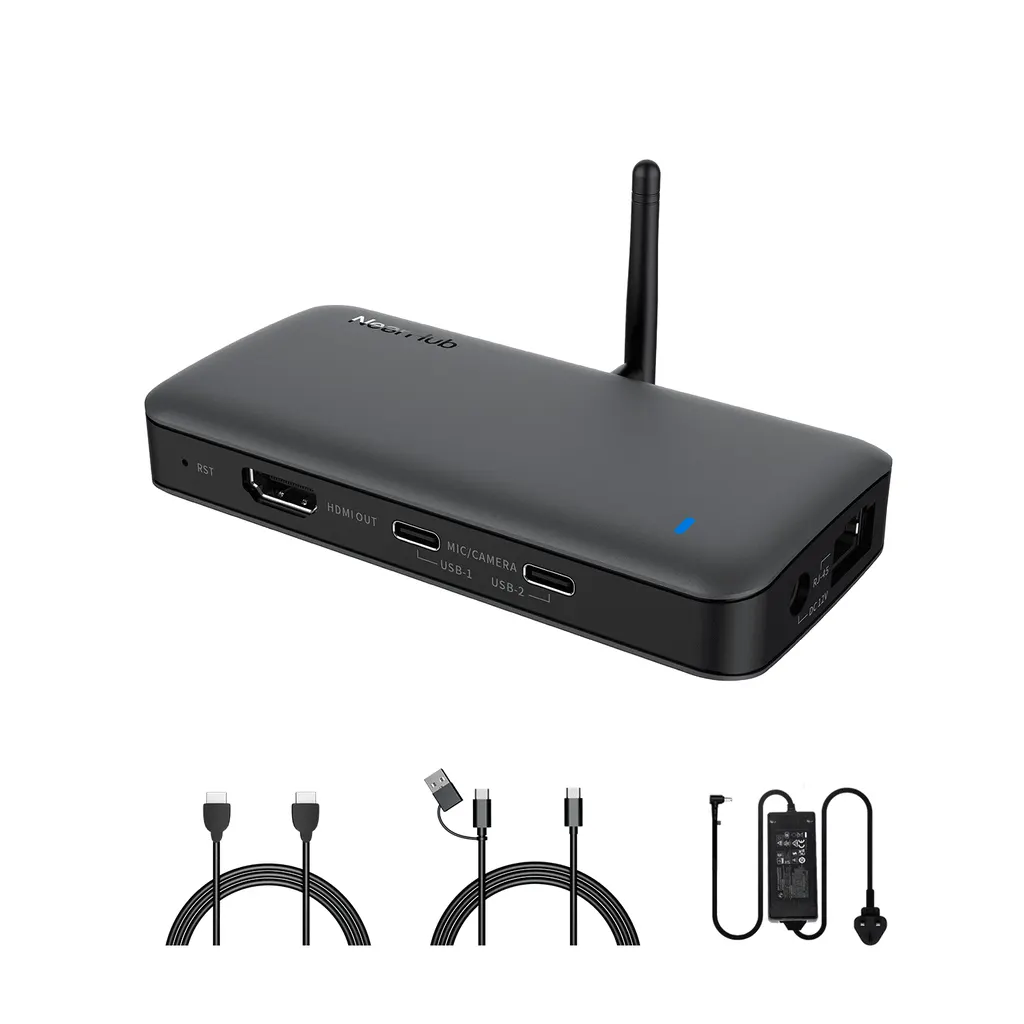
Nearity NearHub Air NA10 Digital Signage System with Free Software

WhatsApp
Priceon request
QuotationWithin 1 working day
DeliveryConfirmed with your quote, based on stock
PDFDownload datasheet (NearHub Air NA10 - Datasheet - NearHubAirDatasheet_compressed.pdf)
Overview

The Nearity NearHub Air NA10 is a digital signage system built around a free content management system. Plan slides, images, videos and web pages, then publish them to the screens you choose. Wireless screen sharing lets staff mirror content from any device running a major computer or mobile operating system, and the system also supports hybrid meetings. It suits Qatari offices, hotels and campuses that want simple screen management. Request a quote.

What the NearHub Air NA10 does

The NearHub Air NA10 from Nearity is a digital signage system for organisations that want to manage screens without a large IT project. One system handles the content shown on displays, the screens that staff mirror to, and the meetings held around them. The manufacturer supplies it with free software, including a free content management system.

Planning and publishing content

The content management system lets you plan what appears on each screen and when. You can build content from slides, images, videos and websites, so existing presentation files and web pages can be reused rather than rebuilt. Content can be sent to the screens you select, which means a reception display, a corridor screen and a meeting room panel can each show different material from one place.

Wireless sharing and hybrid meetings

Staff can mirror content to a screen from any device that runs a major computer or mobile operating system. There is no need to carry cables between laptops and displays in a meeting room. The system is also designed for hybrid work, where remote participants take part in the same meeting and can follow the shared content. This suits ministries and companies whose teams are split between Doha and offices abroad.

Where it fits in Qatar

  • Schools and universities in Education City: campus announcements, timetable updates and lecture-related material shown on corridor and lecture-room screens.
  • Hotels and serviced apartments in West Bay or The Pearl: welcome messages, event schedules and wayfinding content updated from one dashboard.
  • Government and corporate offices in Msheireb or Al Sadd: meeting rooms where presentations are shared wirelessly from staff laptops and phones.

What to plan before ordering

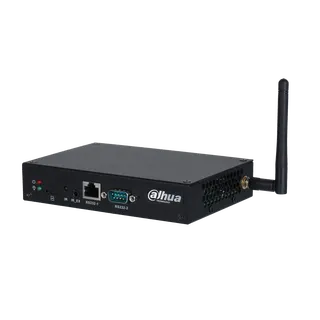
The source data for this model covers the software, wireless sharing and warranty. It does not list hardware ports, supported screen sizes, mounting options or power requirements, so confirm those points with the SmartRooms Qatar team before you buy, especially if you plan to connect the system to existing panels or video walls. Wireless sharing depends on the Wi-Fi network in each room, so check coverage at every screen location.

A free site survey from SmartRooms Qatar helps confirm screen placement, network coverage and mounting before installation. Products are covered by the manufacturer's warranty, which the source data lists as one year on all products. Government ministries, schools and companies can request a quotation, usually issued within one working day, and submit a purchase order or LPO. Request a quote and the team will confirm the configuration for your site.

Highlights

  • Free content management system included with the software
  • Publish slides, images, videos and websites to selected screens
  • Wireless screen sharing from major computer and mobile systems
  • Supports hybrid meetings that include remote participants
  • One-year manufacturer warranty on all products

Estimated timeline

Quotation within 1 working day · delivery timing depends on stock availability, and we confirm it with your quotation.
Specifications

Source: manufacturer · checked Oct 2026
The full specification and datasheet for this model are available on request; we send them with your quotation.

Downloads

1 file from the manufacturer

Questions about NearHub Air NA10

What is the Nearity NearHub Air NA10 used for?
The NearHub Air NA10 is a digital signage system for showing, managing and mirroring content on screens. Organisations use it for information in reception areas, corridors and meeting rooms, and for sharing presentations from staff devices. The manufacturer describes it as simple to manage, which suits facilities and IT teams that do not want a complex setup. Request a quote to confirm it fits your site.
Does the NearHub Air NA10 come with software?
Yes. The product is supplied with free software, and the free content management system is the tool used to plan, display and manage content on the screens you choose. The source data does not list version numbers or licence terms, so ask the SmartRooms Qatar team to confirm the software details included in your quotation before you order.
Which types of content can I publish?
The content management system integrates with tools most teams already use to create content. You can publish slides, images, videos and websites to the screens. For a school or hotel, this means existing lesson slides, event posters and promotional videos can be reused without rebuilding them, which saves time when content changes often.
Can staff share their screens wirelessly from laptops and phones?
Yes. Content can be mirrored to a screen from any device that supports the major computer and mobile operating systems. Staff in a Doha office can connect a laptop or phone to a meeting room screen without cables. Wireless sharing relies on the Wi-Fi network in the room, so check coverage during planning.
Does it support hybrid meetings with remote participants?
The manufacturer describes the system as built for hybrid work, where meeting spaces include remote participants. A company with a head office in Doha and a team abroad could share a presentation in the boardroom while remote colleagues follow it. Confirm the conferencing platform and any camera or microphone requirements with the SmartRooms Qatar team, because the source data does not list them.
How could a hotel in West Bay use it?
A hotel in West Bay could use the NearHub Air NA10 to show welcome messages, event schedules and restaurant hours on lobby and lift-lobby screens, then update them from one dashboard. Staff could also share a conference presentation to a ballroom screen from a phone. Plan screen locations during a site survey so the content is visible from the reception desk.
Can a university campus in Education City use it?
Yes, for campus announcements, timetable information and lecture-related material on corridor and lecture-room screens. Because content is managed centrally, a communications team can update several buildings from one system. Before a multi-building roll-out, agree on content owners and an approval process, and ask for a quotation that lists the number of screens and sites.
Is it suitable for a government ministry meeting room in Msheireb?
It can be, for teams that want to share presentations wirelessly during meetings and keep an information display in the lobby. Government buyers can request a quotation and pay by purchase order or LPO. Confirm security and network requirements with your IT department before installation, because the source data does not describe them.
What warranty does the NearHub Air NA10 carry?
The manufacturer's source data states a one-year warranty on all products, covering quality-related issues. Products supplied by SmartRooms Qatar are covered by the manufacturer's warranty. Keep your quotation and purchase order with your asset records so warranty claims can be checked quickly. The source does not give further terms, so ask the team for details before you order.
Which hardware details should I confirm before ordering?
The source data for the NearHub Air NA10 covers software, screen sharing and warranty, but it does not list hardware ports, dimensions, power requirements or supported screen sizes. Before ordering, confirm which displays the player works with, how it mounts, and what cabling your room needs. Qatar mains supply is 240 V, 50 Hz, so ask the team to confirm the power connection for your site.
Do I need a site survey before installation?
A free site survey from SmartRooms Qatar helps with planning. For this system, the survey should check Wi-Fi coverage at each screen, screen placement relative to windows and lighting, and wall or stand mounting. In a Lusail retail unit or a Mesaieed office, these details decide whether content is readable and whether wireless sharing works from the meeting room.
How do I buy the NearHub Air NA10 through SmartRooms Qatar?
Request a quote by describing the number of screens, the sites and whether you need wireless sharing for meeting rooms. Quotations are usually issued within one working day. Payment can be made by bank transfer, cheque or purchase order, and purchase orders and LPOs are accepted for government and company buyers. Delivery covers all eight municipalities of Qatar, and lead times are confirmed with the quotation.

Similar models

Dahua DS04-AI400 Dahua DS04-AI400 Media Player Box for Digital Signage
Android 8.1 –10 °C to +55 °C (+14 °F to…
Dahua DS04-AI400N Dahua DS04-AI400N 4K Media Player Box for Digital Signage
Android 14 –10 °C to +55 °C (+14 °F to…
Elo Backpack 4 for Android Elo Backpack 4 for Android Media Player and Compute Module
Standard Model: Android 10 with Google Play…
Elo Backpack 5 with Android Elo Backpack 5 with Android 14 Compute Device
USB-C*: 1920 x 1080 @60fps Android 14 with Google Play…
Elo Backpack for Linux Elo Backpack for Linux E143585 Compact Linux PC
USB-C: 3840 x 2160 @60fps Linux Debian 10
Email Call