Thursday, 22 October 2026 · 11 Jumada I 1448 AH Sun – Thu · 9:00 – 18:00
+971 56 914 9477 العربية
WhatsApp

SL4302K

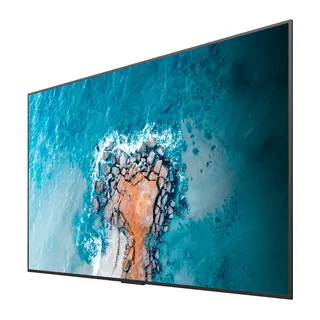
BenQ SL4302K 43-inch Pantone Validated Smart Signage Display

Screen size
43''
Resolution
UHD 3840 × 2160 pixels
Brightness
500 nits
Operation
24 hours / 7 days
WhatsApp
Priceon request
QuotationWithin 1 working day
DeliveryConfirmed with your quote, based on stock
PDFDownload datasheet (SL4302K_SL02K Datasheet_SL02K Datasheet_Android_Mac_Windows_220804153614.pdf)
Overview

The BenQ SL4302K is a 43-inch non-touch 4K UHD signage display with a Pantone-validated colour mode, built-in Android 8.0 and support for BenQ X-Sign content software. Its IPS panel runs 24/7 and mounts in landscape or portrait. It suits retail floors, corporate lobbies and meeting-room walls across Qatar where brand colours must match print and design files.

What the SL4302K is built to do

The BenQ SL4302K is a 43-inch non-touch display built for showing content rather than for hands-on interaction. It pairs a 4K UHD IPS panel with an Android 8.0 system, so playlists can run from the screen itself without a separate media player behind it. For organisations that need promotional loops, wayfinding or internal information screens, that removes a box, a set of cables and a potential fault point from every installation.

Colour modes for design-sensitive content

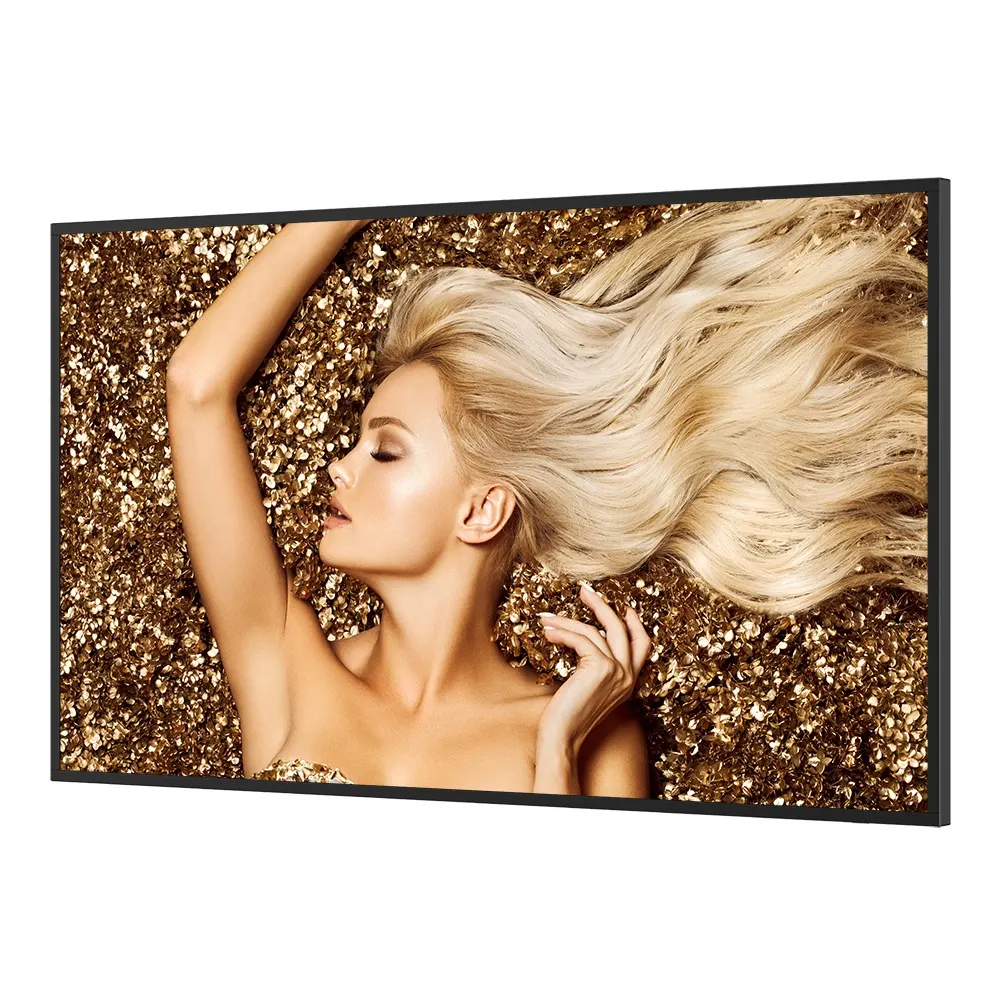
The headline feature is Pantone validation. Pantone mode is designed to keep colours consistent from the design file to the screen, which matters when a marketing team in Doha checks a digital banner against a printed brochure. Three further picture modes cover other content types:

  • Pantone mode for logos, product shades and brand palettes.
  • Cinema mode for video, adding contrast and depth in dark scenes.
  • Photo mode for images that look natural without oversaturation.
  • M-Book mode to match how visuals appear on macOS, so designers avoid converting files.

Panel, connectivity and power details

The panel offers 500 nits typical brightness, a 1,200:1 typical contrast ratio, 10-bit colour depth and 72% NTSC colour gamut, with an 8 ms response time. Its 3840 × 2160 resolution provides four times the pixels of a 1080p Full HD display. Inputs include two HDMI 2.0 ports, one DisplayPort 1.1/1.2, one VGA and one RS-232 control port. Two USB 3.0 and two USB 2.0 ports allow playback straight from a flash drive, and a 10/100 Mbps Ethernet port supports network management. Two 10 W speakers are built in.

Power is rated AC 100-240V 50/60Hz with typical consumption of 93 W and standby draw below 0.5 W. The typical backlight life is 50,000 hours, and the unit is rated for operation 24 hours a day, seven days a week.

Where it fits in Qatar

In a corporate office in West Bay, a 43-inch screen suits a reception wall or a meeting-room display showing the day's schedule and visitor information. In a lift lobby or narrow corridor at a mixed-use development in Lusail, portrait orientation shows directional information without wasting wall width. A private school in Al Wakrah could use the panel in a corridor to share announcements prepared in both languages, with content loaded from a USB drive when the network is down.

What to plan before installation

The unit measures 965.5 × 553.9 × 57.5 mm and weighs 17.2 kg without packaging, with a shipping weight of 24.5 kg. It uses a VESA 400 × 400 mm mounting pattern with M6 screws. The package includes one 1.5 m VGA cable, one 1.5 m HDMI cable and a remote control. The source data does not list a wall bracket, so confirm mounting hardware in your quotation. The operating range is 0°C to 40°C with 20% to 80% humidity, non-condensing. Qatar summers can exceed 45°C, so place the screen in an air-conditioned room away from direct sun through glass, and confirm the location with the SmartRooms Qatar team. A free site survey checks wall strength, power points and sightlines before installation.

Send your room size, wall type and intended content, and request a quote from SmartRooms Qatar. Quotations usually follow within one working day, and we accept LPOs and government tender orders.

Highlights

  • 43-inch 4K UHD IPS panel at 3840 × 2160 resolution
  • Pantone validated, with Pantone, Cinema, Photo and M-Book modes
  • Built-in Android 8.0 with 4GB memory and 32GB storage
  • Rated for 24/7 operation with 50,000-hour typical backlight life
  • Landscape or portrait use with 400 × 400 mm VESA mounting
  • Two HDMI 2.0 inputs, DisplayPort, VGA and USB playback

Estimated timeline

Quotation within 1 working day · delivery timing depends on stock availability, and we confirm it with your quotation.

Specifications

41 specifications · Source: manufacturer · checked Oct 2026
Panel13
Screen size
43''
Panel type
IPS
Active area
941.2 × 529.4 mm
Aspect ratio
16:9
Resolution
UHD 3840 × 2160 pixels
Response time
8 ms
Color depth
10-bit
Orientation
Landscape and Portrait
Operation hours
24 hours / 7 days
Panel brightness (typical)
500 nits
Contrast ratio (typical)
1200:1
Color gamut
72% NTSC
Backlight life (typical)
50,000 hrs
System4
GPU
Mali-G51MP4
CPU
A73 × 2 + A53 × 2
Memory | Storage
4GB I 32GB
OS
Android 8.0
Connectivity8
HDMI (in | out)
2 × HDMI 2.0 | 1 × HDMI 2.0
DisplayPort
1 × 1.1/1.2 | No
USB-A
2 × 2.0 + 2 × 3.0
3.5 mm Line in (1)
PC Audio × 1
VGA
1 | 0
3.5 mm Line out
Earphone × 1
Ethernet
10 / 100 Mbps (Android) × 1
RS-232
1 | 0
Built-in peripherals1
Speaker
2 × 10 W
Power2
Power
AC 100-240V 50/60Hz
Typical power consumption
93 W
Physical4
Dimensions (W x H x D)
965.5 × 553.9 × 57.5 mm (38.0 × 21.8 × 2.3 inch)
Shipping dimensions (W x H x D)
1120 × 700 × 200 mm (44.1 × 27.6 × 7.9 inch)
Weight (product I shipping)
17.2 kg | 24.5 kg (37.9 lbs | 54 lbs)
Mount (screws)
VESA 400 × 400 mm (4 × M6 × 16L)
Environment4
Operating temperature
0°C ~ 40°C | 32°F ~ 104°F
Storage temperature
-10°C ~ 60°C | 14°F ~ 140°F
Storage humidity
10% ~ 90% RH non-condensing
Operating humidity
20% ~ 80% RH non-condensing
Software3
Wireless screen sharing
InstaShare 1 (BenQ App Store)
Device management
DMS
Broadcast system
X-Sign Broadcast
Accessories2
Cables
1 × VGA (1.5 m | 4.9 ft), 1 × HDMI (1.5m | 4.9 ft)
Remote control
1

Downloads

15 files from the manufacturer
PDF Datasheets · Opens on manufacturer site SL4302K_SL02K Datasheet_SL02K Datasheet_Android_Mac_Windows_220804153614.pdf BenQ SL4302K datasheets (PDF) PDF Manuals & guides IH_EN_260519104241.pdf 14.5 MB BenQ SL4302K manuals & guides (PDF, 14.5 MB) PDF Manuals & guides RS232_LAN Control Protocol_v20201006_Others.pdf 512 KB BenQ SL4302K manuals & guides (PDF, 512 KB) PDF Manuals & guides UM_AR_210319131715.pdf 6.2 MB BenQ SL4302K manuals & guides (PDF, 6.2 MB) PDF Manuals & guides UM_EN_210319131715.pdf 6.3 MB BenQ SL4302K manuals & guides (PDF, 6.3 MB) PDF Manuals & guides · Opens on manufacturer site DMS Cloud_EN_260929100553.pdf BenQ SL4302K manuals & guides (PDF) PDF Manuals & guides · Opens on manufacturer site DMS Local_EN_251223091035.pdf BenQ SL4302K manuals & guides (PDF) PDF Manuals & guides · Opens on manufacturer site X-Sign-Broadcast_EN_221206164346.pdf BenQ SL4302K manuals & guides (PDF) PDF Manuals & guides · Opens on manufacturer site X-Sign_EN_221018110021.pdf BenQ SL4302K manuals & guides (PDF) ZIP Drawings & CAD · Opens on manufacturer site SL4302K_CAD drawing_01_Others.zip BenQ SL4302K drawings & cad (ZIP) ZIP Software & firmware · Opens on manufacturer site MDA_v3.01_Windows_250815105428.zip BenQ SL4302K software & firmware (ZIP) ZIP Software & firmware · Opens on manufacturer site X-Sign Designer (For ST430K, ST550K, ST650K, SL490, SL550 only)_v2.5.4.7_Windows_241226100626.zip BenQ SL4302K software & firmware (ZIP) ZIP Software & firmware · Opens on manufacturer site X-Sign Designer_Mac (Not support M1 or later)_v2.5.3.4_Mac_241211131025.zip BenQ SL4302K software & firmware (ZIP) ZIP Software & firmware · Opens on manufacturer site X-Sign Designer_Windows_v2.6.5.1_Windows.zip BenQ SL4302K software & firmware (ZIP) ZIP Software & firmware · Opens on manufacturer site X-Sign Player_Window_v2.6.6.1_Windows.zip BenQ SL4302K software & firmware (ZIP)

Questions about SL4302K

Who is the BenQ SL4302K designed for?
The SL4302K suits organisations that need one large screen for content playback, such as corporate reception areas, retail floors, hotel lobbies and meeting rooms. Its 43-inch 4K UHD panel and built-in Android 8.0 system let content run from the screen itself, without a PC. That simplifies setup for facilities teams managing several sites across Doha and beyond.
Is the SL4302K a touchscreen?
No. The SL4302K is a non-touch display, so it is intended for viewing and digital signage rather than touch input. If your project requires visitors or presenters to touch the screen, you would need a touch model instead. SmartRooms Qatar can quote suitable alternatives once you describe how the screen will be used.
What does Pantone validation mean for a design team?
The panel is Pantone validated, and its Pantone mode is described by the manufacturer as keeping colour consistent from design to display. For a branding team in Doha checking a logo against a printed brochure, this reduces guesswork. If your designers work on macOS, M-Book mode also mirrors how visuals appear on those devices, so files need less conversion.
Can it play content without a computer?
Yes. The SL4302K runs Android 8.0 with 4GB memory and 32GB storage, so it does not need an external media player. Its USB-A ports can also play multimedia files directly from a flash drive without a PC connection. This suits a school in Al Wakrah that wants to update corridor announcements from a memory stick on a day when the network is down.
Can it be mounted in portrait orientation?
Yes. The display supports both landscape and portrait viewing. Portrait suits a narrow lift lobby, a stairwell wall or a hospital corridor in Msheireb, where directional signs need height more than width. Confirm the bracket and cable route before the wall is finished, and request a free site survey to check orientation and sightlines.
How much clearer is 4K than Full HD on a 43-inch panel?
The 3840 × 2160 resolution provides four times as many pixels as a 1080p Full HD display, leaving more room for fine text and detail. The panel also offers 10-bit colour depth and a 1,200:1 typical contrast ratio. Timetables, maps and menus stay sharper on a reception wall or a lobby information board.
Can I install it outdoors or near a window in Qatar?
The rated operating range is 0°C to 40°C, with 20% to 80% humidity, non-condensing. Summer temperatures in Qatar can exceed 45°C, and the source data gives no outdoor or dust-protection rating. Install it indoors in an air-conditioned space away from direct sun through glass, and ask the SmartRooms Qatar team to confirm your location before ordering.
Which connections does it offer for laptops and media players?
Two HDMI 2.0 inputs, one DisplayPort 1.1/1.2 input and one VGA input cover most laptops and media players. A single HDMI 2.0 output can pass the signal on to a second screen. A 10/100 Mbps Ethernet port and an RS-232 port support network and external control. Audio comes through a 3.5 mm PC audio input and an earphone output, plus two built-in 10 W speakers.
What comes in the box?
The package includes one 1.5 m VGA cable, one 1.5 m HDMI cable and one remote control. The source data does not list a wall bracket or additional cables, so confirm mounting hardware and cable lengths in your quotation. The VESA 400 × 400 mm pattern allows a compatible wall mount to be fitted, and the shipping weight is 24.5 kg per unit.
How do I manage several SL4302K displays across a campus?
Displays can be controlled on the cloud or locally through BenQ's Device Management Solution, DMS, which provides a central console for monitoring and settings. X-Sign lets you push content, real-time messages and YouTube broadcasts to several displays at once. Over-the-air updates deliver feature and security updates, which helps a university in Education City running screens across several buildings.
Does it run on Qatar's 240 V mains supply?
The power input is rated AC 100-240V at 50/60Hz, a range that covers the 240 V, 50 Hz supply used in Qatar. Typical consumption is 93 W, and standby draw is under 0.5 W. The source data does not specify the plug type, so ask the SmartRooms Qatar team to confirm the socket arrangement and whether an adapter is needed before installation.
Can we buy several units through an LPO or government tender?
Yes. SmartRooms Qatar supplies against purchase orders (LPOs) and government tenders, including Monaqasat, and accepts payment by bank transfer, cheque or purchase order. A ministry or school buying several SL4302K units can request one quotation covering all of them, with delivery to any of Qatar's eight municipalities. Quotations usually follow within one working day, and the product is covered by the manufacturer's warranty.

Similar models

Sony FW-43BZ30L Sony FW-43BZ30L 43-inch 4K HDR Professional Display
43″ 3840 x 2160 440 nit
Elo Stylus Tray Elo Stylus Tray E574912 Stylus Holder for Elo Displays
Signage displays
Hikvision DS-D6122TH-D/C Hikvision DS-D6122TH-D/C 22-inch Electronic Class Board
22″ 1920 × 1080 600 cd/m²
Hisense 100DM66E Hisense 100DM66E 100-inch 4K UHD Digital Signage Display
100″ 3840 x 2160 500 nits
Hisense 100DM66GE Hisense 100DM66GE 100-inch 4K UHD Digital Signage Display
100″ 3,840 x 2,160 500 nits
Email Call