Thursday, 22 October 2026 · 11 Jumada I 1448 AH Sun – Thu · 9:00 – 18:00
+971 56 914 9477 العربية
WhatsApp

ST4304

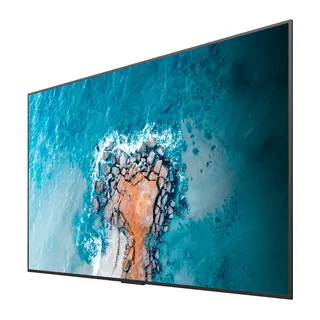
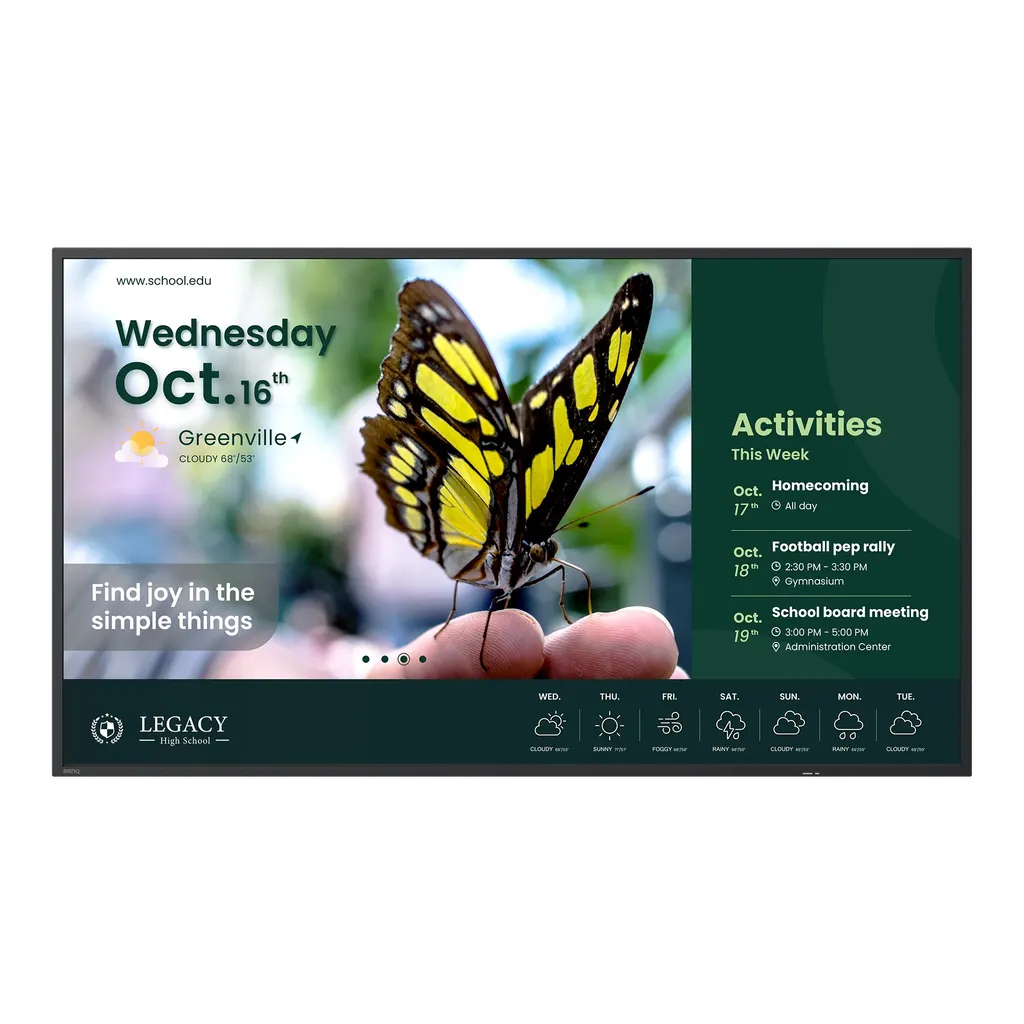
BenQ Smart Signage ST4304 43-inch 4K Display

Screen size
43''
Resolution
UHD 3840 × 2160 pixels
Brightness
350 nits
Operation
18 hours / 7 days
WhatsApp
Priceon request
QuotationWithin 1 working day
DeliveryConfirmed with your quote, based on stock
PDFDownload datasheet (benq-4k-smart-signage-st04-brochure.pdf)
Overview

The BenQ ST4304 is a 43-inch 4K UHD signage display built for corridors, cafeterias and libraries where content has to stay sharp through the working day. It offers a 350-nit panel, 10-bit colour, 18/7 operation and Android 14, and it can be mounted in portrait or landscape. Schools, offices and retail spaces in Qatar that need a compact screen for announcements and menus can request a quote.

A 43-inch 4K display for corridors, cafeterias and libraries

The BenQ ST4304 is the smallest screen in the BenQ ST04 range, with a 43-inch 4K UHD panel at 3840 × 2160 pixels. It suits spaces where people pass a screen for a few seconds, so the 350-nit typical brightness, 10-bit colour depth and 1200:1 typical contrast ratio matter. Timetables, sports results, canteen menus and wayfinding stay readable at a glance.

The specifications that matter for a signage purchase

  • Operation: 18 hours a day, 7 days a week, with a typical backlight life of 30,000 hours.
  • Orientation: landscape or portrait, so one model can serve a wide hallway screen or a tall menu board.
  • Processing: Android 14 on a quad-core A73 processor with 4GB memory and 32GB storage.
  • Inputs: two HDMI 2.0 inputs, two USB-A 2.0 ports, one 10/100 Mbps Ethernet port and one RS-232 port. There is no HDMI output and no built-in Wi-Fi.
  • Audio and control: two 12 W speakers, an earphone output and an IR sensor that can be locked against universal remotes.
  • Energy: ENERGY STAR certified, with typical consumption of 60 W and standby below 0.5 W.

Where the ST4304 fits in Qatar

At a private school in Al Wakrah, two ST4304 units can sit either side of an administration corridor to show timetable changes and event notices, all managed from one X-Sign account. A clinic in Doha could use portrait mode for a department directory and landscape mode for appointment details in a waiting area. A hotel or serviced apartment lobby in West Bay could show guest information, although a lobby beside a sunny window should be checked first.

What to plan before ordering

The unit weighs 7.9 kg and measures 965 × 554.9 × 59.1 mm. It uses a VESA 200 × 200 mm mounting pattern with M6 screws, but a wall bracket is not listed among its accessories, so specify one with your quotation. Its operating range is 0°C to 40°C at 10% to 80% relative humidity, non-condensing, so plan indoor, air-conditioned positions away from direct sun and heat sources. Its power input is AC 100-240V at 50/60 Hz, which covers Qatar's 240 V supply. SmartRooms Qatar offers free site surveys, which are worth booking to confirm wall strength, cable routes and viewing height before installation.

To request a quote, send your floor plan, the number of displays and the content layout you have in mind. SmartRooms Qatar supplies across Qatar, handles purchase orders (LPOs) and government tenders, and usually returns quotations within one working day. Request a quote for the BenQ ST4304 today.

Highlights

  • 43-inch 4K UHD panel at 3840 × 2160 resolution
  • 350 nits typical brightness and 10-bit colour depth
  • 18/7 operation with 30,000-hour typical backlight life
  • Landscape and portrait orientation with 200 × 200 mm VESA mount
  • Android 14 with X-Sign broadcasting and DMS device management
  • Two 12 W speakers and an IR sensor lock

Estimated timeline

Quotation within 1 working day · delivery timing depends on stock availability, and we confirm it with your quotation.

Specifications

74 specifications · Source: manufacturer · checked Oct 2026
Panel14
Screen size
43''
Panel type
ADS
Active area
941.2 × 529.4 mm
Aspect ratio
16:9
Resolution
UHD 3840 × 2160 pixels
Response time
8 ms
Color depth
10-bit
Orientation
Landscape and Portrait
Operation hours
18 hours / 7 days
Panel brightness (typical)
350 nits
Contrast ratio (typical)
1200:1
Dynamic contrast ratio
N/A
Color gamut
CIE 1976: 99% sRGB, 72% NTSC
Backlight life (typical)
30,000 hrs
Glass3
Germ-resistant technology
N/A
Anti-glare
N/A
Hardness
N/A
Touch screen3
Touch technology
N/A
Touch points
N/A
Touch response time
N/A
Connectivity16
HDMI (in | out)
2 × HDMI 2.0 | No
DisplayPort
N/A
USB-A
2 × 2.0
USB-C
N/A
USB-B (for touch)
N/A
3.5 mm Line in (1)
N/A
VGA
N/A
3.5 mm Line out
Earphone × 1
OPS slot (for slot-in PC)
N/A
Micro SD reader
N/A
Wi-Fi
N/A
Bluetooth®
N/A
S/PDIF out
N/A
Ethernet
10 / 100 Mbps (Android) × 1
3.5 mm Line in (2)
N/A
RS-232
1 | 0
Built-in peripherals10
NFC sensor
N/A
Ambient light sensor
N/A
IR sensor
Yes
Motion sensor
N/A
Microphone
N/A
Speaker
2 × 12 W
Camera
N/A
Air sensor
N/A
Subwoofer
N/A
Air Ionizer
N/A
Power3
ENERGY STAR®
Yes
Power
AC 100-240V 50/60Hz
Typical power consumption
60 W
Physical5
Dimensions (W x H x D)
965 × 554.9 × 59.1 mm (38 × 21.9 × 2.3 inch)
Shipping dimensions (W x H x D)
1075 × 683 × 137 mm (42.3 × 26.9 × 5.4 inch )
Weight (product I shipping)
7.9 kg | 11.7 kg (17.4 lbs | 25.8 lbs)
Mount (screws)
VESA 200 × 200 mm (4 × M6 × 15L)
Pen Tray
N/A
Environment4
Operating temperature
0°C ~ 40°C | 32°F ~ 104°F
Storage temperature
-10°C ~ 60°C | 14°F ~ 140°F
Storage humidity
10% ~ 80% RH non-condensing
Operating humidity
10% ~ 80% RH non-condensing
Software8
Whiteboarding
N/A
Wireless screen sharing
InstaShare 2
Device management
DMS
Account management
N/A
Flicker Free
N/A
Quick access tool
N/A
Broadcast system
X-Sign
Low Blue Light
N/A
Accessories4
Cables
1 × HDMI (1.5 m | 4.9 ft), 1 × RS232 (1.8 m | 5.9 ft)
Wall mount
N/A
Pen
N/A
Remote control
1
System4
GPU
G52 MC1
CPU
A73 × 4
Memory | Storage
4GB I 32GB
OS
Android 14.0

Downloads

6 files from the manufacturer

Questions about ST4304

What is the BenQ ST4304 designed for?
It is a 43-inch 4K UHD signage display for public spaces where messages change often, such as school corridors, cafeterias and library entrances. Its 350-nit typical brightness and 18/7 operation suit timetables, event notices, canteen menus and wayfinding that run through the school day. It is a display for showing content rather than accepting touch input, so it fits announcement walls better than classrooms that need interactive teaching.
How does the ST4304 differ from the ST5504 and ST6504?
The ST4304 is the 43-inch model in the ST04 family, while the ST5504 and ST6504 are the 55-inch and 65-inch versions. All three share the 4K UHD resolution, the 350-nit panel and the Android 14 platform, so the choice comes down to size and viewing distance. A 43-inch unit suits a corridor, reception wall or cafeteria entrance, while a larger screen works better for a main hall or a wide atrium.
Can the ST4304 show a tall menu board in portrait mode?
Yes. The panel supports both landscape and portrait orientation, so the same unit can show a tall canteen menu beside a queue line or a vertical directory next to a lift lobby. Choose the orientation before installation and design the content for that layout. The active area in landscape is 941.2 × 529.4 mm, so plan the mounting space around that size before ordering.
Can it be installed near a window or outdoors in Qatar?
The ST4304 is rated for operating temperatures from 0°C to 40°C and 10% to 80% relative humidity, non-condensing. Qatar summer temperatures can exceed 45°C and dust storms are common, so it should be installed indoors in air-conditioned areas. If a lobby window faces the sun, ask the SmartRooms Qatar team to review the exact position before you request a quote.
Which ports does it have for laptops, media players and networks?
The ST4304 has two HDMI 2.0 inputs, two USB-A 2.0 ports, one 10/100 Mbps Ethernet port and one RS-232 port, plus an earphone output. It has no HDMI output, so it cannot pass a signal on to a second screen, and it has no built-in Wi-Fi, so connect it to the network by cable. The box includes a 1.5 m HDMI cable and a 1.8 m RS-232 cable, so plan cable routes behind the unit before mounting.
How do staff share content from a laptop or phone to the screen?
Wireless sharing is handled by InstaShare 2, which works with Google, Apple and Microsoft devices across laptops, tablets and smartphones. IT admins and session hosts can decide whether screen sharing to the display is enabled, and the built-in AI Guardian feature in InstaShare 2 stops participants from sharing inappropriate images or videos. Because the unit has no Wi-Fi of its own, connect it to the network through its Ethernet port.
How do we run content across several displays in a school?
X-Sign creates, schedules and delivers content to all ST04 displays, or to custom groups such as one building or one floor. It includes editable templates for announcements, school maps, menus and team scores, and it can broadcast real-time messages without interruption from message windows or system alerts. IT admins use the BenQ Device Management Solution to manage device settings, power schedules and firmware updates.
How heavy is the unit and what does wall mounting need?
The ST4304 weighs 7.9 kg and measures 965 × 554.9 × 59.1 mm. Its VESA mounting pattern is 200 × 200 mm, fixed with four M6 × 15 screws. A wall mount is not listed among its accessories, so the bracket should be specified with your quotation. SmartRooms Qatar offers free site surveys, and one is worth booking to confirm wall strength, cable routes and viewing height along corridors or in cafeterias.
What are its power requirements and energy use?
The unit accepts AC 100-240V at 50/60 Hz, which covers Qatar's 240 V, 50 Hz mains supply. Typical power consumption is 60 W and standby consumption is below 0.5 W. It is ENERGY STAR certified, and DMS lets IT teams schedule sleep modes and power-on times so screens are not running in empty corridors after school hours.
Is the ST4304 suitable for an interactive classroom or boardroom?
Not as a primary teaching or meeting display. The ST4304 has no touch screen, camera or microphone, so it is designed to show content rather than accept input. For interactive lessons or video conferencing in Doha, an interactive display is the better choice. The ST4304 suits corridor, reception and cafeteria walls where messages are shown to people passing by.
How do we stop people changing the content with a remote?
The IR sensor lock blocks unauthorised access from universal remotes, which protects the display in shared areas. Dedicated covers add hardware-level protection in common spaces. The box includes one remote control, so keep it with the facilities team and use DMS to manage device settings from one place.
Can a school order several ST4304 units under one LPO?
Yes. SmartRooms Qatar accepts purchase orders (LPOs) and government tenders, including Monaqasat, and payment can be made by bank transfer, cheque or purchase order. Delivery covers all eight municipalities of Qatar. A school in Al Rayyan or Education City ordering several units for corridors and cafeterias should send the quantity and mounting locations to the team, which usually returns a quotation within one working day.

Similar models

Sony FW-43BZ30L Sony FW-43BZ30L 43-inch 4K HDR Professional Display
43″ 3840 x 2160 440 nit
Elo Stylus Tray Elo Stylus Tray E574912 Stylus Holder for Elo Displays
Signage displays
Hikvision DS-D6122TH-D/C Hikvision DS-D6122TH-D/C 22-inch Electronic Class Board
22″ 1920 × 1080 600 cd/m²
Hisense 100DM66E Hisense 100DM66E 100-inch 4K UHD Digital Signage Display
100″ 3840 x 2160 500 nits
Hisense 100DM66GE Hisense 100DM66GE 100-inch 4K UHD Digital Signage Display
100″ 3,840 x 2,160 500 nits
Email Call