Thursday, 22 October 2026 · 11 Jumada I 1448 AH Sun – Thu · 9:00 – 18:00
+971 56 914 9477 العربية
WhatsApp

ST5502

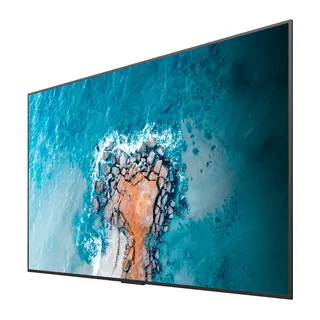
BenQ ST5502 55-inch Professional Smart Signage Display

Screen size
55''
Brightness
450 nits
Operation
18 hours / 7 days
System
Android 8.0
WhatsApp
Priceon request
QuotationWithin 1 working day
DeliveryConfirmed with your quote, based on stock
PDFDownload datasheet (IH_EN_260519104241.pdf)
Overview

The BenQ ST5502 is a 55-inch professional smart signage display with a 4K UHD panel rated at 450 nits typical and an anti-glare finish. It runs Android 8.0 natively, includes an OPS slot for a slot-in PC, and can be managed remotely with DMS. It suits corporate lobbies, meeting rooms, clinics and retail areas across Qatar where content must be updated from one place without a separate media player.

What the ST5502 does on a Qatar site

The BenQ ST5502 is a 55-inch display built for continuous signage and light meeting use rather than as a plain desktop monitor. Its Android 8.0 system runs apps and content directly on the panel, so schedules, announcements and promotions can play without a separate media player. Facilities and communications teams can change what appears on screen from one place, which suits organisations managing more than one site in Doha and beyond.

Panel and image facts that matter

The 4K UHD resolution of 3840 x 2160 keeps text sharp for timetables, floor plans and product details viewed at close range. The VA panel is rated at 450 nits typical with a 4500:1 typical contrast ratio, and the anti-glare coating helps the picture stay readable under overhead lighting. The 10-bit colour depth and 72% NTSC colour gamut suit corporate branding and general presentation content.

  • Backlight life: 30,000 hours typical.
  • Operation: rated for 18 hours a day, seven days a week.
  • Orientation: landscape or portrait.

Connections for meetings and presentations

The panel offers two HDMI 2.0 inputs, a DisplayPort 1.2 input, a VGA input and an HDMI 1.3 output. The OPS slot accepts a slot-in PC, which is how a meeting room runs a video conferencing client directly on the display. The manufacturer lists compatibility with Zoom Rooms, Microsoft Teams, Google Meet and Cisco Webex, and TeamViewer Meeting is pre-installed on ST series displays. InstaShare 1 adds wireless sharing with two-way mirroring, two-way touch control and up to four split screens.

Where it fits across Qatar

A private school in Al Wakrah could place one unit in a reception corridor to show timetables, events and bilingual announcements, updated from the school office. A consultancy in Lusail could mount a unit in a shared meeting room and use its OPS slot for a PC that joins calls with teams abroad. A clinic in Al Sadd could use the stand with removable wheels to move a unit between its waiting area and consultation corridors as needs change.

What to plan before ordering

The display weighs 18.4 kg without packaging and 25.7 kg in its shipping box, so plan for at least two people to handle it. Wall mounting uses the VESA 400 x 200 mm pattern with M6 screws. A free site survey from SmartRooms Qatar helps confirm wall structure, sightlines and cable routes before installation. The operating range is 0°C to 40°C, so choose an air-conditioned indoor location rather than an outdoor or sun-exposed entrance, since Qatar summer temperatures can exceed 45°C. The power input of 100-240V at 50/60Hz covers Qatar's 240V, 50Hz supply, with typical consumption of 94 W.

Schools and government offices ordering several units can work with SmartRooms Qatar against a purchase order (LPO) or through a Monaqasat tender. Request a quote and we will confirm the installation options, the included VGA and HDMI cables and the remote control for your site.

Highlights

  • 55-inch VA panel with 3840 x 2160 4K UHD resolution
  • 450 nits typical brightness with anti-glare coating
  • Built-in Android 8.0 with 3GB memory and 16GB storage
  • OPS slot for slot-in PC and video conferencing apps
  • DMS remote management over LAN or Internet
  • Landscape or portrait use with VESA 400 x 200 mm mounting

Estimated timeline

Quotation within 1 working day · delivery timing depends on stock availability, and we confirm it with your quotation.

Specifications

42 specifications · Source: manufacturer · checked Oct 2026
Panel11
Screen size
55''
Panel type
VA
Active area
1209.6 × 680.4 mm
Aspect ratio
16:9
Color depth
10-bit
Orientation
Landscape and Portrait
Operation hours
18 hours / 7 days
Panel brightness (typical)
450 nits
Contrast ratio (typical)
4500:1
Color gamut
72% NTSC
Backlight life (typical)
30,000 hrs
System4
GPU
Mali-G51MP2
CPU
A73 × 2 + A53 × 2
Memory | Storage
3GB I 16GB
OS
Android 8.0
Connectivity10
HDMI (in | out)
2 × HDMI 2.0 | 1 × HDMI 1.3
DisplayPort
1 × 1.2 | No
USB-A
2 × 2.0 + 1 × 3.0 for OPS
3.5 mm Line in (1)
PC Audio × 1
VGA
1 | 0
3.5 mm Line out
Earphone × 1
OPS slot (for slot-in PC)
1
S/PDIF out
0 | 1 (optical)
Ethernet
10 / 100 Mbps (Android) × 1
RS-232
1 | 0
Built-in peripherals2
Ambient light sensor
No
Speaker
2 × 12 W
Power2
Power
AC 100-240V 50/60Hz
Typical power consumption
94 W
Physical4
Dimensions (W x H x D)
1233.6 × 708.4 × 76.6 mm (48.6 × 28.0 × 3.0 inch)
Shipping dimensions (W x H x D)
1355 × 859 × 160 mm (53.3 × 33.8 × 6.3 inch)
Weight (product I shipping)
18.4 kg | 25.7 kg (40.6 lbs | 56.7 lbs)
Mount (screws)
VESA 400 × 200 mm (4 × M6 × 12L)
Environment4
Operating temperature
0°C ~ 40°C
Storage temperature
-10°C ~ 60°C
Storage humidity
10% ~ 80% RH non-condensing
Operating humidity
20% ~ 90% RH non-condensing
Software3
Wireless screen sharing
InstaShare 1 (BenQ App Store)
Device management
DMS
Broadcast system
X-Sign Broadcast
Accessories2
Cables
1 × VGA (1.5 m | 4.9 ft), 1 × HDMI (1.5m | 4.9 ft)
Remote control
1

Downloads

14 files from the manufacturer
PDF Manuals & guides IH_EN_260519104241.pdf 14.5 MB BenQ ST5502 manuals & guides (PDF, 14.5 MB) PDF Manuals & guides RS232_LAN Control Protocol_01_Others.pdf 561 KB BenQ ST5502 manuals & guides (PDF, 561 KB) PDF Manuals & guides UM_AR_201201100730.pdf 6.6 MB BenQ ST5502 manuals & guides (PDF, 6.6 MB) PDF Manuals & guides UM_EN_201201100730.pdf 6.6 MB BenQ ST5502 manuals & guides (PDF, 6.6 MB) PDF Manuals & guides · Opens on manufacturer site DMS Cloud_EN_260929100553.pdf BenQ ST5502 manuals & guides (PDF) PDF Manuals & guides · Opens on manufacturer site DMS Local_EN_251223091035.pdf BenQ ST5502 manuals & guides (PDF) PDF Manuals & guides · Opens on manufacturer site X-Sign-Broadcast_EN_221206164346.pdf BenQ ST5502 manuals & guides (PDF) PDF Manuals & guides · Opens on manufacturer site X-Sign_EN_221018110021.pdf BenQ ST5502 manuals & guides (PDF) ZIP Drawings & CAD · Opens on manufacturer site ST5502_CAD_1_Others.zip BenQ ST5502 drawings & cad (ZIP) ZIP Software & firmware · Opens on manufacturer site MDA_v3.01_Windows_250815105428.zip BenQ ST5502 software & firmware (ZIP) ZIP Software & firmware · Opens on manufacturer site X-Sign Designer (For ST430K, ST550K, ST650K, SL490, SL550 only)_v2.5.4.7_Windows_241226100626.zip BenQ ST5502 software & firmware (ZIP) ZIP Software & firmware · Opens on manufacturer site X-Sign Designer_Mac (Not support M1 or later)_v2.5.3.4_Mac_241211131025.zip BenQ ST5502 software & firmware (ZIP) ZIP Software & firmware · Opens on manufacturer site X-Sign Designer_Windows_v2.6.5.1_Windows.zip BenQ ST5502 software & firmware (ZIP) ZIP Software & firmware · Opens on manufacturer site X-Sign Player_Window_v2.6.6.1_Windows.zip BenQ ST5502 software & firmware (ZIP)

Questions about ST5502

What is the BenQ ST5502 designed for?
The ST5502 is a 55-inch professional smart signage display for businesses that show announcements, schedules, promotions or meeting material on a screen that runs for long periods. Its built-in Android 8.0 system plays content directly on the panel, so an office, clinic or school in Doha does not need a separate media player for everyday signage.
How bright is the ST5502, and will it be readable in a sunlit lobby?
The panel is rated at 450 nits typical with an anti-glare coating, which helps the picture stay readable under overhead lighting. Direct sunlight falling on the glass can still reduce contrast, so keep the screen away from unshaded windows and confirm sightlines during a free site survey before installation.
Can the ST5502 be placed outdoors or in a hot entrance during Qatar summers?
No. The operating temperature range is 0°C to 40°C, with operating humidity of 20% to 90% non-condensing. Qatar summer temperatures can exceed 45°C, so install the display indoors in an air-conditioned area and confirm the exact location with the SmartRooms Qatar team before you request a quote.
Does the ST5502 run on Qatar's 240V mains supply?
The power input is rated 100-240V AC at 50/60Hz, which covers Qatar's 240V, 50Hz supply. Typical power consumption is 94 W and standby consumption is below 0.5 W. Ask the SmartRooms Qatar team to confirm the plug and socket arrangement at your site when you request a quote.
Can I run video meetings from the ST5502 without a separate PC on the desk?
Yes, through the OPS slot, which accepts a slot-in PC. The manufacturer lists compatibility with Zoom Rooms, Microsoft Teams, Google Meet and Cisco Webex, and TeamViewer Meeting is pre-installed on ST series displays. Tell us which platform your meeting room uses so we can confirm the setup in your quotation.
Which ports does the ST5502 have?
The panel has two HDMI 2.0 inputs, one DisplayPort 1.2 input, one VGA input, one HDMI 1.3 output, an RS-232 port, an optical S/PDIF output, a 10/100 Mbps Ethernet port and a 3.5 mm line-in for PC audio. It also has two USB 2.0 ports and one USB 3.0 port for the OPS PC.
How do I manage several ST5502 displays across different sites?
The Display Management System, DMS, lets you manage devices centrally and keep firmware and apps updated over LAN or the Internet, including over-the-air updates. X-Sign Broadcast can push alerts, messages and announcements to groups of screens, which suits a company with branches in Doha, Lusail and Al Khor.
Can staff share content from their own laptops or phones?
Yes. InstaShare 1 supports wireless screen sharing from personal devices, with two-way mirroring, two-way touch control and up to four split screens. It suits a shared review room in Education City where students and staff bring their own devices to present work on the same screen.
How do I play a presentation without connecting a computer?
Copy multimedia files onto a USB flash drive and plug it into the display. The ST5502 plays them directly, without a PC connection or complicated setup. This suits a training centre in Al Rayyan that wants a welcome loop or course schedule updated by a staff member with a memory stick.
Can the ST5502 be wall mounted, and how heavy is it?
Yes, using the VESA 400 x 200 mm pattern with four M6 screws. The display weighs 18.4 kg without packaging and 25.7 kg in its shipping box, and measures 1233.6 x 708.4 x 76.6 mm. Plan for at least two installers and book a free site survey to confirm wall structure and fixing points before the unit is hung.
Is a stand included, and can the display be moved between rooms?
The product data describes an easy-to-go stand with removable wheels, which lets staff move the display between meeting rooms. Whether a stand is part of your order depends on the configuration, so the SmartRooms Qatar team will confirm it in the quotation. Share your room layout so the right stand option can be quoted.
What comes in the box, and how do schools or government offices order several units?
The package includes one 1.5 m VGA cable, one 1.5 m HDMI cable and one remote control. Schools and government offices can order several units against a purchase order (LPO) or through a Monaqasat tender. SmartRooms Qatar usually issues quotations within one working day, so send the required quantity and specification with your request.

Similar models

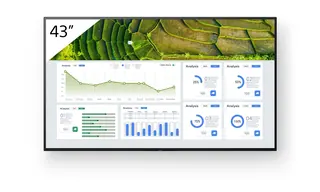
Sony FW-43BZ30L Sony FW-43BZ30L 43-inch 4K HDR Professional Display
43″ 3840 x 2160 440 nit
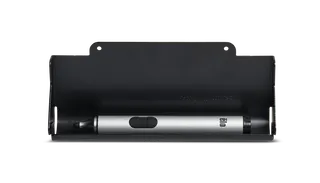
Elo Stylus Tray Elo Stylus Tray E574912 Stylus Holder for Elo Displays
Signage displays
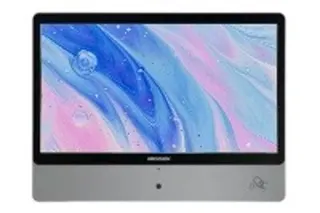
Hikvision DS-D6122TH-D/C Hikvision DS-D6122TH-D/C 22-inch Electronic Class Board
22″ 1920 × 1080 600 cd/m²
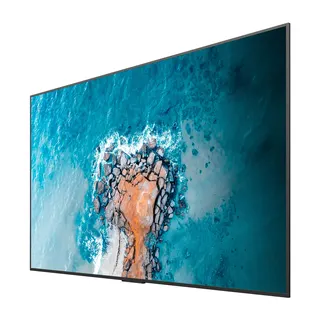
Hisense 100DM66E Hisense 100DM66E 100-inch 4K UHD Digital Signage Display
100″ 3840 x 2160 500 nits
Hisense 100DM66GE Hisense 100DM66GE 100-inch 4K UHD Digital Signage Display
100″ 3,840 x 2,160 500 nits
Email Call