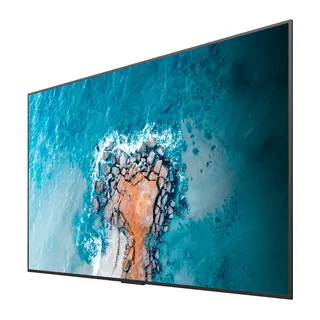
TH-50CQE2
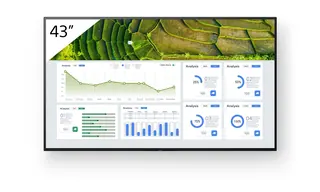
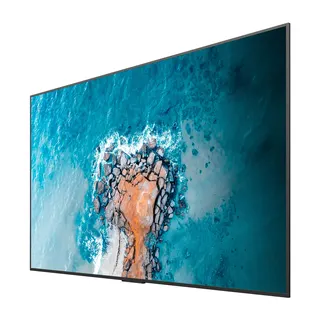
Panasonic TH-50CQE2 50-inch 4K Commercial Display
- Screen size
- 50-inch class (49.50 inch /…
- Resolution
- 3840 x 2160
- Brightness
- 500 cd/m²
- System
- Yes
The Panasonic TH-50CQE2 is a 50-inch class 4K LCD display built for corporate meeting rooms, classrooms and information displays. It offers 3840 x 2160 resolution, 500 cd/m² typical brightness and a 5000:1 contrast ratio, with four HDMI inputs, a USB-C port rated at 15W and built-in Android OS for playback without a separate PC or set-top box. Organisations in Doha, Lusail and Education City can request a quote from SmartRooms Qatar.
What the TH-50CQE2 delivers in a 50-inch panel
The Panasonic TH-50CQE2 is a 50-inch class LCD display with a 3840 x 2160 panel, giving four times the pixel count of a Full HD screen. Its 500 cd/m² typical brightness keeps text and slides legible in rooms with daylight from windows. Its 5000:1 contrast ratio is the highest listed across the CQE2 sizes, so dark slides and video look deeper than on the other models in the range. The anti-glare panel, with 3 % haze, reduces reflections from ceiling lights.
Connectivity for meetings and signage
Four HDMI inputs with HDCP 2.2 let you connect a conferencing codec, a laptop and a media player at the same time, without converters or switchers. The USB-C port supplies up to 15 W and carries display, data and charging over one cable, which suits a presenter's laptop or phone. Three USB-A ports, a microSD slot supporting cards up to 1 TB, an RS-232C serial port and an RJ45 LAN port with PJLink support cover playback and control.
Built-in Android, Wi-Fi and wireless presenting
Android OS runs inside the display, so simple playlists can be shown without a separate PC or set-top box. Built-in Wi-Fi lets a Windows 10 or Windows 11 PC, or an Android device with wireless functionality, present to the screen, which helps when presenters change during a meeting. Operation is not guaranteed on every device, so test the devices your staff use. Bluetooth 5.1 supports keyboards, mice and speakers, and a 20 W speaker is built in. Google Play Store is not supported.
Where this 50-inch model fits in Qatar
A 50-inch panel suits a classroom, a huddle room or a reception corner rather than the main wall of a boardroom. A private school in Al Wakrah fitting out new classrooms could use one as a lesson display, with the USB-A ports for a memory stick of teaching content. A consultancy in West Bay might mount one in a client waiting area to loop a presentation. A clinic in Al Sadd could show wayfinding and waiting-room information from content scheduled in advance.
What to plan before ordering
- Operating range is 0 to 40 °C, so install it in an air-conditioned room, because Qatar summer temperatures often exceed 45 °C.
- Weight is 13.4 kg, with a 200 x 200 mm wall-hanging pitch and M6 fixings. Choose a bracket suited to that load.
- It can be installed in landscape or portrait, and tilts up to 20 degrees forward in landscape, which helps when mounted high.
- The global version, TH-50CQE2W, is rated AC 220 to 240 V, 50/60 Hz, which matches Qatar's 240 V, 50 Hz supply.
- Typical on-mode power is 95 W in Natural mode, standby is about 0.5 W, and it is rated for 16 hours per day.
A site survey before wall-mounting is worth doing, and SmartRooms Qatar offers free site surveys to check wall construction, cable routes and sightlines. For several units for a school or government office, the order can go on a single LPO, and a quotation is usually sent within one working day. Request a quote for the TH-50CQE2 and we will confirm the configuration with you.
Highlights
- 49.50-inch (1257.3 mm) panel with 3840 x 2160 resolution
- 500 cd/m² typical brightness and 5000:1 contrast ratio
- Four HDMI inputs with HDCP 2.2 and a 15W USB-C port
- Built-in Wi-Fi, Bluetooth 5.1 and Android OS
- Rated for 16 hours per day with 0 to 40 °C operating range
- Landscape or portrait installation with up to 20° forward tilt
Estimated timeline
Quotation within 1 working day · delivery timing depends on stock availability, and we confirm it with your quotation.
Specifications
Panel7
- Panel size
- 50-inch class (49.50 inch / 1257.3 mm)
- Effective display area (W x H)
- 1095.8 x 616.4 mm (43.14" x 24.26")
- Resolution
- 3840 x 2160
- Brightness (typ.)
- 500 cd/m²
- Contrast
- 5000:1
- Viewing angle [(T/B)/(L/R)]
- 178°/178° (CR>10)
- Panel surface treatment
- Anti-glare (Haze 3 %)
Terminals13
- HDMI™ IN
- HDMI™ x 4 (compatible with HDCP2.2)
- USB
- Type A: DC 5 V/max. 0.9 A, USB 3.0 is supported, Type A: DC 5 V/max. 0.5 A, USB 2.0 is supported, Type A: DC 5 V/max. 0.5 A, USB 2.0 is supported (Internal), Type C: DC 5 V/max. 3.0 A, USB 3.0 is supported, DisplayPort Alternate mode compatible
- RF In (U model (US and Canada) only)
- F Connector x 1
- microSD
- microSD/SDHC/SDXC / MAX 1 TB
- Serial IN
- Stereo mini jack (φ3.5 mm) x 1, RS-232C Compatible
- LAN
- RJ45 x 1 compatible with PJLink™, 10BASE-T/100BASE-TX
- IR IN
- Stereo mini jack (φ3.5 mm) x 1
- Slot
- No
- Wi-Fi
- Yes (Built-in)
- Bluetooth ®
- Bluetooth 5.1 with BLE, Profile: HDI/A2DP
- Audio OUT
- Stereo mini jack (φ3.5 mm) x 1, SPDIF x 1
- HTML browser
- HTML5 (Vewd)
- Android™-OS
- Yes
Installation Environment3
- Operating time 1
- 16 h/day
- Orientation
- Landscape/Portrait
- Tilt angle 2
- 0-20 degrees forward with landscape setting
Audio1
- Built-in speaker
- 20 W
Electrical6
- Power Supply
- (W): AC 220-240 V 50 Hz/60 Hz, 0.8 A (U): AC 110-127 V 50 Hz/60 Hz, 1.7 A
- Power Consumption
- 100 W (Shipping Condition)
- On Mode Average Power Consumption 3
- 95 W (Picture Mode: [Natural])
- Power Off Condition
- Approx. 0 W
- Stand by Condition
- Approx. 0.5 W
- Energy efficiency class
- G
Mechanical4
- Dimension (WxHxD) (Excluding remote IR sensor)
- 1121 x 646 x 68 mm (44.12" x 25.43" x 2.66")
- Weight
- 13.4 kg / 29.6 lbs
- Bezel width
- 10mm (0.39")(T/R/L), 15.5mm (0.61")(B)
- Wall-hanging pitch
- 200 x 200 mm, M6
Environment2
- Operating environment
- Temperature: 0 °C to 40 °C (32 °F to 104 °F)/Humidity: 20-80 % (Non condensation)/for up to 0-1400 m (4593 ft) altitude. Temperature: 0 °C to 35 °C (32 °F to 95 °F)/Altitude 1400 -2800 m (4593 ft to 7874 ft)
- Regional Spec Sheets
- Americas: TH-50CQE2U Global: TH-50CQE2W