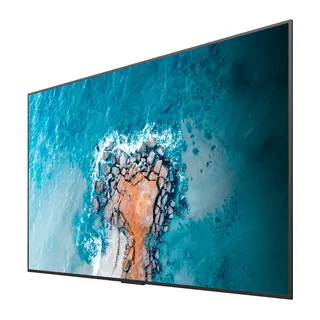
TH-65CQE2
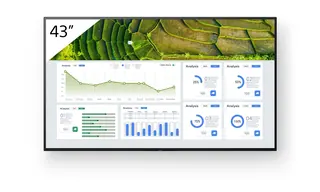
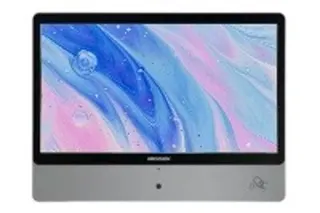
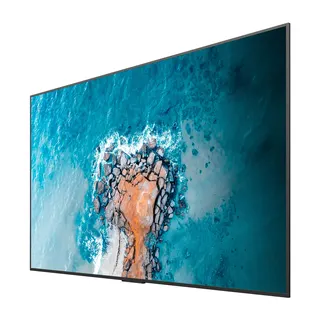
Panasonic TH-65CQE2 65-inch 4K UHD Professional Display
- Screen size
- 65-inch class (64.52 inch /…
- Resolution
- 3840 x 2160
- Brightness
- 500 cd/m²
- System
- Yes
The Panasonic TH-65CQE2 is a 65-inch class 4K UHD display with 3840 x 2160 resolution, 500 cd/m² typical brightness and a 1200:1 contrast ratio. Four HDMI inputs, a 15W USB-C port and built-in Wi-Fi with Android OS let it run content without an external media player. It suits classrooms and meeting rooms across Qatar. Request a quote.
A 65-inch 4K display for classrooms and meeting rooms
The Panasonic TH-65CQE2 belongs to the CQE2 Series of entry-level professional displays. Its 65-inch class panel, measuring 64.52 inches or 1638.9 mm diagonally, shows 3840 x 2160 pixels, roughly 8.29 million, which keeps text and fine detail sharp on a wall-mounted screen. The size suits a mid-sized classroom, a huddle space or a boardroom where viewers sit within a few metres of the display.
The specifications that matter when you compare
- Brightness: 500 cd/m² typical, with a 1200:1 contrast ratio and an anti-glare panel surface (haze 1%).
- Viewing angle: 178 degrees horizontal and vertical, so people seated at the sides can read the content.
- Inputs: four HDMI inputs compatible with HDCP2.2, a USB-C port rated at 15W, three USB-A ports and a microSD input.
- Audio: a 20 W built-in speaker, plus a stereo audio output and an SPDIF output.
- Operation: rated for 16 hours a day.
Software and connectivity without an external player
Android OS runs on the display itself, so signage can play without a PC or set-top box. Content can be loaded from a USB memory device, and PC content management software can schedule playlists and set power on and off times. Wireless presenting works from Windows 10 or Windows 11 PCs and Android devices with wireless capability, which helps when presenters change during a meeting, although operation is not guaranteed on every device. Network control is available over LAN with PJLink, over RS-232C serial, and with Crestron Connected and Crestron XiO Cloud when the display software is version V7.218.4.0 or later.
Where it fits in Qatar
At a private school in Al Wakrah refitting its classrooms, the panel works as a teaching screen fed from a teacher laptop over HDMI, and its 16-hour rating covers a full school day. In a meeting room on an office floor in Msheireb, a team working Sunday to Thursday can share video call content from a laptop, while Bluetooth 5.1 supports a keyboard or speakers. In a clinic waiting area in Al Sadd or a store in Lusail showing looping information, rotate moving content rather than leaving one still image on screen for hours, as the manufacturer advises.
Planning the installation
The display weighs 24.6 kg and measures 1456 x 835 x 96 mm. Wall fixing uses a 600 x 400 mm M6 pattern, so check the wall structure and bracket before delivery. It can be mounted in landscape or portrait, and in landscape it tilts up to 20 degrees forward, which helps when it sits above eye level. The mains input is rated AC 220-240 V at 50/60 Hz, drawing 1.4 A, with typical power use of 160 W in the Natural picture mode. The operating range is 0 to 40 degrees Celsius at 20 to 80 percent humidity without condensation, so install it in an air-conditioned room away from sunlit windows. SmartRooms Qatar offers free site surveys before wall mounting, and quotations usually arrive within one working day.
Request a quote for the TH-65CQE2, including supply, professional installation and delivery to all eight municipalities of Qatar. Send us your room size, wall type and number of units.
Highlights
- 65-inch class panel with 3840 x 2160 4K UHD resolution
- 500 cd/m² typical brightness and 1200:1 contrast ratio
- Four HDMI inputs compatible with HDCP2.2
- USB-C port rated at 15W plus three USB-A ports
- Built-in Wi-Fi, Bluetooth 5.1 and Android OS
- Rated for 16 hours of operation per day
Estimated timeline
Quotation within 1 working day · delivery timing depends on stock availability, and we confirm it with your quotation.
Specifications
Panel7
- Panel size
- 65-inch class (64.52 inch / 1638.9 mm)
- Effective display area (W x H)
- 1428.4 x 803.5 mm (56.23" x 31.63")
- Resolution
- 3840 x 2160
- Brightness (typ.)
- 500 cd/m²
- Contrast
- 1200:1
- Viewing angle [(T/B)/(L/R)]
- 178°/178° (CR>10)
- Panel surface treatment
- Anti-glare (Haze 1 %)
Terminals13
- HDMI™ IN
- HDMI™ x 4 (compatible with HDCP2.2)
- USB
- Type A: DC 5 V/max. 0.9 A, USB 3.0 is supported, Type A: DC 5 V/max. 0.5 A, USB 2.0 is supported, Type A: DC 5 V/max. 0.5 A, USB 2.0 is supported (Internal), Type C: DC 5 V/max. 3.0 A, USB 3.0 is supported, DisplayPort Alternate mode compatible
- RF In (U model (US and Canada) only)
- F Connector x 1
- microSD
- microSD/SDC/SDXC / MAX 1 TB
- Serial IN
- Stereo mini jack (φ3.5 mm) x 1, RS-232C Compatible
- LAN
- RJ45 x 1 compatible with PJLink™, 10BASE-T/100BASE-TX
- IR IN
- Stereo mini jack (φ3.5 mm) x 1
- Slot
- No
- Wi-Fi
- Yes (Built-in)
- Bluetooth ®
- Bluetooth 5.1 with BLE, Profile: HDI/A2DP
- Audio OUT
- Stereo mini jack (φ3.5 mm) x 1, SPDIF x 1
- HTML browser
- HTML5 (Vewd)
- Android™-OS
- Yes
Installation Environment3
- Operating time 1
- 16 h/day
- Orientation
- Landscape/Portrait
- Tilt angle 2
- 0-20 degrees forward with landscape setting
Audio1
- Built-in speaker
- 20 W
Electrical6
- Power Supply
- (W): AC 220-240 V 50 Hz/60 Hz, 1.4 A (U): AC 110-127 V 50 Hz/60 Hz, 2.6 A
- Power Consumption
- 160 W (Shipping Condition)
- On Mode Average Power Consumption 3
- 160 W (Picture Mode: [Natural])
- Power Off Condition
- Approx. 0 W
- Stand by Condition
- Approx. 0.5 W
- Energy efficiency class
- G
Mechanical3
- Dimension (WxHxD) (Excluding remote IR sensor)
- 1456 x 835 x 96 mm (57.32" x 32.84" x 3.78")
- Weight
- 24.6 kg / 54.3 lbs
- Wall-hanging pitch
- 600 x 400 mm, M6
Environment2
- Operating environment
- Temperature: 0 °C to 40 °C (32 °F to 104 °F)/Humidity: 20-80 % (Non condensation)/for up to 0-1400 m (4593 ft) altitude. Temperature: 0 °C to 35 °C (32 °F to 95 °F)/Altitude 1400 -2800 m (4593 ft to 7874 ft)
- Regional Spec Sheets
- Americas: TH-65CQE2U Global: TH-65CQE2W