TH-75CQE2
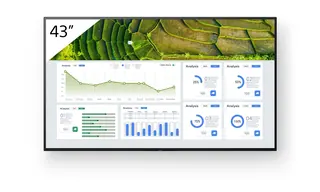
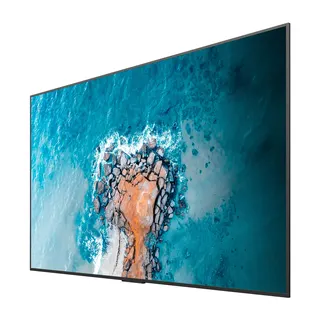
Panasonic TH-75CQE2 75-inch 4K UHD LCD Display
- Screen size
- 75-inch class (74.51 inch /…
- Resolution
- 3840 x 2160
- Brightness
- 400 cd/m²
- System
- Yes
A 75-inch class 4K UHD LCD from the CQE2 Series, built for corporate meeting rooms, classrooms and information displays. It offers 3840 x 2160 resolution, 400 cd/m² typical brightness, four HDMI inputs, a 15W USB-C port, built-in Wi-Fi and Android OS for running signage without a separate media player. Well suited to boardrooms and schools across Qatar. Request a quote today.
What the Panasonic TH-75CQE2 is built for
The TH-75CQE2 is a 75-inch class 4K UHD LCD from the CQE2 Series, sized for rooms where one large screen has to be read clearly from the back row. Its panel measures 1649.6 x 927.9 mm of effective display area and has a native resolution of 3840 x 2160, roughly four times the pixels of a Full HD screen. That makes it a practical choice for corporate meeting rooms, educational classrooms and public information boards where spreadsheets, small text and detailed diagrams must stay sharp.
Brightness, viewing angle and screen surface
Typical brightness is 400 cd/m² with a 1200:1 contrast ratio, and the viewing angle is rated at 178 degrees both vertically and horizontally. The anti-glare surface, rated at 1 percent haze, reduces reflections from windows and ceiling lights. The 65-inch and 55-inch models in the same series are rated at 500 cd/m², so a glazed room in West Bay or Lusail should be planned with seating and blinds in mind rather than relying on the panel alone.
Connections that matter day to day
- Four HDMI inputs with HDCP2.2 support for laptops, set-top boxes and media players
- A USB-C port rated 15W that carries video, data and charging over one cable
- Three USB-A ports, a microSD slot and an internal USB 2.0 port for stored content
- An RJ45 LAN port with PJLink, an RS-232C serial input and an IR input for room control
- 3.5 mm and SPDIF audio outputs for connecting an external sound system
Where it fits in Qatar
In a boardroom at a government authority in Msheireb or an energy company in the Industrial Area, the display can receive a wireless presentation from a Windows 10 or Windows 11 PC, or from an Android device, so presenters can change without swapping cables. Wireless operation is not guaranteed on every device, so test the phones and laptops your team uses. In a private school in Al Wakrah fitting out new classrooms, the built-in Android OS can loop announcements and timetable slides from a USB drive or over the network, while the free Content Management Software for PC schedules playlists. A conference room at a hotel in The Pearl or a training centre in Education City can use the 16-hour daily operating rating for full-day events.
Planning the mount, power and environment
At 36.8 kg and 1684 x 968 x 100 mm, the panel needs a wall structure that can carry its weight and a bracket matched to the 600 x 400 mm M8 mounting pitch. It supports landscape and portrait installation, and in landscape it can tilt 0 to 20 degrees forward, which helps legibility when it is mounted high. The rated supply is AC 220-240 V at 50/60 Hz, with about 165 W in Natural picture mode and roughly 0.5 W on standby. The operating range is 0 to 40 °C up to 1400 m altitude, so the screen belongs in an air-conditioned room away from direct sun and hot glazing. Summer temperatures in Qatar regularly exceed 45 °C outdoors, so confirm the cooling of any lobby or annexe before fixing the screen. SmartRooms Qatar offers free site surveys before wall-mounting, and quotations usually arrive within one working day. Request a quote by sending your room size, wall type and number of units to the SmartRooms Qatar team.
Highlights
- 75-inch class panel with 3840 x 2160 native resolution
- 400 cd/m² typical brightness and 1200:1 contrast
- Four HDMI inputs with HDCP2.2 support
- 15W USB-C port carrying video, data and charging
- Built-in Wi-Fi, Bluetooth 5.1 and Android OS
- Rated for 16 hours per day, landscape or portrait mounting
Estimated timeline
Quotation within 1 working day · delivery timing depends on stock availability, and we confirm it with your quotation.
Specifications
Panel7
- Panel size
- 75-inch class (74.51 inch / 1892.7 mm)
- Effective display area (W x H)
- 1649.6 x 927.9 mm (64.94" x 36.53")
- Resolution
- 3840 x 2160
- Brightness (typ.)
- 400 cd/m²
- Contrast
- 1200:1
- Viewing angle [(T/B)/(L/R)]
- 178°/178° (CR>10)
- Panel surface treatment
- Anti-glare (Haze 1 %)
Terminals13
- HDMI™ IN
- HDMI™ x 4 (compatible with HDCP2.2)
- USB
- Type A: DC 5 V/max. 0.9 A, USB 3.0 is supported, Type A: DC 5 V/max. 0.5 A, USB 2.0 is supported, Type A: DC 5 V/max. 0.5 A, USB 2.0 is supported (Internal), Type C: DC 5 V/max. 3.0 A, USB 3.0 is supported, DisplayPort Alternate mode compatible
- RF In (U model (US and Canada) only)
- F Connector x 1
- microSD
- microSD/SDC/SDXC / MAX 1 TB
- Serial IN
- Stereo mini jack (φ3.5 mm) x 1, RS-232C Compatible
- LAN
- RJ45 x 1 compatible with PJLink™, 10BASE-T/100BASE-TX
- IR IN
- Stereo mini jack (φ3.5 mm) x 1
- Slot
- No
- Wi-Fi
- Yes (Built-in)
- Bluetooth ®
- Bluetooth 5.1 with BLE, Profile: HDI/A2DP
- Audio OUT
- Stereo mini jack (φ3.5 mm) x 1, SPDIF x 1
- HTML browser
- HTML5 (Vewd)
- Android™-OS
- Yes
Installation Environment3
- Operating time 1
- 16 h/day
- Orientation
- Landscape/Portrait
- Tilt angle 2
- 0-20 degrees forward with landscape setting
Audio1
- Built-in speaker
- 24 W
Electrical6
- Power Supply
- (W): AC 220-240 V 50 Hz/60 Hz, 1.4 A (U): AC 110-127 V 50 Hz/60 Hz, 2.7 A
- Power Consumption
- 170 W (Shipping Condition)
- On Mode Average Power Consumption 3
- 165 W (Picture Mode: [Natural])
- Power Off Condition
- Approx. 0 W
- Stand by Condition
- Approx. 0.5 W
- Energy efficiency class
- -
Mechanical3
- Dimension (WxHxD) (Excluding remote IR sensor)
- 1684 x 968 x 100 mm (66.28" x 38.09" x 3.92")
- Weight
- 36.8 kg/81.2 lbs
- Wall-hanging pitch
- 600 x 400 mm, M8
Environment2
- Operating environment
- Temperature: 0 °C to 40 °C (32 °F to 104 °F)/Humidity: 20-80 % (Non condensation)/for up to 0-1400 m (4593 ft) altitude. Temperature: 0 °C to 35 °C (32 °F to 95 °F)/Altitude 1400 -2800 m (4593 ft to 7874 ft)
- Regional Spec Sheets
- Americas: TH-75CQE2U Global: TH-75CQE2W