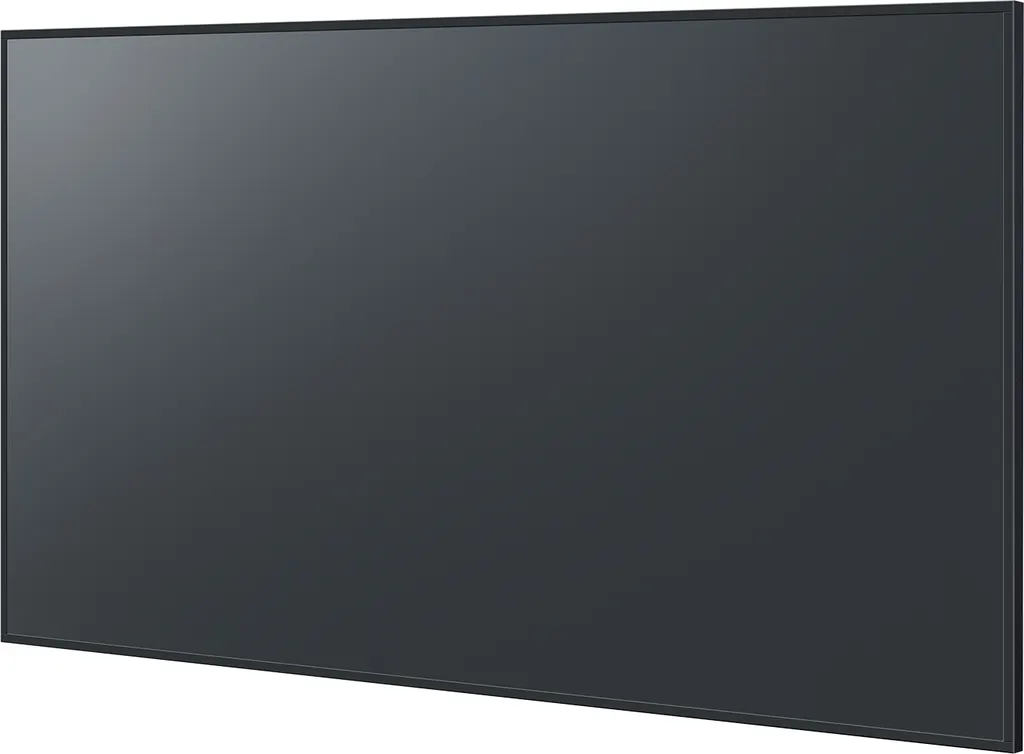
TH-75SQ3
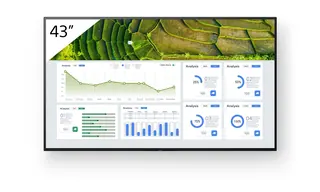
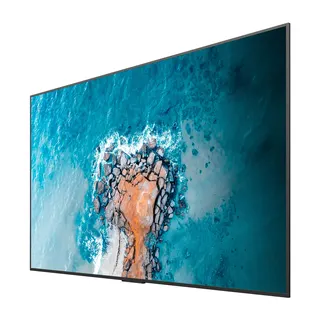
Panasonic TH-75SQ3 75-inch 4K Professional Display
- Screen size
- 75-inch class (74.54-inch /…
- Resolution
- 3840 x 2160
- Brightness
- 500 cd/m2
- Contrast
- 1200:1
A 75-inch class 4K UHD professional display from the SQ3 Series, built for meeting rooms, classrooms and retail floors. Its 500 cd/m² typical brightness, anti-glare panel with 25% haze and three HDMI inputs keep content readable in lit rooms. USB playback runs without a computer, and the unit is rated for 24-hour daily operation, which suits Doha offices, schools and malls that need a dependable screen.
What the 75-inch TH-75SQ3 delivers
The Panasonic TH-75SQ3 belongs to the SQ3 Series, which spans 43 to 86 inches. This 75-inch class model has a 3840 x 2160 panel with approximately 8,290,000 pixels, about four times the detail of a Full-HD screen. Its active area measures 1650.2 x 928.2 mm, so it fills a large wall in a meeting room, teaching space or reception area.
Brightness and glare control in lit rooms
Typical brightness is 500 cd/m², and the anti-glare surface with 25% haze reduces reflections from windows and ceiling lamps. Typical contrast is 1200:1, and the 178 degree horizontal and vertical viewing angles keep text readable from the ends of a long table. Dynamic contrast and dynamic backlight control adjust the picture to the content and help reduce total power consumption.
Connections, playback and control
Three HDMI inputs with HDCP 2.2 support sit alongside a PC input, a stereo audio input, two RCA audio outputs and a USB Type-A port. Control is possible through RS-232C and a LAN port compatible with PJLink, so a room controller or building system can switch inputs and manage power from one point. HDMI-CEC lets the display remote handle basic functions of compatible devices, but control of every device cannot be guaranteed, so test your sources before handover.
Content saved on a USB memory stick starts playing automatically, with no PC or set-top box needed, which suits looping information in lobbies. Still images and video cannot be mixed on one stick, and automatic start requires numbered files in a folder named AUTO_PLAYBACK. Check the operation manual for file restrictions.
Where it fits in Qatar
- Boardrooms in West Bay or Lusail: a large shared view for video calls with teams abroad, with built-in 20 W speakers for short presentations.
- Schools in Al Rayyan or Education City: classrooms running a timetable benefit from the 24-hour rating, and screens can be switched off outside teaching hours to save energy.
- Retail units in Msheireb or The Pearl: looping promotions played from USB or a media player over HDMI, in storefronts with strong daylight.
What to plan before installation
The unit measures 1684 x 962 x 70 mm and weighs approximately 35.6 kg, so confirm wall strength and bracket rating before ordering. The rear uses VESA 600 x 400 mm mounting with M8 screws and a 20 mm screw hole depth. It can be mounted in landscape or portrait and tilted 0 to 20 degrees forward or backward. Power input is 110 to 240 V at 50 or 60 Hz, which covers Qatar mains at 240 V, with average on-mode draw of 213 W. The stated operating range is 0 to 40 °C up to 1400 m altitude, with 20 to 80% non-condensing humidity. Qatar summers can exceed 45 °C, so keep the screen in an air-conditioned room away from direct sun. The manufacturer also notes that a still picture left on screen for long periods can leave image retention, so rotate moving content into fixed menus. SmartRooms Qatar offers free site surveys to check the wall, cable routes and bracket before installation.
Request a quote from SmartRooms Qatar for the Panasonic TH-75SQ3, with delivery to all eight municipalities of Qatar, professional installation and payment by purchase order for government and LPO-based buyers. Quotations are usually issued within one working day.
Highlights
- 75-inch class 4K UHD panel at 3840 x 2160 resolution
- 500 cd/m² typical brightness with 25% haze anti-glare panel
- Three HDMI inputs, PC input, RS-232C and LAN control
- USB media playback of 4K content without a PC
- Rated for 24-hour daily operation
- Input 110-240 V, 50/60 Hz; 213 W average on-mode power
Estimated timeline
Quotation within 1 working day · delivery timing depends on stock availability, and we confirm it with your quotation.
Specifications
Display Panel10
- Screen Size
- 75-inch class (74.54-inch / 1893.3 mm)
- Brightness (typ.)
- 500 cd/m2
- Aspect ratio
- 16:9
- Effective Display Area (W x H)
- 1650.2 x 928.2 mm (64.97" x 36.54")
- Resolution
- 3840 x 2160
- Contrast Ratio (typ.)
- 1200:1
- Response Time (typ.)
- 8.0 ms (G to G)
- Viewing Angle(H / V)
- 178°/178° (CR>10)
- Panel Surface Treatment
- Anti-glare type
- Haze
- 25%
Connection Terminal7
- HDMI™ IN
- HDMITM Type A Connector x 3 (HDCP 2.2 supported)
- PC IN
- Mini D-sub 15-pin x 1 (DDC2B)
- SERIAL IN
- External control terminal D-sub 9-pin x 1 (Male), RS232C Compatible
- AUDIO 1 IN (L / R)
- Stereo Mini Jack (φ3.5 mm) x 1
- AUDIO OUT (L / R)
- RCA Pin Jack x 2
- LAN
- RJ45 x 1 compatible with PJLinkTM, 10BASE-T/100BASE-TX
- USB TYPE A
- USB Connector Type A x 1 (DC 5 V / 2 A, USB 2.0 is supported)
Audio1
- Built in Speaker
- 20 W [10 W+10 W]
Electrical6
- Power Supply
- AC 110-240 V 50/60 Hz2.9-1.4 A
- Power Consumption
- 217 W(Shipping Condition)
- On Mode Average Power Consumption *1
- 213 W
- Power Off Condition
- Approx. 0.3 W
- Stand-by Condition
- Approx. 0.5 W
- Apparent power
- 291 VA
Mechanical9
- Dimension(W)
- 1684 mm (66.28")
- Dimension(H)
- 962 mm (37.87")
- Dimension(D)
- 70 mm (2.74")*1
- Weight
- Approx. 35.6 kg (78.5 lbs.)
- Bezel Width(T)
- 14.9 mm (0.59")
- Bezel Width(B)
- 14.9 mm (0.59")
- Bezel Width(L)
- 14.9 mm (0.59")
- Bezel Width(R)
- 14.9 mm (0.59")
- Pitch for Wall-Hanging / Screw / Screw hole depth
- VESA Compliant 600 x 400 mm (23.6" x 15.8") / M8 / 20 mm (0.79")
Installation3
- Orientation *3
- Landscape / Portrait
- Tilting Angle
- 0 - 20 degrees forward / backward with landscape / portrait setting
- Operating Time *4
- 24h /day
Environment1
- Operating Environment(Temperature)
- 0°C to 40°C (32°F to 104°F) : for up to 0-1400 m (4593 ft) altitude0°C to 35°C (32°F to 95°F): for between 1400 m (4593 ft) and 2800 m (9186 ft) altitude
Environmental1
- Operating Environment(Humidity) (No condensation)
- 20% to 80%