Thursday, 22 October 2026 · 11 Jumada I 1448 AH Sun – Thu · 9:00 – 18:00
+971 56 914 9477 العربية
WhatsApp

QB65N

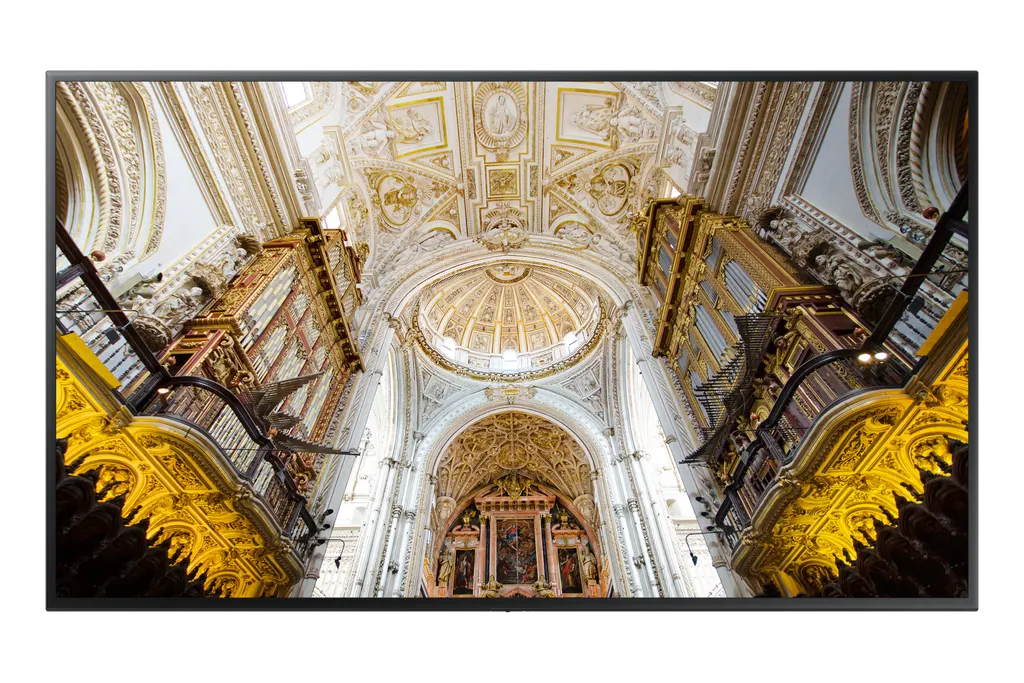
Samsung QB65N 65-inch UHD 4K Digital Signage Display

Screen size
65"
Resolution
3,840 x 2,160
Brightness
350 nit
Contrast
6,000:1
WhatsApp
Priceon request
QuotationWithin 1 working day
DeliveryConfirmed with your quote, based on stock
XLSXDownload datasheet (QB65N_Specifications_levant.xlsx)
Overview

The Samsung QB65N is a 65-inch UHD 4K digital signage display with 3,840 x 2,160 resolution, 350 typical brightness and a 6,000:1 contrast ratio. It runs the embedded MagicINFO S6 player on Tizen OS, supports remote management and carries an IP5x dust rating. It suits lobbies, reception areas and corridors in Doha, West Bay and Lusail where a clear screen message is needed. Request a quote from SmartRooms Qatar.

What the QB65N is built for

The Samsung QB65N is a 65-inch UHD 4K display made for digital signage: menus, wayfinding, announcements and promotional content in places where many people pass a screen every day. Its 3,840 x 2,160 panel is listed as a New Edge panel running at 60Hz, which gives crisp text at close viewing distance. The manufacturer also lists the model as LH65QBNEBGC/UE, and it belongs to the QBN Series.

Picture, brightness and viewing angles

The screen has a typical brightness rating of 350, a contrast ratio of 6,000:1 and a 178/178 degree viewing angle, so content stays readable for people standing beside a lobby as well as in front of it. Response time is listed at 8ms typical and colour gamut at 72%. Samsung describes its Intelligent Picture Quality processing as lifting content from different sources toward UHD-level detail, which helps when older video files are played on the screen.

Built-in software, control and security

The embedded MagicINFO S6 player runs on the Tizen operating system, so scheduled playlists can run on the display itself without a separate media PC at each location. Samsung KNOX is described as providing three-layer protection and controlling USB and network exchange through dedicated signage device management. Remote management lets IT staff monitor and diagnose the display from another location.

Connections for source devices

  • Two HDMI inputs and one DVI-D input
  • Two USB ports, RS232 in and out, and an RJ45 network input
  • IR input, audio input, stereo mini-jack audio output and WiFi
  • No DisplayPort, HDBaseT or video output, so plan source cabling before ordering

Where it fits in Qatar

A 65-inch screen suits spaces where people stand a few metres away rather than sit around a boardroom table. Three examples:

  • A clinic waiting area in Al Sadd showing queue information and health awareness messages.
  • A ministry reception in Msheireb directing visitors to the right counter and floor.
  • A private school in Al Wakrah using corridor screens for timetables, events and notices.

Planning the mount and the site

The set measures 1457.5 x 837.3 x 59.4 mm and weighs 25.3 kg, so check the wall structure and choose a mount before delivery. The rear uses a 400 x 400 mm VESA pattern, and Samsung lists an optional wall mount, the WMN6575SE. No stand is offered in the data. Bezels are 10.5 mm at the top and sides and 11.8 mm at the bottom. The rated operating range is 0 to 40°C and 10 to 80% humidity, which is below Qatar's summer heat, so install it in an air-conditioned indoor space. The IP5x rating covers dust, but Samsung notes that operation is not guaranteed with some dust types such as metal dust, so confirm the location first if it is near construction or industrial dust. Power is rated AC 100-240V at 50/60Hz, with 176 W on-mode and 0.5 W sleep-mode consumption.

SmartRooms Qatar offers free site surveys before wall mounting, professional installation and delivery to all 8 municipalities of Qatar. Quotations usually arrive within one working day. Request a quote for the QB65N and we will confirm the mount, cabling and quantity for your site.

Highlights

  • 65-inch UHD 4K panel at 3,840 x 2,160 resolution
  • Embedded MagicINFO S6 player on Tizen OS
  • Typical brightness 350 and 6,000:1 contrast ratio
  • Two HDMI, one DVI-D, two USB and RS232 in and out
  • AC 100-240V, 50/60Hz power; 0 to 40°C operating range
  • 400 x 400 mm VESA pattern; optional WMN6575SE wall mount

Estimated timeline

Quotation within 1 working day · delivery timing depends on stock availability, and we confirm it with your quotation.

Specifications

46 specifications · Source: manufacturer · checked Oct 2026
Display14
Diagonal Size
65"
Panel Type
New Edge, 60Hz
Resolution
3,840 x 2,160
Pixel Pitch (HxV, mm)
0.372(H) x 0.372(V)
Brightness (Typical)
350
Contrast Ratio
6,000:1
Viewing Angle (H/V)
178/178
Response Time
8ms(Typ)
Color Gamut
72%
Glass Haze
0.02 %
H-Scanning Frequency
30~81kHz
Maximum Pixel Frequency
594Mhz
V-Scanning Frequency
48~75Hz
Contrast Ratio (Dynamic)
Mega
Connectivity14
HDMI In
2
DP In
No
DVI In
1(DVI-D)
USB
2
IR In
Yes
HDBaseT In
No
Audio In
Yes
Audio Out
Stereo Mini Jack
Video Out
No
RS232 In
Yes
RS232 Out
Yes
RJ45 In
Yes
RJ45 Out
No
WiFi
Yes
Power3
Power Supply
AC100-240V 50/60Hz
Power Consumption (On Mode, W)
‎176‎
Power Consumption (Sleep Mode, W)
‎0.5‎
Dimension2
Set Dimension (WxHxD, mm)
‎1457.5 x 837.3 x 59.4‎
Package Dimension (WxHxD)
‎1601 x 970 x 178‎
Weight2
Set Weight
‎25.3‎
Package Weight
‎32.10‎
Operation Conditions2
Temperature
0℃~ 40℃
Humidity
10~80%
Mechanical Specification3
VESA Mount (mm)
‎400 x 400‎
Bezel Width (mm)
10.5(top,side), 11.8(bottom)
Frame Material
Non-Glossy
Optional Feature2
Mount
WMN6575SE
Stand
No
Internal Player (MagicInfo)1
MagicInfo Daisychain Videowall Support
No
Eco1
Energy Efficiency
A
Certification and Compliance2
EMC
FCC (USA) Part 15, Subpart B Class ACE (Europe) : EN55022:2006+A1:2007 EN55024:1998+A1:2001+A2:2003VCCI (Japan) : VCCI V-3 /2010.04 Class AKCC/EK (Korea) : Tuner : KN13 / KN20 Tunerless : KN22 / KN24BSMI (Chinese Taiwan) : CNS13438 (ITE EMI) Class A / CNS13439 (AV EMI) / CNS14409 (AV EMS) / CNS14972 (Digital)C-Tick (Australia) : AS/NZS CISPR22:2009CCC(China) :GB9254-2008 GB17625.1-2012GOST(Russia/CIS) : GOST R 51317 Series, GOST 22505-97 EN55022:2006+A1:2007
Safety
CB (Europe) : IEC60950-1/EN60950-1CCC (China) : GB4943.1-2011PSB (Singapore ) : PSB+IEC60950-1NOM (Mexico ) : NOM-001-SCFI-1993IRAM (Argentina ) : IRAM+IEC60950-1SASO (Saudi Arabia ) : SASO+IEC60950-1BIS(India) : IEC60950-1 / IS13252NOM(Mexico) : Tuner : NOM-001-SCFI-1993 Tunerless : NOM-019-SCFI-1998KC(Korea) : K 60950-1EAC(Russia) : EAC+IEC60950-1INMETRO(Brazil) : INMETRO+IEC60950-1BSMI(Chinese Taiwan) : BSMI+IEC60950-1RCM(Australia) : IEC60950-1/AS/NZS 60950-1UL(USA) : cUL60950-1 CSA (Canada) : cULTUV (Germany) : CENEMKO (Norway) : CE
Downloads

12 files from the manufacturer
XLSX Datasheets QB65N_Specifications_levant.xlsx 5 KB Samsung QB65N datasheets (XLSX, 5 KB) PDF Datasheets VESA_Spec_Table.pdf 457 KB Samsung QB65N datasheets (PDF, 457 KB) PDF Manuals & guides BN68-09133B-00_QSG_QBN_EU_L25_180426.0.pdf 2.8 MB Samsung QB65N manuals & guides (PDF, 2.8 MB) PDF Manuals & guides BN68-09133C-00_QSG_QBN_ASIA_MENA_L06_180706.0_09123917.pdf 2.5 MB Samsung QB65N manuals & guides (PDF, 2.5 MB) PDF Manuals & guides By-model_QBN_QEN_QMN_WebManual_ASIA_Ara-01_20181019.0.pdf 683 KB Samsung QB65N manuals & guides (PDF, 683 KB) PDF Manuals & guides By-model_QBN_QEN_QMN_WebManual_EU_Fre-01_20181019.0.pdf 631 KB Samsung QB65N manuals & guides (PDF, 631 KB) PDF Manuals & guides By-model_QBN_QEN_QMN_WebManual_Eng_01_20181019.0.pdf 627 KB Samsung QB65N manuals & guides (PDF, 627 KB) PDF Manuals & guides LFDQMREN-05_BY-MODEL_QBR QMR QER QMR-T_EU_ENG_210223.0.pdf 923 KB Samsung QB65N manuals & guides (PDF, 923 KB) ZIP Software & firmware · Opens on manufacturer site LFDCOMNEN-07_COMMON_2018-2019_EU_L25_210607.0.zip Samsung QB65N software & firmware (ZIP) ZIP Software & firmware · Opens on manufacturer site LFDQMREN-05_BY-MODEL_QBR_QMR_QER_QMR-T_EU_L25_210224.0.zip Samsung QB65N software & firmware (ZIP) ZIP Software & firmware · Opens on manufacturer site T-KTM2ELAKUC_BEM.zip Samsung QB65N software & firmware (ZIP) ZIP Software & firmware · Opens on manufacturer site T-KTM2ELAKUC_USB.zip Samsung QB65N software & firmware (ZIP)

Questions about QB65N

What is the Samsung QB65N used for?
The QB65N is a 65-inch UHD 4K display designed for digital signage, so it suits menus, wayfinding, announcements and promotional loops in lobbies, reception areas and corridors. Its 3,840 x 2,160 resolution keeps text sharp at normal viewing distances, and the embedded MagicINFO S6 player lets you schedule content on the screen itself. It suits buyers who need one public-facing screen for an indoor location in Doha, West Bay or Lusail.
Does the QB65N work on Qatar's 240 V mains supply?
Yes. The power supply is rated AC 100-240V at 50/60Hz, which covers Qatar's 240 V, 50 Hz mains. The set draws 176 W in on mode and 0.5 W in sleep mode, and Samsung lists its energy efficiency as grade A. Before ordering, confirm the cable and socket arrangement with SmartRooms Qatar during the quotation so the installer can plan the power point behind the mount.
Which picture specifications should I compare with other 65-inch signage displays?
The QB65N offers 3,840 x 2,160 resolution, a New Edge panel at 60Hz, typical brightness of 350, a contrast ratio of 6,000:1 and a 178/178 degree viewing angle. Response time is listed at 8ms typical and colour gamut at 72%. Compare these figures with your content and room lighting, especially if the screen faces a large window or a bright atrium.
Can I place it outdoors or in a space without air conditioning in Qatar?
No. The rated operating temperature is 0 to 40°C with 10 to 80% humidity, while summer temperatures in Qatar can exceed 45°C. Install it in an air-conditioned indoor space such as a lobby or corridor. If you are considering a glazed frontage or a semi-open area, ask SmartRooms Qatar to check the environment before you request a quote.
Which inputs and outputs does it provide?
The QB65N has two HDMI inputs, one DVI-D input, two USB ports, RS232 in and out, an RJ45 network input, an IR input, an audio input, a stereo mini-jack audio output and WiFi. It has no DisplayPort, no HDBaseT input, no video output and no RJ45 output. Map your media players, PCs and control system to these ports before ordering, especially if you plan to link screens together.
Do I need a separate media player to run content?
Not necessarily. The data lists an embedded MagicINFO S6 player backed by the Tizen operating system, so schedules and playlists can run on the display itself. This suits a single-screen clinic reception in Al Sadd or a hotel lobby where a separate PC would be extra equipment. For complex multi-screen playback, discuss your content workflow with SmartRooms Qatar during the site survey.
Is it secure enough for a ministry or government office network?
Samsung describes KNOX platform protection with three layers, along with control over USB and network exchange through dedicated signage device management. Remote management lets authorised staff monitor and diagnose the display. Your IT team should still review network policy, set access rights and approve the connection before the screen joins the office network. SmartRooms Qatar can help plan the installation around those requirements.
What wall space and mount does the QB65N need?
The set measures 1457.5 x 837.3 x 59.4 mm and weighs 25.3 kg, with a 400 x 400 mm VESA pattern. Samsung lists the WMN6575SE as an optional wall mount, and no stand is offered. Check that the wall or column can carry the weight plus the mount, then book a free site survey so we can measure height, cable routing and viewing distance before installation.
Can several QB65N displays form a video wall?
No. The data states that MagicInfo daisychain videowall support is not available on this model, so it is not designed to be linked as a video wall. For a wall of screens in a control room or lobby, request a quote for a video wall solution and tell us the layout, the spacing between screens and the viewing distance you need.
Is it suitable for a school ordering several units?
A 65-inch screen suits corridors, dining halls and smaller classrooms, where students stand or sit a few metres from the display. If a school in Al Wakrah or Al Rayyan is ordering several units, it can issue a purchase order (LPO) and receive one quotation covering screens, mounts, cabling and installation. The installer checks each location for wall load, power and cable routing before fitting.
How do I request a quote and what happens next?
Send your room, quantity and mounting plan to SmartRooms Qatar through www.smartrooms.qa, or contact us directly. Quotations are usually issued within one working day. We deliver to all 8 municipalities of Qatar, and you can pay by bank transfer, cheque or purchase order. Government tenders, including Monaqasat, are also supported, so public bodies can order through their normal procurement route.

Similar models

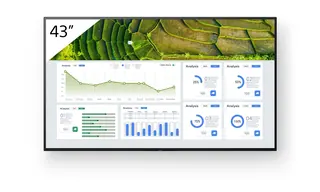
Sony FW-43BZ30L Sony FW-43BZ30L 43-inch 4K HDR Professional Display
43″ 3840 x 2160 440 nit
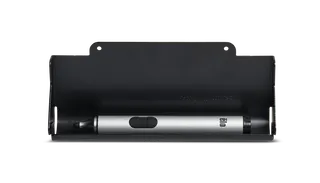
Elo Stylus Tray Elo Stylus Tray E574912 Stylus Holder for Elo Displays
Signage displays
Hikvision DS-D6122TH-D/C Hikvision DS-D6122TH-D/C 22-inch Electronic Class Board
22″ 1920 × 1080 600 cd/m²
Hisense 100DM66E Hisense 100DM66E 100-inch 4K UHD Digital Signage Display
100″ 3840 x 2160 500 nits
Hisense 100DM66GE Hisense 100DM66GE 100-inch 4K UHD Digital Signage Display
100″ 3,840 x 2,160 500 nits
Email Call