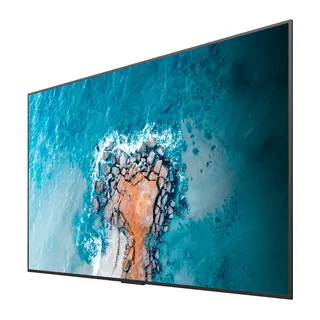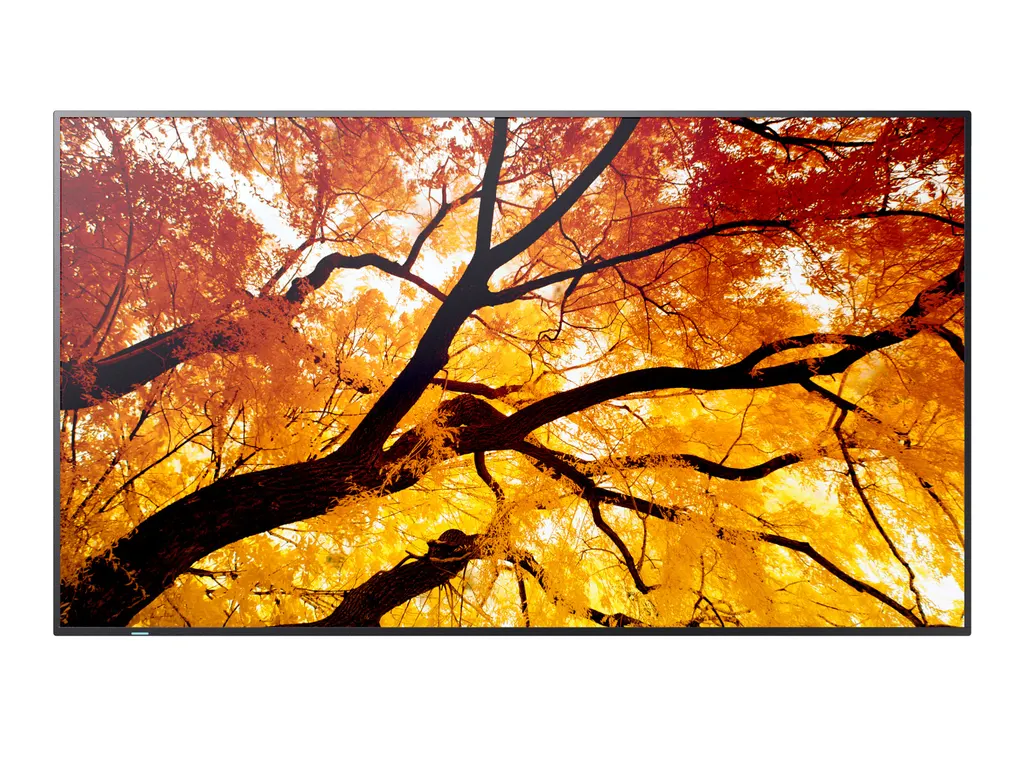
PN-M502
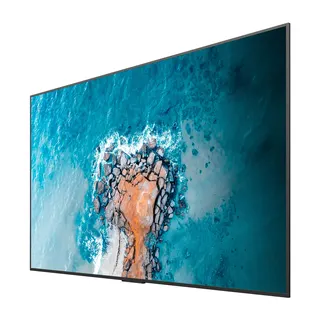
Sharp MultiSync PN-M502 50-inch 4K UHD Large Format Display
- Screen size
- 50 / 125.7
- Resolution
- 3840 x 2160
- Brightness
- 550 nit
- Operation
- 24/7
The Sharp PN-M502 is a 50-inch 4K UHD display for signage and meeting rooms. Its 550 cd/m² brightness is paired with a high-haze finish that cuts glare from windows, and one USB-C cable carries video, data and up to 65 W of power. It runs 24/7 in landscape, portrait or face-up orientation. Offices, schools and retail outlets in Qatar can request a quote for this model.
What the PN-M502 is built for
The Sharp PN-M502 is a 50-inch large format display with a native 3840 x 2160 resolution and an active screen area of 1,095.8 x 616.4 mm. It serves two main jobs: showing content in public and commercial spaces, and acting as the main screen in a medium-sized meeting room. Its 24/7 operating rating means it can run digital signage playlists around the clock, and the same panel works in a boardroom or training room during the working day.
Weighing 18 kg with a metal back cover and a body measuring 1,121.6 x 645.2 x 66.5 mm, it is a practical choice for wall mounting or for a trolley in a single room.
Brightness, glare control and colour accuracy
Brightness is rated at 550 cd/m², and the panel uses a high-haze finish rated Pro (25) to soften reflections from windows and overhead lights. That matters in Doha rooms with large glazing, where a glossy screen can wash out slides or adverts in the afternoon. The VA panel with direct LED backlighting is rated at a contrast ratio of at least 8,000:1, with viewing angles of 178 degrees horizontally and vertically (typical at 10:1 contrast). Colour gamut is rated at 72% of NTSC, and factory calibration covers gamma, intensity, RGB, uniformity and white point.
Connections, meeting platforms and network security
USB-C 1 accepts a video signal and carries data and up to 65 W of power, so a presenter can connect a laptop with one cable and charge it at the same time. The unit also has two HDMI inputs, a DisplayPort input, HDMI and DisplayPort outputs for loop-through, USB-A and USB-C ports for peripherals and storage, and two 100 MBit/s LAN ports.
The display is listed as compatible with Crestron (XiO Cloud), Cisco Webex, Q-Sys and Microsoft Teams. It holds Crestron CCV2 and XiO Cloud certification, is verified for Cisco collaboration devices, and has a Q-Sys plug-in. IEEE 802.1X over LAN supports corporate security policies, and NaViSet Administrator 2 allows remote management of settings and maintenance.
Where it fits in Qatar
- A private school in Al Wakrah fitting out a multipurpose hall, using split-screen mode to show a timetable beside a lesson video from a laptop.
- A consultancy office in Msheireb setting up a meeting room where Doha staff join Webex or Teams calls with colleagues abroad, connected by a single USB-C cable.
- A retail outlet in a Doha shopping centre running promotional loops through long trading hours, with scheduling and ambient light sensing configured on site.
What to plan before installation
Check the wall before mounting. The VESA pattern is 300 x 300 mm with four M6 holes, and the listed wall mounts (PDW S 32-65 L and PDW S 32-65 P) cover 32 to 65 inch sizes. A 50-inch panel suits a classroom or meeting room rather than a large lecture hall.
Environment matters in Qatar. The operating range is 0 to +40 °C with 20 to 80% humidity, and summer temperatures can exceed 45 °C. Install the display in an air-conditioned room rather than a shaded outdoor area. Power comes from an internal supply rated 100-240 V AC at 50/60 Hz.
SmartRooms Qatar offers a free site survey, professional installation and delivery to all eight municipalities of Qatar, and accepts purchase orders (LPOs) and government tenders, including Monaqasat. To request a quote, send us your room size, mounting plan, connection needs and required accessories, and our team will confirm the configuration and an estimated lead time with the quotation.
Highlights
- 50-inch 4K UHD panel with 3840 x 2160 native resolution
- 550 cd/m² brightness with high-haze anti-glare panel
- Single USB-C input carries video, data and 65 W power
- Runs 24/7 in landscape, portrait or face-up orientation
- 802.1X LAN security and NaViSet remote management
- Compatible with Crestron, Cisco Webex, Q-Sys and Microsoft Teams
Estimated timeline
Quotation within 1 working day · delivery timing depends on stock availability, and we confirm it with your quotation.
Specifications
Display14
- Panel Technology
- VA with Direct LED backlights
- Active Screen Area (W x H) [mm]
- 1,095.8 x 616.4
- Screen Size [inch/cm]
- 50 / 125.7
- Aspect Ratio
- 16:9
- Pixel Pitch [mm]
- 0.285
- Brightness [cd/m²]
- 550
- Contrast Ratio
- ≥ 8000:1 1
- Viewing Angle [°]
- 178 horizontal / 178 vertical (typ. at contrast ratio 10:1)
- Colour Depth [bn]
- 1.073 (10bit)
- Colour Gamut
- 72% of NTSC
- Response Time (typ.) [ms]
- 8
- Panel Refresh Rate [Hz]
- 60
- Haze Level [%]
- Pro (25)
- Supported Orientation
- Face Up 2 ; Landscape; Portrait
Resolution2
- Native Resolution
- 3840 x 2160
- Supported Resolutions
- 1024 x 768;; 1270 x 720;; 1280 x 1024;; 1280 x 720;; 1280 x 800;; 1360 x 768;; 1366 x 768;; 1400 x 1050;; 1440 x 900;; 1600 x 1200;; 1680 x 1050;; 1920 x 1080;; 1920 x 1200;; 1920 x 1200;; 1920 x 2160;; 3840 x 2160;; 4096 x 2160;; 640 x 480;; 720 x 400;; 720 x 480;; 720 x 576;; 800 x 600
Synchronisation Rate2
- Horizontal Frequency [kHz]
- 15 - 135
- Vertical Frequency [Hz]
- 23 - 76
Connectivity16
- HDMI IN 1
- Video Input; UHD (60 Hz) HDCP (2.2); Audio Input; ARC; CEC
- HDMI IN 2
- Video Input; UHD (60 Hz) HDCP (2.2); Audio Input; CEC
- HDMI OUT
- Video Output; UHD (60 Hz) HDCP (2.2); Audio Output; Loop Through: HDMI IN 2, Option, Compute module
- DP IN 1
- Video Input; UHD (60 Hz) DP 1.2; HDCP (2.2); Audio Input
- DP OUT
- Video Output; UHD (60 Hz) DP 1.2; HDCP (2.2); Audio Output; Loop Through: DisplayPort IN, USB-C 2
- USB-A 1
- USB (2.0 / 3.2); 4.5 W; Peripherals; USB Storage
- USB-A (Service)
- 2.5 W; Service
- USB-C 1
- Video Input; UHD (60 Hz); DP alt. 1.2; HDCP (2.2); Audio Input; USB 2.0 / 3.2; 65 W
- USB-C 2
- USB 2.0 / 3.2; 7.5 W; Peripherals; Storage
- Audio Output (3.5 mm)
- Audio Output; Line Out
- LAN 1
- 100 MBit/s
- LAN 2
- Loop Through: LAN 1, RS-232C, IR; 100 MBit/s
- RS-232C
- 9600 bps
- Remote In (3.5 mm)
- Eco Sensor (IR-Extender, Ambient and Presence)
- Input Detect
- Custom; Last; First
- PiP / PbP
- 2-Split; Scalable picture size
Calibration3
- Factory Calibration
- Gamma; Intensity; RGB; Uniformity; White Point
- Calibration with Software
- Corner Uniformity; Gamma; Intensity; RGB; Update Factory Calibration; White Point
- Calibration Software
- Display Wall Calibrator
Open Modular Intelligence2
- Intel® SDM
- accepts Intel® Smart Display Modules Large and Small up to 66 W
- Compute Module Slot
- MPi4 and MPi5 Kit (powered by Raspberry Pi)
Sensors3
- Ambient Light Sensor
- Integrated, triggered actions programmable
- Human Sensor
- optional via Eco Sensor (KTES1)
- Temperature Sensor
- Integrated, 3 sensors, triggered actions programmable
Electrical4
- Power Consumption [W]
- 85 shipping
- Power Savings Mode [W]
- < 0.5; < 2 (Networked Standby)
- Power Management
- VESA DPMS
- Power Supply
- 100-240 V AC; 50/60 Hz; internal
Environmental Conditions4
- Operating Temperature [°C]
- +0 to +40
- Operating Humidity [%]
- 20 to 80
- Storage Humidity [%]
- 10 to 80
- Storage Temperature [°C]
- -20 to 60
Mechanical8
- Dimensions (W x H x D) [mm]
- 1,121.6 x 645.2 x 66.5
- Weight [kg]
- 18
- Bezel Width [mm]
- 10.9 (left/right/top); 13.9 (bottom)
- VESA Mounting [mm]
- 300 x 300 (FDMI); 4 holes; M6
- Ingress Protection
- IP5x (front); IP2x (back)
- Packaging Dimensions (W x H x D) [mm]
- 1,245 x 785 x 188
- Packaging Weight [kg]
- 23
- Material
- Metal
Available Options1
- Accessories
- Eco Sensor (KTES1); Feet (ST-43M); Remote control kit (KTRC3); Soundbar (PN-ZCMS1); Speaker (SP-RM3a); Trolley (PD04 Tipster); USB-C cable (USB-C 5M, USB-C 7M); Wall mount (PDW S 32-65 L, PDW S 32-65 P)
Regulatory3
- Safety and Ergonomics
- CE; EMC Class B; Energy Star 8; FCC Class B; REACH; RoHS; UKCA; UL/C-UL or CSA
- Pixel Failure Class
- ISO 9241-307, Class 1
- Resistance to Fire
- Metal backcover, plastic material certified acc. to UL94-5VB
Green Features2
- Energy Efficiency
- Energy Consumption: 81 kWh/1000 h; Energy Efficiency Class: G; LED Backlight
- Ecological Standards
- EnergyStar 8.0
3Rd Party Certifications3
- Cisco
- Verified for Cisco Collaboration Devices
- Crestron
- Certified for Crestron CCV2 and XiO Cloud
- Q-Sys
- Q-Sys Plug-in
Additional Features9
- Special Characteristics
- CEC Support; Clone Settings; DICOM Simulation; HDMI ARC; Scheduler
- Colour Versions
- Black Front Bezel, Black Back Cabinet
- Audio
- Integrated Speakers (10 W + 10 W)
- Shipping Content
- 2x AAA batteries; Display; HDMI Cable; Power Cable; Remote Control; Setup Manual
- Warranty
- 3 years warranty incl. backlight; additional services available; optional 4. + 5. year warranty extension 3
- Operating Hours
- 24/7
- External Control
- AMX NetLinx Support; Crestron V2; HDMI CEC; HTTP Browser; PJLink; Scheduled Timer; SNMP
- Remote Management
- NaViSet Administrator 2
- Security
- Disable HW Buttons; Disable IR Functionality; IEEE802.1X (LAN)