OPS72D/72E
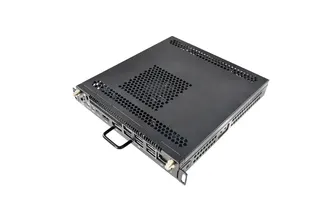
Hisense OPS72D/72E OPS On Board Computer for Interactive Displays
- Memory
- 8GB
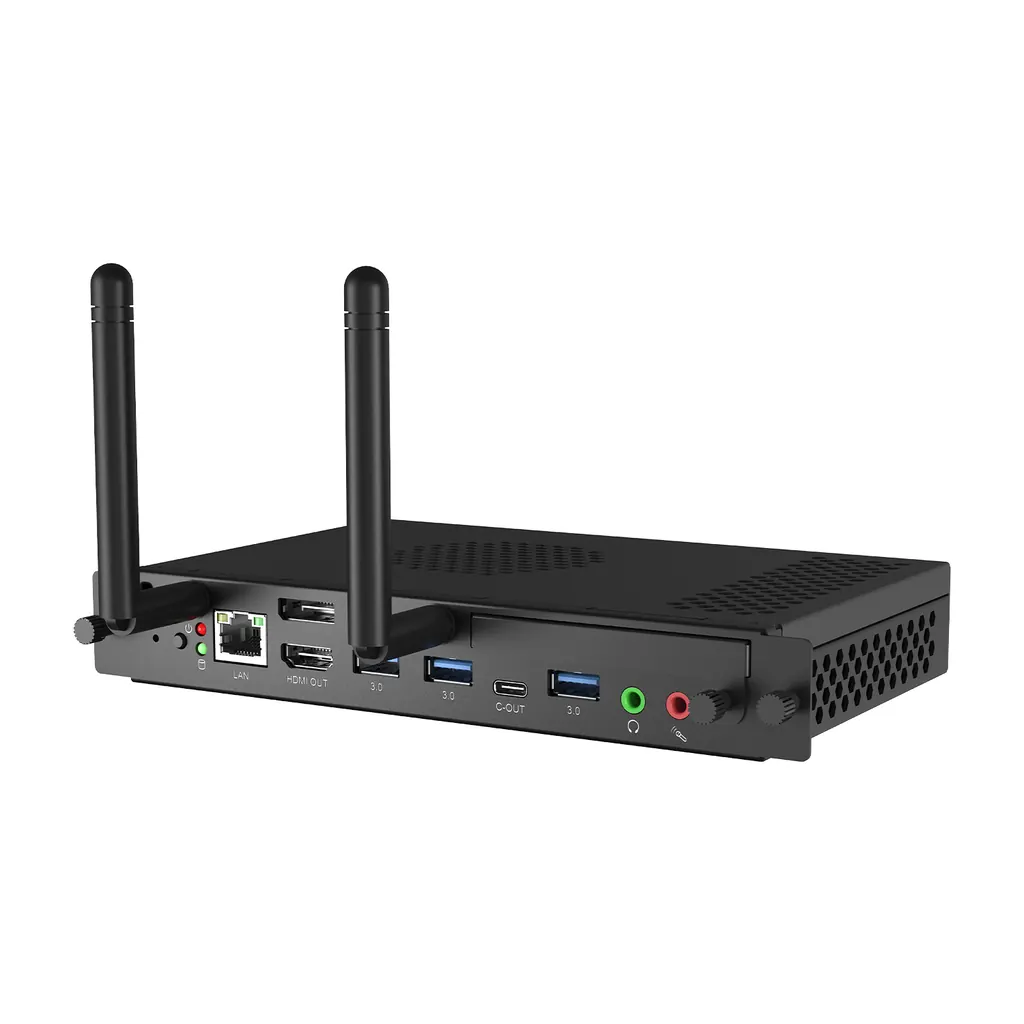
The Hisense OPS72D/72E is an OPS on-board computer that slots into compatible Hisense interactive displays, running Windows 11 Pro. Two builds: the OPS72D with an Intel Core i5-13420H, 8GB RAM and 256GB SSD, and the OPS72E with an Intel Core i7-13620H, 16GB RAM and 512GB SSD. WiFi 6, Bluetooth 5.3 and four USB 3.0 ports suit classrooms and boardrooms in Qatar. Request a quote to choose the right build.
What the OPS72D/72E adds to a Hisense interactive display
The Hisense OPS72D/72E is an OPS on-board computer, a PC module that fits into the OPS slot of a compatible Hisense interactive display. Rather than connecting a desktop, laptop or media player to the screen, the display runs Windows 11 Pro itself, so teachers and presenters can open applications straight from the touch surface. Because the computer sits inside the display, the cable count at the front of the room stays low and the setup is easier to keep tidy.
Choosing between the OPS72D and the OPS72E
Both modules use 13th Gen Intel Core processors and share the same ports, wireless standards and physical design. The difference is the internal configuration. The OPS72D pairs an Intel Core i5-13420H with 8GB of RAM and a 256GB SSD, with a maximum power rating of 80.7W. The OPS72E uses an Intel Core i7-13620H with 16GB of RAM and a 512GB SSD, with a maximum power rating of 90W.
The OPS72D suits rooms where the display mainly runs a whiteboard application, presentation software and a video conferencing client. The OPS72E is the better choice where several heavy applications run at once, or where a school or office wants more local storage for lesson files and shared documents.
Connectivity and ports for everyday use
- Wireless: WiFi 6 and Bluetooth 5.3 for wireless networking and low-latency pairing with input devices.
- Wired network: integrated 10/100/1000M LAN for a stable connection to a wired office or school network.
- USB: four USB 3.0 ports and one USB-C port for keyboards, cameras, pen receivers and storage.
- Video output: one HDMI 2.0 and one DisplayPort 1.4 output for a second screen or projector.
- Audio: a microphone input and a line output.
Where it fits in Qatar
Three situations show where this module earns its place:
- A university lecture room in Education City where lecturers move between Arabic and English course material from the same display, with the conferencing client running alongside.
- A boardroom in West Bay joining calls with teams in other countries, where the computer runs the meeting software and no separate PC sits on the table.
- A private school in Al Rayyan fitting out a row of new classrooms, where one configuration across every room simplifies the purchase order.
Environment, power and what to plan for
Check the operating range before choosing a location. The module is rated for operation from -10°C to 45°C at 10% to 90% humidity, and for storage from -20°C to 60°C. Qatar summers can push temperatures above 45°C, so a room with weak air conditioning, or a display near a window or a dusty lobby, needs its installation location confirmed with the SmartRooms Qatar team before the unit goes in.
- Power input: 12V-19V DC; standby consumption 2.9W.
- Dimensions 180 x 119 x 30 mm; net weight 0.60 kg; black finish.
- Certifications listed: CB, CE, UKCA, FCC, IC, RCM, RoHS and UL4200A.
- Windows 11 Pro with remote management through Hisense VisionInfo.
- Listed as compatible with the 65, 75 and 86-inch WE3FE, WM6FE-A and WE6GE models and the 100WE6GE.
Before ordering, confirm the exact display model against the compatibility list. SmartRooms Qatar offers free site surveys, which is useful before mounting a large 86-inch panel with its computer module in a boardroom or lecture hall. Send your room layout, display model and number of units to SmartRooms Qatar and request a quote; quotations are usually returned within one working day.
Highlights
- Intel Core i5-13420H (OPS72D) or i7-13620H (OPS72E), 13th Gen
- 8GB RAM and 256GB SSD, or 16GB RAM and 512GB SSD
- Windows 11 Pro with remote management through Hisense VisionInfo
- WiFi 6, Bluetooth 5.3 and integrated 10/100/1000M LAN
- Four USB 3.0 ports, one USB-C, HDMI 2.0 and DisplayPort 1.4 out
- Operating range -10°C to 45°C; 12V-19V DC input
Estimated timeline
Quotation within 1 working day · delivery timing depends on stock availability, and we confirm it with your quotation.
Specifications
General30
- Model Name
- OPS72D OPS72E
- CPU
- Intel Core TM I5-13420H Intel Core TM I7-13620H
- RAM
- 8GB 16GB
- SSD
- 256GB 512GB
- LAN
- Integrated 10/100/1000M Adaption Integrated 10/100/1000M Adaption
- WIFI
- WIFI 6 WIFI 6
- Bluetooth
- Bluetooth 5.3 Bluetooth 5.3
- USB 3.0
- 4 4
- USB 2.0
- / /
- Type-C
- 1 1
- HDMI out
- 1 (2.0) 1 (2.0)
- DP out
- 1 (1.4) 1 (1.4)
- VGA
- / /
- Mic in
- 1 1
- Line out
- 1 1
- HDD LED
- 1 1
- Power LED
- 1 1
- Power Requirements
- 12V-19V DC 12V-19V DC
- Max Power
- 80.7W 90W
- Standby Power
- 2.9W 2.9W
- Color
- Black Black
- Dimension LxWxH
- 180 x 119 x 30mm 180 x 119 x 30mm
- Net Weight
- 0.60kg 0.60kg
- Operation Temperature
- -10° C - 45° C -10° C - 45° C
- Operation Humidity
- 10%-90% 10%-90%
- Storage Temperature
- -20° C - 60° C -20° C - 60° C
- Storage Humidity
- 10% - 90% 10% - 90%
- System
- Win11-Pro Win11-Pro
- Certification
- CB / CE / UKCA / FCC / IC / RCM / Rohs / UL4200A CB / CE / UKCA / FCC / IC / RCM / Rohs / UL4200A
- Adaptive Model
- - 65/75/86WE3FE - 65/75/86WM6FE-A - 65/75/86WE6GE - 100WE6GE