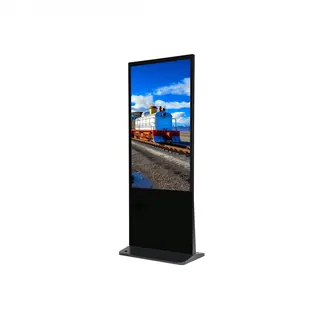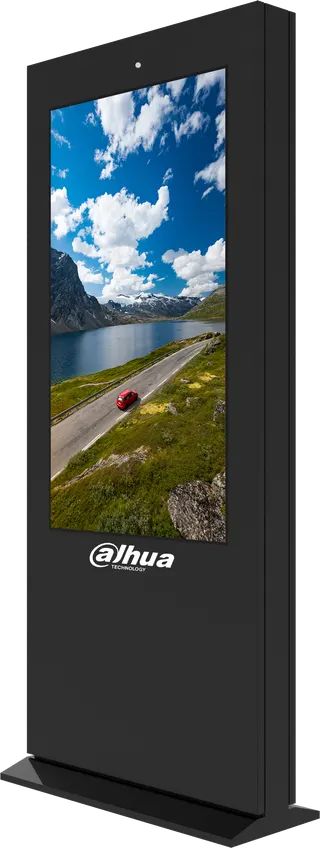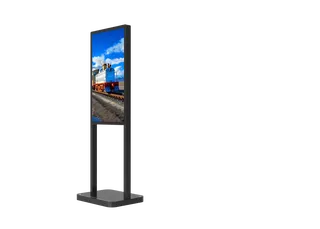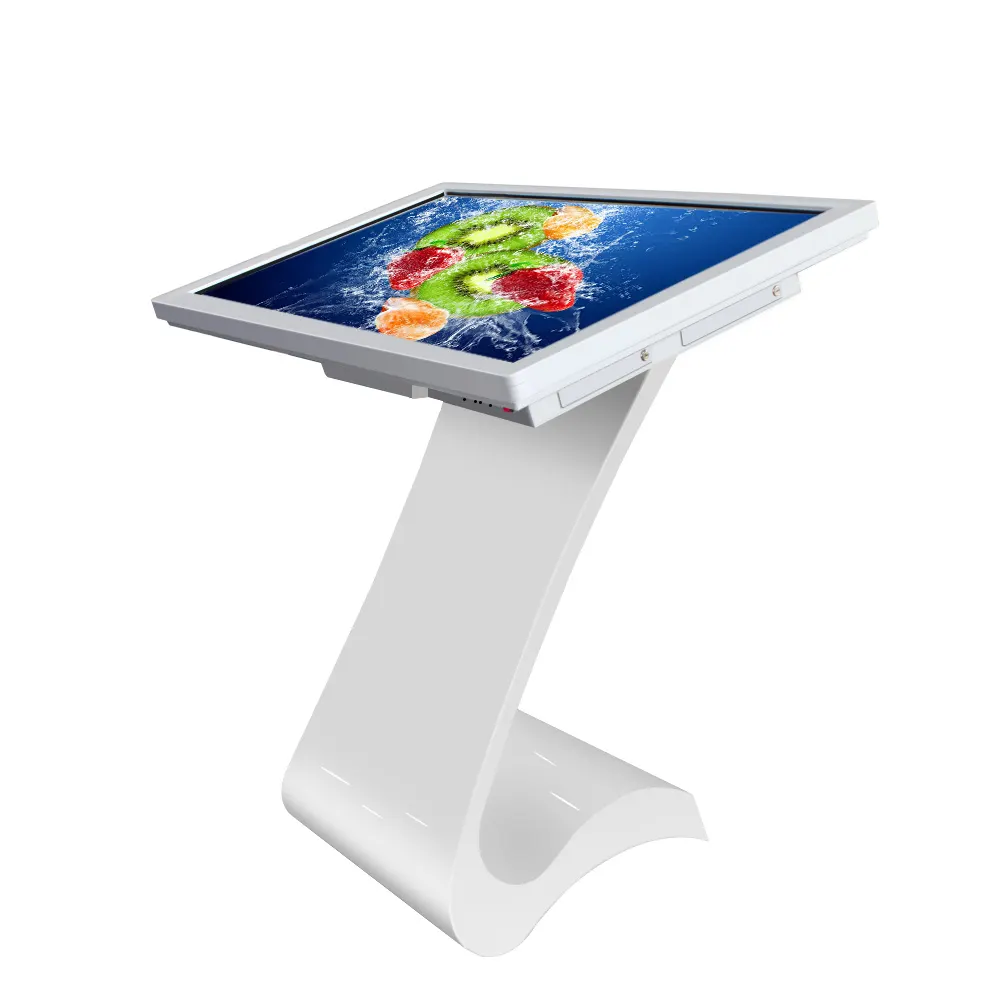
MWE831 Interactive Multimedia Information Kiosk
Marvel MWE831 Interactive Multimedia Information Kiosk with 32-84 inch LCD
- Screen size
- 49" ( opptional
- Resolution
- 1920*1080
- Brightness
- 700 cd/m2
The Marvel MWE831 is an interactive information kiosk with a 32 to 84-inch LCD, 1920×1080 resolution and 700 cd/m² brightness, operated by finger or stylus. Buyers choose a Windows PC or Android configuration, and the screen tilts from 0 to 45 degrees. It suits malls, hotel lobbies and visitor centres in Doha that need indoor wayfinding and product browsing.
A kiosk built for indoor visitor areas
The MWE831 is an interactive multimedia information kiosk built around a 32 to 84-inch LCD. It is designed for indoor use, where visitors need to find a store, check a directory, browse products or explore a map without queuing for staff. The same unit can be tilted between 0 and 45 degrees or set on a table, which gives facilities teams room to fit it into a lobby, a mall concourse or a museum gallery.
Screen and touch performance that matters on the floor
Each screen is a 16:9 panel with a 1920×1080 Full HD resolution, 700 cd/m² brightness and a 3000:1 contrast ratio. The panels are listed as Samsung and LG parts, with a viewing angle of 89 degrees in each direction. Brightness and viewing angle decide whether a passer-by can read a floor plan from the side of a corridor, so they should be checked against the lighting in your space.
- Display: 16:9 LCD, 1920×1080, LED backlight, 16.7M colours
- Touch: finger or touch pen, 10 touch points as standard, 20 or 40 optional
- Durability: rated for more than 50 million touches
- Options: anti-dazzle finish, 3G/4G capability
Windows PC or Android: choosing the right build
Both versions share the screen and touch system, but the internal platforms differ. The PC build uses an i5-3317U main board (optional), with 4 GB RAM and a 128 GB SSD, and runs Windows 7, 8, 8.1 or 10. The Android build uses an RK3288 CPU with 2 GB RAM and 8 GB eMMC, running Android 4.2 with optional releases up to 7.1.2. Pick the PC build when your content depends on Windows software, and the Android build when a lighter, self-contained application is enough.
Connectivity differs too. The PC version offers VGA, HDMI and USB, while the Android version has HDMI, USB and SD. Both use an RJ45 network connection, with 4G and WiFi available as options.
Where the MWE831 fits in Qatar
A hotel lobby in West Bay can use the kiosk as a guest information point, showing a floor plan, restaurant listings and the day's events. A clinic or hospital reception in Msheireb or Al Sadd can use it as a department directory that answers common directional questions before visitors reach the front desk. A visitor centre or training facility in Education City can run campus maps and programme information, or let visitors browse exhibits on the screen.
Qatar's summer heat is a planning point for any kiosk. The rated working temperature is 0°C to 50°C, and the model is listed for indoor use, so position it in air-conditioned areas, away from entrances where hot air and dust come in. If a site is partly exposed, confirm the environment with the SmartRooms Qatar team before quoting.
What to plan before you request a quote
- Marvel does not publish the cabinet dimensions or weight, so confirm them before planning the footprint and delivery route.
- The input range of AC 100–240 V, 50/60 Hz covers Qatar's 240 V supply; confirm cable and socket arrangements in the quotation.
- Settle the screen size, from 32 to 84 inches, along with the software platform and network method.
- Choose any 4G or anti-dazzle options at the same stage.
SmartRooms Qatar offers a free site survey, professional installation and delivery to all eight municipalities of Qatar. Products are covered by the manufacturer's warranty of 1 to 3 years, and purchase orders (LPOs) and government tenders, including Monaqasat, are accepted. Send us the intended location, preferred screen size and software needs, and we will return a quotation, usually within one working day.
Highlights
- 32 to 84-inch LCD with 1920×1080 Full HD resolution
- 700 cd/m² brightness and 3000:1 contrast ratio
- Finger or touch-pen input, 10 touch points standard, 20 or 40 optional
- Windows PC or Android configurations available
- Input AC 100–240 V, 50/60 Hz; 140 W PC, 120 W Android
- Rated for indoor use with a 0°C to 50°C operating range
Estimated timeline
Quotation within 1 working day · delivery timing depends on stock availability, and we confirm it with your quotation.
Specifications
Key Attributes8
- Model Number
- MWE831
- Brand Name
- MWE
- Certification
- CE FCC ROHS
- Place of Origin
- Shenzhen, China
- Application
- Indoor
- Input Voltage
- AC100~240V 50 /60 HZ
- Packaging
- Bubble bag+packing foam+carton+wooden case
- Delivery Detail
- Batch order 15-30 days
Screen10
- Panel Brand
- Samsung & LG Full New 100% A+ Grade Brand Panel
- Panel size
- 49" ( opptional,32" ~84")
- Display size
- 604(H)×1074mm(V)
- Display ratio
- 16:9
- Resolution
- 1920*1080
- Viewing angle
- 89/89/89/89 (Typ.)(CR≥10)
- Color
- 16.7M
- Backlight
- LED
- Brightness
- 700 cd/m2
- Contrast ratio
- 3000:1
OS System4
- OS System
- MWE831 PC Version: main board:i5-3317U(optional); MWE831 Android Version: CPU:RK3288(optional)
- OS System (2)
- MWE831 PC Version: RAM:4G,SSD:128G(optional); MWE831 Android Version: RAM:2G,EMMC:8G(optional)
- Operation
- MWE831 PC Version: Windows 7(optional,win8,win8.1,win10); MWE831 Android Version: Android 4.2(optional Android4.4.4/4.2.2/5.1.1/6.0.1/7.1.2)
- Connection to network
- MWE831 PC Version: RJ45, 4G, WIFI (optional); MWE831 Android Version: RJ45 ,4G,WIFI (optional)
Touch Screen system4
- Touch screen
- Infrared touch screen (touch foil, capacitive)
- Touch ways
- finger,touch pen
- Touch dots
- 10dots (optional,20dots,40dots)
- Durability
- More than 50 million touch
Power3
- Power
- MWE831 PC Version: 140W; MWE831 Android Version: 120W
- Voltage
- AC100-240V 50/60HZ
- Stability
- good
Instructions6
- Interface
- MWE831 PC Version: VGA/HDMI/USB; MWE831 Android Version: HDMI/USB/SD
- Working temperature
- 0°C -- 50°C
- Material
- Aluminum alloy,tempered glass
- Surface
- Spraying,frosted aluminum
- Size
- Undetermined
- Weight
- Undetermined
Body3
- Shell
- Galvanized steel sheet. Thickness:1.0-1.5mm.
- Color
- Black , white , silver or customized colors
- Packing
- By carton with foam inside & wooden & Babble Bag
Optional Functions1
- Items
- Anti-dazzle; 3G/4G Capability