Thursday, 22 October 2026 · 11 Jumada I 1448 AH Sun – Thu · 9:00 – 18:00
+971 56 914 9477 العربية
WhatsApp
Specktron Kiosks Current

Information Kiosk (Way Finding Type)

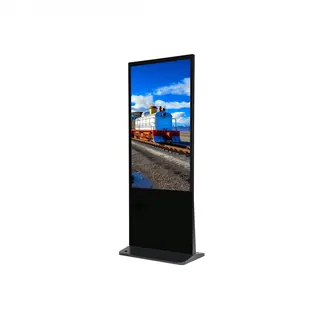
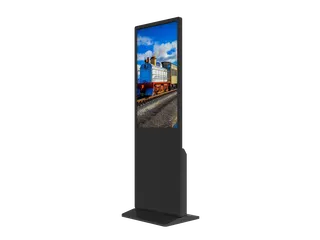
Specktron Information Kiosk (Way Finding Type) 43-inch or 55-inch

Screen size
43” / 55”
Resolution
1920 x 1080 / 3840 x 2160
Brightness
500 Nits
WhatsApp
Priceon request
QuotationWithin 1 working day
DeliveryConfirmed with your quote, based on stock
PDFDownload datasheet (Information Kiosk (Way Finding Type) Brochure.pdf)
Overview

The Specktron Information Kiosk is an indoor wayfinding terminal for lobbies, malls, hospitals, campuses and government service halls. It comes in 43-inch or 55-inch sizes, with touch or non-touch options, and runs Android 14.0 with 8 GB RAM and 64 GB storage. Its 500 nits panel keeps maps legible, and a remote CMS lets facilities teams update directories across kiosks in real time. Request a quote from SmartRooms Qatar.

What the Specktron Information Kiosk does

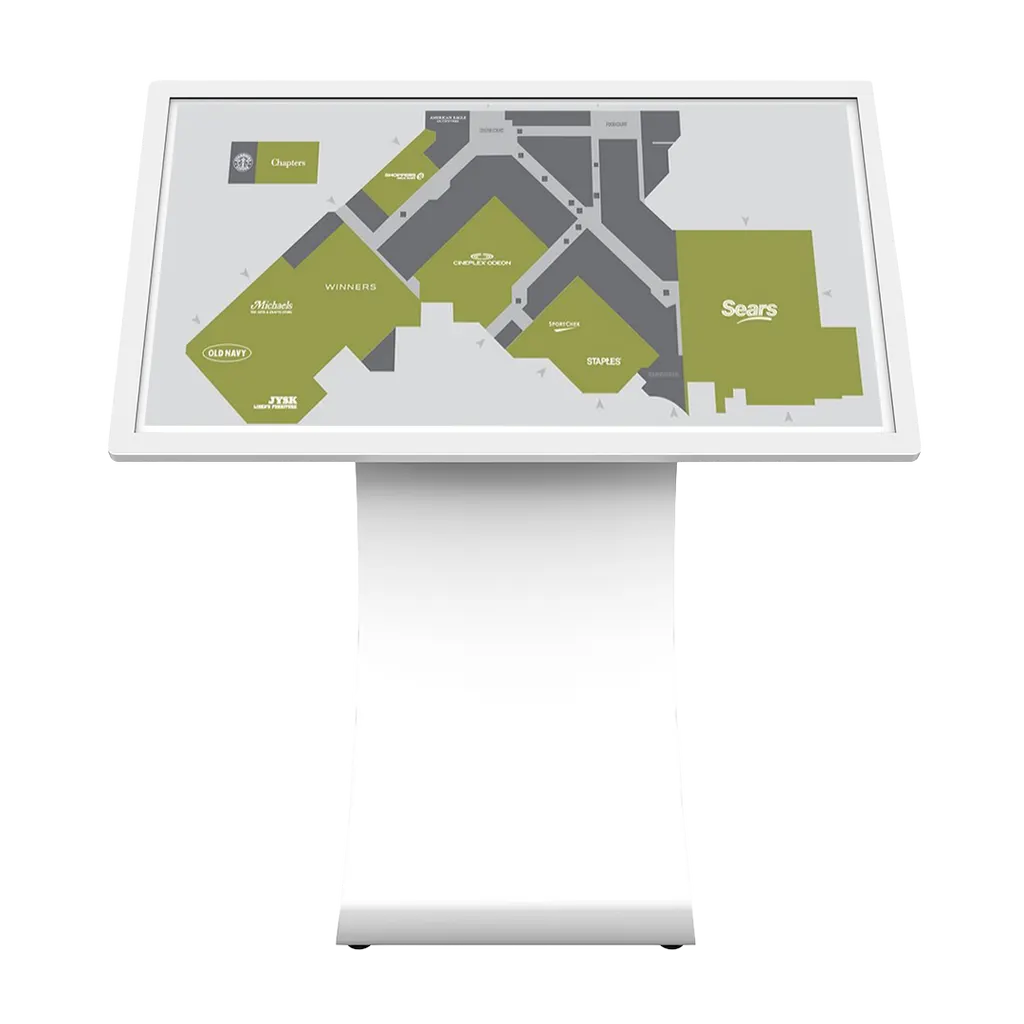
The Specktron Information Kiosk is an indoor terminal that helps visitors find their way through large buildings. Interactive maps and directories show where stores, departments and services are located, and content can be refreshed while the kiosk is live, so the screen matches what staff tell people at the front desk. It suits lobbies, malls, campuses and government service halls where visitors arrive without knowing the layout.

Screen size, resolution and brightness

The kiosk is offered in two sizes. The 43-inch model has a 940.9 x 529.5 mm display at 1920 x 1080 resolution with a 0.496 mm pixel pitch. The 55-inch model measures 1209.6 x 680.4 mm at 3840 x 2160 resolution with a 0.315 mm pixel pitch. Both show 16.7 million colours with a 1,200:1 contrast ratio, a 178-degree viewing angle and an 8 ms response time. The panel is rated at 500 nits, which helps maps stay readable near windows and bright entrances, and its rated life is 50,000 hours.

Touch options, processing and content management

Touch is optional. The touch version uses PCAP technology with 10-point multi-touch, so visitors can pinch, zoom and swipe through floor plans. A non-touch version is also available for installations that only need to display information. Inside, an octa-core 2.2 GHz processor, Mali-G52 graphics, 8 GB of DDR memory and 64 GB of ROM run Android 14.0. The SD card slot supports cards up to 128 GB. The remote CMS lets your team update and manage multiple kiosks from one place.

Where it fits in Qatar

  • Shopping malls in West Bay or Al Sadd: a 55-inch unit at a main entrance, with directories that change when a store opens or moves.
  • Hospital and clinic entrances in Doha: patients and families find clinics and departments on their own, and staff can update department locations when services move.
  • Campuses in Education City or Lusail: units at main gates, building entrances and student services points help students and visitors locate lecture halls, offices and facilities.
  • Government service halls in Msheireb: a 43-inch unit in the waiting area can show counters and the services available at each one.

Planning the installation

Start by confirming the environment. The working temperature range is 0°C to 50°C, and Qatar summer temperatures can exceed 45°C, so place the kiosk in an air-conditioned lobby or corridor, away from direct sunlight and heat from glazing. The power supply accepts AC 100 to 240 V at 50/60 Hz, which covers Qatar's 240 V, 50 Hz mains supply, and standby consumption is below 5 W. SmartRooms Qatar offers a free site survey to check positions, cable routes and sightlines before installation.

Send us the number of units, the screen size and whether you need touch. SmartRooms Qatar will send a quotation, usually within one working day. We supply against purchase orders (LPOs) and government tenders, and accept payment by bank transfer, cheque or purchase order. Request a quote for the Specktron Information Kiosk today.

Highlights

  • 43-inch or 55-inch screens, with touch or non-touch versions
  • 500 nits brightness and 1,200:1 contrast ratio
  • Optional PCAP touch with 10-point multi-touch
  • Android 14.0, 8 GB DDR and 64 GB ROM
  • Remote CMS for updating several kiosks in real time
  • Operating range 0°C to 50°C; AC 100-240 V power input

Estimated timeline

Quotation within 1 working day · delivery timing depends on stock availability, and we confirm it with your quotation.

Specifications

20 specifications · Source: manufacturer · checked Oct 2026
Specifications20
Size
43”, 55”
Display
940.9(W) x 529.5(H) mm , 1209.6(W) x 680.4(H) mm
Resolution
1920 x 1080 , 3840 x 2160
Display Color
16.7M
Contrast Ratio
1200:1
Brightness
500 Nits
Pixel Pitch
0.496 x 0.496 , 0.315 x 0.315
Visual Angle
178°/178°
Life Time
50,000 Hours
Response Time
8 ms
Touch (Optional)
PCAP Touch
CPU
Octa Core - 2.2. GHz
GPU
Mali-G52 GPU MC3
DDR
8 GB
ROM
64 GB
SD Card
Up to 128GB
Version
Android 14.0
Working Temperature
0°C ~ 50°C
Storage Temperature
-20°C ~ 60°C
Power Supply
AC100 ~ 240V 50/60 HZ

Downloads

1 file from the manufacturer

Questions about Information Kiosk (Way Finding Type)

What is the Specktron Information Kiosk used for?
It is an indoor wayfinding and information terminal. Interactive maps and directories help visitors locate stores, departments and services in large buildings, and the content can be updated remotely so the directory stays accurate. It suits lobbies, malls, hospitals, campuses and government service halls, where people need to find their way without asking staff at every turn.
How do I choose between the 43-inch and 55-inch models?
The 43-inch model has a 940.9 x 529.5 mm display at 1920 x 1080 resolution, suited to smaller lobbies and corridors. The 55-inch model measures 1209.6 x 680.4 mm at 3840 x 2160 resolution, giving finer detail for dense floor plans and a larger area for a main atrium. Measure the viewing distance from where visitors will stand before you decide.
Is touch included, and what kind of touch does it use?
Touch is optional. The touch version uses PCAP technology with 10-point multi-touch, allowing pinch, zoom and swipe gestures on maps. A non-touch version is also available for displays that only need to show information. Tell SmartRooms Qatar which version you need when you request a quote so the right configuration is priced into the quotation.
Can one team update directories on several kiosks at once?
Yes. The remote CMS lets you update and manage multiple kiosks from anywhere, in real time. For a campus or mall with several units, a facilities team can change a department location or a store's details once and see the change reflected across the kiosks. Ask SmartRooms Qatar to confirm the CMS set-up as part of your quotation.
Will the screen be readable near a bright entrance or atrium?
The panel is rated at 500 nits with a 1,200:1 contrast ratio and a 178-degree viewing angle, so text and maps stay readable from the side as well as the front. The 3840 x 2160 resolution on the 55-inch model keeps small labels sharp. For a glazed entrance, position the screen away from direct sun and check sightlines during the site survey.
Can the kiosk operate in Qatar's summer heat?
The working temperature range is 0°C to 50°C, and storage is rated from -20°C to 60°C. Qatar summer temperatures can exceed 45°C, so the kiosk should sit in an air-conditioned lobby or corridor rather than a hot, unshaded or semi-outdoor area. Confirm the exact location with the SmartRooms Qatar team before installation.
What power does it need?
The power supply is rated AC 100 to 240 V at 50/60 Hz. That range covers Qatar's 240 V, 50 Hz mains supply. Standby power consumption is below 5 W. Plan a power point near the installation position, and have your electrician confirm the socket and cable route during the site survey.
Which operating system, processor and storage does it have?
It runs Android 14.0 on an octa-core 2.2 GHz processor with Mali-G52 graphics. It has 8 GB of DDR memory and 64 GB of ROM, and the SD card slot supports cards up to 128 GB. These specifications matter when your directory includes many high-resolution floor plans or a large number of pages to be displayed.
Is it suitable for a hospital or clinic entrance in Doha?
It can help visitors find clinics and departments without repeatedly asking reception, which is useful for patients and families who arrive unsure of the route. Choose the touch version for self-guided browsing, place it in an air-conditioned waiting area, and use the remote CMS to update department locations when services move. A site survey will confirm the best position.
How would a campus in Education City use several kiosks?
A campus can place units at main gates, building entrances and student services points, so students and visitors can locate lecture halls, offices and facilities. Because the remote CMS manages multiple kiosks, the campus team can change a room number or event listing once and keep every unit consistent. Ask for a quotation covering the number of units and their locations.
Can a government entity buy this through an LPO or tender?
Yes. SmartRooms Qatar supplies government ministries and authorities through purchase orders (LPOs) and government tenders, including Monaqasat. Payment by bank transfer, cheque or purchase order is accepted. When you request a quote for a service hall in Msheireb or elsewhere in Doha, state the screen size, touch option and quantity, and expect a quotation usually within one working day.

Similar models

Dahua LDV55-SAI400TL Dahua LDV55-SAI400TL 55-inch Indoor Vertical LCD Digital Signage
55″ 2160 (H) × 3840 (V) 320 cd/m² (typ.)
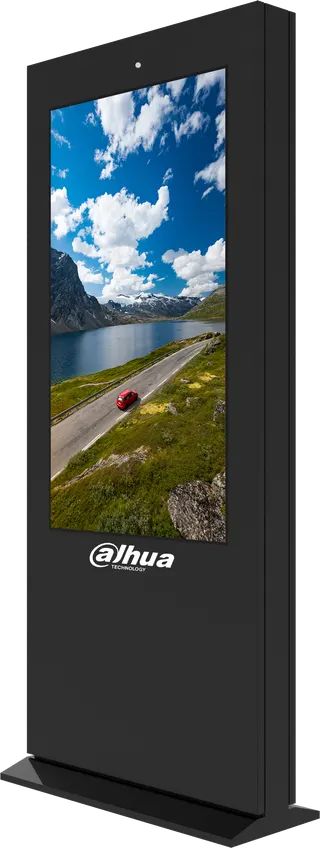
Dahua LDV43-EAO400L Dahua LDV43-EAO400L 43-inch Vertical Outdoor Digital Signage
43″ 2160 (H) × 3840 (V) 2500 cd/m² (typ.)
Dahua LDV43-HAI400L-M Dahua LDV43-HAI400L-M 43-inch Vertical LCD Digital Signage
43″ 2160 (H) × 3840 (V) 500 cd/m² (typ.)
Dahua LDV43-HAI400TL-M Dahua LDV43-HAI400TL-M 43-inch Floor-standing Touch Digital Signage
43″ 2160 (H) × 3840 (V) 500 cd/m² (typ.)
Dahua LDV43-PAI400L Dahua LDV43-PAI400L 43-inch Vertical LCD Digital Signage
43″ 2160 (H) × 3840 (V) 700 cd/m² (typ.)
Email Call