






Barco
ClickShare Power Supply 100W
Barco ClickShare Power Supply 100W, 100-Watt Video Conferencing Accessory
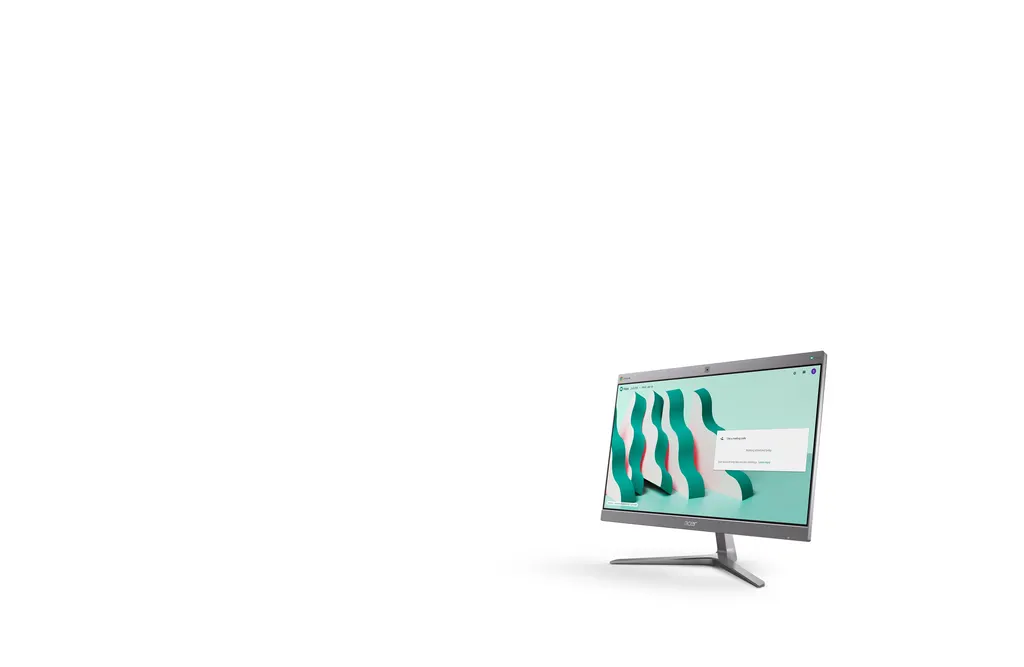
Chromebase for Meetings 24V2
Acer Chromebase for Meetings 24V2 24-inch All-in-One Video Conferencing PC
Priceon request
QuotationWithin 1 working day
DeliveryConfirmed with your quote, based on stock
Overview
The Acer Chromebase for Meetings 24V2 (CA24V2) is a 24-inch Full HD touch all-in-one with a 5MP webcam, dual microphones and dual speakers. It supports up to 25 callers on Google Meet out of the box, and up to 50 with G Suite Business. It suits phone booths, huddle rooms and shared desks in Doha, Lusail and West Bay. Request a quote to plan the setup for your room.
What the Acer Chromebase for Meetings 24V2 does
The Acer Chromebase for Meetings 24V2, part number CA24V2, combines a computer, a 24-inch touch display and video conferencing hardware in one unit. Instead of wiring a separate PC, webcam, microphones and speakers into a room, you place one device on a desk or table and start the call. It runs Chrome OS and is built around Google Meet, so meetings can be scheduled from Gmail and Google Calendar or joined through a shareable link.
Audio and video built in for small and medium rooms
The integrated 5MP wide-angle webcam is designed to frame groups in both large and small rooms, so people at the far end of the table are still visible. Dual microphones pick up speech from across the room, and dual speakers play the remote side of the call. The 24-inch Full HD IPS panel shows shared content and participant video clearly, with 250 nits of brightness. Out of the box, the system supports up to 25 callers on Google Meet. With G Suite Business, the limit is 50 callers.
Specifications that matter to buyers
- Display: 24-inch Full HD (1920x1080) IPS touch panel, anti-glare, narrow bezel
- Tilt: adjustable between -5 and 25 degrees
- Processor and memory: 8th Gen Intel Core i7-8550U, 4GB DDR4 RAM, 32GB SSD
- Ports: USB 3.1 Type-C, four USB 3.1 Gen 1, HDMI, micro SD card reader, RJ45
- Mounting: optional VESA mounting kit for wall installation
The processor and memory are chosen for steady conferencing and picture-in-picture presentations. Chrome OS keeps most work in web and cloud applications, so the 32GB SSD is best used for the system and essential files rather than large local libraries.
Where it fits in Qatar
A consultancy office in Doha or West Bay that runs a four-to-six person huddle room can use the unit as its only conferencing device, linking colleagues in other countries from one table. A property sales office in Lusail that talks with developers and investors abroad can schedule calls from Google Calendar and send a link, and external guests join from that link without a Google account. A training centre in Education City can host remote instructors or guest speakers for sessions of up to 25 participants, with the webcam framing the room and the microphones picking up questions.
What to plan before ordering
Measure the room and decide where the unit will sit. A 24-inch screen works best in small and medium rooms, so check viewing distance from the seats. If you plan to wall mount it, the VESA kit is optional and should be included in your quotation, and the wall type and kit fit should be confirmed before installation. The source data does not give an operating temperature range or dust rating, so confirm the environment with the SmartRooms Qatar team before placing the unit near a window, in a hot cabin or in a dusty site office. Plan the network connection too, since the RJ45 port supports wired connectivity.
Ordering with SmartRooms Qatar
SmartRooms Qatar supplies the Chromebase for Meetings 24V2 with delivery to all eight municipalities of Qatar, professional installation and free site surveys. Quotations are usually issued within one working day. Schools, ministries and companies can order by purchase order (LPO) or through government tenders, and pay by bank transfer, cheque or purchase order. Request a quote today and we will confirm the configuration, mounting option and installation plan for your room.
Highlights
- 24-inch Full HD IPS touch display, anti-glare, narrow bezel
- 5MP wide-angle webcam with dual microphones and dual speakers
- 8th Gen Intel Core i7-8550U, 4GB DDR4 RAM, 32GB SSD
- Up to 25 callers on Google Meet; up to 50 with G Suite Business
- USB 3.1 Type-C, four USB 3.1 Gen 1, HDMI, micro SD, RJ45
- Display tilts between -5 and 25 degrees; optional VESA wall mount
Room fit
Tell us the room size and platform (Teams, Zoom or BYOD) and we confirm the right combination with your quotation.
Estimated timeline
Quotation within 1 working day · delivery timing depends on stock availability, and we confirm it with your quotation.
Specifications
Source: manufacturer · checked Oct 2026
The full specification and datasheet for this model are available on request; we send them with your quotation.
Downloads
0 files from the manufacturerNo downloadable files are listed for this model yet. Ask us and we will send the datasheet.
Questions about Chromebase for Meetings 24V2
Who is the Acer Chromebase for Meetings 24V2 designed for?
It suits small and medium spaces such as phone booths, huddle rooms and shared desks, where a team needs video calls without a separate computer, camera or speakers. It brings a 24-inch Full HD touch display, a 5MP webcam, dual microphones and dual speakers into one device. It works well for meetings that include participants both inside the building and abroad.
How many people can join one call?
Out of the box, the unit supports up to 25 callers through Google Meet. With G Suite Business, the listed limit rises to 50 callers. Colleagues without a Google account can join as guests by clicking the meeting invitation link, so visitors in Doha or abroad do not need to sign in. Ask SmartRooms Qatar when quoting if your sessions regularly exceed these numbers.
Will the screen be readable in a bright room with windows?
The 24-inch IPS panel is anti-glare and provides 250 nits of brightness, and the stand tilts between -5 and 25 degrees so you can angle the screen away from reflections. Position the unit so the display does not face direct sunlight from a window. Review the room layout with the SmartRooms Qatar team before installation.
What processor and memory does it have?
It uses an 8th Gen Intel Core i7-8550U processor with 4GB DDR4 RAM and a 32GB SSD. The manufacturer positions this configuration for smooth video conferencing and picture-in-picture presentations. With 32GB of storage, keep most working files in cloud services, since Chrome OS relies heavily on web and cloud applications.
Which ports are available for connecting devices?
The unit offers a USB 3.1 Type-C connector, four USB 3.1 Gen 1 ports, an HDMI port, a micro SD card reader and an RJ45 network port. The RJ45 connection suits rooms that prefer a fixed network link for calls. Check the cables and adapters your laptop or external camera needs before you order.
Can it be mounted on a wall?
Yes, with the optional VESA mounting kit the display can be hung on a wall, which frees table space in smaller rooms. Because the kit is an option, include it in your quotation if you plan wall mounting. Confirm the wall type and kit fit with the SmartRooms Qatar team, and request a free site survey before the installation date is set.
Is it suitable for a four-to-six person huddle room in a Doha consultancy office?
Yes. A huddle room in an office in Doha or West Bay benefits from the wide-angle 5MP webcam, which frames the whole team, and from dual microphones that pick up speech from across the table. Calls can be scheduled from Google Calendar, and colleagues in other countries can join through one shared link, keeping setup simple for a small team.
Does a property sales office in Lusail need this for calls with developers abroad?
A sales office in Lusail that talks with developers or investors overseas can schedule calls through Gmail and Google Calendar and send a shareable link. External guests join from the link without a Google account. For sessions of up to 25 callers, the standard Google Meet limit covers most meetings, and larger sessions should be discussed when requesting a quote.
Is it a good fit for a training room at a centre in Education City?
Training rooms where an instructor hosts remote speakers or participants can use the unit for sessions of up to 25 callers on Google Meet. The wide-angle webcam frames a small class, and the dual microphones capture questions from people in the room. Before you request a quote, confirm the room size and whether the trainer needs an HDMI connection for presentations.
Would it work in a hotel business corner near Hamad International Airport?
A business centre or meeting corner in a hotel near Hamad International Airport can use the unit so guests can join calls from one desk, and visiting participants join from a link without signing in. The source data does not list an operating temperature range, so confirm placement in an air-conditioned space with the SmartRooms Qatar team before ordering.
Can it be placed in a site office in Mesaieed or the Industrial Area?
Dust and heat are significant concerns at these sites. The manufacturer data does not list a dust rating or an operating temperature range, so do not assume the unit suits a hot or dusty site cabin. Ask SmartRooms Qatar to confirm the environment before ordering, and consider placing the unit in an air-conditioned meeting room inside the office block.
Can a government entity or company order it using a purchase order?
Yes. SmartRooms Qatar accepts purchase orders (LPOs) and government tenders, including Monaqasat, and quotations are usually issued within one working day. Delivery covers all eight municipalities of Qatar, and free site surveys are available before installation. Quote the full model name, Acer Chromebase for Meetings 24V2, and part number CA24V2 in the purchase order so the quotation matches the unit.



