Sennheiser
SL Boundary 114-S DW-3 B
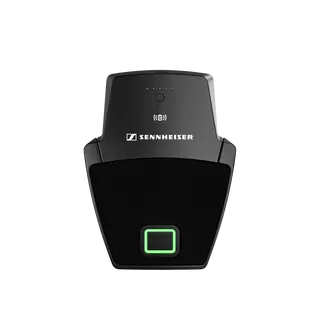
Sennheiser SL Boundary 114-S DW-3 B Wireless Table Boundary Microphone
AIImage on request
AI-Mic Upgrade Tool
AISPEECH AI-Mic Upgrade Tool Software for Mac and Windows
Priceon request
QuotationWithin 1 working day
DeliveryConfirmed with your quote, based on stock
Overview
The AI-Mic Upgrade Tool is official AISPEECH software for Mac and Windows, available from the AISPEECH Support Download Center. It is software, not a hardware device, so it suits Qatari organisations already running AISPEECH equipment in meeting rooms and video conferencing setups. Supported devices are not specified on this page, so confirm compatibility before rollout. Request a quote and our team will advise on your setup.
What the AI-Mic Upgrade Tool is
The AI-Mic Upgrade Tool is AISPEECH software for Mac and Windows computers. It is published by AISPEECH in its Support Download Center and sits in the video conferencing software category, so it is a program installed on a computer rather than a device mounted in a room. Planning questions therefore focus on the computers, operating systems and AISPEECH hardware it will work alongside, not on racks, ports or wall brackets.
Where it fits in Qatari meeting spaces
Consider a government ministry in West Bay whose conferencing computers need the same software version across several meeting rooms. The IT team can test the tool on one room computer, run a live call with colleagues in another building and confirm the result before extending the change.
A university in Education City running hybrid lectures may need the same tool on several lecture-room computers. A pilot in one room, followed by a planned rollout across the rest, keeps teaching running while the update is checked.
A company in Lusail whose meeting rooms connect Doha with teams abroad may want one standard setup across its floors, so that staff join calls the same way in every room.
Compatibility checks before you install
- Confirm the Mac and Windows versions your computers run against the AISPEECH release information.
- List every AISPEECH device used in each room, because supported models are not specified on this page.
- Check that your IT team has the administrator rights needed to install software on each machine.
- Test one room end to end before scheduling a wider rollout.
Ordering and rollout planning
SmartRooms Qatar supplies this software for organisations in Qatar and can quote professional installation alongside your other AISPEECH equipment. Quotations are usually issued within one working day. Government bodies can order through tenders, including Monaqasat, and purchase orders (LPOs) are accepted. Payment is by bank transfer, cheque or purchase order. Installation timing is confirmed with the quotation, since lead times are estimates based on stock.
Request a quote for the AI-Mic Upgrade Tool and tell us which rooms, computers and AISPEECH devices you have. Our team will confirm what applies to your setup before you commit.
Highlights
- Official AISPEECH software for Mac and Windows
- Available from the AISPEECH Support Download Center
- Video conferencing software, not a hardware device
- Confirm supported AISPEECH devices before ordering
- Professional installation can be quoted alongside it
- Request a quote to confirm fit for your rooms
Room fit
Tell us the room size and platform (Teams, Zoom or BYOD) and we confirm the right combination with your quotation.
Estimated timeline
Quotation within 1 working day · delivery timing depends on stock availability, and we confirm it with your quotation.
Specifications
Source: manufacturer · checked Oct 2026
The full specification and datasheet for this model are available on request; we send them with your quotation.
Downloads
2 files from the manufacturerQuestions about AI-Mic Upgrade Tool
What is the AI-Mic Upgrade Tool?
The AI-Mic Upgrade Tool is official AISPEECH software for Mac and Windows computers, published in the AISPEECH Support Download Center. It is a software package in the video conferencing category, so it is installed on a computer rather than mounted in a room. Its feature list and supported devices are not described on this page, so ask SmartRooms Qatar to confirm them before you request a quote for your setup.
Does the AI-Mic Upgrade Tool run on both Mac and Windows?
Yes, the manufacturer information lists the tool for both Mac and Windows. Version numbers for each operating system are not stated on this page, so check your computers' Mac or Windows versions against the AISPEECH release information before installing. Mixed fleets are common in Qatari offices, so note which machines in each room run which system and plan the installs accordingly.
Is the AI-Mic Upgrade Tool a hardware device?
No. It is software, so it has no ports, power supply, mounting bracket or wall space requirements of its own. Planning focuses on the computers it runs on and the AISPEECH equipment in the room it works with. Confirm which devices are compatible before purchase, because the supported hardware list is not included on this page.
Where should I download the software from?
AISPEECH publishes the tool in its Support > Download Center, which is the official source for this software. Download it from there rather than from third-party sites. If your organisation needs a managed rollout, SmartRooms Qatar can quote professional installation so your team does not have to set up every computer alone.
Which AISPEECH devices work with it?
Supported AISPEECH devices are not listed in the information available for this page, so compatibility should be confirmed before ordering. Send SmartRooms Qatar the model names of the AISPEECH equipment in each meeting room, together with the computers and operating systems they connect to. We will confirm what applies to your setup in the quotation.
Who is this tool suited to in Qatar?
It suits IT and facilities teams at ministries, authorities, universities, schools, banks and companies in Doha, Lusail, West Bay and Al Sadd that already run AISPEECH equipment for video conferencing. It is most useful where many computers need the same software version, because one standard setup makes support simpler. Teams without AISPEECH equipment should confirm the fit first.
How could a university in Education City roll this out?
Start with one lecture-room computer, run a test session with a colleague in another building and check that the call behaves as expected. Once the pilot is accepted, schedule the remaining lecture rooms outside peak teaching hours. A written list of each room's computer and operating system helps the IT team track progress across the campus.
How should a school in Al Rayyan plan installs across several classrooms?
Classroom computers are often shared, so agree an installation window with teachers and avoid morning teaching periods. Because the Qatari working week runs Sunday to Thursday, a Friday or Saturday window can keep installs away from the school week. Ask for a quotation covering every classroom computer, and use an LPO if the school buys through its own purchasing process.
Can a hotel meeting room in West Bay use it across several conference rooms?
Yes, provided the conference rooms run AISPEECH equipment on supported computers. A hotel team can keep one standard software version across its ballrooms and boardrooms, which simplifies event setup for planners. Before requesting a quotation, list each room, its computer and its operating system. Schedule the update outside booked events so no guest session is interrupted.
Can SmartRooms Qatar install the software for us?
SmartRooms Qatar offers professional installation and can include this software in a quotation with your other AISPEECH equipment. Installation timing is confirmed with the quotation, because lead times are estimates based on stock. Tell us how many computers and rooms are involved so the quotation matches the job.
Can we buy it through an LPO or a government tender?
Yes. SmartRooms Qatar accepts purchase orders (LPOs) and handles government tenders, including those on Monaqasat. Payment can be made by bank transfer, cheque or purchase order. Send the tender or LPO reference with your enquiry, along with the rooms and computers involved, so the quotation matches your procurement requirements.
How quickly will I receive a quote?
Quotations are usually issued within one working day. To speed this up, send the AISPEECH device models in each room, the number of Mac and Windows computers, and whether you need professional installation. The quotation states the supply, installation and any stock-based lead time estimate, so you can compare it with your budget approval timeline.
Similar models
Sennheiser
SL Boundary 114-S DW-4 B
Sennheiser SL Boundary 114-S DW-4 B Wireless Table Boundary Microphone