






Barco
ClickShare Power Supply 100W
Barco ClickShare Power Supply 100W, 100-Watt Video Conferencing Accessory
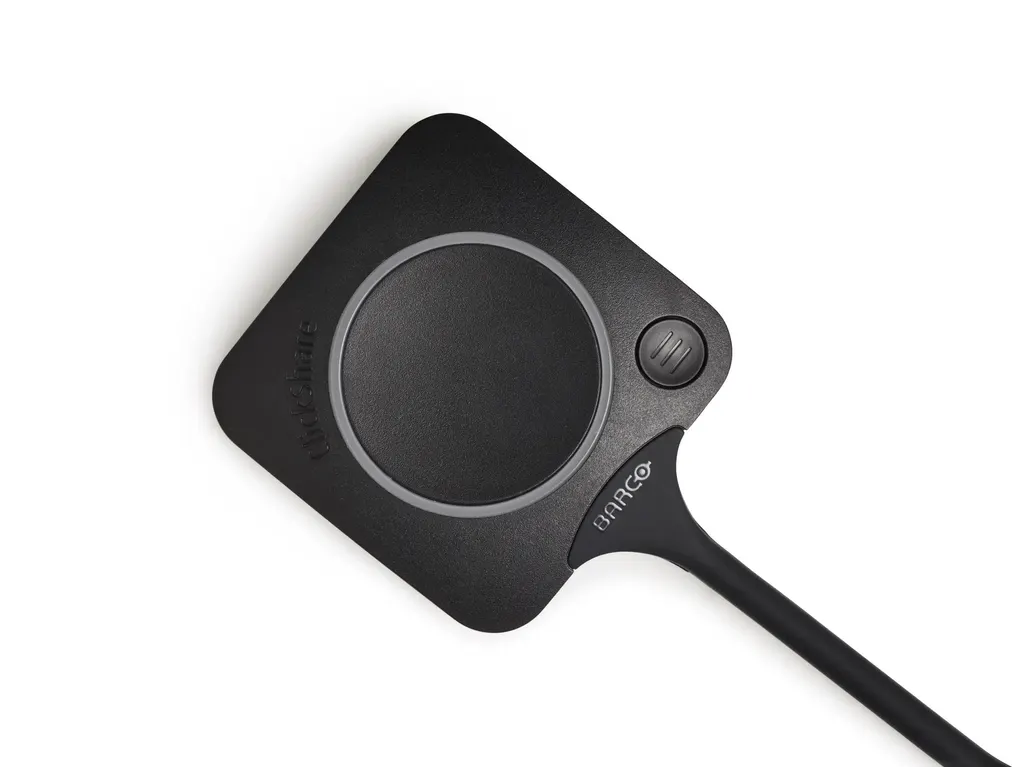
ClickShare Button
Barco ClickShare Button Wireless Presentation Button
Priceon request
QuotationWithin 1 working day
DeliveryConfirmed with your quote, based on stock
Overview
The Barco ClickShare Button is a USB-C accessory from the ClickShare series that lets a presenter start wireless sharing or a conference in under seven seconds. It runs on USB power, supports Windows and Mac, and uses 802.11 a/b/g/n/ac on 2.4 GHz and 5 GHz bands. A clear sharing indicator and WPA2-PSK or IEEE 802.1X authentication suit meeting rooms in Doha and Lusail. Request a quote from SmartRooms Qatar.
What the Barco ClickShare Button does in a meeting
The Barco ClickShare Button is a compact USB-C accessory in the ClickShare series, built to get a presenter from a laptop into a shared session with minimal fuss. The manufacturer's data puts the time to start wireless presentation or conferencing at under seven seconds. In a room where meetings run to a tight agenda, that difference is visible from the first minute, and it removes the search for cables that often delays the start of a session.
The button connects over USB-C and is powered through the USB connection, with a rated supply of 5V DC. Typical draw is 350 mA and the maximum is 500 mA, so the power requirement is modest and easy to plan for at a shared table.
Connectivity, frequency bands and security options
The button supports IEEE 802.11 a/b/g/n/ac wireless and works on both the 2.4 GHz and 5 GHz bands. Authentication depends on how the system is run. In stand-alone mode the data specifies WPA2-PSK. In network integration mode it specifies WPA2-PSK or IEEE 802.1X. Teams running corporate or government networks in Doha should settle which mode they need with their IT department before the quotation is finalised.
- Works with Windows and Mac laptops
- Gives a clear visual indication when content is being shared
- Smart meeting flows that respond to what the user wants to do
Where the button fits in Qatar
Picture a boardroom in West Bay where a team abroad joins by video call. The presenter connects the button to a laptop, starts sharing within seconds, and the meeting moves on without anyone fumbling for adapters.
Consider a training centre in Education City that runs short workshops with rotating facilitators. Each speaker shares from their own machine, and the same room can serve Windows and Mac users across the day.
Consider a ministry office in Msheireb where staff work in Arabic and English side by side and presenters move between different laptops within one session. Support for both platforms keeps that handover simple.
Planning a deployment
Before ordering, decide which ClickShare system the button will work with in each room, which network mode your IT team wants to use, and which wireless band suits the building. Physically, the unit measures 14.6 mm x 59.3 mm x 161.39 mm (HxWxD) and weighs 60 g, so it sits easily on a meeting table. Confirm the final position with your facilities team before the room is set up.
Schools ordering units for several classrooms, and companies equipping multiple meeting rooms, can issue a purchase order or LPO for the full quantity. Government tenders, including those on Monaqasat, are supported, and SmartRooms Qatar delivers to all eight municipalities of Qatar. A free site survey is available if you need help checking room conditions before you commit.
Request a quote from SmartRooms Qatar with the number of rooms, your current ClickShare setup and your network security requirements. Quotations are usually provided within one working day.
Highlights
- Starts wireless presentation or conferencing in under 7 seconds
- USB-C connector, powered over USB at 5V DC
- 802.11 a/b/g/n/ac on 2.4 GHz and 5 GHz bands
- Compatible with Windows and Mac
- WPA2-PSK or IEEE 802.1X authentication depending on mode
- Dimensions 14.6 x 59.3 x 161.39 mm, weight 60 g
Room fit
Tell us the room size and platform (Teams, Zoom or BYOD) and we confirm the right combination with your quotation.
Estimated timeline
Quotation within 1 working day · delivery timing depends on stock availability, and we confirm it with your quotation.
Specifications
7 specifications · Source: manufacturer · checked Oct 2026
General Specifications7
- Connectors
- USB-C type
- Authentication protocol
- WPA2-PSK in stand alone mode WPA2-PSK or IEEE 802.1X in network integration mode
- Wireless transmission protocol
- IEEE 802.11 a/b/g/n/ac
- Frequency band
- 2.4 GHZ and 5 GHz
- Dimensions (HxWxD)
- 14.6 mm x 59.3 mm x 161.39 mm / 0.57” x 2.354” x 6.354”
- Power consumption
- Powered over USB 5V DC 350mA Typical 500mA Maximum
- Weight
- 60 gr -0.132 lb
Downloads
2 files from the manufacturerQuestions about ClickShare Button
What is the Barco ClickShare Button used for?
It is a USB-C accessory from the ClickShare series that lets a participant start wireless presentation or conferencing in under seven seconds. It suits meeting rooms, boardrooms and training rooms where people share content from their own laptops with colleagues in the room or with teams abroad. Request a quote to confirm it fits your room layout and the way your teams meet.
How quickly can someone start sharing with the ClickShare Button?
The manufacturer's data puts the start time for wireless presentation and conferencing at under seven seconds. That speed matters in Doha and Lusail offices where meetings follow tight agendas and several presenters rotate through one room. The button also gives a clear indication when sharing content is active, so everyone in the room knows when the session is live.
Does the ClickShare Button work with both Windows and Mac laptops?
Yes. The data lists compatibility with both Windows and Mac, which suits a mixed consultancy in Doha where the finance team uses Windows laptops and the design team works on Macs. Tell the SmartRooms Qatar team about your laptop mix when you request a quote, so the room is set up for both platforms from the start.
What connector does the button use and what power does it need?
It uses a USB-C connector and is powered over USB, rated at 5V DC with a typical draw of 350 mA and a maximum of 500 mA. Check that the USB port on the presenter laptop can supply that current, especially on a shared table with other devices plugged in. Planning the port layout early helps avoid a dropped connection during a live session.
Which wireless standard and frequency bands does it support?
The button supports IEEE 802.11 a/b/g/n/ac and operates on both the 2.4 GHz and 5 GHz bands. That gives your IT team a choice of band that suits how busy the building's Wi-Fi is. Test performance on site before rolling it out to every room, particularly in office towers in West Bay where many wireless networks overlap.
What security and authentication options are available?
The source data lists WPA2-PSK in stand-alone mode, and WPA2-PSK or IEEE 802.1X in network integration mode. Government ministries and banks in Doha that run central network policies may need network integration mode, so confirm the required mode with your IT team. Settle this before the quotation is finalised.
Is the ClickShare Button suitable for a university or training centre in Education City?
Yes, for training rooms and workshop spaces where presenters change often and each shares from their own laptop. The start time of under seven seconds and Windows and Mac support help sessions begin on schedule. When you request a quote, tell us the number of presenters per session and the room layout, so the set-up matches how the room is used.
How large is the button, and does it take up much space on a meeting table?
Its dimensions are 14.6 mm by 59.3 mm by 161.39 mm (HxWxD) and it weighs 60 g. That compact footprint suits a table in a meeting room in Al Sadd or West Bay without taking up much space. Agree the final placement with your facilities team before installation.
Can we order several units for classrooms or for a company with multiple meeting rooms?
Yes. SmartRooms Qatar supplies the ClickShare Button to organisations across Qatar and accepts purchase orders (LPOs), government tenders including Monaqasat, and payment by bank transfer, cheque or purchase order. A school in Al Wakrah equipping several classrooms can issue one LPO covering the full quantity. Quotations are usually provided within one working day.
What warranty applies to the ClickShare Button?
The product is covered by the manufacturer's warranty. The source data does not state a warranty period or terms, so ask the SmartRooms Qatar team to confirm the warranty conditions in your quotation before you commit to a purchase order. Having the warranty terms in writing helps procurement teams file the documents with the LPO.
Will the button work with my existing ClickShare system?
Confirm this before ordering. The data lists USB-C connection, Windows and Mac compatibility and the 802.11 a/b/g/n/ac wireless standard, but it does not state which ClickShare base systems or software versions the button works with. Send your current system details to SmartRooms Qatar with your quote request so compatibility can be checked first.
Does the button suit a hotel conference room in West Bay or The Pearl?
It suits event and meeting rooms where visiting presenters bring their own Windows or Mac laptops and need to share quickly between sessions. Fast starts reduce the time guests spend searching for cables. If the room hosts several events a day, decide in advance which ClickShare system and network mode it will use, so each session starts from the same setup.



