






Barco
ClickShare Power Supply 100W
Barco ClickShare Power Supply 100W, 100-Watt Video Conferencing Accessory
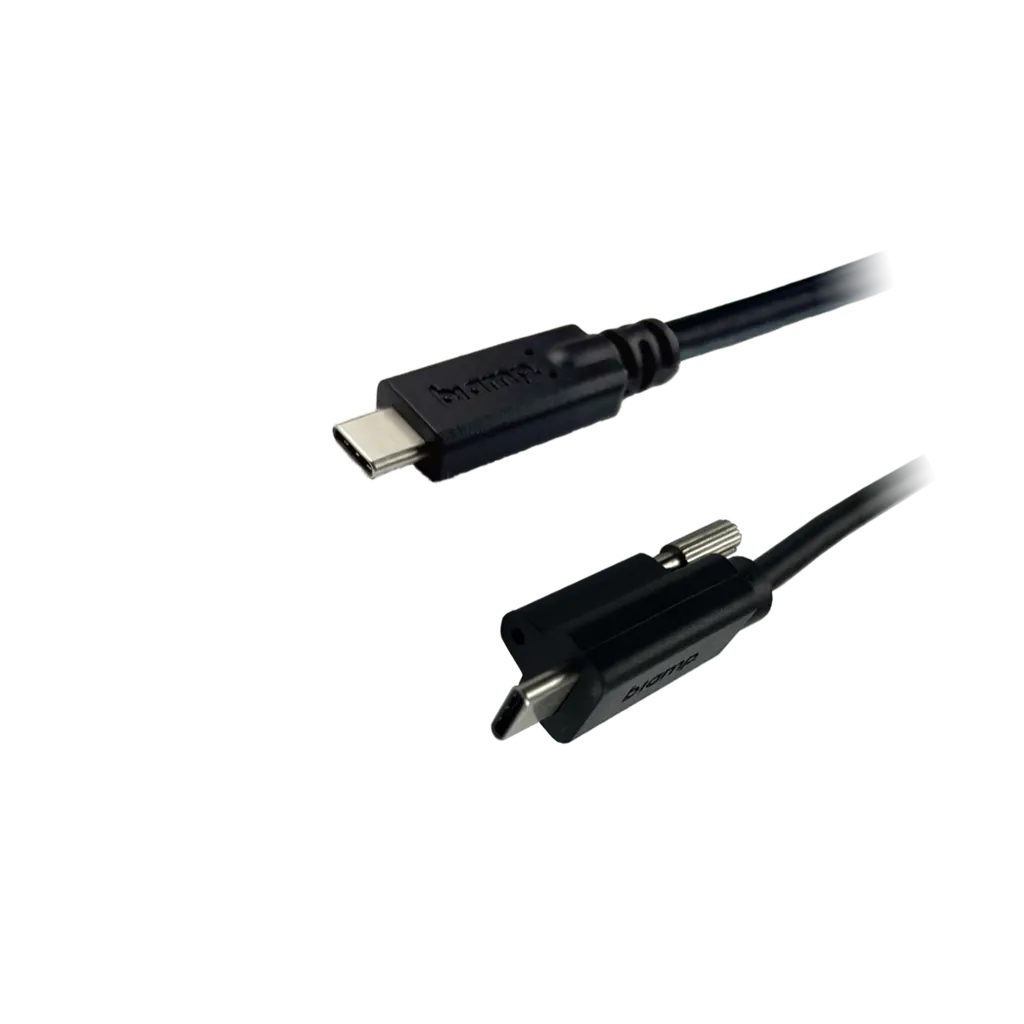
EasyConnect USB3-10-CC
Biamp EasyConnect USB3-10-CC USB-C to USB-C Cable, 3 m
Priceon request
QuotationWithin 1 working day
DeliveryConfirmed with your quote, based on stock
Overview
The Biamp EasyConnect USB3-10-CC is a 3 m USB-C to USB-C cable for meeting rooms. It supports USB 3.2 Gen 1 data at up to 5 Gbps, DisplayPort Alt Mode up to 3840 x 2160 at 60 Hz, and up to 45 W of power depending on the port. Suited to Doha boardrooms and university seminar rooms. Request a quote from SmartRooms Qatar.
What this 3 m USB-C cable does in a meeting room
The Biamp EasyConnect USB3-10-CC is a 3 m (10-foot) cable with USB-C connectors at both ends, built for the link between a laptop or collaboration device and a conferencing system. One cable can carry USB data, DisplayPort video, audio and power, which means fewer separate runs to plan along a conference table or behind a credenza. It belongs to Biamp's EasyConnect series of cables for meeting and conference AV.
Speed, video and power figures that matter
Data moves at up to 5 Gbps under the USB 3.2 Gen 1 standard. Video runs over DisplayPort Alt Mode using DisplayPort 1.4 signalling, with support for 3840 x 2160 pixels at 60 Hz, 4:4:4 chroma sampling and 8-bit colour per channel. The specification also lists HDMI through DisplayPort Alt Mode, so confirm that the display or adapter at the far end supports that path before ordering.
Power delivery reaches 45 W, but the real figure depends on the type-C port at each end. The cable works with USB Power Delivery 2.0 and 3.0, and power can flow in either direction. The listed operating voltage is 5 to 20 V with a maximum current of 3 A.
Where it fits across Qatar
- Executive boardroom in West Bay or Lusail: a presenter connects a laptop to the room display and conferencing unit with one cable, keeping the table clear.
- University seminar room in Education City: lecturers move between their own laptops and shared classroom equipment, and the 3 m length suits a lectern-to-rack run.
- Ministry meeting room in Doha: a visiting delegation shares a laptop presentation while colleagues in other countries join the same session.
What to plan before you order
The cable has an outer diameter of 4.8 mm and a minimum static bend radius of 48 mm, so allow that clearance in cable trays, floor boxes and wall plates. It has a TPE jacket, double shielding, tinned copper conductors and gold-plated contacts, with a pull strength of 50 N and a compression load rating of 500 N. It carries a VW-1 safety rating and RoHS and REACH compliance.
The operating range is 0 to 50 °C at 10 to 80% relative humidity, non-condensing, and storage is rated from -20 to 70 °C. Summer temperatures in Qatar can pass 45 °C, so keep the cable inside air-conditioned rooms and away from hot equipment cabinets and direct sunlight. Windows 8 and later, macOS 10.9 and later, and Linux 3.x and later are listed, and the host port must support USB 3.0. Older type-C to type-A or type-B devices connect through adapters. The product carries a 3-year warranty.
Request a quote from SmartRooms Qatar with the number of rooms and connected devices, and we will confirm the quantity you need. Schools and government bodies can order against an LPO, and our team offers a free site survey before installation if your cable routes are part of a larger fit-out.
Highlights
- 3 m (10-foot) USB-C to USB-C cable with male connectors at both ends
- USB 3.2 Gen 1 data transfer up to 5 Gbps
- DisplayPort 1.4 Alt Mode up to 3840 x 2160 at 60 Hz
- Up to 45 W power delivery, depending on the port
- Double shielded with tinned copper conductors and gold-plated contacts
- Operating range 0 to 50 °C with a 3-year warranty
Room fit
Tell us the room size and platform (Teams, Zoom or BYOD) and we confirm the right combination with your quotation.
Estimated timeline
Quotation within 1 working day · delivery timing depends on stock availability, and we confirm it with your quotation.
Specifications
37 specifications · Source: manufacturer · checked Oct 2026
OTHER18
- Jacket Material
- TPE
- Conductor Material
- Tinned Copper
- Wire Gauge
- 32 AWG
- Shield Type
- Double Shielded (foil + braid)
- Contact Plating
- Gold
- Cable Outer Diameter
- 4.8 mm
- Min. Static Bend Radius
- 48 mm
- Max. Tensile Strength
- 100 N
- Max. Compression Load
- 500 N
- Max. Pull Strength
- 50 N
- Billboard Device
- Yes (capability reporting)
- E-Marker
- Yes (configuration chip)
- Power Direction
- Bi-directional
- Signal Type
- Passive
- Length
- 10 feet (3 m)
- Display Port
- Yes (DP1.4)
- HDMI
- Yes (through DP Alt Mode)
- Audio
- Yes (through USB/DP)
COMPATIBILITY2
- Operating System(s)
- Windows 8+, macOS 10.9+, Linux 3.x+ (USB 3.0 support required)
- Legacy Support
- With type C to A/B adapters
DATA5
- Max. Data Rate
- 5 Gbps (SuperSpeed)
- Max. Built-in USB Hubs
- 2 (USB 3.0 lanes)
- Connector Type
- Type C to Type C (male-male)
- USB Specification
- USB 3.2 Gen.2 (USB 2.0, 1.1 compatible)
- USB Standard
- 3.2 Gen. 1 (formerly USB 3.0)
POWER4
- Operating Voltage
- 5-20V
- Max. Current
- 3 A
- Max. Power Delivery
- 45 W (type-C port dependent)
- PD Version Support
- 2.0/3.0
COMPLIANCE2
- Compliance
- RoHS, REACH
- Safety Rating(s)
- VW-1
ENVIRONMENTAL3
- Operating Temperature
- 0 to 50 °C
- Storage Temperature
- -20 to 70 °C
- Humidity
- 10 to 80% RH (non-condensing)
VIDEO3
- Chroma Sampling
- 4:4:4
- Color Bit Depth
- 8 bit (per color)
- Max. Resolution
- 3840 x 2160 pixels (at 60Hz)
Downloads
2 files from the manufacturerQuestions about EasyConnect USB3-10-CC
What is the EasyConnect USB3-10-CC used for?
It is a 3 m USB-C to USB-C cable that connects a laptop or collaboration device to meeting room equipment when one connection should handle data, video and power. It carries USB 3.2 Gen 1 data at up to 5 Gbps and DisplayPort video up to 3840 x 2160 at 60 Hz. It suits conference tables, lecterns and AV racks where one cable replaces several separate leads.
Does it support 4K video?
Yes, the specification lists support for 3840 x 2160 pixels at 60 Hz over DisplayPort Alt Mode, with 4:4:4 chroma sampling and 8-bit colour per channel. The picture also depends on the laptop and the display at the other end, so confirm that both support DisplayPort Alt Mode before ordering for a boardroom screen.
How much power does it deliver?
The cable supports up to 45 W of power delivery, and the actual figure depends on the type-C port at each end. It works with USB Power Delivery 2.0 and 3.0, and power can flow in either direction. The listed operating voltage is 5 to 20 V with a maximum current of 3 A. Check the charging capacity of the device port before relying on the cable to charge a laptop during a long session.
Does it work with Windows and Mac computers?
The cable is listed for Windows 8 and later, macOS 10.9 and later, and Linux 3.x and later. The host computer's port must support USB 3.0. Offices in Doha that run Windows laptops alongside Macs should check the port type on each device before installing the cable in a shared presentation room.
Can I connect older USB-A or USB-B devices with it?
Yes, through adapters. The specification lists legacy support with type-C to type-A or type-B adapters. The cable itself is USB-C at both ends, so an older projector at an Al Rayyan training centre would need a separate adapter. Choose the adapter that matches the device, test it with the host port, and include it in your quote request.
Is it suitable for a boardroom in West Bay or Lusail?
Yes, for linking a laptop to a display or conferencing unit inside an air-conditioned room. The 3 m length covers the distance from a seat at the table to a wall-mounted screen or a credenza-mounted unit. The 4.8 mm outer diameter needs suitable clearance in cable trays and floor boxes, so share your room layout when requesting a quote.
What should a lecture hall in Education City consider?
Test the cable with the lecturer's laptop and the classroom display before installation, since shared equipment often has different port types. Because the operating range is 0 to 50 °C, install it in a cooled space away from heat-producing equipment. Tell SmartRooms Qatar how many devices the cable will serve so the quantity matches each room.
Can it be used in a hot location such as an outdoor kiosk?
No, you should not use it outside air-conditioned space. The operating range is 0 to 50 °C at 10 to 80% humidity, non-condensing, and summer temperatures in Qatar can exceed 45 °C. Storage is rated from -20 to 70 °C. Treat the operating range as a limit, and ask SmartRooms Qatar to confirm suitability for any location outside a cooled room before ordering.
How tightly can I bend the cable when routing it?
Keep the bend radius at 48 mm or more, which is the listed minimum static bend radius. The outer diameter is 4.8 mm, so plan cable trays, floor boxes and wall plates with that clearance. The specification also lists a pull strength of 50 N and a compression load of 500 N. Avoid trapping the cable under chair legs or heavy cabinets.
Is it a passive cable, and does it need its own power supply?
Yes, the signal type is passive, and the cable has no separate power supply. It includes an E-Marker configuration chip and a billboard device feature that reports capabilities. Charging and power depend on the connected devices, their ports and the 45 W limit, not on the cable itself. Confirm device power requirements before you buy.
Is the cable compliant with RoHS and REACH?
The specification lists RoHS and REACH compliance and a VW-1 safety rating. If a government tender or school project needs a specific compliance reference, include that requirement in your quote request so the SmartRooms Qatar team can check it against the product before the quotation is issued.
How do I order several cables for a school or government body?
Send a quote request listing the quantity, the rooms and the devices each cable will connect. Quotations are usually issued within one working day. Schools and government bodies can order against a purchase order (LPO), or reference a Monaqasat tender, and payment by bank transfer, cheque or purchase order is accepted. The product carries a 3-year manufacturer warranty.



