






Barco
ClickShare Power Supply 100W
Barco ClickShare Power Supply 100W, 100-Watt Video Conferencing Accessory
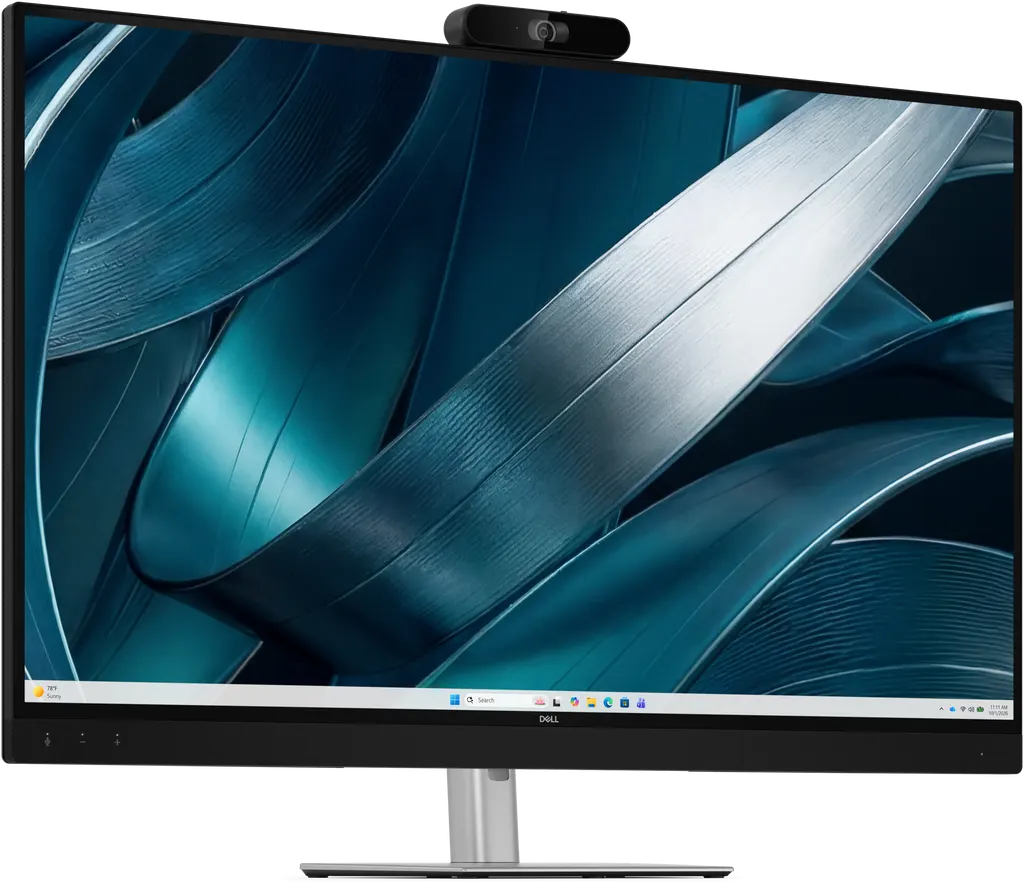
P4326QEB
Dell P4326QEB 43-inch 4K Conference Monitor with Built-in Camera
- Video
- 3840 x 2160
- Field of view
- 120
- Microphones
- Yes
- Speakers
- Yes
Priceon request
QuotationWithin 1 working day
DeliveryConfirmed with your quote, based on stock
Overview
The Dell P4326QEB is a 43-inch 4K IPS conference monitor with an integrated 4K camera, four beamforming microphones and two 8W speakers, built for huddle rooms and small meeting spaces. Its single USB-C cable carries video, data and up to 100W of power to a laptop. Ideal for Doha offices, schools and government meeting rooms that need one tidy device for hybrid calls. Request a quote today.
A 43-inch 4K panel with the camera, microphones and speakers built in
The Dell P4326QEB pairs a 42.5-inch viewable IPS panel, 3840 x 2160 resolution at 60 Hz, 1,000:1 contrast and 350 cd/m² brightness with an integrated 4K camera, four beamforming microphones and two front-firing 8W speakers. In a small room, that means one unit handles the picture and sound for a call, rather than a separate screen, webcam and speakerphone on the table.
The panel offers 99% sRGB colour coverage and up to 1.07 billion displayable colours, with 178° horizontal and vertical viewing angles, so people seated off-centre still see a consistent picture. It has an 8 ms GTG response time and 10-bit colour depth (8-bit plus FRC).
Camera, audio and meeting control
The camera uses a Sony STARVIS 8MP sensor with a 120° diagonal field of view, 4x zoom and output of 3840 x 2160 at 30 fps. AI group framing tracks participants as they move and dynamically resizes the frame so everyone stays visible. AI noise cancellation reduces background noise on the call, and a mechanical privacy shutter covers the lens when the camera is not needed. Group framing can be switched on or off, and its tracking speed and sensitivity adjusted, in the Dell Display and Peripheral Manager application.
Connections from a single USB-C cable
A laptop connected through USB-C sends video over DisplayPort 1.4 Alt Mode, passes data through the monitor's built-in USB hub, and receives up to 100W of power delivery in return. A 3.0 m USB-C cable is included, so a presenter can connect and charge without a control board or wireless setup. The rear ports are:
- One HDMI 2.1 input with HDCP 2.2, supporting up to 4K at 60 Hz
- One USB-C 5Gbps upstream port
- One USB Type-B 5Gbps upstream port
- Two USB Type-A 5Gbps downstream ports
- One RJ45 Gigabit Ethernet port
The rear ports sit lower for easier reach, and the USB-C port has a retention clip to reduce accidental disconnection. This model has no DisplayPort, VGA or Thunderbolt connection, so each unit needs its own connection rather than daisy-chaining from one cable.
Where it fits in Qatar
A university research group in Education City that holds calls with partners abroad can use the monitor in a small seminar room, where the camera framing and microphones pick up people around one table. A team in Lusail that runs client calls from Sunday to Thursday can keep a laptop connected through one cable and switch presenters without re-cabling. A government office in Doha that needs an orderly setup for internal reviews can specify it for its smaller meeting rooms, where the power input of 100 to 240 V AC covers Qatar's 240 V, 50 Hz mains.
What to plan before installation
Without its stand, the monitor measures 967.2 mm wide, 630.9 mm high and 67.5 mm deep. It weighs 17.85 kg with the stand and cables, and 12.70 kg without the stand. Its VESA 100 x 100 and 200 x 200 mounting patterns allow wall or arm mounting, but a wall bracket is not in the package contents, so choose one that suits the weight and wall type. Our free site surveys check wall construction, cable routes and sightlines before anything is drilled. The operating range is 0 to 40°C with 10 to 80% non-condensing humidity, and summer temperatures in Qatar can exceed 45°C, so install the unit in an air-conditioned room away from direct sunlight. Typical operating power draw is 49.20 W, with a maximum of 230 W. The product carries a 3-year limited warranty, including 3-Year Advanced Exchange Service and Premium Panel Exchange.
Share your room dimensions, seating layout and whether you need a desk stand or a wall mount, then request a quote. Our team usually returns quotations within one working day, and we accept purchase orders (LPOs), government tenders including Monaqasat, and payment by bank transfer, cheque or purchase order.
Highlights
- 42.5-inch viewable IPS panel at 3840 x 2160 and 60 Hz
- Integrated Sony STARVIS 8MP 4K camera with 120° field of view
- Four beamforming microphones and two 8W speakers built in
- Single USB-C cable carries video, data and up to 100W power
- VESA 100 x 100 and 200 x 200 mounting; 12.70 kg without stand
- 3-year limited warranty with Advanced Exchange Service
Room fit
Tell us the room size and platform (Teams, Zoom or BYOD) and we confirm the right combination with your quotation.
Estimated timeline
Quotation within 1 working day · delivery timing depends on stock availability, and we confirm it with your quotation.
Specifications
155 specifications · Source: manufacturer · checked Oct 2026
General Information7
- Manufacturer
- Dell Technologies
- Manufacturer Part Number
- 1Y9K0
- Brand Name
- Dell
- Product Line
- Pro P
- Product Model
- P4326QEB
- Product Name
- Pro P P4326QEB Widescreen LCD Monitor
- Product Type
- LCD Monitor
Technical Information34
- Number of Screens
- 1
- Screen Size Class
- 43"
- Viewable Screen Size
- 108 cm (42.5")
- Screen Mode
- 4K UHD
- Display Screen Type
- Flat Panel
- Panel Technology
- In-plane Switching (IPS) Technology
- Response Time Details
- 8 ms GTG
- Aspect Ratio
- 16:9
- Pixel Pitch
- 0.24510 mm x 0.24510 mm
- Horizontal Viewing Angle
- 178 °
- Vertical Viewing Angle
- 178 °
- Mount Type
- Panel Mount
- HDCP Supported
- Yes
- Maximum Adjustable Height
- 60 mm
- Tilt Angle
- -5 ° to 10 °
- Swivel Angle
- -20 ° to 20 °
- Slant Angle
- -3 ° /3 °
- Features
- 3D Noise Reduction AI Group Framing AI Noise Cancellation Anti-glare Arsenic-free Glass BFR Free Cable Lock Slot Eye Comfort Technology Facial Detection Auto Exposure (FDAE) Flicker-free Low Blue Light Mercury-free PVC Free Security Lock sRGB Zoom Room Certified
- Adjustable Stand
- Yes
- Stand Adjustments
- Height Slant Swivel Tilt
- Stand Included
- Yes
- Stand Type
- Adjustable
- Pivot
- No
- Curved Screen
- No
- Glass Hardness
- 3H
- Webcam Frame Rate
- 1280 x 720 at 30 fps 1920 x 1080 at 30 fps 2560 x 1440 at 30 fps 3840 x 2160 at 30 fps
- Webcam Zoom
- 4
- Camera Privacy Shutter
- Yes
- Focus Distance
- 1000 mm
- Maximum Aperture
- f/3.4
- Diagonal Field of View
- 120 °
- Camera Tilt
- 0 ° to 20 °
- Surface Treatment
- Anti-glare
- Flicker Free
- Yes
Video11
- Maximum Resolution
- 3840 x 2160
- Standard Refresh Rate
- 60 Hz
- Colour Supported
- 1.07 Billion Colors
- Colour Depth
- 10-bit (8-bit + FRC)
- Native Contrast Ratio
- 1,000:1
- Brightness
- 350 cd/m²
- Color Gamut
- 99% sRGB (CIE 1931)
- Calibration Accuracy
- No
- Maximum Preset Resolution
- 3840 x 2160 at 60 Hz
- Pixel Per Inch (PPI)
- 104
- Resolution Type
- Standard
Audio6
- Number of Speakers
- 2
- Speakers
- Yes
- Minimum Frequency Response
- 100 Hz
- Maximum Frequency Response
- 20 kHz
- Speaker Output Power
- 2 x 8 W
- Number of Microphones
- 4
Network & Communication1
- Ethernet Technology
- Gigabit Ethernet
Interfaces/Ports36
- Network (RJ-45)
- Yes
- HDMI
- Yes
- HDMI Version
- 2.1
- USB
- Yes
- VGA
- No
- DisplayPort
- No
- Thunderbolt
- No
- USB Type-C
- Yes
- Number of HDMI Inputs
- 1
- Total Number of HDMI Ports
- 1
- Number of USB Ports
- 4
- Number of USB Type-B Upstream Ports
- 1
- Total Number of USB Type-C Ports
- 1
- USB Type-C (Power Delivery) Upstream
- 100 W
- Number of USB Type-C (Power Delivery) Ports
- 1
- DVI-D
- No
- DisplayPort Input
- No
- DisplayPort Output
- No
- Number of HDMI 2.1 (HDCP 2.2)
- 1
- USB Type-B
- Yes
- Ethernet Technology Details
- 1 x RJ-45 Gigabit Ethernet
- HDMI HDCP Version
- HDCP 2.2
- Number of Network (RJ-45) Ports (Rear)
- 1
- Number of USB Type-A Downstream Ports (Rear)
- 2
- Number of USB Type-B Upstream Ports (Rear)
- 1
- Number of USB Type-C (Power Delivery) Upstream Ports (Rear)
- 1
- RS-232 (Rear)
- No
- Thunderbolt Downstream (Rear)
- No
- USB Type-A (Front)
- No
- USB Type-A (Rear)
- Yes
- USB Type-A Downstream Data Rate (Rear)
- 640 MB/s
- USB Type-B Upstream Data Rate (Rear)
- 640 MB/s
- USB Type-C (Front)
- No
- USB Type-C (Power Delivery) Upstream Supported (Rear)
- Yes
- USB Type-C Upstream Data Rate (Rear)
- 5 GB/s
- Interface/Port Details
- 1 HDMI port (HDCP 2.2) (Supports up to 3840 x 2160, 60 Hz as specified in HDMI 2.1 (TMDS)) 2 USB Type-A 5Gbps downstream ports 1 USB Type-B 5Gbps upstream port 1 USB-C 5Gbps upstream port (DisplayPort 1.4 Alt Mode, Power Delivery up to 100W) 1 RJ45 Ethernet port, 1GbE
Built-in Devices3
- Built-in Devices
- USB Hub
- Webcam
- Yes
- Microphone
- Yes
Environmental Conditions6
- Operating Temperature Range
- 0 ° C to 40 ° C
- Non-operating Temperature Range
- -20 ° C to 60 ° C
- Operating Humidity Range
- 10% to 80% (Non-condensing)
- Non-operating Humidity Range
- 5% to 90% (Non-condensing)
- Maximum Operating Altitude
- 5 km
- Maximum Non-operating Altitude
- 12.19 km
Power Description9
- Input Voltage Range
- 100V AC to 240V AC
- Operating Power Consumption
- 49.20 W
- Standby Power Consumption
- 500 mW
- Off-Mode Power Consumption
- 300 mW
- Energy Efficiency Class
- F
- Frequency
- 50 Hz 60 Hz
- Maximum Power Consumption
- 230 W
- Voltage Current
- 2.50 A
- Input Voltage Range/Current Details
- 100 VAC to 240 VAC/50 Hz or 60 Hz ± 3 Hz/2.5 A
Physical Characteristics22
- VESA Mount Compatible
- Yes
- VESA Mount Standard
- 100 x 100 200 x 200
- Color Family
- Black
- Product Color
- Black
- Height
- 630.9 mm
- Width
- 967.2 mm
- Depth
- 67.5 mm
- Height with Stand
- 721.20 mm
- Width with Stand
- 967.21 mm
- Depth with Stand
- 258.76 mm
- Compressed Height with Stand
- 661.20 mm
- Extended Height with Stand
- 721.20 mm
- Bezel Width (Top)
- 12.99 mm
- Bezel Width (Bottom)
- 50.09 mm
- Bezel Width (Left)
- 13.02 mm
- Bezel Width (Right)
- 13.02 mm
- Weight (Approximate)
- 12.70 kg
- Stand Height
- 526.99 mm
- Stand Width
- 320 mm
- Stand Depth
- 528.76 mm
- Weight (with Packaging) with Stand
- 28.61 kg
- Weight with Stand & Cables (Approximate)
- 17.85 kg
Miscellaneous18
- Package Contents
- Pro P P4326QEB Widescreen LCD Monitor Stand riser Stand base Power cable 1 x USB-C to C 10Gbps 100W cable (3.0 m) QR Card Safety, Environmental, and Regulatory Information
- Additional Information
- Sensor brand & pixel pitch Sony STARVIS 8MP, 1.45um High dynamic range (HDR) Support Sony 4th-gen DOL-HDR Microphone type Beamforming Microphone technology 3 meter (tested) Speaker configuration 2x 8W front-firing speakers Microphone frequency range Echo Cancelling Speakerphone (USB audio path)
- Certifications & Standards
- California CEC Arsenic-Free glass and Mercury-Free for the panel only China Energy Label (CEL) BFR/PVC free monitor (excluding external cables) Product Safety, EMC, and Environmental Datasheets Ukraine EE Mexico EE Russia EE Labelling Israel EE Ghana EE California CEC CEL
- Platform Supported
- Linux Mac Windows
- Energy Star
- Yes
- Country of Origin
- China/Vietnam
- TAA Compliant
- No
- EPEAT Version
- 2
- Eye Comfort Certification
- Yes
- Eye Comfort Rating
- 3 Star
- Dell Display and Peripheral Manager Compatibility
- Yes
- Remote Asset Management
- Dell Device Management Console (DDMC) Dell Display and Peripheral Manager (DDPM)
- Cable Type Included
- Power cable 1 x USB-C to C 10Gbps 100W cable (3.0 m)
- Environmentally Friendly
- Yes
- Environmental Certification
- China Environmental United Certification Center (CEC) Electronic Product Environmental Assessment Tool Climate+ (EPEAT Climate+) Electronic Product Environmental Assessment Tool Gold (EPEAT Gold)
- Energy Efficiency Certification
- ENERGY STAR 8.0
- Energy Efficiency Compliance
- Energy-related Products Directive Lot 5 (ErP Lot 5) Minimum Energy Performance Standards (MEPS)
- Environmental Compliance
- Restriction of Hazardous Substances (RoHS)
Warranty2
- Limited Warranty
- 3 Year
- Additional Warranty Information
- 3-Year Advanced Exchange Service and Premium Panel Exchange
Downloads
10 files from the manufacturer
PDF
Dell P4326QEB manuals & guides (PDF, 11.3 MB)
PDF
Dell P4326QEB manuals & guides (PDF, 10.2 MB)
PDF
Dell P4326QEB manuals & guides (PDF, 7.9 MB)
PDF
Dell P4326QEB manuals & guides (PDF, 9.5 MB)
EXE
Dell P4326QEB manuals & guides (EXE)
PDF
Dell P4326QEB drawings & cad (PDF, 272 KB)
EXE
Dell P4326QEB software & firmware (EXE)
EXE
Dell P4326QEB software & firmware (EXE)
EXE
Dell P4326QEB software & firmware (EXE)
PDF
Dell P4326QEB other documents (PDF, 90 KB)
Questions about P4326QEB
Would this monitor suit a small meeting room at a university in Education City?
Yes, it is designed for huddle rooms and small meeting spaces rather than large lecture halls. The 42.5-inch screen, integrated 4K camera, four beamforming microphones and two 8W speakers sit in one unit, so a small group of researchers does not need a separate webcam or speakerphone. For a larger room, confirm the seating distance when you request a quote.
Is the camera wide enough for a boardroom in Doha?
The camera has a 120° diagonal field of view and 4x zoom, which covers a standard table when participants sit close to the screen. In a long boardroom with seats far from the unit, coverage may be tight. The listed focus distance is 1000 mm, so compare that with your table depth. SmartRooms Qatar can check the room during a free site survey before you order.
What video resolution does the camera output?
The camera uses a Sony STARVIS 8MP sensor and the data lists output of 3840 x 2160 at 30 fps. It also lists 2560 x 1440, 1920 x 1080 and 1280 x 720 at 30 fps, with a maximum aperture of f/3.4. Call quality also depends on the meeting platform, internet bandwidth and the laptop, so check those before deployment.
Does AI group framing help a team in Lusail that joins calls with colleagues abroad?
Yes. AI group framing tracks participants and dynamically resizes the frame so everyone stays visible as people move, which helps when a Lusail team meets colleagues in Europe or Asia. AI noise cancellation reduces background noise, and group framing can be switched on or off in Dell Display and Peripheral Manager.
Can a laptop connect with one cable and charge at the same time?
Yes. A USB-C connection carries video through DisplayPort 1.4 Alt Mode, data through the built-in USB hub, and up to 100W of power delivery to the laptop. A 3.0 m USB-C cable is included. Check that the laptop's USB-C port supports DisplayPort Alt Mode and power delivery at this level, since some devices provide less power.
Which ports are on the back of the P4326QEB?
The rear panel offers one HDMI 2.1 input with HDCP 2.2 supporting 4K at 60 Hz, one USB-C 5Gbps upstream port, one USB Type-B 5Gbps upstream port, two USB Type-A 5Gbps downstream ports and one RJ45 Gigabit Ethernet port. A security lock slot based on the Kensington standard is also fitted. The model has no DisplayPort, VGA or Thunderbolt connection.
Does it work with Mac laptops?
The manufacturer states that it tested the monitor with devices on macOS over USB-C or HDMI, and that some features may not be supported. Some M-series chips may not support every feature, so check your model before purchase. Daisy-chaining several displays from one cable requires Thunderbolt, which this model does not have, so each unit needs its own connection.
Can we wall-mount it in a meeting room in The Pearl?
Yes, with a VESA-compatible bracket, as the monitor supports 100 x 100 and 200 x 200 mounts. It weighs 12.70 kg without the stand and 17.85 kg with the stand and cables, and a wall bracket is not included in the package. We recommend a free site survey in The Pearl to check wall construction, mounting height and cable routes before ordering.
Does it run on Qatar's 240 V mains supply?
The input voltage range is 100 to 240 V AC at 50 or 60 Hz, so Qatar's 240 V, 50 Hz mains falls within that range. Typical operating power draw is 49.20 W and the maximum is 230 W. A power cable is included. The plug standard is not specified in the product data, so confirm it with your quotation.
Can it be placed in a hot room or near a window in summer?
The operating temperature range is 0 to 40°C, with 10 to 80% non-condensing humidity and operation up to 5 km altitude. Summer temperatures in Qatar can exceed 45°C, so install it in an air-conditioned room, away from direct sun through windows and from dusty lobby areas exposed to dust storms. If the space is not air-conditioned, confirm the environment with the SmartRooms Qatar team first.
What warranty is included?
The product carries a 3-year limited warranty from the manufacturer. It also includes 3-Year Advanced Exchange Service, under which a replacement can be sent after remote diagnosis, and Premium Panel Exchange, which allows panel replacement during the warranty period even if only one bright pixel is found. Products are covered by the manufacturer's warranty.
How can a school or government office order several units?
Schools and government offices can order several P4326QEB units against one purchase order (LPO), and government tenders, including Monaqasat, are accepted. Payment is by bank transfer, cheque or purchase order. Send your room list, seating numbers and mounting type, and request a quote; the team usually sends quotations within one working day.



