





Thursday, 22 October 2026 · 11 Jumada I 1448 AH Sun – Thu · 9:00 – 18:00
+971 56 914 9477 العربية
WhatsApp

CloudLink Camera 200

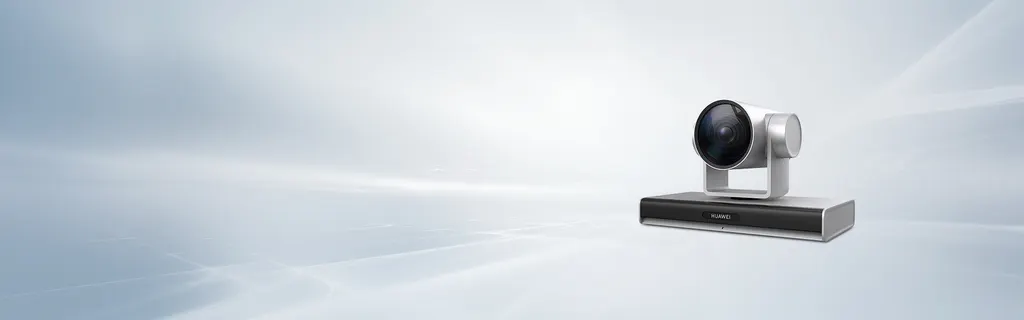
Huawei CloudLink Camera 200 12x Optical Zoom PTZ Conference Camera

Zoom
12x optical zoom
WhatsApp
Priceon request
QuotationWithin 1 working day
DeliveryConfirmed with your quote, based on stock
Overview

The CloudLink Camera 200 is a PTZ conference camera for Huawei's HD video conferencing endpoints. It pairs a 1/2.5-inch CMOS sensor with 12x optical zoom, an 80-degree horizontal field of view and pan of ±110 degrees. Its output modes include 4K at 25/30 fps and 1080p at 50/60 fps, with HDMI 1.4b and USB 3.0 ports. Suited to boardrooms in Doha and Lusail using Huawei endpoints.

What the CloudLink Camera 200 does in a meeting room

The CloudLink Camera 200 is a pan-tilt-zoom conference camera built to work with Huawei's HD video conferencing endpoint range. It gives remote participants a clear view of the room, with an ultra-wide field of view for groups and 12x optical zoom for speakers at the far end of a table. Its styling suits modern offices, so it can sit in a visible position without looking out of place.

Optics, field of view and output

At the heart of the camera is an 8.51-megapixel, 1/2.5-inch CMOS image sensor. The 12x optical zoom and aperture range of F1.8 to F3.56 (±5%) let the operator frame a full table or narrow in on a single seat. The angle of view is 80 degrees horizontally and 50 degrees vertically.

Video output is listed in three modes: 4K at 25 or 30 fps, 1080p at 50 or 60 fps, and 1080p at 25 or 30 fps. Output leaves the camera through one HDMI 1.4b port and one USB 3.0 port.

Control, presets and compatibility

  • Pan and tilt: ±110 degrees pan and ±30 degrees tilt
  • Presets: 255 saved positions
  • Local setup: embedded on-screen display for configuration and maintenance
  • Endpoint control: remote control or touch panel of a connected Huawei endpoint

The camera is positioned for Huawei's HD endpoint range. Before ordering, confirm compatibility with the specific endpoint you plan to use and the output mode your display needs.

Where it fits in Qatar

  • Government boardroom in West Bay: a ministry or authority upgrading a boardroom where officials join calls with colleagues across Doha and abroad, with the camera framing the table and the speaker.
  • Training room in Education City: a university or training centre where a trainer addresses students in the room and remote participants at once, using saved presets for different speaking positions.
  • Conference room in Al Sadd: a clinical team holding meetings with specialists in other locations, where the wide view covers everyone seated at the table.

Planning the installation

Before mounting, plan the camera position so the ±110-degree pan and ±30-degree tilt range is clear of ceiling beams, lights and wall fittings. A free site survey from SmartRooms Qatar helps confirm the mounting point, the sightlines to the seating and the cable route to the endpoint.

Summer temperatures above 45°C and dust storms are relevant to any position near windows or outdoors. The source data does not give an operating temperature range for this model, so confirm the location and environment with the SmartRooms Qatar team before installation.

SmartRooms Qatar delivers to all eight municipalities of Qatar and supports LPOs and government tenders. Schools and ministries equipping several rooms can order multiple units under one purchase order. Products are covered by the manufacturer's warranty.

Request a quote

To receive a quotation for your room, send the SmartRooms Qatar team the number of cameras, the Huawei endpoint model and a rough room layout. The team will confirm compatibility, mounting and installation with your quote. Request a quote today.

Highlights

  • 12x optical zoom with 80° horizontal angle of view
  • Pan ±110° and tilt ±30° with 255 presets
  • 8.51-megapixel 1/2.5-inch CMOS image sensor
  • 4K at 25/30 fps and 1080p at 50/60 fps output
  • 1 x HDMI 1.4b and 1 x USB 3.0 video output ports
  • Built to work with Huawei HD video conferencing endpoints

Room fit

Tell us the room size and platform (Teams, Zoom or BYOD) and we confirm the right combination with your quotation.

Estimated timeline

Quotation within 1 working day · delivery timing depends on stock availability, and we confirm it with your quotation.

Specifications

8 specifications · Source: manufacturer · checked Oct 2026
Specifications8
Image sensor
8.51-megapixel, 1/2.5-inch CMOS
Video output resolution
4K 25/30、1080p 50/60、 1080p 25/30
Zoom
12x optical zoom
Aperture
F1.8~F3.56 ± 5%
Angle of view
Horizontal: 80° Vertical: 50°
Pan/tilt angle
Pan: ±110°, tilt: ±30°
Number of presets
255
Video output port
1 x USB 3.0 1 x HDMI 1.4b

Downloads

1 file from the manufacturer

Questions about CloudLink Camera 200

What is the Huawei CloudLink Camera 200 designed for?
It is a pan-tilt-zoom conference camera made to work with Huawei's HD video conferencing endpoint range. It suits boardrooms, meeting rooms and training rooms where remote participants need a clear view of the speakers. Organisations in Doha, Lusail or Al Khor that already run Huawei endpoints can add it to an existing room, with compatibility confirmed before ordering.
Which video output modes does it support?
The listed output modes are 4K at 25 or 30 fps, 1080p at 50 or 60 fps, and 1080p at 25 or 30 fps. For smoother motion in a busy meeting, choose a 1080p mode at 50 or 60 fps. The 4K mode is listed at 25 or 30 fps only, so confirm the output your endpoint and display need before purchase.
What zoom and field of view does it offer?
The camera has a 12x optical zoom and an 80-degree horizontal, 50-degree vertical angle of view. Its 8.51-megapixel, 1/2.5-inch CMOS sensor and aperture of F1.8 to F3.56 (±5%) support a wide shot of a full table and a closer view of a speaker. A boardroom in West Bay with a long table is a typical case where the wide view matters.
How far can the camera pan and tilt?
The pan range is ±110 degrees and the tilt range is ±30 degrees. Before mounting, check that the full sweep is clear of ceiling beams, pendant lights and wall fittings, because an obstruction limits the framings you can use. SmartRooms Qatar offers a free site survey to check the mounting point and sightlines to the seating.
How many presets can I save?
The camera supports 255 presets, so staff can save a framing for each seating position or speaking spot. In a training room in Education City, where instructors often move around, saved presets make it easier to return to the right view for each part of a session.
Which video ports does it have?
The camera has one HDMI 1.4b port and one USB 3.0 port for video output. Check that the display or endpoint you connect has a matching input, especially when you are reusing an existing screen or device. Confirming the interfaces before ordering avoids mismatched connections on installation day.
How is the camera controlled day to day?
It has an embedded on-screen display for configuration and maintenance, so it can be set up independently. Camera operations are also available from the remote control or touch panel of the connected Huawei endpoint. This suits an IT or facilities team in an Industrial Area office that wants one control point for each room.
Does it work with non-Huawei video systems?
The camera is positioned for Huawei's HD video conferencing endpoint range, and the source data does not list compatibility with other video platforms. If the room runs a different system, ask the SmartRooms Qatar team to confirm compatibility with your endpoint, software and display before buying.
Can it be installed near windows or outdoors in Qatar's heat?
The source data does not give an operating temperature range for this model. Summer temperatures above 45°C and dust storms are a concern for any position near windows or outdoors, so confirm the intended location and environment with the SmartRooms Qatar team before installation, particularly in rooms with glass facing outside.
Is it suitable for a large meeting room in Msheireb or Lusail?
Yes, for medium to large rooms. A boardroom in Msheireb with a long table and people seated along both sides benefits from the 80-degree horizontal view and 12x zoom. Smaller rooms may not need this reach, so the team can help match the camera to the room size and seating plan.
Can I order several units on an LPO for a school or ministry?
Yes. SmartRooms Qatar supplies against purchase orders (LPOs) and government tenders, including Monaqasat, and accepts payment by bank transfer, cheque or purchase order. A school or ministry equipping several rooms can request one quotation covering multiple units, usually issued within one working day. Products are covered by the manufacturer's warranty.
Do you deliver to Al Khor or Mesaieed, and is a site survey included?
Yes. SmartRooms Qatar delivers to all eight municipalities of Qatar, including Al Khor and Mesaieed, and provides professional installation. A free site survey is available before mounting, which helps at industrial or company sites where access and cable routes need checking. Request a quote with your room details.

Similar models

Biamp Vidi 100 Biamp Vidi 100 4K Conferencing Camera
Cameras
Biamp Vidi 150 Biamp Vidi 150 4K Conferencing Camera
Cameras
Biamp Vidi 250 Biamp Vidi 250 4K Conferencing Camera
120 Degrees Zoom Certified
Biamp Vidi 280 Biamp Vidi 280 4K Conferencing Camera with Dual Sensors
Ultrawide Lens Zoom Certified
Biamp Vidi Content Cam 250 Biamp Vidi Content Cam 250 4K Whiteboard Content Camera Kit
120° Up to 5x digital zoom
Email Call




