Barco
ClickShare Power Supply 100W
Barco ClickShare Power Supply 100W, 100-Watt Video Conferencing Accessory

INImage on request
MVP100
InFocus MVP100 Video Conferencing Endpoint (Discontinued)
Priceon request
QuotationWithin 1 working day
DeliveryConfirmed with your quote, based on stock
Overview
The InFocus MVP100 is a video conferencing endpoint from the MVP100 series, listed under video phones and endpoints. The manufacturer has discontinued this model, so this page serves organisations that already run it, buyers comparing it with newer equipment, and anyone needing a replacement. SmartRooms Qatar can quote a current equivalent or compatible alternative for meeting rooms across Qatar. Request a quote to compare options for your rooms.
What the InFocus MVP100 is and why its status matters
The InFocus MVP100 is a video conferencing endpoint from the MVP100 series, listed under video phones and endpoints in the manufacturer's conferencing range. The manufacturer has discontinued this model, so new units are no longer part of its current line-up. That status shapes who should read this page: organisations that already run MVP100 units, buyers comparing an older endpoint with newer equipment, and anyone who needs a dependable replacement for a room that relies on video calls.
Confirmed facts and what still needs checking
The manufacturer's support listing confirms the model's brand, series and category, and it links to a user guide. Those points are the foundation of this page. The record does not state screen, camera, audio, port, power or environmental details, so this page does not claim them. The user guide is the right place to check connections, power input and operating conditions before you plan any reuse or replacement.
- Model: InFocus MVP100, series MVP100
- Category: Video Conferencing, subcategory Video Phones / Endpoints
- Status: discontinued by the manufacturer
- Documentation: user guide listed on the InFocus Global Support page
Where an MVP100 scenario fits in Qatar
A government office in Doha with MVP100 units in a meeting room may need one like-for-like replacement after a failure. The facilities team should first confirm the room layout and wiring, then compare the guide with a current model. A private school in Al Wakrah with older endpoints across administrative offices might phase replacements by room, starting with the spaces that take the most external calls. A hospital in Al Rayyan that uses video links for specialist consultations with teams abroad needs a replacement whose connection and operating limits are confirmed in writing before it goes live.
What to plan before ordering a replacement
Start with an inventory: list each room, the number of endpoints in use, the systems they connect to and where they are mounted or placed. Qatar mains supply is 240 V at 50 Hz and uses BS 1363 (Type G) sockets, so check the power requirement of any unit against those figures before installation. Older rooms may hide cable routes and wall fixings that differ from current standards, so allow time for inspection. Keep the user guide with the room records so the next technician can find it.
Request a quote for a current equivalent
Because the MVP100 is discontinued, SmartRooms Qatar recommends a quotation for a current equivalent or a compatible replacement rather than the original model. Send the room list, the quantity of units and the user guide reference, and the team will propose options that fit your rooms and your procurement process. Delivery reaches all eight municipalities of Qatar. Request a quote now to compare options before your current endpoints fail.
Highlights
- Discontinued by the manufacturer; current equivalent quotes available
- Part of the MVP100 series in video conferencing
- Listed under the video phones and endpoints subcategory
- User guide listed on the InFocus Global Support page
- Detailed specifications to be confirmed from the user guide
- Delivery to all eight municipalities of Qatar
Room fit
Tell us the room size and platform (Teams, Zoom or BYOD) and we confirm the right combination with your quotation.
Estimated timeline
Quotation within 1 working day · delivery timing depends on stock availability, and we confirm it with your quotation.
Specifications
Source: manufacturer · checked Oct 2026
The full specification and datasheet for this model are available on request; we send them with your quotation.
Downloads
1 file from the manufacturerQuestions about MVP100
Is the InFocus MVP100 still available new?
The InFocus MVP100 has been discontinued by the manufacturer, so it is no longer part of the current range. SmartRooms Qatar can still prepare a quotation for a current equivalent or a compatible replacement that suits the same room. Send the room size, the number of units and the user guide reference, and the team will recommend options for your site.
What is the InFocus MVP100 used for?
The MVP100 is a video conferencing endpoint in the video phones and endpoints subcategory, used to connect a room to video calls. The manufacturer's record confirms its series and category but does not list screen, camera, audio or connectivity details, so those should be checked in the user guide. Buyers planning a like-for-like swap should start there.
Which technical specifications can SmartRooms Qatar confirm for the MVP100?
This page confirms only the brand, model, series, category and discontinued status, plus a user guide listed on the InFocus Global Support page. Resolution, camera, audio, ports, power draw and operating temperature are not stated in the available data. Ask for a quotation and the team will advise which details can be verified against the guide before you commit.
Where can I find the user guide for the MVP100?
The InFocus Global Support page lists a user guide for the MVP100, and that guide is the best source for setup, connections, power and environmental limits. Download it from the manufacturer's support listing before planning installation. If the guide does not match your unit, send us the label details and we will help identify the correct model for a quotation.
Our school in Al Wakrah has older endpoints. Should we replace them all at once?
Many schools phase replacements by room, starting with rooms that handle the most external calls, such as the principal's office or the staff meeting room. Replacing in stages lets facilities check cabling and power in each room and spreads the budget across terms. SmartRooms Qatar can quote for individual rooms or for the full set of units in one request.
A government office in Doha wants to replace a meeting room unit. What should we check first?
Start with the room itself: count the regular participants, confirm the wall or table mounting points, and note where the network and power outlets sit. Then compare the MVP100 user guide with the replacement proposed in your quotation. This side-by-side check shows whether the new unit fits the room and the way your staff run meetings.
Does the MVP100 work with Qatar's 240 V supply and BS 1363 sockets?
The source data does not state the MVP100's power input, so this cannot be confirmed from this page. Qatar mains supply is 240 V at 50 Hz and uses BS 1363 (Type G) sockets. Check the power rating in the user guide against those figures, and ask the SmartRooms Qatar team to confirm any adapter or socket requirement before you order a replacement.
Do we need to inspect the site before installing a replacement endpoint?
Inspection is useful when room layout, cable routes or mounting surfaces are unclear, especially in older buildings where earlier installations may have used different fixings. In a boardroom in Lusail or West Bay, time on site is often limited, so checking wall construction and cable routes in advance avoids surprises on installation day and keeps the room in use.
How would a hospital in Al Rayyan compare an older endpoint with a current equivalent?
Start with the room's needs: the number of participants, the existing display and microphone setup, and how often the room connects to specialist teams abroad. Then request a quotation that lists the proposed replacement's specifications beside the MVP100 details from the user guide. This side-by-side view shows whether the upgrade keeps existing consultation workflows intact.
Can SmartRooms Qatar deliver an MVP100 replacement outside Doha?
Yes. SmartRooms Qatar delivers to all eight municipalities of Qatar, including Al Khor and Al Wakrah. Give the delivery address and a site contact when you request a quote so both are included in the quotation and the delivery is planned for the right location.
Can government bodies buy a replacement by purchase order or tender?
Yes. SmartRooms Qatar accepts purchase orders (LPOs) and government tenders, including Monaqasat, and accepts payment by bank transfer, cheque or purchase order. Send the tender or purchase order reference with your request so the quotation matches your procurement paperwork from the start.
Suggested replacements




Similar models
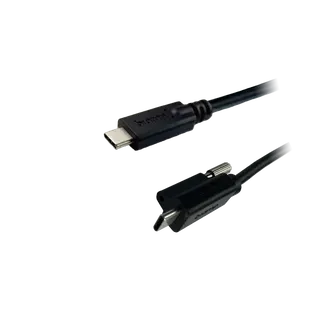
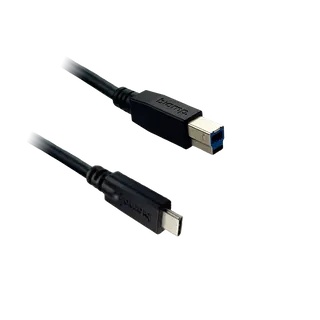
Biamp
EasyConnect USB3-30-BC
Biamp EasyConnect USB3-30-BC 10 m USB 3.2 Gen 1 Cable, Type-B to Type-C