





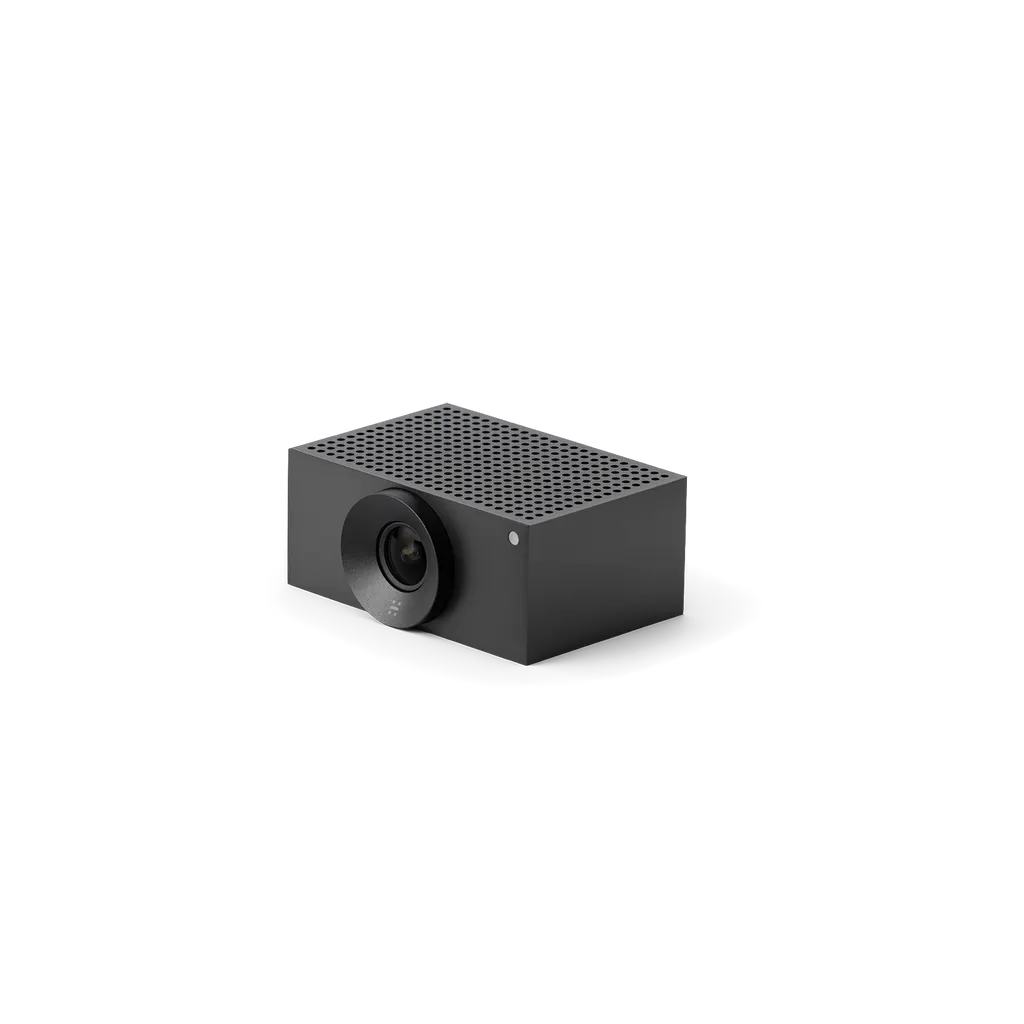
Cam L1
Jabra Cam L1 AI Conference Camera (9000-101)
- Video
- 1920 x 1080
- Field of view
- Horizontal: 92°
- Zoom
- Up to 5x digital zoom
- Platforms
- Microoft Teams; Zoom Rooms…
The Jabra Cam L1 (model 9000-101) brings onboard AI to large meeting spaces. It captures 1920 x 1080 video with a 92° horizontal field of view, offers up to 5x digital zoom, and includes an integrated people count. It connects over USB via the included adapter, with Microsoft Teams Rooms and Zoom Rooms support, suiting boardrooms and lecture halls across Doha.
How the Jabra Cam L1 covers a room
The Jabra Cam L1, model 9000-101, is an AI-enabled camera for larger meeting spaces, where a single lens has to show several people at once. It uses a fixed-focus digital PTZ design, so framing comes from digital zoom and its field of view rather than a moving lens. The horizontal field of view is 92° and the vertical field of view is 65°, which sets the area the camera can see from its mounting point.
Because coverage depends on position, the distance to the furthest seat matters more here than in a small huddle space. Plan the wall position around the table shape and the presenter's usual spot before the camera is fixed in place.
Video, zoom and onboard AI
Video is captured at 1920 x 1080 with up to 5x digital zoom. Onboard AI and an integrated people count are built into the camera itself.
- 1920 x 1080 camera resolution
- Up to 5x digital zoom
- Horizontal 92°, vertical 65° field of view
- Integrated people count: yes
Facilities teams can use the people count as one input when reviewing how a room is used, provided the platform used in the room exposes the feature. Ask the SmartRooms Qatar team to confirm how it is handled with your chosen system.
Where it fits in Qatar
A boardroom in West Bay or Msheireb with a long table is a typical match. Mount the camera at the head of the room, away from the display, so the 92° view covers the full table and the faces of people seated at the far end. Staff can join from Doha, a branch or a partner abroad without changing the room layout.
A lecture room at a university in Education City or a training centre in Lusail is another good fit. The lecturer moves between a whiteboard and the seating, and the 5x digital zoom helps frame a presenter at a distance. Remote students join through Microsoft Teams Rooms or Zoom Rooms.
A government office in Doha running sessions in Arabic and English, or a private school in Al Rayyan hosting parent meetings with colleagues abroad, will benefit from a camera that works with the platform the team already uses. Confirm the platform before ordering so the room is set up correctly the first time.
Connections and software planning
The camera connects through USB-C using the included USB adapter, through SuperSpeed USB 3, or through Ethernet (RJ45). The box contains a 2 m Ethernet cable and a 0.6 m USB-A to USB-C cable, so you can plan the cable run before installation day. It is listed as certified for Microsoft Teams Rooms and Zoom Rooms, and the software list includes Microsoft Teams, Zoom Rooms and the Huddly Connect App.
Planning the installation and order
Power is supplied by a 5V 3A external adapter, and the kit includes an AC/DC power adapter with regional plugs. Confirm the plug type with SmartRooms Qatar when you request a quote. The main unit measures 90 x 53 x 122 mm and weighs 0.6 kg, and a wall mount is included. Because the view depends on mounting height and angle, SmartRooms Qatar offers a free site survey before installation.
Products carry the manufacturer's warranty, which is 3 years for this model. Organisations ordering several rooms, such as a school or a government body, can send a purchase order (LPO) or tender reference with the request. Quotations usually follow within one working day.
Request a quote for the Jabra Cam L1 (9000-101) and tell us your room size, seating layout and video platform, so we can confirm the mounting position and cable plan before you buy.
Highlights
- 1920 x 1080 video with 92° horizontal field of view
- Up to 5x digital zoom on a fixed-focus digital PTZ design
- Onboard AI with integrated people count
- USB-C via adapter, SuperSpeed USB 3 and Ethernet (RJ45)
- Certified for Microsoft Teams Rooms and Zoom Rooms
- Wall mount and 5V 3A power adapter included
Room fit
Tell us the room size and platform (Teams, Zoom or BYOD) and we confirm the right combination with your quotation.
Estimated timeline
Quotation within 1 working day · delivery timing depends on stock availability, and we confirm it with your quotation.
Specifications
General info9
- Box contents
- Huddly L1 • 1 x 2m ethernet cable • USB Adapter • 1 x 0.6m USB-A-C cable • AC/DC Power Adapter w/ Regional power plugs • Wall Mount
- Main unit dimensions (WxHxD)
- 90 mm x 53 mm x 122 mm | 3.5 in x 2.0 in x 4.8 in
- Main unit weight (base unit)
- 0.6 kg | 1.3 lbs
- Package weight
- 1818g / 64oz
- Warranty
- 3 years
- Onboard AI
- Yes
- Power Requirement
- 5v 3A external power adapter
- LED functions
- Power indicator
- Certifications and compliance
- Microsoft Teams Rooms; Zoom Rooms
Video4
- Type of camera
- Fixed-focus digital PTZ
- Camera resolution
- 1920 x 1080
- Zoom
- Up to 5x digital zoom
- Field of view
- Horizontal: 92°, Vertical: 65°
Connectivity1
- Interfaces
- USB C via USB Adapter; SuperSpeed USB 3; Ethernet (RJ45)
Software & Apps2
- Compatible software and/or apps
- Microoft Teams; Zoom Rooms; Huddly Connect App
- Integrated People Count
- Yes




