






Barco
ClickShare Power Supply 100W
Barco ClickShare Power Supply 100W, 100-Watt Video Conferencing Accessory
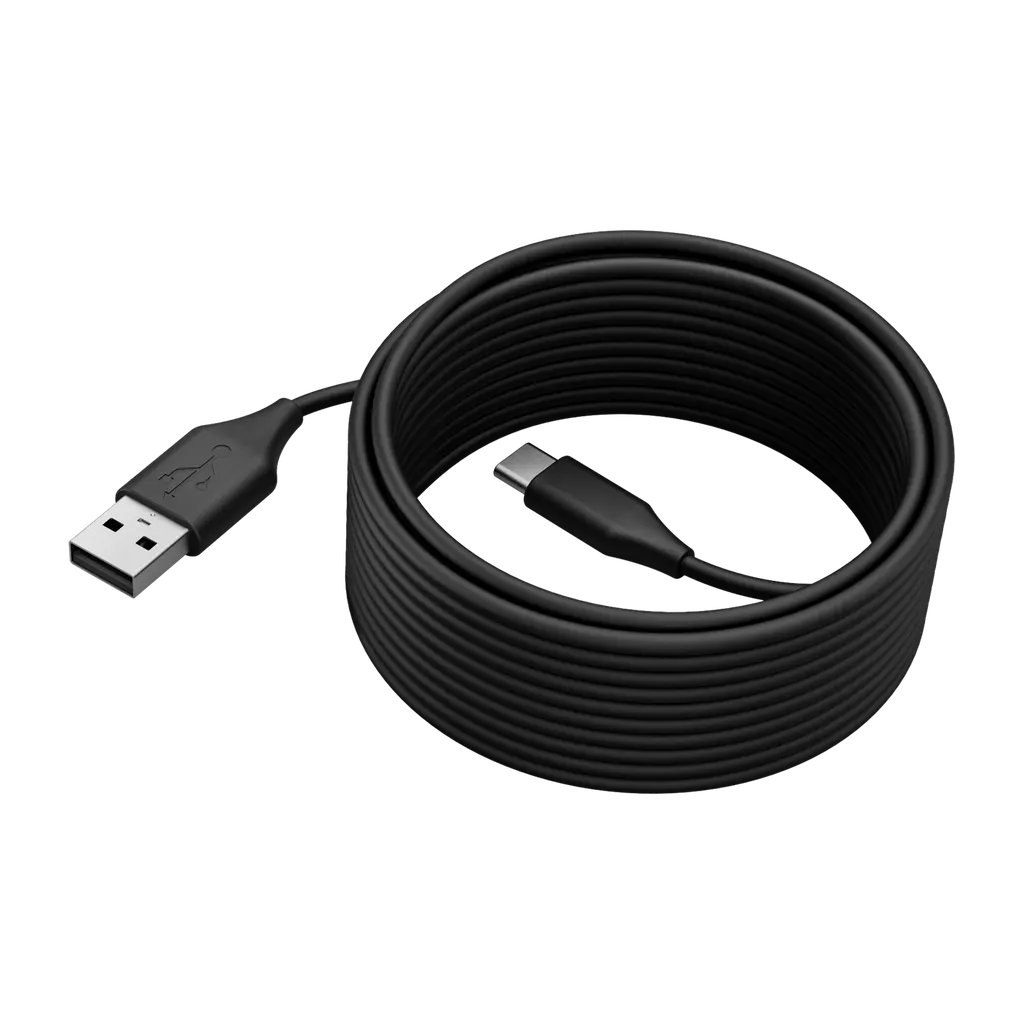
PanaCast 50 USB Cables
Jabra PanaCast 50 USB Cables for Video Conferencing
Priceon request
QuotationWithin 1 working day
DeliveryConfirmed with your quote, based on stock
Overview
The Jabra PanaCast 50 USB cable range provides the link between the PanaCast 50 camera and your computer. Two options are listed: a 5 m USB 2.0 cable (catalogue SKU 14202-11) and a 2 m USB 3.0 cable (SKU 14202-10), with USB-A and USB-C types offered. Well suited to meeting rooms in Doha where the camera sits far from the laptop. Request a quote today.
Choosing the right cable for your PanaCast 50 setup
The Jabra PanaCast 50 USB cables are the connecting accessories for the PanaCast 50 device, linking it to the computer that runs your meeting software. Jabra lists them as separate accessories, so they are typically ordered when a room is first fitted out, when a cable needs replacing, or when the camera has to sit further from the host computer than the existing cable allows. The range is offered in USB-A and USB-C cable types, and you choose the type and length before ordering.
Two catalogue options: 5 m USB 2.0 and 2 m USB 3.0
The catalogue lists two cables for this family. Each has its own SKU, so the purchase order should quote the exact code for the length and USB version your room needs.
- 14202-11: 5 m cable described as USB 2.0, suited to rooms where the camera sits well away from the computer.
- 14202-10: 2 m cable described as USB 3.0, suited to a compact desk or table layout with a short run.
Confirm with the SmartRooms Qatar team which of the two listings your PanaCast 50 setup requires before you place an order, especially if you are buying for several rooms with different layouts.
Where these cables fit in Qatar
In a boardroom in West Bay, the camera is often mounted on or below a wall display at one end of the table, while the host laptop or dock sits at the far end. The 5 m cable gives that longer route more room, so it can follow the wall rather than crossing the floor.
A smaller meeting room in Msheireb or the Industrial Area, where the camera sits beside the screen and the laptop is on the same table, usually suits the 2 m option. Shorter runs leave less slack to manage and fewer loose cables on the table.
For a university or training centre in Education City fitting out several seminar rooms, the practical approach is to record the camera-to-computer distance in each room, then order the length for each room on a single purchase order. This keeps every room consistent and makes the delivery easy to check against the list.
Planning checks before you order
Measure the route from the camera mounting point to the computer or dock, then allow extra length for bends, cable trays and any drop to a floor box. Choose the nearest length that gives enough slack without leaving a large loop. Check that the cable type matches the port on your host computer, since the range is offered in USB-A and USB-C.
Where the room layout is unclear, SmartRooms Qatar offers free site surveys and can check the route before you order. The catalogue lists a USB cable as the box content, and the product is covered by the manufacturer's warranty. For schools and government authorities, quotations can be issued against a purchase order or LPO, and tenders can be handled through Monaqasat.
Request a quote from SmartRooms Qatar with your room layout and the camera-to-computer distance, and we will return a quotation for the cable type and length you need.
Highlights
- Offered in USB-A and USB-C cable types
- 5 m cable, USB 2.0, catalogue SKU 14202-11
- 2 m cable, USB 3.0, catalogue SKU 14202-10
- Catalogue weight 123, or 4.3 oz, for SKU 14202-11
- Catalogue launch date of 27 April 2021
- Catalogue lists a USB cable as box contents
Room fit
Tell us the room size and platform (Teams, Zoom or BYOD) and we confirm the right combination with your quotation.
Estimated timeline
Quotation within 1 working day · delivery timing depends on stock availability, and we confirm it with your quotation.
Specifications
10 specifications · Source: manufacturer · checked Oct 2026
Catalogue attributes10
- Accessorytype
- Cable
- Launchdate
- 2021-04-27
- Mobwhatsinthebox
- USB cable
- Portfolio
- Jabra
- Producttype
- Accessory
- sku
- 14202-11
- Usbcablelength_cm
- 50
- Usbcablelength_m
- 5
- Weight
- 123
- Weightoz
- 4.3
Downloads
0 files from the manufacturerNo downloadable files are listed for this model yet. Ask us and we will send the datasheet.
Questions about PanaCast 50 USB Cables
What is the Jabra PanaCast 50 USB cable used for?
It is an accessory cable that connects the Jabra PanaCast 50 to a host computer over USB, so the camera can work with the meeting software on that machine. The range includes two catalogue options, a 5 m cable and a 2 m cable, and both are offered in USB-A and USB-C types. Choose the length and type that match your room layout before you order.
Which length should I choose for a boardroom?
In a boardroom where the camera sits at one end of the table and the host computer is at the other end or on the wall, the 5 m cable (SKU 14202-11) gives the longer run. For a compact room where the camera is close to the computer, the 2 m cable (SKU 14202-10) keeps the cable neat. Measure the route first, including bends and cable trays.
What is the difference between the 5 m and 2 m cables?
The catalogue describes the 5 m cable, SKU 14202-11, as USB 2.0, and the 2 m cable, SKU 14202-10, as USB 3.0. Both are listed as part of the PanaCast 50 accessory range. Because the USB version and length are both part of the order code, confirm the exact SKU with the SmartRooms Qatar team before issuing a purchase order.
Are both USB-A and USB-C cables available?
Yes. The range is offered in both USB-A and USB-C cable types. Check which port your host computer, docking station or mini PC uses, and specify that type together with the length in your enquiry. The quotation will confirm the exact configuration offered for each order.
Our Doha office has a wall display and the laptop is across the room. Is a 5 m cable enough?
A 5 m cable may suit a run of that kind, but the answer depends on your actual route. Measure from the camera mount to the laptop or dock, add allowance for bends and any cable trays, and compare the total with the 5 m length. Our team can check the route during a free site survey before you order.
How should a private school in Al Wakrah order cables for several classrooms?
List each classroom with its camera-to-computer distance, then choose a 2 m or 5 m cable for each one. SmartRooms Qatar issues quotations, usually within one working day, and accepts purchase orders and LPOs from schools. Ordering all classrooms on one LPO keeps the cable types consistent and makes it simple to check the delivery against your list.
Can a government ministry buy these cables through a tender?
Yes. SmartRooms Qatar supplies government organisations, including through government tenders such as Monaqasat, and accepts purchase orders. The quotation should list each SKU, the cable type and the quantity, so the tender or purchase order matches the specification your ministry requires. Send your request with the specification attached.
Is a cable included in the box?
The catalogue lists a USB cable as the box content for this product family. If your room needs a different length or a second USB type, order the specific SKU rather than relying on the box contents, and confirm the choice with SmartRooms Qatar before you order.
When was this cable range launched?
The catalogue lists a launch date of 27 April 2021 for this product. The launch date does not confirm current availability, so request a quotation to check stock. Lead times are estimates confirmed with the quotation. The product is covered by the manufacturer's warranty, and you can ask about warranty terms within your quotation if your procurement process needs them.
Does SmartRooms Qatar offer a site survey for cable routing?
Yes, SmartRooms Qatar offers free site surveys. A survey is useful when the camera mount and host computer are in different parts of the room, or when the route passes through a false ceiling, cable trays or a wall box. The team can record the distance so the quotation specifies the correct length and connector type for each room.
How can we pay for these cables?
SmartRooms Qatar accepts payment by bank transfer, cheque or purchase order. Once you request a quote and approve it, the order can be placed against that quotation. For government and school buyers, a purchase order or LPO is usually the most practical route because it matches internal approval steps.
Do I need a cable if the PanaCast 50 is already installed in my room?
If the existing cable is damaged, or the room has been reconfigured and needs a longer route, a cable from this range may be the right purchase. Note the length you need, the USB type on the host side and the existing SKU if you have it. Send these details with your enquiry so the quotation matches the connection you need.



