Thursday, 22 October 2026 · 11 Jumada I 1448 AH Sun – Thu · 9:00 – 18:00
+971 56 914 9477 العربية
WhatsApp

PanaCast 55 VBS Bar Only

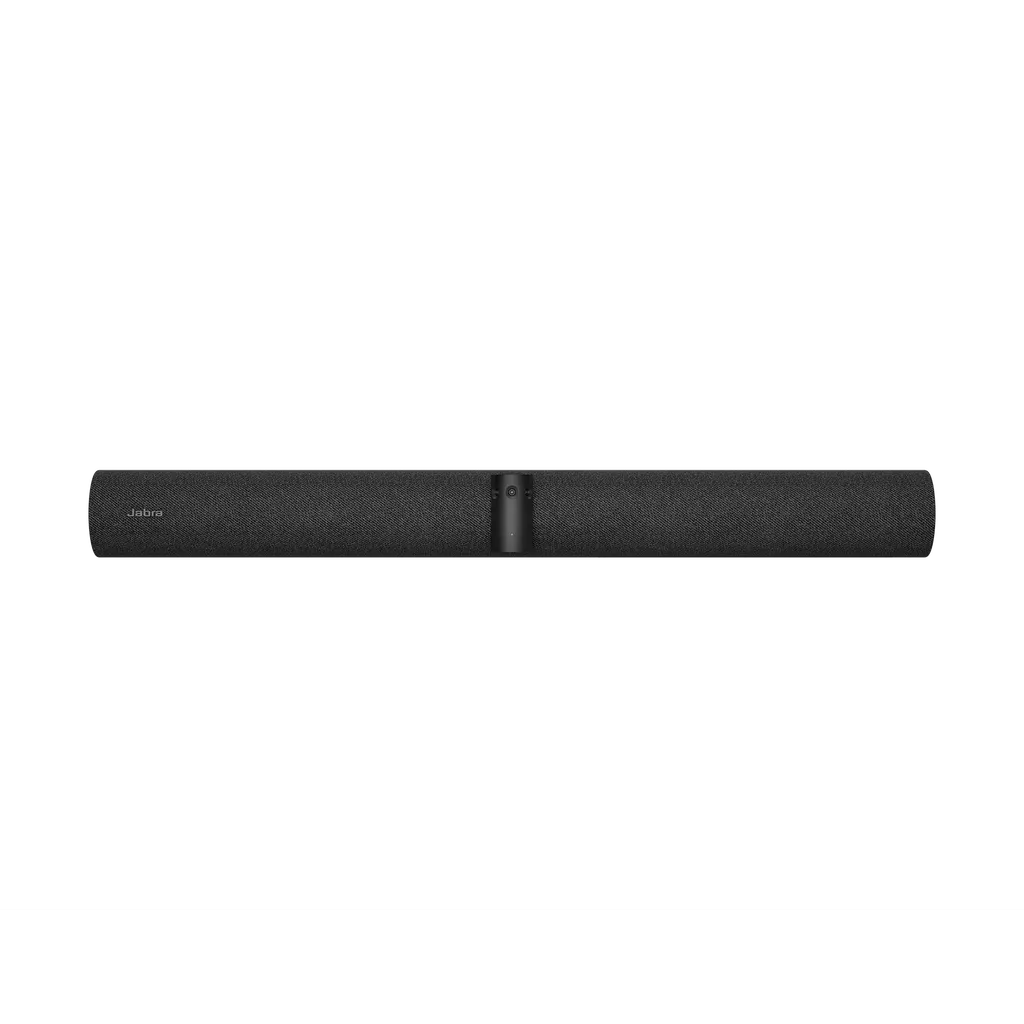
Jabra PanaCast 55 VBS Bar Only 180° 4K Video Bar

Video
Up to 3840 x 1080 px
Field of view
Horizontal: 180°
Zoom
Up to 6x lossless digital zoom
Microphones
8 microphone beamforming array…
WhatsApp
Priceon request
QuotationWithin 1 working day
DeliveryConfirmed with your quote, based on stock
PDFDownload datasheet (EN-PanaCast-55-VBS-bar-only-Datasheet-_NA-SKUs-240426.pdf)
Overview

The Jabra PanaCast 55 VBS bar only is an all-in-one video conferencing bar with a 180° horizontal field of view, 4K support and three cameras. An eight-microphone array certified for rooms up to 4.5m x 6m, with four speakers and audio coverage up to 7 m, handles sound. It suits medium-sized meeting rooms across Qatar and works with Teams and Zoom. Request a quote from SmartRooms Qatar.

What the PanaCast 55 VBS bar only does

The Jabra PanaCast 55 VBS bar only is a single video conferencing bar for medium-sized meeting rooms. It combines a panoramic three-camera array, an eight-microphone beamforming array and four speakers in one housing, so a room can join a Teams or Zoom call without a separate camera, microphone or speaker set. This is the bar-only configuration, supplied without a touch controller.

Camera and audio figures that matter

  • 180° horizontal field of view with 54° vertical coverage, captured at up to 3840 x 1080 px.
  • Up to 6x lossless digital zoom, with intelligent framing, speaker tracking and Dynamic Composition for remote participants.
  • 8-microphone beamforming array certified for rooms up to 4.5m x 6m.
  • Audio coverage up to 7 m, extended to 11 m when the optional PanaCast SpeakerMic is added.

In practice, people seated along a long table all appear on screen, and voices at the far end are picked up without anyone passing a microphone around. Those ranges define where the bar works best, so check the room layout before ordering.

Where it fits in Qatar

Three scenarios show where the bar suits best:

  • A ministry or authority office in Doha, where a 4.5m x 6m meeting room links Arabic and English-speaking teams with colleagues abroad over Teams.
  • A university seminar room in Education City running hybrid sessions, where students join from home. Larger lecture halls would need a design review first.
  • Huddle and meeting rooms in West Bay where staff bring their own laptops, and the bar supplies the camera, microphones and speakers.

What to plan before installation

The box includes a wall mount, a privacy cover with sensor, a cable compartment cover and tool, a 1.83 m HDMI cable and a regional power cable. The main unit measures 730 x 77 x 146 mm and weighs 2,259 g, so the wall must carry that load securely and the mounting height must suit the camera. Connections include Ethernet (RJ45), Wi-Fi 802.11a/b/g/n/ac, Bluetooth 5.1, two HDMI outputs, one USB-A port and two USB-C ports.

Operating environment and remote management

The bar is rated for operating temperatures from 5°C to 35°C and humidity from 15% to 80%. In Qatar, where outdoor summer temperatures can pass 45°C, it belongs in an air-conditioned room that holds those limits, away from direct sun and window glare. IT teams can manage it through Jabra+, the Jabra Web Console over HTTPS, and the Microsoft Teams Admin Center or Zoom Device Management portals. The unit also includes temperature, humidity, CO2 and TVOC sensors and an integrated people count, and it carries a two-year warranty.

Request a quote

Send us your room dimensions, meeting platform and number of rooms. The SmartRooms Qatar team will return a quotation, usually within one working day, and can arrange a free site survey before the wall mount is fixed. We supply and deliver to all eight municipalities of Qatar and accept purchase orders and government tenders. Request a quote today for the PanaCast 55 VBS bar only.

Highlights

  • 180° horizontal field of view from a three-camera array
  • Supports up to 4K video with 6x lossless digital zoom
  • 8-microphone array certified for rooms up to 4.5m x 6m
  • Four speakers; audio coverage up to 7 m, or 11 m with SpeakerMic
  • Works with Microsoft Teams and Zoom, including BYOD setups
  • Two-year warranty and remote management through Jabra+

Room fit

Tell us the room size and platform (Teams, Zoom or BYOD) and we confirm the right combination with your quotation.

Estimated timeline

Quotation within 1 working day · delivery timing depends on stock availability, and we confirm it with your quotation.

Specifications

79 specifications · Source: manufacturer · checked Oct 2026
General info12
Box contents
PanaCast 55 VBS video bar • power supply • wall mount • Privacy cover with sensor • Cable compartment cover and tool • 1 x HDMI cable 1.83m/6ft • 1 x regional power cable
Packaging dimensions (WxHxD)
785 x 189 x 183 mm | 30.9 x 7.4 x 7.2 in
Main unit dimensions (WxHxD)
730 x 77 x 146 mm | 28.8 x 3.1 x 5.8 in
Main unit weight (base unit)
2259 g | 79.7 oz
Package weight
4850.7 g | 171.1 oz
Warranty
2 years
Onboard AI
Yes
Cable management
Yes
Kensington lock compatible
Yes
Operating voltage
100-240V, 12V, 5A
Power Adapter
AC 100-240V, Output DC 12V 5A
LED features and functions
Answer/end call, Firmware update status, Mute/unmute, Power indicator
Video15
Video output
2 x HDMI
Display resolution
Supports up to 4K, Touch Display Compatible
Content sharing
Apple Airplay (only supported by Zoom), HDMI input, Microsoft Teams-Cast (only supported by Teams)
Number of cameras
3
Type of camera
Panoramic multi-camera array
Camera resolution
Up to 3840 x 1080 px
Zoom
Up to 6x lossless digital zoom
Field of view
Horizontal: 180°, Vertical: 54°
Intelligent Zoom
Yes
Intelligent Meeting Space
Yes
Multi-stream Dynamic Composition
Yes
Dynamic Composition
Yes
Virtual Director
Yes
Vivid HDR
Yes
Support secondary external USB camera
Yes
Audio16
Supported number of SpeakerMics
1
Audio coverage
Up to 7 m
Audio coverage (PanaCast 55 VBS with PanaCast SpeakerMic)
Up to 11 m
Speakers
2 x 2" (50mm) woofers, 2 x 3/4" (20mm) tweeters
Speaker frequency range
80Hz - 20000Hz
Number of speakers
4
Automatic Speaker Detection
Yes
Noise Reduction Echo Cancellation
Yes
Non-Speech Noise Suppression
Yes
Woofer driver
2 inches, outer diameter 61mm; Sensitivity: 79dB ±2dB @ 1 Watt, 1 meter; Rated Power: 5 Watts; Impedance: 4 Ohms
Mid-Range driver
0.6 inches, outer diameter 33.2mm; Sensitivity: 80.5dB ±2dB @ 1 Watt, 1 meter; Rated Power: 5 Watts; Impedance: 4 Ohms
Microphone type
8 microphone beamforming array - certified for rooms up to 4.5m x 6m
Number of microphones
8
Microphone sensitivity
-37dBFS
Microphone frequency range
100Hz - 16000Hz
Aux-Out
Yes
Security7
Media encryption
Provided by VaaS Partner
Access management
Jabra+; Admin menus; Jabra Web Console; Local account; VaaS Admin Portals including MS Teams Admin Center and Zoom Device Management
Security management
Remote log in via Jabra+, Jabra Web Console and VaaS Admin Portal
Authenticated access to Admin settings, Jabra Web Console, Jabra+
Yes
Lockdown with secureboot, OS verified boot, Vendor lock
Yes
Log retrieval via Jabra Web Console
Yes
Microsoft and Zoom based VaaS account authentication
Yes
Connectivity3
Interfaces
Ethernet (RJ45), HDMI, Wi-Fi (802.11a/b/g/n/ac), 1 x USB-A, 2 x USB-C
Bluetooth® version
5.1
Supported USB versions
USB 2.0, USB 3.0
Network6
Internet Protocol (IP)
IPv4, IPv6
Ethernet
RJ45
Auto-MDIX
Yes
Proxy support
HTTPS
Support DHCP
Yes
Support Static IP Address
Yes
Software & Apps2
Compatible software and/or apps
Jabra+; Jabra Web Console for remote device management via HTTPS; Support for native 3rd party applications, including Microsoft Teams Room for Android and Zoom Rooms; Cloud service providers including Microsoft Teams Admin Center and Zoom Device Management
Integrated People Count
Yes
Ease of use6
Appliance mode
Yes
BYOD mode
Yes
Digital pan/tilt/zoom
Yes
Manual Pan-Tilt-Zoom (PTZ)
Yes
One touch meeting join
Yes
Camera privacy cover
Yes
Extended info8
Operating temperature
5°C to 35°C | 41°F to 95°F
Operating humidity
15% to 80%
Storage temperature
-20°C to 60°C | -4°F to 140°F
Maximum altitude
4876.8m | 16000ft
Temperature sensor
Yes
Humidity sensor
Yes
CO2 sensor
Yes
TVOCs sensor
Yes
Jabra Control IP4
Main unit dimensions (WxHxD)
248 x 85 x 156 mm | 9.8 x 3.4 x 6.2 in
Main unit weight
958g | 33.8oz
Proximity sensor
2
Kensington lock compatible
Yes

Downloads

27 files from the manufacturer
PDF Datasheets EN-PanaCast-55-VBS-bar-only-Datasheet-_NA-SKUs-240426.pdf 58 KB Jabra PanaCast 55 VBS Bar Only datasheets (PDF, 58 KB) PDF Datasheets PanaCast-55-VBS-bar-only-Datasheet-20260709_EMEA-SKUs.pdf 59 KB Jabra PanaCast 55 VBS Bar Only datasheets (PDF, 59 KB) PDF Manuals & guides EN-PanaCast-VB-Series-BYOD-Mode.pdf 1002 KB Jabra PanaCast 55 VBS Bar Only manuals & guides (PDF, 1002 KB) PDF Manuals & guides Jabra-PanaCast-55-VBS-Screen-Mount-assembly_AR_Arabic_RevA.pdf 3.1 MB Jabra PanaCast 55 VBS Bar Only manuals & guides (PDF, 3.1 MB) PDF Manuals & guides Jabra-PanaCast-55-VBS-Screen-Mount-assembly_EN_English_RevA.pdf 3.1 MB Jabra PanaCast 55 VBS Bar Only manuals & guides (PDF, 3.1 MB) PDF Manuals & guides Jabra-PanaCast-55-VBS-Wall-Mount-assembly_AR_Arabic_RevA.pdf 1.6 MB Jabra PanaCast 55 VBS Bar Only manuals & guides (PDF, 1.6 MB) PDF Manuals & guides Jabra-PanaCast-55-VBS-Wall-Mount-assembly_EN_English_RevA.pdf 1.6 MB Jabra PanaCast 55 VBS Bar Only manuals & guides (PDF, 1.6 MB) PDF Manuals & guides Jabra-Panacast-55-VBS-Installation_AR_Arabic_RevB.pdf 4.5 MB Jabra PanaCast 55 VBS Bar Only manuals & guides (PDF, 4.5 MB) PDF Manuals & guides Jabra-Panacast-55-VBS-Installation_EN_English_RevB.pdf 4.4 MB Jabra PanaCast 55 VBS Bar Only manuals & guides (PDF, 4.4 MB) PDF Manuals & guides Jabra-Panacast-55-VBS-User-manual_AR_Arabic_RevB.pdf 3.1 MB Jabra PanaCast 55 VBS Bar Only manuals & guides (PDF, 3.1 MB) PDF Manuals & guides Jabra-Panacast-55-VBS-User-manual_EN_English_RevB.pdf 2.9 MB Jabra PanaCast 55 VBS Bar Only manuals & guides (PDF, 2.9 MB) PDF Manuals & guides Jabra-Panacast-55-VBS_Administrator-Guide_RevA.pdf 639 KB Jabra PanaCast 55 VBS Bar Only manuals & guides (PDF, 639 KB) PDF Manuals & guides Jabra-SpeakerMic_assembly_AR_Arabic_RevB.pdf 2.7 MB Jabra PanaCast 55 VBS Bar Only manuals & guides (PDF, 2.7 MB) PDF Manuals & guides Jabra-SpeakerMic_assembly_EN_English_RevB.pdf 2.7 MB Jabra PanaCast 55 VBS Bar Only manuals & guides (PDF, 2.7 MB) PDF Manuals & guides Jabra-Table-Stand-assembly_EN_English_RevB.pdf 3.0 MB Jabra PanaCast 55 VBS Bar Only manuals & guides (PDF, 3.0 MB) PDF Other documents EN-PanaCast-VB-4K-Camera.pdf 1.0 MB Jabra PanaCast 55 VBS Bar Only other documents (PDF, 1.0 MB) PDF Other documents EN-PanaCast-VB-Series-802,-d-,1X-Whitepaper.pdf 4.5 MB Jabra PanaCast 55 VBS Bar Only other documents (PDF, 4.5 MB) PDF Other documents EN-PanaCast-VB-Series-Audio-Capabilities.pdf 508 KB Jabra PanaCast 55 VBS Bar Only other documents (PDF, 508 KB) PDF Other documents EN-PanaCast-VB-Series-Aux-Out.pdf 485 KB Jabra PanaCast 55 VBS Bar Only other documents (PDF, 485 KB) PDF Other documents EN-PanaCast-VB-Series-Intelligent-Meeting-Space.pdf 526 KB Jabra PanaCast 55 VBS Bar Only other documents (PDF, 526 KB) PDF Other documents EN-PanaCast-VB-Series-Multi-stream-Dynamic-Composition-for-Zoom.pdf 725 KB Jabra PanaCast 55 VBS Bar Only other documents (PDF, 725 KB) PDF Other documents EN-PanaCast-VB-Series-Network-Protocols.pdf 4.0 MB Jabra PanaCast 55 VBS Bar Only other documents (PDF, 4.0 MB) PDF Other documents EN-PanaCast-VB-Series-Noise-Suppression.pdf 918 KB Jabra PanaCast 55 VBS Bar Only other documents (PDF, 918 KB) PDF Other documents EN-PanaCast-VB-Series-Permanent-BYOD.pdf 390 KB Jabra PanaCast 55 VBS Bar Only other documents (PDF, 390 KB) PDF Other documents EN-PanaCast-VB-Series-Single-stream-Dynamic-Composition.pdf 556 KB Jabra PanaCast 55 VBS Bar Only other documents (PDF, 556 KB) PDF Other documents Network-interfaces-and-services-PanaCast-55-VBS-RevA.pdf 62 KB Jabra PanaCast 55 VBS Bar Only other documents (PDF, 62 KB) URL Other documents · Opens on manufacturer site PanaCast 55: VBS 2D/3D files (PDF and DXF). Jabra PanaCast 55 VBS Bar Only other documents (URL)

Questions about PanaCast 55 VBS Bar Only

Which room sizes is the PanaCast 55 VBS bar only designed for?
It is designed for medium-sized rooms. Its eight-microphone beamforming array is certified for rooms up to 4.5m x 6m, which covers many mid-size meeting rooms in Doha office towers and government buildings. For larger rooms, the optional PanaCast SpeakerMic extends audio coverage from 7 m to 11 m. Measure the room and check the table layout during a free site survey before ordering.
Does it work with Microsoft Teams and Zoom?
Yes. The bar is certified for Microsoft Teams and Zoom and supports native apps including Microsoft Teams Room for Android and Zoom Rooms. It also runs in BYOD mode, where a laptop brought into the room runs the meeting session while the bar provides the camera, microphones and speakers. A Doha company using Teams internally and Zoom with overseas partners can use one bar for both. The SmartRooms Qatar team will confirm your platform setup before you order.
Is it suitable for a university seminar room in Education City?
It suits seminar rooms and small teaching spaces up to 4.5m x 6m, where a lecturer presents to students in the room and to remote participants. The 180° horizontal view captures the whole room, and intelligent framing follows the active speaker. Lecture halls larger than this layout, or rooms with several speaking positions, should be surveyed first, because audio coverage is rated up to 7 m without the SpeakerMic.
Can I use it in a BYOD huddle room in West Bay?
Yes. BYOD mode lets staff connect their own laptops, so the bar supplies the camera, microphones and speakers while the laptop handles the call. Connections include two USB-C ports, one USB-A port, Wi-Fi 802.11a/b/g/n/ac, Bluetooth 5.1 and Ethernet (RJ45). For a small table, measure the distance from the bar to the furthest seat and compare it with the 7 m audio coverage rating.
How wide is the camera view and what zoom does it offer?
The panoramic three-camera array provides a 180° horizontal field of view and 54° vertical coverage, with capture up to 3840 x 1080 px and support for 4K video. It offers up to 6x lossless digital zoom, along with manual pan, tilt and zoom control. Everyone seated around a boardroom table stays in frame without a separate camera operator, which suits meetings where participants move between the table and the whiteboard.
Will the bar cope with Qatar's summer heat?
Its operating range is 5°C to 35°C with 15% to 80% humidity, so it must sit in an air-conditioned room. Outdoor summer temperatures in Qatar regularly pass 45°C, so the room's cooling must hold the operating limits, and the bar should not sit in direct sun or behind window glare. The storage range is wider, from -20°C to 60°C. Ask your installer to check thermostat placement and airflow before mounting.
What is in the box, and what power does it need?
The box holds the video bar, power supply, wall mount, privacy cover with sensor, cable compartment cover and tool, a 1.83m HDMI cable and a regional power cable. The power supply accepts 100-240V input and outputs DC 12V at 5A. Your installer should confirm before installation that the supplied regional power cable matches the wall socket in the room.
What display and laptop connections does it have?
It has two HDMI video outputs for displays, an HDMI input for content sharing, one USB-A port and two USB-C ports. Apple AirPlay is supported only with Zoom, and Microsoft Teams-Cast only with Teams. It also supports USB 2.0 and USB 3.0, Bluetooth 5.1, an Aux-Out connection and one secondary external USB camera, so a laptop or extra camera can be added to the setup.
How do IT teams manage the bar remotely?
Administrators can manage it through Jabra+, the Jabra Web Console over HTTPS, and admin portals in Microsoft Teams Admin Center and Zoom Device Management. Remote login, log retrieval and authenticated access to admin settings are supported, and the unit uses secure boot and vendor lock protection. Jabra+ lets IT staff check devices, roll out updates and troubleshoot faults from one place.
What sensors does it include?
The bar includes temperature, humidity, CO2 and TVOC sensors, along with an integrated people count. These help facilities teams in ministries, universities and hospitals understand how a meeting room is used and how air quality changes during long sessions. Confirm with the SmartRooms Qatar team which management tools expose these readings in your system before you rely on them.
What should we plan for when wall-mounting it in a Lusail boardroom?
The wall mount is included. The main unit measures 730 x 77 x 146 mm and weighs 2,259 g, so the wall must hold that weight securely. Set the height so the camera sits at a comfortable level for seated participants, and route cables to the power, HDMI and Ethernet points. A free site survey from SmartRooms Qatar confirms wall type, mounting height and cable routing before installation.
How do I request a quote, and what warranty applies?
Send us your room size, meeting platform and number of units, and we will return a quotation, usually within one working day. We supply and deliver to all eight municipalities of Qatar, install professionally, and accept purchase orders (LPOs) and government tenders including Monaqasat. Payment can be made by bank transfer, cheque or purchase order. The bar carries a two-year manufacturer warranty.

Similar models

Biamp Parlé ABC 2500a Biamp Parlé ABC 2500a All-in-One Conferencing Audio Bar
Zoom Certified Microsoft Teams Certified
Biamp Parlé CBC 2500 CM Biamp Parlé CBC 2500 CM Ceiling-Mounted Conferencing Bar
Zoom Certified Microsoft Teams Certified
Biamp Parlé CBC 2500 PM Biamp Parlé CBC 2500 PM Pole-Mounted Conferencing Bar
Zoom Certified Microsoft Teams Certified
Biamp Parlé N 100 Biamp Parlé N 100 Network and USB Expander for Parlé Conferencing Bars
TAA Compliant
Biamp Parlé PMA 2000-DM Biamp Parlé PMA 2000-DM Display Mount Kit for Parlé 2000 Video Bars
Video bars
Email Call