






Barco
ClickShare Power Supply 100W
Barco ClickShare Power Supply 100W, 100-Watt Video Conferencing Accessory
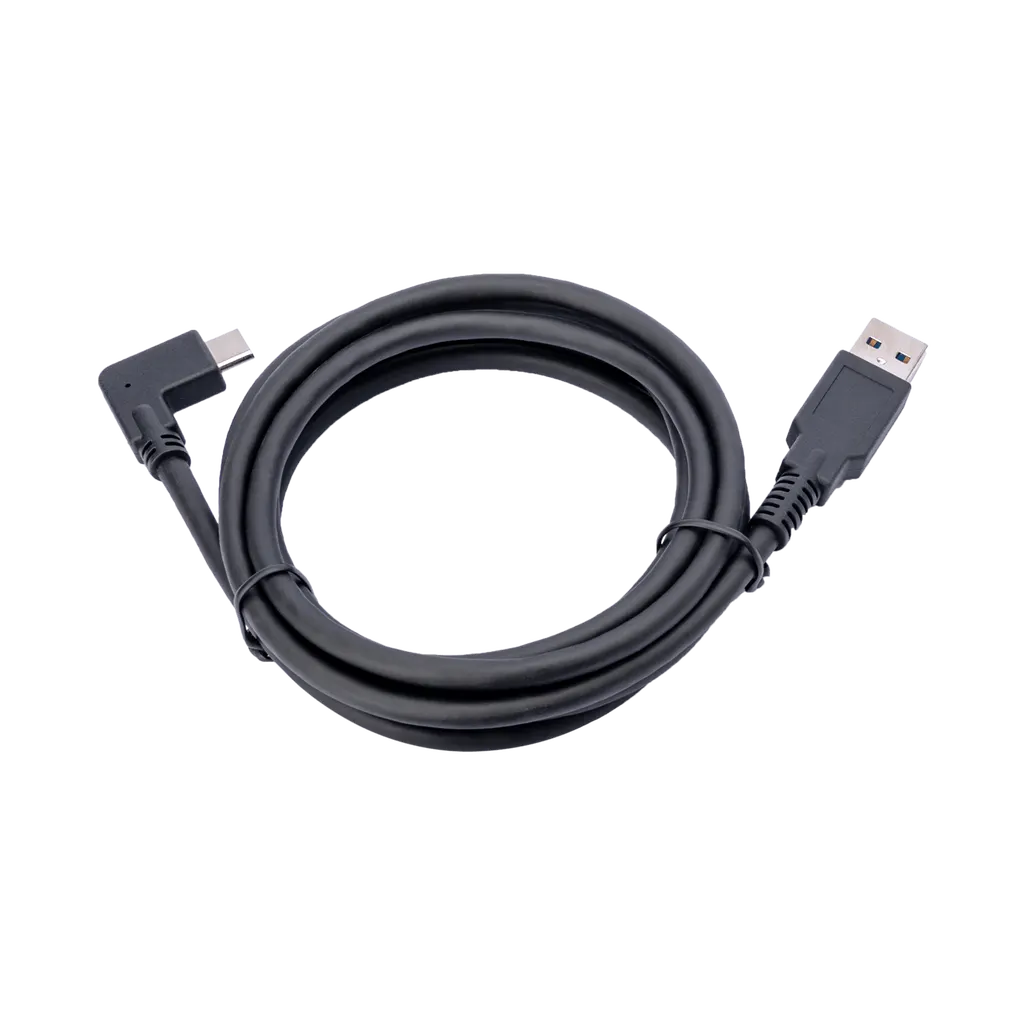
PanaCast USB Cable
Jabra PanaCast USB Cable for PanaCast 20 and PanaCast 50 Cameras
Priceon request
QuotationWithin 1 working day
DeliveryConfirmed with your quote, based on stock
Overview
Jabra PanaCast USB Cable links PanaCast 20 and PanaCast 50 cameras to a host computer. Choose USB-A to USB-C at 1.8m or 3m, or USB-C to USB-C at 1.8m. Useful for meeting rooms in West Bay or Lusail where the camera sits far from the laptop. Request a quote from SmartRooms Qatar.
What this cable connects in your PanaCast setup
The Jabra PanaCast USB Cable is a cable accessory for the Jabra PanaCast 50, PanaCast 20 and PanaCast cameras. It is sold as three separate SKUs, each with a fixed length and connector pair, so the choice made at quotation decides whether the cable fits your camera and your host device. There is no generic cable in this family; each order line is a specific model.
Three SKUs, two connector pairs and two lengths
The range covers two connector combinations and two lengths:
- 14202-09: USB-A to USB-C, 1.8m
- 14202-12: USB-A to USB-C, 3m
- 14202-14: USB-C to USB-C, 1.8m
Choose a USB-A to USB-C cable when the host computer has a standard USB-A port at one end, and a USB-C to USB-C cable when both ends use USB-C. Check the port types on the computer that will run the meeting before ordering, because a cable with the wrong connector will not link the camera to the host. The 3m option is the right choice when the route between the camera and the host is longer than the 1.8m cable can cover.
Matching cable length to real room layouts
In a boardroom in West Bay or Lusail, the camera is often mounted above or below a large display at the front, while the laptop sits at the far end of a long table. Measure the route along the wall or table edge rather than in a straight line, and allow slack at both ends. A 1.8m cable may look sufficient on a plan but fall short once it runs around a column or down a cable tray.
In a smaller classroom or huddle room, the camera and host are often close together, and the 1.8m options keep cable clutter off the floor and tables. Where a teacher's desk is set back from the display, the 3m option gives enough room to reposition the laptop without stretching the cable.
Planning the route and checking compatibility
Cable planning is the step most often overlooked in a video conferencing fit-out. Before requesting a quote, note the camera mount position, the host location, any wall penetrations, and whether the route runs through trunking or a ceiling void. SmartRooms Qatar offers free site surveys, and a survey lets the team confirm length and connector type against the actual layout instead of an estimate.
The source data for this cable does not give an operating temperature range, so do not assume it suits every space. Keep the cable inside the air-conditioned room where the camera is used, and confirm any route that passes near a hot or outdoor area with the SmartRooms Qatar team first. Confirm the camera model as well, since this cable is listed for the PanaCast 50, PanaCast 20 and PanaCast only.
Request a quote for your PanaCast cable
For government and tender projects, list each room and the SKU needed against it. One quotation can cover several rooms, and orders can be placed on a purchase order (LPO) or through a government tender process, with payment by bank transfer, cheque or purchase order. Tell us the camera model, the host port type and the approximate route length for each room, and we will return a quotation, usually within one working day. Products are covered by the manufacturer's warranty. Request a quote from SmartRooms Qatar and we will confirm the exact SKU for each location.
Highlights
- Compatible with Jabra PanaCast 50, PanaCast 20 and PanaCast cameras
- 14202-09: USB-A to USB-C, 1.8m
- 14202-12: USB-A to USB-C, 3m
- 14202-14: USB-C to USB-C, 1.8m
- Each length and connector pair is ordered as a separate SKU
- Products are covered by the manufacturer's warranty
Room fit
Tell us the room size and platform (Teams, Zoom or BYOD) and we confirm the right combination with your quotation.
Estimated timeline
Quotation within 1 working day · delivery timing depends on stock availability, and we confirm it with your quotation.
Specifications
4 specifications · Source: manufacturer · checked Oct 2026
Catalogue attributes4
- Launchdate
- 2020-04-01
- Portfolio
- Jabra
- Producttype
- Accessory
- sku
- 14202-09
Downloads
0 files from the manufacturerNo downloadable files are listed for this model yet. Ask us and we will send the datasheet.
Questions about PanaCast USB Cable
Which Jabra PanaCast cameras does this cable support?
The cable is listed for the Jabra PanaCast 50, the PanaCast 20 and the PanaCast camera. Confirm your camera model before ordering, since the cable is sold for these models only. If you are unsure which camera is installed, send the model label or a clear photo to SmartRooms Qatar with your quote request, and the team will confirm the correct SKU before the order is raised.
What is the difference between 14202-09 and 14202-14?
Both are 1.8m cables, but their connectors differ. 14202-09 runs from USB-A to USB-C, so it suits a host with a standard USB-A port at one end. 14202-14 is USB-C to USB-C and suits a host with USB-C ports at both ends. Check the port types on the computer that will run the meeting before choosing, because the connector pair must match the hardware in the room.
When should I choose the 3m cable instead of the 1.8m cable?
Choose 14202-12, the 3m USB-A to USB-C cable, when the camera and host are more than 1.8m apart once routing is included. A typical case is a lecture room in Education City where the camera sits above the front display and the lecturer's laptop is at a desk further back, or a boardroom in West Bay with a long table. Measure the actual cable path, not a straight line between the two points.
Can I use a third-party USB cable instead?
The source data describes these as Jabra PanaCast cables for named cameras and gives no specification for other cables. Before substituting, ask SmartRooms Qatar to check the connector pair and length against your camera and host. A cable with the wrong connector, or one that is too short for the route, will leave the camera unconnected or force rework of the room after installation.
Which length do I need for a classroom in Al Rayyan?
In a classroom where the camera sits close to the display and the host is at a teacher's desk near the front, the 1.8m option often fits if the route is clear. If the teacher's desk is at the back of the room, or the cable must run along a wall and around fixed furniture, measure the full path and choose the 3m cable. Include the connector type of the teacher's laptop in your quote request.
Should I book a site survey before ordering cables for a boardroom?
Yes, a site survey is useful for a boardroom with a long table or a camera mounted high on a wall. SmartRooms Qatar offers free site surveys. The team can check the camera mount position, the host location, wall penetrations and trunking, then confirm the length and SKU against the real layout, which avoids ordering a 1.8m cable for a route that needs 3m.
Can an organisation order cables for several rooms on one LPO?
Yes. A ministry, school group or university department fitting out several meeting rooms in Doha can list each room with its SKU in a single request. SmartRooms Qatar supports purchase orders (LPOs) and government tenders, and accepts payment by bank transfer, cheque or purchase order. Listing the camera model and route length for each room helps the quotation reflect the right mix of 1.8m and 3m cables.
Is this cable covered by a warranty?
Products are covered by the manufacturer's warranty. The source data does not state a warranty duration, so ask SmartRooms Qatar to confirm the terms that apply to the SKU in your quotation. Keep the original packaging and record the room where each cable is installed, which makes any later warranty claim easier to process.
Can this cable be routed through an outdoor or very hot area?
The source data does not give an operating temperature range for this cable. Keep it within the air-conditioned room where the camera operates, and do not route it through an outdoor or unconditioned area during Qatar's hot summer months until SmartRooms Qatar has confirmed the environment. Window-facing or outdoor spaces need a separate check before any cable is run.
How quickly will I receive a quotation?
SmartRooms Qatar usually returns a quotation within one working day of receiving your request. Include the camera model, the host port type and the approximate route length for each room. Delivery and lead times are always estimates confirmed with the quotation, based on stock, so ask for the estimate for each SKU when the quote arrives.
Should I order the cable at the same time as a new camera?
Yes. Ordering the camera and cable together means the SKU and length are matched in one quotation, which avoids a mismatch between the connector and the host. If the camera is already installed, request the cable alone and give the camera model and the measured route. Sizing the cable to the existing route prevents a second visit to the room.
Does SmartRooms Qatar install the cable?
Professional installation is available from SmartRooms Qatar. For cable runs above ceilings or along walls in a Doha or Lusail office, professional installation keeps the route tidy, protects the cable at bends and avoids damage to finished surfaces. Ask for installation to be included in your quotation so the route, the cable length and the camera connection are handled together.



