






Barco
ClickShare Power Supply 100W
Barco ClickShare Power Supply 100W, 100-Watt Video Conferencing Accessory
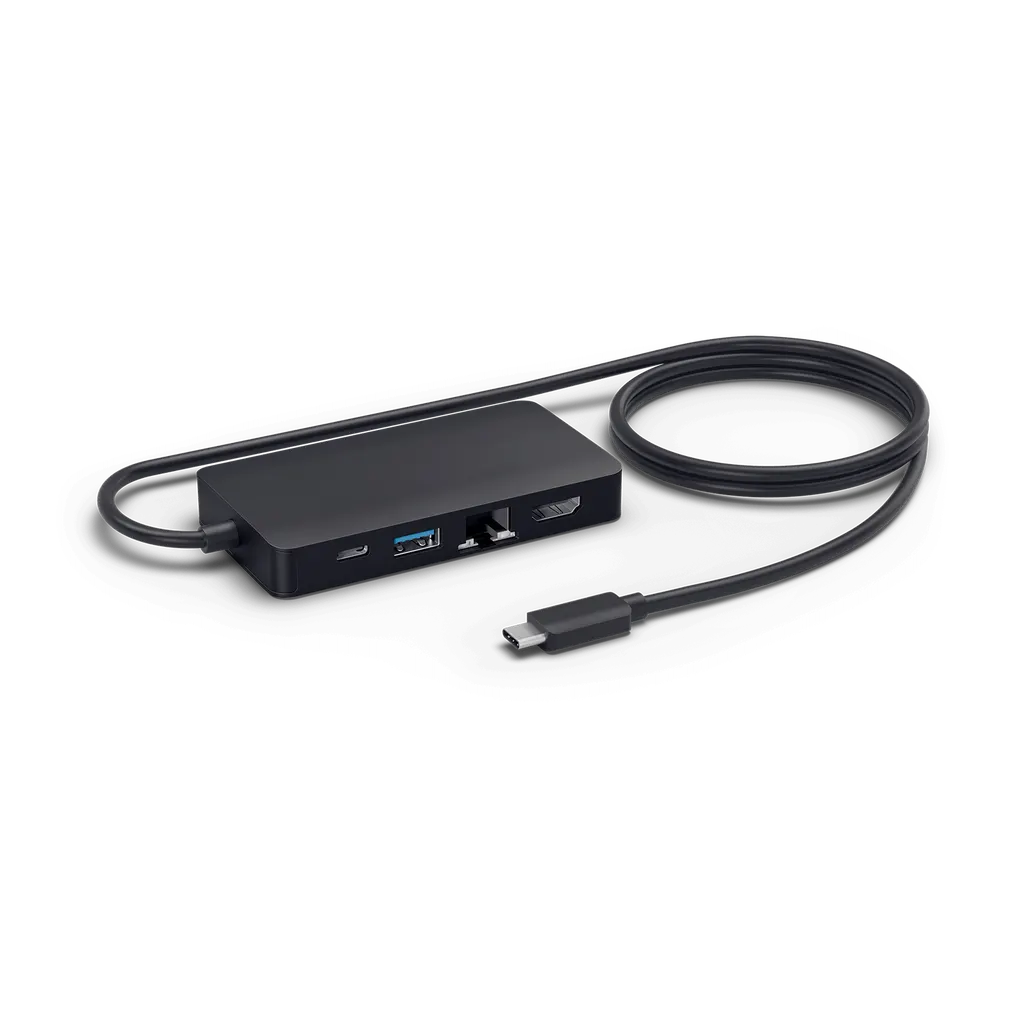
PanaCast USB Hub USB-C
Jabra PanaCast USB Hub USB-C, USB-C Meeting Room Cable Hub
- Connectivity
- USB-C
Priceon request
QuotationWithin 1 working day
DeliveryConfirmed with your quote, based on stock
Overview
The Jabra PanaCast USB Hub USB-C (model 14207-69) is a stationary in-room accessory that gathers a meeting room's connections into one USB-C link, so a presenter plugs in a single cable to start a meeting. A power supply comes in the box. It suits offices, schools and boardrooms in Doha that install a permanent video conferencing setup and want a cleaner table. Request a quote.
One USB-C connection for the whole meeting table
The Jabra PanaCast USB Hub USB-C, model 14207-69, is a fixed accessory for a meeting room. It collects the connections that a video conferencing setup would otherwise spread across the table and brings them together behind a single USB-C link. A presenter plugs in one cable from a laptop to start the meeting, and the rest of the desk stays uncluttered.
The facts that matter for this model
The manufacturer's data confirms several points a buyer can rely on:
- Connectivity: USB-C, the single cable a user connects to the hub.
- Power: a power supply is included, so the hub is ready to use straight out of the box.
- Category: a cable management accessory in the PanaCast range, catalogued as an adapter-type product.
- Identifiers: model ENH001, SKU 14207-69, listed as current.
- Launch: the manufacturer lists 1 April 2020 as the launch date.
The source data does not give the number or type of ports beyond the USB-C connection, nor the dimensions, weight or operating temperature range. Check those details on the manufacturer's datasheet before a purchase order is raised rather than assuming them from this page.
Where it fits in Qatar
A government office in Msheireb that runs a boardroom for management meetings from Sunday to Thursday will value a table with one cable to manage, particularly when calls connect Doha with teams abroad. A private school in Al Wakrah refitting its staff meeting room can use the hub to keep cabling tidy while the room stays in use. A hotel meeting room in West Bay hosting client presentations benefits from a setup where the presenter never has to hunt for the right connector.
What to plan before installation
- Choose the cable route from the table to the hub position before any wall or floor work begins.
- Locate the nearest mains socket. Qatar mains is 240 V, 50 Hz, with BS 1363 (Type G) sockets.
- List every camera, speaker, display and laptop that will connect, and check each one against the datasheet.
- Request a free site survey so the layout is confirmed before equipment arrives.
Send SmartRooms Qatar your room layout and the devices you plan to connect, then request a quote. Quotations are usually issued within one working day. Purchase orders (LPOs) and Monaqasat tenders are accepted, with payment by bank transfer, cheque or purchase order.
Highlights
- Single USB-C cable to start a meeting
- Gathers meeting room inputs and outputs in one hub
- Power supply included in the box
- Stationary in-room accessory for cable management
- Model ENH001, SKU 14207-69, from the PanaCast family
- Listed by Jabra as a current product
Room fit
Tell us the room size and platform (Teams, Zoom or BYOD) and we confirm the right combination with your quotation.
Estimated timeline
Quotation within 1 working day · delivery timing depends on stock availability, and we confirm it with your quotation.
Specifications
10 specifications · Source: manufacturer · checked Oct 2026
Catalogue attributes10
- Accessorytype
- Adapter
- Androidcc
- True
- Audiocodecssupported
- AAC; SBC
- Boomarmstyle
- Flex
- Connectivity
- USB-C
- Launchdate
- 2020-04-01
- Model
- ENH001
- Portfolio
- Jabra
- Producttype
- Accessory
- sku
- 14207-69
Downloads
3 files from the manufacturerQuestions about PanaCast USB Hub USB-C
What is the Jabra PanaCast USB Hub USB-C used for?
It is a stationary accessory for a meeting room that gathers a video conferencing setup's inputs and outputs behind one USB-C connection. Its main purpose is cable management: a presenter plugs in one cable to start a meeting instead of connecting each device separately. It suits boardrooms, classrooms and training rooms in Doha where the setup stays on the table permanently and the cabling needs to look tidy.
Does the hub include a power supply?
Yes. The manufacturer's data states that a power supply comes with the hub, so it is ready to use straight out of the box. Plan a mains socket close to the table, since Qatar supplies 240 V at 50 Hz through BS 1363 (Type G) sockets. The source data does not give the hub's power input rating, so check that figure on the datasheet before arranging the socket.
What model number and SKU should we quote on a purchase order?
Quote the product as Jabra PanaCast USB Hub USB-C, model ENH001, SKU 14207-69. Using both identifiers on an LPO helps the finance team match the invoice to the correct item, especially when a school or ministry orders hubs for several rooms alongside other PanaCast accessories. The manufacturer lists the product status as current, so the quotation can be based on this exact model.
How many ports does the hub have?
The source data does not list the number or type of ports beyond the USB-C connection, so this page does not state a port count. Before ordering, list every camera, speaker, display and laptop that will connect to the room, and compare that list with the port details on the manufacturer's datasheet. Including the list in your quote request lets the SmartRooms Qatar team review the match with you.
What computer does the hub need to connect to?
The only connection named in the source data is USB-C, so the laptop or PC that starts the meeting needs a USB-C port. Older computers with only USB-A or HDMI outputs may need a separate adapter. Check each presenter laptop in your room before installation, because a mismatch on one device can delay the first meeting after go-live.
Is the hub suitable for a meeting room with large windows in Doha in summer?
The source data does not give an operating temperature range, so this page cannot state one. Meeting room hubs are normally installed in air-conditioned rooms, and that is the setting this product should be planned for. If the room receives strong afternoon sun through large windows or is not air-conditioned, mention it in your quote request so the team can advise.
Can a boardroom in West Bay that calls teams abroad use this hub?
A boardroom in West Bay that holds calls with teams abroad benefits from the single-cable approach, because the presenter connects one USB-C cable and the table stays clear for documents. Before ordering, confirm that the room's camera, speaker and display are on the hub's port list. Send that list with your quote request so the setup can be reviewed before installation.
Should we request a site survey before installing it in a meeting room in Lusail?
Yes. SmartRooms Qatar offers free site surveys, and for a hub the survey confirms the cable route from the table to the hub position and the location of the nearest mains socket. Floor boxes and sockets can sit in different places from the drawings, so checking on site avoids a second visit. Ask for the survey when you request a quote.
Can a school in Al Rayyan buy hubs for several classrooms on an LPO?
Yes. SmartRooms Qatar accepts purchase orders (LPOs) and government tenders, including Monaqasat, and payment is by bank transfer, cheque or purchase order. If each classroom has its own setup, list each room separately on the order with model ENH001, SKU 14207-69. Products are covered by the manufacturer's warranty. Send the number of rooms and the devices in each to start the quotation.
Can this hub replace the cabling of an existing PanaCast system?
It can simplify cabling, since the data describes it as a way to bring a room's inputs and outputs together. However, the source data does not list which PanaCast cameras or other devices it pairs with. Before using it to replace existing cabling, check the pairing in the manufacturer's documentation and send your current equipment list with the quotation request.
When was this hub launched, and is it still current?
The manufacturer lists a launch date of 1 April 2020, and the product status is current, so it is not a discontinued model. It is catalogued under the PanaCast series as an accessory, so buyers can ask for it by model ENH001 or SKU 14207-69. Request a quote to confirm availability and the right configuration for your room. Lead times are confirmed with the quotation.
How does the hub help a meeting start faster?
Because the presenter plugs in one cable, there is only one connection to check before the meeting starts. Staff do not need to locate separate leads for each device, which reduces setup time at the start of a session. This matters in ministry, school and hotel rooms where the next meeting begins within minutes of the last one ending.



