






Biamp
Evoko Kleeo Desk Manager 6-pack + 1yr license
Biamp Evoko Kleeo Desk Manager 6-Pack (910-01972) Desk Booking Display
Scheduler
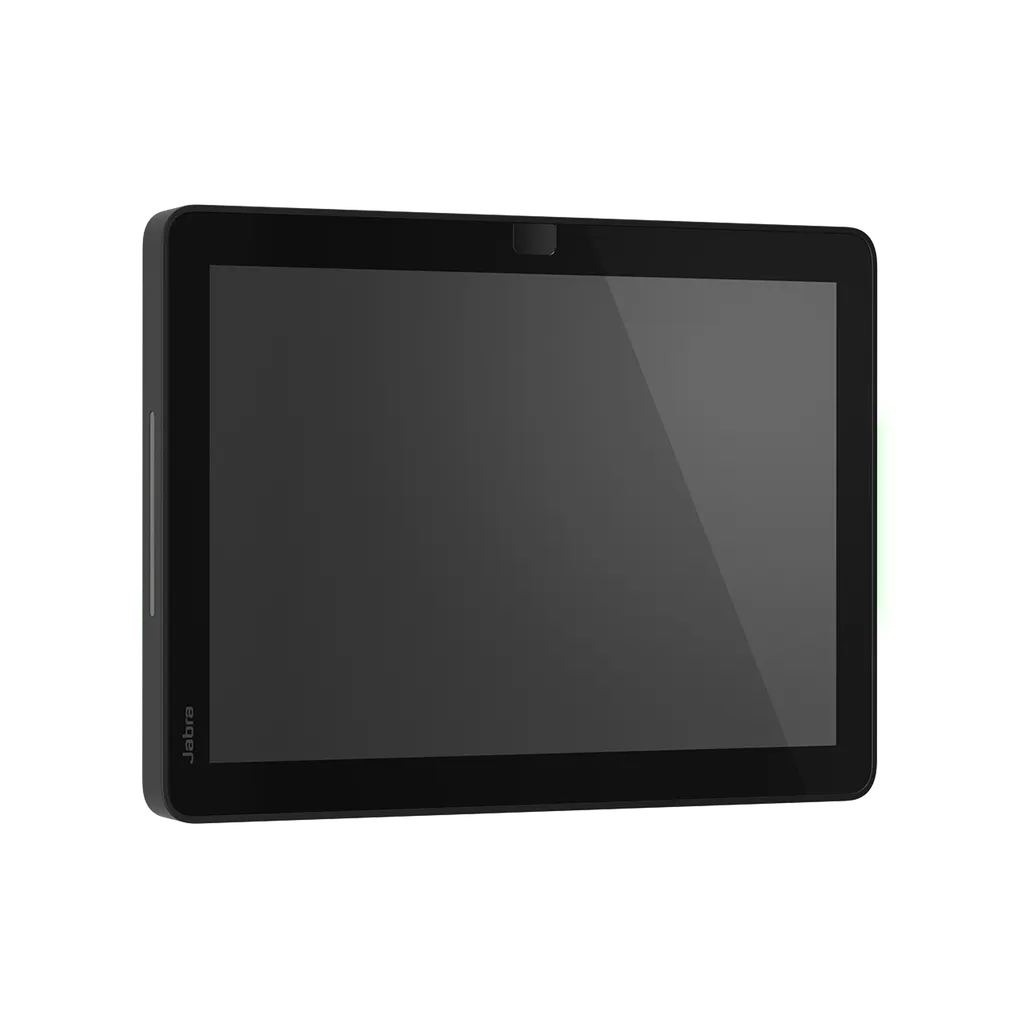
Jabra Scheduler 8020-239 Room Booking Panel
- Zoom
- Yes
- Platforms
- Yes
Priceon request
QuotationWithin 1 working day
DeliveryConfirmed with your quote, based on stock
Overview
The Jabra Scheduler 8020-239 is a 10.1-inch landscape touchscreen panel that mounts beside a meeting room door and shows whether the room is free, reserved or next in use. It runs Android 13 and is certified for Microsoft Teams and Zoom Rooms, with a 1920 x 1200 display, 300 cd/m² brightness and a colour-coded lightbar visible from a distance. It suits offices, schools and government buildings in Qatar that want shared rooms booked without checking doors.
What the 8020-239 shows outside a meeting room
The Jabra Scheduler 8020-239 is a dedicated room booking panel. It sits outside a meeting room and tells staff, at a glance, whether the room is free, reserved or about to be used. Its 10.1-inch landscape touchscreen runs at 1920 x 1200, and the display is rated at 300 cd/m² (nits) brightness, so the status stays readable in a corridor under ordinary lighting.
Two proximity sensors and a 10-point capacitive touchscreen let people wake the panel and use it quickly. A colour-coded lightbar can be seen from a distance, so colleagues can check availability without stopping or opening the door. The panel runs Android 13 and is certified as a Microsoft Teams panel and a Zoom Rooms scheduling display.
Mounting on walls, mullions and glass
The box includes an integral wall and table mount, a mullion mount, glass mounting adhesive and a screw tool. The supported mounting options are wall, mullion, glass and a 25-degree angled position, which suits a panel placed beside a door where a slight tilt makes it easier to read. Integrated cable exits, horizontal, vertical or centre, help keep the cabling neat.
Where it fits in Qatar
- Government ministries and authorities: meeting rooms on shared floors in Msheireb or West Bay, where staff from several departments book the same rooms through Microsoft Teams.
- Schools and training centres: an international school in Al Wakrah or a training centre in Education City that wants staff meeting rooms booked without a paper diary.
- Corporate offices: a firm in Lusail or The Pearl running Zoom Rooms, where the lightbar shows availability from the corridor.
The panel is intended for indoor use at a room entrance. If a unit would sit in a space without air conditioning, or near a window exposed to summer heat above 45°C, confirm the environment with the SmartRooms Qatar team before ordering, because the source data does not state an operating temperature range.
What to plan before installation
Choose the mounting method before ordering. Glass walls need the adhesive supplied in the box, while the mullion mount suits glazed partitions with a vertical divider. Confirm that a PoE-enabled network port is available at each door. The catalogue lists IEEE 802.3af Power over Ethernet and notes that the panel requires a PoE-enabled network or a PoE injector with an Ethernet cable. Wi-Fi (802.11a/b/g/n/ac) is also listed. The unit measures 248.2 x 169.2 x 50.3 mm and weighs 670.72 g, so allow for it in the door frame layout. Multiple panels can be managed centrally in Jabra+ alongside other Jabra video devices, and logs can be retrieved through the Jabra Web Console.
SmartRooms Qatar supplies the Jabra Scheduler 8020-239 with delivery to all eight municipalities of Qatar, professional installation and a free site survey before any wall or glass mounting. Request a quote and our team will usually reply within one working day. Ministries, schools and companies can order by LPO, and government buyers can respond to tenders through Monaqasat.
Highlights
- 10.1-inch landscape touchscreen with 1920 x 1200 resolution
- 300 cd/m² brightness with colour-coded lightbar visible from distance
- Certified for Microsoft Teams and Zoom Rooms scheduling
- Wall, mullion, 25-degree angled and glass mounting options
- Power over Ethernet IEEE 802.3af, plus Wi-Fi 802.11a/b/g/n/ac
- Two-year warranty; mount, glass adhesive and screw tool included
Room fit
Tell us the room size and platform (Teams, Zoom or BYOD) and we confirm the right combination with your quotation.
Estimated timeline
Quotation within 1 working day · delivery timing depends on stock availability, and we confirm it with your quotation.
Specifications
25 specifications · Source: manufacturer · checked Oct 2026
General info7
- Box contents
- Jabra Scheduler including integral wall/table mount, mullion mount, glass mounting adhesive, screw tool
- Operating system
- Android 13
- Main unit dimensions (WxHxD)
- 248.2 x 169.2 x 50.3 mm | 9.77 x 6.66 x 1.98 in
- Main unit weight
- 670.72 g | 23.63 oz
- Warranty
- 2 years
- Kensington lock compatible
- Yes
- Certifications and compliance
- Microsoft Teams panel, Zoom Rooms scheduling display, ADA
Screen5
- Display size
- 10.1″
- Display orientation
- Landscape
- Display resolution
- 1920 x 1200
- Brightness
- 300 cd/m² (nits)
- Proximity sensor
- 2 sensors
Security3
- Lockdown with secureboot, OS verified boot, Vendor lock
- Yes
- Log retrieval via Jabra Web Console
- Yes
- Microsoft and Zoom based VaaS account authentication
- Yes
Connectivity2
- Interfaces
- Wi-Fi (802.11a/b/g/n/ac)
- Bluetooth version
- 5.2 (For future use)
Network2
- Simple Certificate Enrollment Protocol
- Yes
- Power over ethernet (PoE)
- IEEE 802.3af
Software & Apps2
- Compatible software and/or apps
- Jabra+
- Third party scheduling software
- Microsoft Teams, Zoom
Ease of use3
- Mounting options
- Wall, Mullion, 25 degree Angled, Glass
- Appliance mode
- Yes
- Schedule view
- Yes
Extended info1
- Kensington lock compatible
- Yes
Downloads
9 files from the manufacturer
PDF
Jabra Scheduler datasheets (PDF, 1.3 MB)
PDF
Jabra Scheduler datasheets (PDF, 212 KB)
PDF
Jabra Scheduler datasheets (PDF, 88 KB)
PDF
Jabra Scheduler manuals & guides (PDF, 2.5 MB)
PDF
Jabra Scheduler manuals & guides (PDF, 2.4 MB)
PDF
Jabra Scheduler manuals & guides (PDF, 18.0 MB)
PDF
Jabra Scheduler manuals & guides (PDF, 5.0 MB)
PDF
Jabra Scheduler drawings & cad (PDF, 769 KB)
URL
Jabra Scheduler other documents (URL)
Questions about Scheduler
What is the Jabra Scheduler 8020-239 used for?
It is a room booking panel placed outside a meeting room. It shows whether the room is free, reserved or next in use, and staff can book from the panel on demand or from their calendar. Offices, schools and government buildings use it to stop people opening doors to check room availability. The 10.1-inch touchscreen is the main interface.
Which meeting platforms does it support?
The Jabra Scheduler is certified for Microsoft Teams and Zoom Rooms, and the data lists it as a Microsoft Teams panel and a Zoom Rooms scheduling display. Room status and upcoming bookings come from those platforms' calendars. Devices can be managed through Jabra+ alongside other Jabra video devices. Share your platform setup with your IT team before ordering to confirm the fit.
What do the lights and screen show?
The touchscreen and a green light show that the room is available, while a red light shows that it is reserved. The same status appears on the display, which also includes a schedule view. The lightbar is colour-coded and designed to be seen from a distance, so staff in a corridor can check availability without stopping at the door.
What are the screen size, resolution and brightness?
The display is 10.1 inches in landscape orientation, with a 1920 x 1200 resolution and 300 cd/m² (nits) brightness. It uses capacitive 10-point multitouch and has two proximity sensors. These figures suit a panel read at arm's length beside a door. The unit measures 248.2 x 169.2 x 50.3 mm and weighs 670.72 g.
Can it be mounted on glass walls or a mullion?
Yes. The mounting options are wall, mullion, glass and a 25-degree angled position. The box includes an integral wall and table mount, a mullion mount, glass mounting adhesive and a screw tool. Glass installations need a clean, flat surface and correct adhesive preparation, so a site survey before drilling or bonding is sensible.
Does it need PoE, and what cabling is required?
The panel uses Power over Ethernet to IEEE 802.3af. The catalogue states that it requires a PoE-enabled network port or a PoE injector with an Ethernet cable, and the Ethernet connection is RJ45. Wi-Fi 802.11a/b/g/n/ac is also listed. When planning cable routes, identify a PoE-capable port close to each door location.
We are fitting out a government office in Msheireb with several meeting rooms. How should we plan?
Start by listing each room and its door position, then decide between wall, mullion or glass mounts. Each unit needs its own network point and cable run. SmartRooms Qatar offers a free site survey, and quotations are usually sent within one working day. Ministries and authorities can order by LPO or respond to government tenders, including those on Monaqasat.
Can we place it in a school room without air conditioning in Al Wakrah?
The panel is intended for indoor use at a room entrance, but the source data does not state an operating temperature range. Do not install it in an unconditioned space or next to a window exposed to summer heat above 45°C until the environment has been confirmed. Ask the SmartRooms Qatar team to review the location before you place an order.
Is it suitable for a clinic or hospital meeting room in Doha?
It suits clinical administration meeting rooms where staff need to see at a glance whether a room is free for a case review or training session. It supports Microsoft Teams and Zoom Rooms scheduling, and the lightbar helps staff in busy corridors. Review your clinical IT policy and network security rules before deployment, since healthcare networks often have strict controls.
What security features does it include?
The panel supports lockdown with secure boot, OS verified boot and vendor lock. Logs can be retrieved through the Jabra Web Console, and account authentication is based on Microsoft and Zoom VaaS accounts. It also supports Simple Certificate Enrollment Protocol and has a Kensington lock slot. These features help IT teams control devices installed in shared corridors.
We are a company in Lusail running Zoom Rooms. Will it work for us?
Yes. The Jabra Scheduler is listed as a Zoom Rooms scheduling display, and its status states for Zoom Rooms show room available and room booked. Zoom Rooms is one of its two certified platforms. When you request a quote, share your Zoom Rooms setup so we can review the details with you before ordering. The manufacturer warranty is two years.
Our school in Al Wakrah wants panels for staff meeting rooms. Is one per room practical?
Yes. Each panel is assigned to a single room, so one unit per staff meeting room is the usual approach. Each one needs a PoE-enabled port, a suitable mount and room scheduling set up in Microsoft Teams or Zoom Rooms. Send the room list and door positions with your quote request, and the SmartRooms Qatar team will prepare a quotation for the number of rooms you need.
Similar models



Biamp
Evoko Liso Freestand Mount - Boltable
Biamp Evoko Liso Freestand Mount (Boltable) 910-01935 Floor Stand
