Thursday, 22 October 2026 · 11 Jumada I 1448 AH Sun – Thu · 9:00 – 18:00
+971 56 914 9477 العربية
WhatsApp

Speak 410

Jabra Speak 410 USB Personal Conference Speakerphone

Microphones
360-degree coverage enabling…
Platforms
Seamless integration and call…
WhatsApp
Priceon request
QuotationWithin 1 working day
DeliveryConfirmed with your quote, based on stock
PDFDownload datasheet (Jabra-Speak-410-Datasheet-A4-screen.pdf)
Overview

The Jabra Speak 410 is a personal USB conference speakerphone for up to four people. Its 360-degree omnidirectional microphone, digital signal processing and wideband HD Voice audio are built for clear calls, and it connects to a PC through a single USB-A cable. It suits executives, small meeting rooms and staff who take calls at a desk in Doha, West Bay or Lusail, and it comes with a protective travel pouch.

What the Jabra Speak 410 does on a desk

The Jabra Speak 410 is a personal conference speakerphone that connects to a computer over USB-A. It is built for one person or a small group of up to four people taking a call at a desk, in a small huddle space or while travelling. Rather than offering wireless music streaming, it focuses on voice: wideband audio with HD Voice support, a microphone that covers a full 360 degrees, and digital signal processing that keeps speech clear and free of echo, even at high volume.

Audio and call control that matter in daily use

The built-in omnidirectional microphone picks up speakers seated around the unit, so attendees can be heard without leaning toward the device. The digital signal processing is designed to avoid echo and distortion when the volume is turned up, which helps when a room is noisy or several people speak at once.

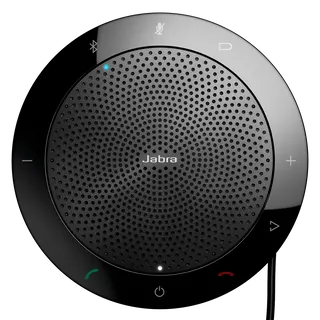
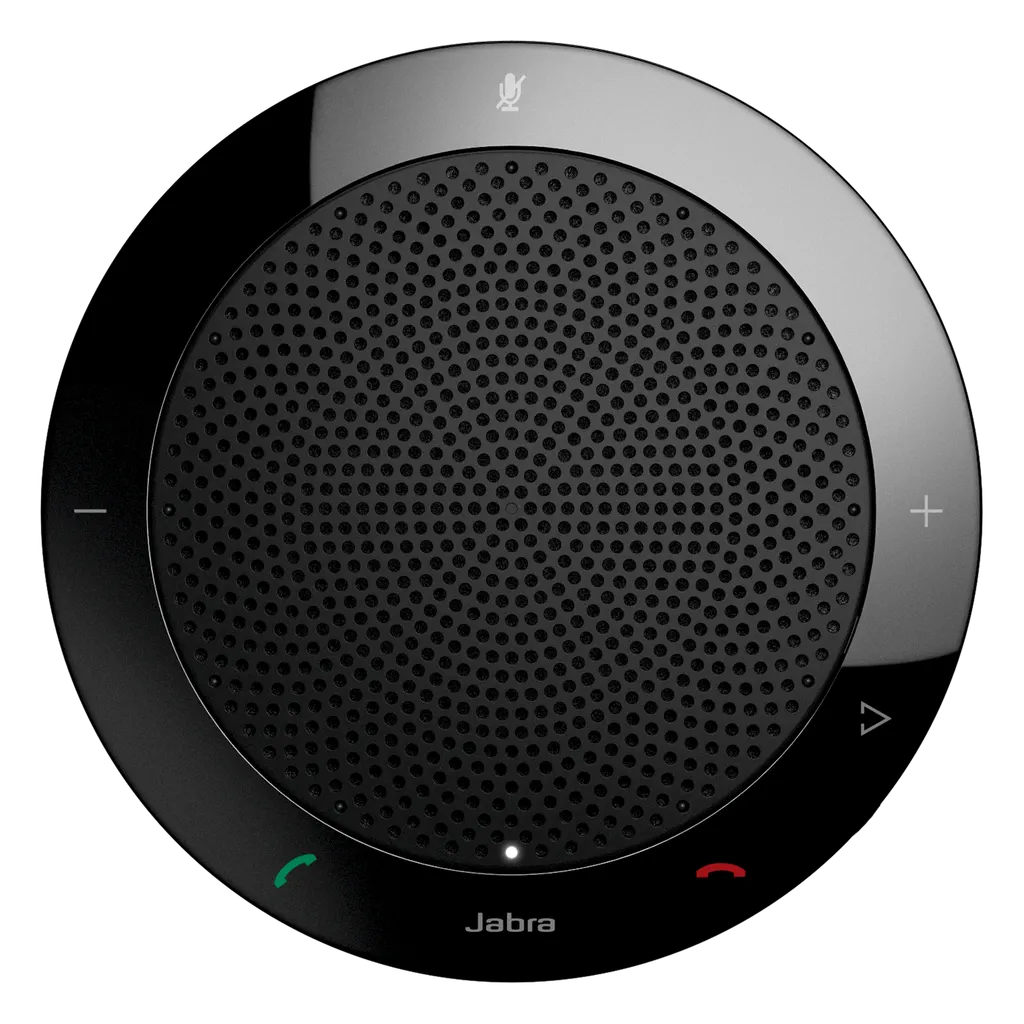
Call handling sits on the top of the unit. A mute button, volume up and down controls, and answer and end-call buttons let users manage a call without touching the computer. An LED and audio indicator confirms status. A smart button and a programmable button can be set through Jabra Direct, for example to speed-dial a frequent contact.

  • Microphone: 360-degree pickup for up to four people
  • Audio: wideband audio and HD Voice
  • Codecs: AAC and SBC
  • Connection: single USB-A cable, Bluetooth A2DP not supported
  • Weight: 180.3 g

Compatibility with UC platforms and softphones

The Speak 410 is listed as compatible with Microsoft Lync, IBM Sametime, Cisco, Avaya and Skype, and it runs on macOS and Windows. Softphone integration and configuration are handled through Jabra Direct. Before ordering for a school or office, confirm that your softphone or UC system is on this list, because the source data names these platforms rather than every version of each one.

Where it fits in Qatar

A consultancy in West Bay might place one unit in a small meeting room where a finance lead joins calls with colleagues in London. In Lusail or The Pearl, a manager working from home can use it for daily team calls over USB with a laptop. For a government ministry in Msheireb, the same model can equip shared desks where staff take frequent external calls, with the mute and answer controls within reach. The Speak 410 is less suited to large boardrooms, because it is sized for up to four people.

What to plan before you order

The Speak 410 sits on a desk and needs only a free USB-A port on the host computer. Check that the PC or laptop has one, or plan for an adapter. Decide the variant first: the source data lists two SKUs, 7410-109 (named Jabra Speak 410 MS) and 7410-209 (named Jabra Speak 410). Each unit comes with a protective neoprene pouch, which helps when the device moves between offices. For several units, SmartRooms Qatar can supply against a purchase order (LPO) and deliver to all eight municipalities of Qatar. Free site surveys are available if you are planning a room with several calling positions.

Request a quote

If you need the Jabra Speak 410 for a meeting room, a remote team or several desks, request a quote from SmartRooms Qatar. Tell us the SKU you need and the quantity, and we will send a quotation, usually within one working day.

Highlights

  • 360-degree omnidirectional microphone for up to four people
  • Wideband audio with HD Voice support
  • Digital signal processing for clear sound at high volume
  • Single USB-A connection, plug-and-play to PC softphones
  • Compatible with Microsoft Lync, Cisco, Avaya and Skype
  • Supplied with a protective neoprene pouch

Room fit

Tell us the room size and platform (Teams, Zoom or BYOD) and we confirm the right combination with your quotation.

Estimated timeline

Quotation within 1 working day · delivery timing depends on stock availability, and we confirm it with your quotation.

Specifications

8 specifications · Source: manufacturer · checked Oct 2026
Audio4
Built-in omni-directional microphone
360-degree coverage enabling hands-free collaboration & allowing attendees to hear and be heard from all angles
Digital Signal Processing (DSP ) technology
Crystal clear sound without echoes or or distorted sounds even at max volume level
Wideband Audio/HD Voice
High quality audio for best possible sound
Bluetooth A2DP
No
Connectivity2
USB cable
Plug-and-play connectivity to PC Softphone/UC systems
Full compatibility with UC systems & VoIP clients
Seamless integration and call control with leading UC systems/PC softphones, such as Microsoft Lync, IBM Sametime, Cisco, Avaya and Skype
Ease of use2
LED indicators
Intuitive user interface
Jabra Direct
Easy softphone integration. Configure Jabra Speak 410 via Jabra Direct.
Downloads

5 files from the manufacturer

Questions about Speak 410

What is the Jabra Speak 410 designed for?
The Jabra Speak 410 is a personal USB conference speakerphone for one person or a small group of up to four. It suits desk-based staff, small meeting spaces and people who join UC calls from a PC or laptop. Its focus is voice: a 360-degree microphone, wideband HD Voice audio and digital signal processing that keeps speech clear. It suits a single desk rather than a large conference room.
Can one unit pick up a four-person table in a small office in Al Sadd?
Yes, the source data lists the Speak 410 for up to four people. Its built-in omnidirectional microphone offers 360-degree coverage, so attendees seated around the unit can be heard from different angles. Place it at the centre of the table, clear of papers and bags, and keep the volume at a level where speech stays clear. For larger groups or a boardroom in Doha, a bigger conference system is the better choice.
How does the Speak 410 connect to a computer?
The Speak 410 uses a single USB-A cable to connect to a PC or Mac, with plug-and-play operation for PC softphones and UC systems. Bluetooth A2DP is not supported, so it cannot be used as a Bluetooth audio device. If a laptop has only USB-C ports, a USB-C to USB-A adapter is needed. Advanced settings are configured through Jabra Direct.
Will it hold up on a call from Doha to a team abroad?
It is designed for that kind of call. The source data lists wideband audio with HD Voice, AAC and SBC audio codecs, and digital signal processing intended to avoid echoes and distortion even at maximum volume. When a meeting links a Doha office with colleagues in another country, clear speech matters more than music playback, and the Speak 410 is built around voice. Test the call on your own network before a wider rollout.
Which UC platforms and softphones does it support?
The source data lists compatibility with Microsoft Lync, IBM Sametime, Cisco, Avaya and Skype, and names Skype for Business as the optimised platform. Call control through the mute and answer buttons works with these systems. Confirm your exact softphone or UC version with the SmartRooms Qatar team before ordering, especially if your organisation uses a platform that is not on this list.
Will it work for a mixed team in Al Rayyan with Windows laptops and Apple computers?
Yes. The source data lists macOS and Windows as supported operating systems, so one model can serve both types of machine. Configuration and softphone integration are handled through Jabra Direct. Before rolling out to a mixed team, confirm that each user's UC client is supported and that each computer has a free USB-A port or a suitable adapter.
What do the buttons and indicators do?
The unit carries a mute button, volume up and down controls, an answer button and an end or reject button, plus a smart button, a programmable button and a Jabra button. An LED and audio indicator shows status. The programmable button can serve as a speed dial once enabled in Jabra Direct, and pressing and holding the Jabra button for two seconds sets the ringtone volume.
Is it practical for a remote manager working from home in Lusail or The Pearl?
Yes. A manager working from home can connect the Speak 410 to a laptop and use it for daily team calls without wearing a headset. The mute and answer controls sit on the unit, so calls can be handled without switching windows. The protective pouch helps when the unit moves between home and the office. Check that the home setup uses a UC client on the supported list.
Can an office in Doha equip several shared desks with this model?
Yes, each desk with a computer and a free USB-A port can take one unit. Several units can be supplied on a single quotation, and a purchase order (LPO) can be raised for the order. SmartRooms Qatar delivers to all eight municipalities of Qatar. Plan the USB-A port at each desk and confirm the SKU for each group, since the source data lists two variants.
What is the difference between SKU 7410-109 and 7410-209?
The source data lists two SKUs for this model, and both carry model code PHS001U. SKU 7410-109 is named Jabra Speak 410 MS, and its catalogue record lists Microsoft under certifications and compatible platform. SKU 7410-209 is named Jabra Speak 410. The data does not describe further differences, so confirm the right SKU with the SmartRooms Qatar team before requesting a quote.
How portable is it for staff who travel between sites?
The Speak 410 weighs 180.3 g according to the source data, and it is black with a protective neoprene pouch to keep it scratch-free. A staff member taking calls from a hotel in Doha or at a client site can carry it in a bag without much extra weight. Because it connects by USB, it needs a computer with a free USB-A port at each location.
Does it need professional installation?
A desk speakerphone like the Speak 410 needs no mounting. For a single desk, setup is a USB connection and optional configuration in Jabra Direct. For multiple rooms or desks, SmartRooms Qatar offers professional installation, and free site surveys help plan the layout. Send your room layout and the number of calling positions when you request a quote, and we will advise on the setup.

Similar models

Jabra Speak 810 Jabra Speak 810 MS (7810-109) Conference Speakerphone
Digital MEMS Regulatory Approvals: CE
Jabra Speak 510 Jabra Speak 510 Portable USB and Bluetooth Conference Speakerphone
Omnidirectional microphone Certified for Skype for…
Dell SL525 Dell Pro Plus Wireless Speakerphone SL525 with Wireless Audio Receiver
Digital Micro-electromechanical… 2499.36 mm
Dell SP3022 Dell Pro Desktop Speakerphone SP3022 for Microsoft Teams
Stereo Apple FaceTime
Dell SP325 Dell Pro Wired Speakerphone SP325 with USB-C Connection
Digital Micro-electromechanical… 2499.36 mm
Email Call