






Barco
ClickShare Power Supply 100W
Barco ClickShare Power Supply 100W, 100-Watt Video Conferencing Accessory
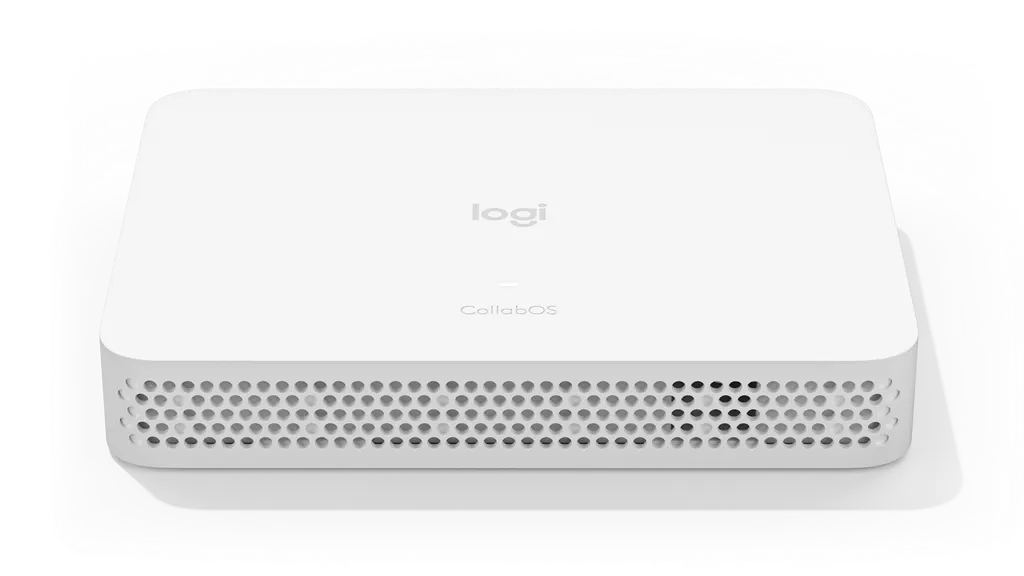
Logitech RoomMate
Logitech RoomMate 950-000084 CollabOS Meeting Room Appliance
- Platforms
- Microsoft Teams Rooms on Android
Priceon request
QuotationWithin 1 working day
DeliveryConfirmed with your quote, based on stock
Overview
The Logitech RoomMate 950-000084 is a white CollabOS appliance for running Microsoft Teams Rooms on Android, Zoom Rooms or Tencent Meeting Rooms in an existing meeting room. It provides two HDMI outputs, one HDMI input, three USB Type A 2.0 ports and 10/100/1G Ethernet, with Wi-Fi as an alternative. Organisations in Doha running boardrooms and training rooms can request a quote for supply, installation and delivery across Qatar.
What the RoomMate does in a meeting room
The Logitech RoomMate 950-000084 is a computing appliance built to run video calls from the meeting room itself, so the room does not depend on a laptop being connected to the display. It runs Logitech CollabOS 1.4 or higher, which lets IT teams deploy Microsoft Teams Rooms on Android, Zoom Rooms and Tencent Meeting Rooms on one device. Device management runs through Logitech Sync or a supported management platform, which helps when several rooms are administered centrally.
Connectivity, peripherals and certified hardware
Two HDMI outputs, each up to 1080p, carry the room display, and one HDMI input accepts a second source. Three USB Type A 2.0 ports take peripherals, and the network link runs over 10/100/1G Ethernet or 802.11a/b/g/n/ac Wi-Fi. Logitech certifies RoomMate with the following devices:
- MeetUp and Rally Camera
- Rally System and Rally Plus System
- Tap and Tap IP touch controllers
When paired with MeetUp or a Rally system, RoomMate can use the conference camera's audio. Where RoomMate is used alongside Rally Camera, a verified audio system from select partners such as Biamp, Extron, Nureva, Q-SYS or Shure is an option.
Power, size and environmental limits
The auto-sensing power supply covers 100-240V at 19V and 4.74A, and it ships with a 1 m AC cable and a 1.5 m DC cable. The supply measures 127 mm x 51 mm x 30 mm. The operating range is 0 to 40°C, storage is -40 to 70°C, and humidity from 10 to 95% is supported. In Qatar, where summer temperatures can pass 45°C, the appliance belongs in an air-conditioned room or a ventilated cabinet, not in a sun-heated cupboard or a cart parked near a window.
Where it fits in Qatar
A boardroom in West Bay or Lusail that hosts calls with teams abroad needs one reliable room device rather than a PC at every meeting table. A university in Education City can use RoomMate in seminar rooms, and pair it with a Rally System for a larger room. An office in the Industrial Area or a hospital administration wing can use the Appspace integration to show announcements on lobby or corridor screens while meeting rooms keep their own calls.
Planning the installation
Before ordering, decide which camera, touch controller and displays will join RoomMate, because the appliance does not include them and the room solution software licence is also not included. Choose the mounting point early. The optional Compute Mount supports discreet installation and cable retention behind displays, inside cabinets and on carts, and the mounting plate in the box is the starting point for fixing. A free site survey from SmartRooms Qatar confirms cable runs, power outlet position and airflow before installation.
SmartRooms Qatar supplies the RoomMate 950-000084, delivers to all eight municipalities of Qatar and provides professional installation. Request a quote and we will usually return a quotation within one working day. Purchase orders (LPOs) and government tenders are accepted.
Highlights
- Runs Microsoft Teams Rooms on Android and Zoom Rooms
- Appliance mode also lists Tencent Meeting Rooms
- Two HDMI outputs up to 1080p plus one HDMI input
- Three USB Type A 2.0 ports and 10/100/1G Ethernet
- Pairs with MeetUp, Rally Camera, Rally System and Tap
- Operates from 0 to 40°C; storage from -40 to 70°C
Room fit
Tell us the room size and platform (Teams, Zoom or BYOD) and we confirm the right combination with your quotation.
Estimated timeline
Quotation within 1 working day · delivery timing depends on stock availability, and we confirm it with your quotation.
Specifications
32 specifications · Source: manufacturer · checked Oct 2026
Part Number1
- Items
- 950-000084
Technical Specifications - System Requirements1
- Items
- Wired or wireless internet connection · Room solution software license (not included)
Technical Specifications - General4
- Operating Systems
- Logitech CollabOS 1.4 or higher
- Device Management
- Logitech Sync and supported device management platforms
- Network Protocol Support
- IPv4, IPv6
- Proxy Support
- IP based Proxy, FQDN based Proxy, Proxy using PAC file
Technical Specifications - COMPATIBILITY AND CERTIFICATIONS6
- Certifications
- Microsoft Teams Rooms on Android Zoom Rooms
- Appliance Mode Compatibility
- Microsoft Teams Rooms on Android Zoom Rooms Tencent Meeting Rooms
- Verified Audio Hardware
- Biamp TesiraFORTÉ X Series, Devio SCX Series, TesiraFORTÉ AVB VT4 with Tesira EX-UBT Extron DMP Plus and MediaPort DSPs Nureva HDL family of audio conferencing systems Q-SYS Core Processor(s) Shure IntelliMix P300
- Certified Hardware
- Logitech MeetUp Rally Camera Rally System Rally Plus System Tap Tap IP
- Digital Signage
- Appspace Zoom Rooms Digital Signage (video content only).
- Items
- For the latest information on certifications and compatibility, visit www.logitech.com/support/vc-certifications
Technical Specifications - Interfaces6
- HDMI Out
- 2 (up to 1080p)
- HDMI In
- 1
- USB
- 3x Type A 2.0
- Network
- 10/100/1G Ethernet
- WiFi
- 802.11a/b/g/n/ac
- Remote Control
- Bluetooth® Low Energy
Technical Specifications - Power & Cables5
- Power supply
- Auto-sensing
- Operating Voltage/Power
- 100-240V, 19V, 4.74A
- Power Supply Dimensions
- 127 mm x 51 mm x 30 mm
- DC Cable
- 1.5 m
- AC Cable
- 1 m
Technical Specifications - Environmental3
- Operating Temperature
- 0 to 40°C
- Storage Temperature
- -40 to 70°C
- Humidity
- 10 to 95%
Technical Specifications - Security6
- Full Disk Encryption
- AES-128
- Data Encryption
- Symmetric Keys, PKI
- Device Identity
- Protected by device attestation
- Device Access
- Authenticated using API
- Key Protection
- Arm TrustZone, RPMP
- Device Security
- Kensington Lock
Downloads
2 files from the manufacturerQuestions about Logitech RoomMate
What is the Logitech RoomMate 950-000084 used for?
The RoomMate is a computing appliance that runs video conferencing software inside a meeting room, so the room can host calls without a dedicated PC. It runs CollabOS 1.4 or higher and supports Microsoft Teams Rooms on Android, Zoom Rooms and Tencent Meeting Rooms. It suits boardrooms and training rooms where staff join calls from a single fixed room.
Which video conferencing platforms does it support?
Logitech lists the RoomMate for Microsoft Teams Rooms on Android and Zoom Rooms, and appliance mode compatibility also covers Tencent Meeting Rooms. Because CollabOS deploys these services, confirm your chosen platform and its licensing before ordering. The room solution software licence is not included, so budget for it separately when you request a quote from SmartRooms Qatar.
How many displays can one RoomMate drive?
It has two HDMI outputs, each up to 1080p, so it drives two displays directly. The manufacturer states support for rooms with one, two or three displays, but a third display requires an additional dongle. Plan the display count with that dongle in mind before requesting a quote, particularly for a boardroom that may add a wall display later.
Which Logitech cameras, controllers and audio hardware does it work with?
RoomMate is certified with MeetUp, Rally Camera, Rally System, Rally Plus System, Tap and Tap IP. When paired with MeetUp or a Rally system, it can use the conference camera's audio. Verified audio partners include Biamp, Devio, Extron, Nureva, Q-SYS and Shure IntelliMix P300. Check the Logitech certification list for your exact combination before ordering.
Is it suitable for Qatar's 240 V mains power?
The auto-sensing power supply is rated for 100-240V at 19V and 4.74A, so its input range covers the 240 V mains used in Qatar. The AC cable is 1 m and the DC cable is 1.5 m. Confirm the plug fitting for BS 1363 (Type G) sockets with the SmartRooms Qatar team when you request a quote, so the cable reaches the cabinet or wall outlet.
Can it be installed in a cabinet or cart in a hot Qatar summer?
Only in a ventilated, air-conditioned location. The operating temperature range is 0 to 40°C, storage is -40 to 70°C, and humidity from 10 to 95% is supported. Qatar summer temperatures can exceed 45°C, so avoid sun-heated cupboards, carts parked by windows and dusty corners. A site survey helps confirm airflow before installation.
How do I mount it neatly behind a display?
The box includes a mounting plate, and Logitech offers an optional Compute Mount that supports discreet installation and cable retention behind displays, inside cabinets and on carts. Measure the appliance and its power supply, which measures 127 mm x 51 mm x 30 mm, before choosing the position. SmartRooms Qatar offers a free site survey to plan cable runs and outlet positions.
Can it run digital signage in a lobby or corridor?
It can, when integrated with Appspace, which Logitech lists as a digital signage partner. Zoom Rooms Digital Signage is also listed, but only for video content. A hospital reception or an office lobby in Doha can then show announcements on a connected display while the meeting rooms keep running their own calls.
What network connections and ports does it need?
It needs a wired or wireless internet connection. Ethernet is 10/100/1G, and Wi-Fi supports 802.11a/b/g/n/ac. It supports IPv4 and IPv6 and works with IP-based, FQDN-based and PAC file proxy setups. Its remote control uses Bluetooth Low Energy, and three USB Type A 2.0 ports handle peripherals such as cameras or controllers.
How does RoomMate protect meeting data and the device?
It uses AES-128 full disk encryption, symmetric keys and PKI for data, and device attestation for identity. Device access is authenticated through an API, and keys are protected with Arm TrustZone and RPMP. A Kensington lock point supports physical security, which suits government and financial offices that need locked-down room equipment.
How do we order several units for a school or ministry in Qatar?
Send the list of rooms, displays and cameras for each room, and SmartRooms Qatar will prepare one quotation covering all units. Schools and government bodies can issue a purchase order (LPO) or respond to a government tender, and pay by bank transfer, cheque or purchase order. Each room still needs its own licence, camera and audio hardware, so include those in the request.
What comes in the box, and what is not included?
The box includes the RoomMate, power supply, AC cable, mounting plate, remote control and user documentation. The room solution software licence is not included, and neither are cameras, displays or audio hardware. List any extra items with your request. The product is covered by the manufacturer's warranty, and SmartRooms Qatar will confirm the details with your quotation.



