






Biamp
Evoko Kleeo Desk Manager 6-pack + 1yr license
Biamp Evoko Kleeo Desk Manager 6-Pack (910-01972) Desk Booking Display
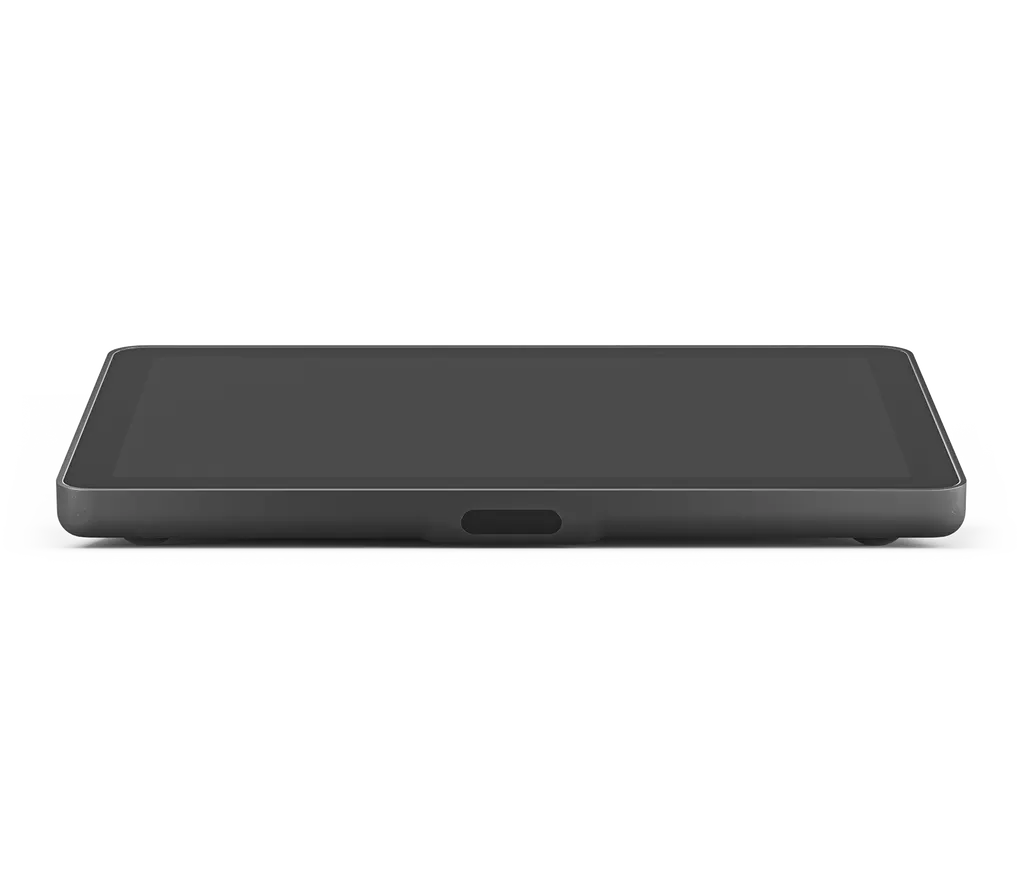
Logitech Tap IP
Logitech Tap IP Touch Controller 10.1-inch Meeting Room Controller
- Video
- 1280 x 800 resolution
Priceon request
QuotationWithin 1 working day
DeliveryConfirmed with your quote, based on stock
Overview
The Logitech Tap IP is a 10.1-inch touch controller that lets staff start and join video calls with one tap. It draws power over Ethernet (IEEE 802.3af Type 1, Class 3) and connects by Ethernet or 802.11a/b/g/n/ac Wi-Fi. Its 400-nit IPS panel offers 10-point multi-touch, and an integrated PIR motion sensor supports always-on readiness. It suits meeting rooms across Doha, West Bay and Lusail.
What the Logitech Tap IP does in a meeting room
The Logitech Tap IP is a touch controller that sits on a meeting table or wall and lets people start or join a video call with a tap. It is built around a 10.1-inch capacitive display and works with the conferencing platform already running in the room. The manufacturer lists support for Zoom Rooms, Microsoft Teams Rooms on Android and Google Meet on Android, so it suits rooms that have standardised on one of these services.
Display, sensors and power
The screen is an IPS LCD with LED backlighting, a 1280 x 800 resolution and 400 nits of brightness. Contrast is rated at 1000:1, and the viewing angle is 85 degrees up, down, left and right. An oleophobic coating helps resist fingerprints, and the touch layer supports 10 points of multi-touch. Built-in sensors include a PIR motion sensor for always-on readiness, an accelerometer, an ambient light sensor and an ultrasonic speaker.
Power comes over Ethernet under IEEE 802.3af Type 1, Class 3, so one cable carries both data and power. The unit needs a PoE-enabled network port or a PoE injector. The injector and Ethernet cable are not in the box. Connectivity covers 10/100 Mbps Ethernet, 802.11a/b/g/n/ac Wi-Fi and Bluetooth 5.0.
Where it fits in Qatar
- Corporate meeting rooms in West Bay: a finance team holding daily calls with colleagues abroad can give every room the same one-tap join step, so meetings start in the same way each time.
- University seminar rooms in Education City: lecturers hosting overseas guest speakers can join from a controller at the table, with the riser mount giving a clearer view from the seats.
- Ministry boardrooms in Doha: meetings are packed across the Sunday to Thursday working week, and a consistent controller helps staff join quickly between sessions.
Mounting and installation planning
Three optional mounts suit different layouts. The table mount secures the unit through a table grommet with a low profile and swivels 180 degrees, so both sides of the table can use it. The riser mount raises the viewing angle from 14 to 30 degrees for better visibility across the room. The wall mount saves table space by sitting flush to the wall on a plate and cleat design. The 100 mm x 100 mm VESA FDMI pattern and internal cable retention with strain relief help keep installations neat.
Mounts are optional accessories and are not listed in the box, so add them to the quotation. Operating temperature is 0 to 40 degrees Celsius with 10 to 95% humidity. Install the controller in air-conditioned rooms, away from direct sun through windows, because Qatar summer heat can exceed that range in unconditioned spaces. A free site survey from SmartRooms Qatar confirms table thickness, grommet fit, wall construction and switch ports before installation.
Security, management and sustainability
With Logitech Sync, IT teams can monitor and manage the Tap IP alongside other meeting room devices from one platform, which helps a campus or ministry track many rooms. The device uses AES-128 full disk encryption, symmetric keys and PKI for data encryption, and device attestation protects its identity. A Kensington lock supports physical security. The graphite finish uses plastic parts that include 56% post-consumer recycled material.
Request a quote
For one room or a multi-site rollout, request a quote from SmartRooms Qatar. We supply the Tap IP, deliver to all eight municipalities of Qatar, arrange professional installation and accept purchase orders (LPOs) and government tenders, including Monaqasat. Quotations are usually issued within one working day, and payment can be made by bank transfer, cheque or purchase order.
Highlights
- 10.1-inch capacitive touch display at 1280 x 800 resolution
- Power over Ethernet under IEEE 802.3af Type 1, Class 3
- 400-nit IPS panel with 85-degree viewing angle
- Integrated PIR motion sensor, ultrasonic speaker and accelerometer
- Graphite (952-000085) and white (952-000088) finishes
- Graphite version uses 56% post-consumer recycled plastic
Room fit
Tell us the room size and platform (Teams, Zoom or BYOD) and we confirm the right combination with your quotation.
Estimated timeline
Quotation within 1 working day · delivery timing depends on stock availability, and we confirm it with your quotation.
Specifications
26 specifications · Source: manufacturer · checked Oct 2026
Part Number2
- Graphite
- 952-000085
- White
- 952-000088
Technical Specifications - Screen9
- Size
- 10.1” diagonal
- Items
- IPS (In-Plane Switching) · LCD Panel with LED Backlighting
- Resolution
- 1280 x 800 resolution
- Touch
- Capacitive, 10 points multi-touch
- Brightness
- 400 nits
- Contrast
- 1000:1
- Anti Fingerprint
- Oleophobic coating
- Viewing angle
- 85 degrees (U/D/L/R)
- Position angle
- 14 degrees
Technical Specifications - General Specifications1
- Items
- Integrated ultrasonic speaker · Integrated PIR Motion Sensor · Integrated accelerometer · Integrated ambient light sensor · 100 mm x 100 mm VESA FDMI · Internal cable retention and strain relief system
Technical Specifications - Power and Cables1
- Items
- Power over Ethernet (PoE), IEEE 802.3af Type 1, Class 3 device. Requires PoE enabled network or PoE Injector and ethernet cable (Not included)
Technical Specifications - PORTS AND INTERFACES3
- Ethernet
- 10/100 Mbps
- WiFi
- 802.11a/b/g/n/ac
- Items
- Bluetooth 5.0
Technical Specifications - Environmental3
- Operating Temperature
- 0 to 40°C
- Stored Temperature
- -40 to 70°C
- Humidity
- 10 to 95%
Technical Specifications - Security5
- Full Disk Encryption
- AES-128
- Data Encryption
- Symmetric Keys, PKI
- Device Identity
- Protected by device attestation
- Key Protection
- Arm TrustZone, RPMP
- Device Security
- Kensington Lock
Technical Specifications - Sustainability1
- Graphite plastics
- 56% post-consumer recycled material
Technical Specifications - Optional Accessories1
- Items
- Riser Mount · Table Mount · Wall Mount
Downloads
3 files from the manufacturerQuestions about Logitech Tap IP
What is the Logitech Tap IP used for, and which rooms suit it?
The Logitech Tap IP is a touch controller that starts and joins video meetings from a table or wall. It suits any room that already runs Zoom Rooms or Microsoft Teams Rooms on Android, such as a corporate meeting room in West Bay or a boardroom in Msheireb. It is a control surface for calls rather than a presentation screen, so rooms that need content shown to the whole room should also compare a larger display.
Does the Tap IP need a separate power socket?
No. The Tap IP is powered over Ethernet under IEEE 802.3af Type 1, Class 3, so one cable carries power and data. The switch port must be PoE-enabled, or a PoE injector must sit between the switch and the unit. The injector and Ethernet cable are not in the box, so the quotation should list them for each room. Plan each cable route before installation starts.
Which video conferencing platforms does the Tap IP support?
The manufacturer lists Zoom Rooms, including Zoom Rooms for PC and Mac and Zoom Rooms appliances, plus Microsoft Teams Rooms on Android and Google Meet on Android. Microsoft Teams on Android is also listed with the Logitech Rally Bar, Rally Bar Mini or RoomMate. Platform support changes with software releases, so ask the SmartRooms Qatar team to confirm current certification for your service before ordering.
What is the difference between the graphite and white versions?
The graphite model is part number 952-000085 and the white model is 952-000088. The manufacturer's specifications are shared across both colours, except the recycled plastic figure, which applies to the graphite version. Choose the colour that matches your table or wall finish, and quote the part number on your purchase order so the correct colour is delivered.
Is the Tap IP suitable for a hot meeting room in summer?
The Tap IP has an operating temperature of 0 to 40 degrees Celsius and a humidity range of 10 to 95%, with storage from -40 to 70 degrees Celsius. Qatar summer heat can push an unconditioned room well past 40 degrees, so install it only in air-conditioned meeting rooms and keep it out of direct sun through west-facing windows. For a hall or outdoor booth, ask SmartRooms Qatar for advice before ordering.
Can a university in Education City manage several Tap IP units centrally?
Yes. The manufacturer says Logitech Sync lets you monitor and manage the Tap IP alongside other meeting room devices from one platform. For a campus with many seminar rooms, that means checking device status in one place instead of visiting each room. Confirm the Sync requirements for your network with the SmartRooms Qatar team before placing an order.
Does the Tap IP support Wi-Fi as well as Ethernet?
Yes. The Tap IP connects through 10/100 Mbps Ethernet or 802.11a/b/g/n/ac Wi-Fi, and Bluetooth 5.0 is also listed. For most rooms a wired PoE connection is the simplest plan, because it provides power and data on one cable. Wi-Fi suits rooms where a cable run is difficult, and the team can confirm the wireless set-up during the site survey.
Which mount suits a boardroom table in a Lusail office?
A table mount secures the Tap IP through a table grommet with a low profile and a 180-degree swivel, so both sides of a long table can use it. A riser mount raises the viewing angle from 14 to 30 degrees, helping people at the far end see the screen. A wall mount suits a side wall or lectern. Mounts are optional accessories and are not in the box, so add them to the quotation.
How readable is a 10.1-inch display for people at the far end of a table?
The screen measures 10.1 inches diagonally, with 1280 x 800 resolution, 400 nits of brightness and an 85-degree viewing angle in each direction. It works best at arm's reach as a control surface for joining and managing calls. In a long boardroom, the riser mount's 30-degree angle improves visibility from across the table, which is the main reason to choose it over a flat table mount.
Is the Tap IP secure enough for a government ministry network?
The Tap IP uses AES-128 full disk encryption, symmetric keys and PKI for data encryption, plus device attestation and Arm TrustZone with RPMP for key protection. It also has a Kensington lock point. Ministries should share their network and security policy with the SmartRooms Qatar team during the site survey, so the set-up matches their approved standards. Security approval remains the customer's decision.
How many units should a school in Al Wakrah order for new classrooms?
Count one controller for each classroom that will run video meetings, and check the PoE port for each room. A school fitting out several classrooms can issue one LPO covering all units and request a single quotation for the set. SmartRooms Qatar delivers to all eight municipalities and can arrange installation. Where room layouts differ, a site survey helps confirm the right mount for each space.
What comes in the box, and what do I need to buy separately?
The box contains the Tap IP touch controller and documentation. A PoE injector, an Ethernet cable and any mounts are not included, so they must be specified separately. Confirm each room's switch port PoE capability and cable run before ordering. Request a quote from SmartRooms Qatar with the part number and colour, and the team will list the accessories needed for a complete installation.
Similar models



Biamp
Evoko Liso Freestand Mount - Boltable
Biamp Evoko Liso Freestand Mount (Boltable) 910-01935 Floor Stand
