






Biamp
Evoko Kleeo Desk Manager 6-pack + 1yr license
Biamp Evoko Kleeo Desk Manager 6-Pack (910-01972) Desk Booking Display
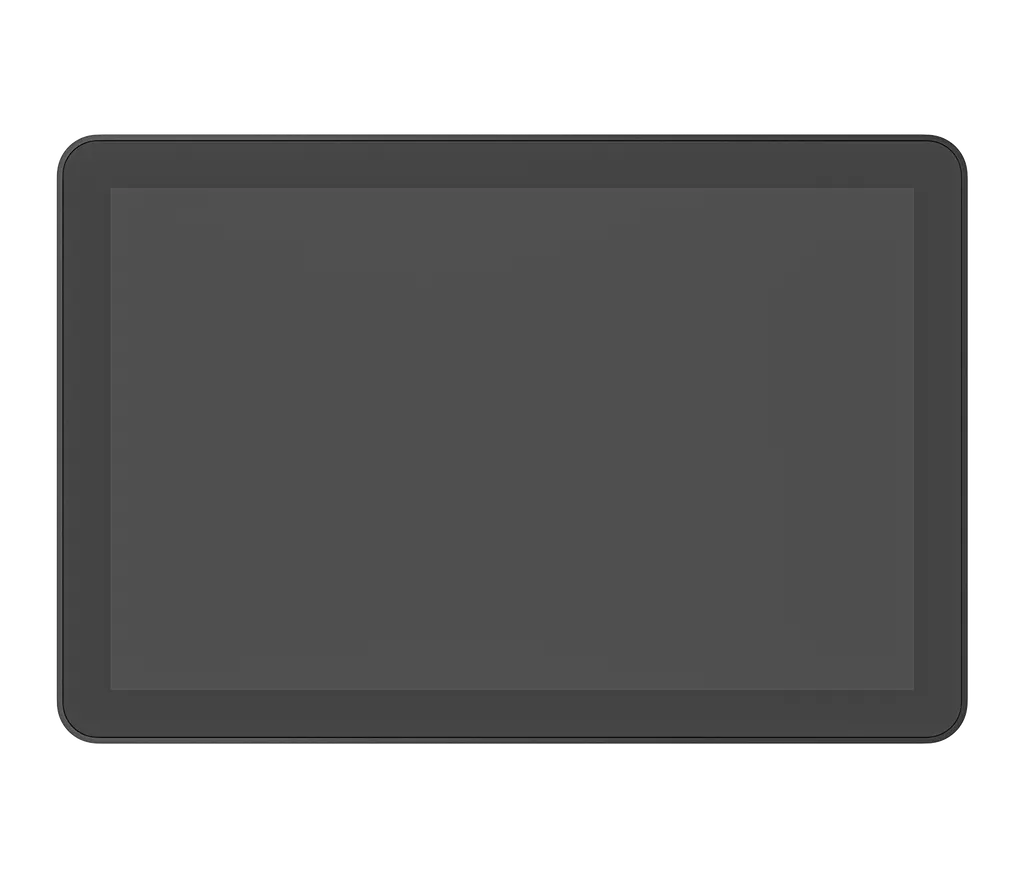
Logitech Tap Scheduler
Logitech Tap Scheduler 10.1-inch Meeting Room Scheduling Panel
- Video
- 1280 x 800 resolution
Priceon request
QuotationWithin 1 working day
DeliveryConfirmed with your quote, based on stock
Overview
The Logitech Tap Scheduler is a 10.1-inch touch panel placed beside meeting room doors. Its coloured LED lights show whether a room is free from a distance, and it lets staff reserve rooms through supported booking platforms such as Microsoft Teams and Zoom Rooms. It runs on power over Ethernet, so it needs a PoE switch port or injector. It suits offices, schools and government buildings in Qatar that run shared meeting rooms.
What the Tap Scheduler does at a meeting room door
The Logitech Tap Scheduler is a 10.1-inch touch panel that sits beside a meeting room and shows staff, at a glance, whether the room is free or booked. It is built for one job: displaying room status and letting people reserve a space on the spot, rather than acting as a conferencing screen. It is available in two colours, graphite (952-000091) and white (952-000094).
Specifications that matter when you plan a rollout
The 1280 x 800 IPS screen is rated at 400 nits, with a 1000:1 contrast ratio and an 85-degree viewing angle in each direction, so the status stays readable when people approach from the side. The capacitive surface supports 10-point multi-touch and has an oleophobic coating that resists fingerprints, which matters on a panel many people touch every day. An integrated ambient light sensor and accelerometer are also included.
Power comes over Ethernet. The device is a PoE IEEE 802.3af Type 1, Class 3 device, so it needs a PoE-enabled network port or a PoE injector with an Ethernet cable. Neither the injector nor the cable is in the box. Wired connectivity is 10/100 Mbps Ethernet, and Wi-Fi supports 802.11a/b/g/n/ac/ax. The Bluetooth 5.0 radio is inactive and reserved for future use, so leave it out of your plans.
Where it fits in Qatar
- Corporate offices in West Bay or Lusail: a shared boardroom on each floor, with a panel at every door so staff stop double-booking.
- Universities and training centres in Education City: seminar rooms booked across several timetables, where the LED status helps people avoid walking into an occupied room.
- Government ministries and authorities: meeting rooms shared by several departments, where one booking platform keeps the room calendar in a single place.
What to plan before ordering
Check the mounting before you order. The box includes multi-surface mounts for glass and drywall, a corner mount accessory, a mullion mount and mounting hardware. The device alone measures 165 mm high, 246.2 mm wide and 28.5 mm deep, and weighs 700 g. Surface-mounted depth is 31.4 mm, while a mullion-mounted unit is 292.6 mm wide and 44.5 mm deep, so confirm that your wall, glass partition or mullion has room for the chosen option. Cables can exit horizontally, vertically or from the centre.
Confirm the network before installation. The panel needs a PoE port or injector and a supported booking platform. The compatibility list includes Logitech Room Booking, Microsoft Teams Panel, Zoom Rooms Scheduling Display, Appspace, RICOH Spaces, Envoy Rooms, Korbyt Booking, Comeen and Eptura. Logitech publishes the latest compatibility and certification information online, so check it against the system your organisation uses before buying.
The operating temperature range is 0 to 40°C, storage is rated from -40 to 70°C, and humidity tolerance is 10 to 95 per cent. Summer temperatures in Qatar often exceed 45°C, so mount the panel inside air-conditioned rooms and corridors, away from external walls, windows and sun-exposed lobbies. Security features include AES-128 full disk encryption and device attestation. Logitech Sync, a cloud platform, manages devices remotely, and its premium features require an Essential or Select licence. In the graphite model, the plastic parts contain 54% post-consumer recycled material, measured by weight and excluding accessories and packaging.
SmartRooms Qatar supplies the Tap Scheduler with delivery to all 8 municipalities, professional installation and free site surveys. Tell us how many rooms you need, which booking platform you use and which network ports are available, and our team will usually send a quotation within one working day. Request a quote today.
Highlights
- 10.1-inch 1280 x 800 IPS touchscreen with 10-point multi-touch
- Coloured LED lights show room availability from a distance
- Power over Ethernet, IEEE 802.3af Type 1, Class 3
- Multi-surface, corner and mullion mounts included in the box
- Integrates with Microsoft Teams, Zoom Rooms and other platforms
- Operating temperature range of 0 to 40°C
Room fit
Tell us the room size and platform (Teams, Zoom or BYOD) and we confirm the right combination with your quotation.
Estimated timeline
Quotation within 1 working day · delivery timing depends on stock availability, and we confirm it with your quotation.
Specifications
37 specifications · Source: manufacturer · checked Oct 2026
Part Number2
- Graphite
- 952-000091
- White
- 952-000094
Dimensions - Device-only4
- Height
- 165 mm
- Width
- 246.2 mm
- Depth
- 28.5 mm
- Weight
- 700 g
Dimensions - Surface-mounted3
- Height
- 165 mm
- Width
- 246.2 mm
- Depth
- 31.4 mm
Dimensions - Mullion-mounted3
- Height
- 165 mm
- Width
- 292.6 mm
- Depth
- 44.5 mm
Technical Specifications - Screen9
- Size
- 10.1” diagonal
- Items
- IPS (In-Plane Switching) · LCD Panel with LED Backlighting
- Resolution
- 1280 x 800 resolution
- Touch
- Capacitive, 10 points multi-touch
- Brightness
- 400 nits
- Contrast
- 1000:1
- Anti Fingerprint
- Oleophobic coating
- Viewing angle
- 85 degrees (U/D/L/R)
- Position angle
- 0 degrees (flat on mounting surface)
Technical Specifications - General Specifications2
- Items
- Integrated accelerometer · Integrated ambient light sensor · 100 mm x 100 mm VESA FDMI
- Cable exits
- horizontal / vertical / center
Technical Specifications - COMPATIBILITY AND CERTIFICATIONS2
- Logitech Tap Scheduler integrates with leading room scheduli
- Logitech Room Booking Microsoft Teams Panel Zoom Rooms Scheduling Display Robin-Powered scheduling panel Appspace RICOH Spaces Envoy Rooms Korbyt Booking Comeen Eptura
- Items
- See www.logitech.com/support/tapscheduler-compatibility for the latest certification and compatibility information. · Logitech CollabOS platform · Logitech Sync Remote Management
Technical Specifications - Power and Cables1
- Items
- Power over Ethernet (PoE), IEEE 802.3af Type 1, Class 3 device. · *Requires PoE enabled network or PoE Injector and ethernet cable (Not included)
Technical Specifications - PORTS AND INTERFACES3
- Ethernet
- 10/100 Mbps
- WiFi
- 802.11a/b/g/n/ac/ax
- Items
- Bluetooth 5.0 (inactive, reserved for future use)
Technical Specifications - Environmental3
- Operating temperature
- 0 to 40°C
- Storage temperature
- -40 to 70°C
- Humidity
- 10-95%
Technical Specifications - Security4
- Full Disk Encryption
- AES-128
- Data Encryption
- Symmetric Keys, PKI
- Device Identity
- Protected by device attestation
- Key Protection
- Arm TrustZone
Technical Specifications - Sustainability1
- Graphite plastics
- 54% post-consumer recycled material
Downloads
1 file from the manufacturerQuestions about Logitech Tap Scheduler
Is the Tap Scheduler suited to a shared meeting room in a West Bay office?
Yes, it suits a shared room where staff need to see at a glance whether the space is free. A corporate office in West Bay with several floors of boardrooms can place one panel at each door, linked to a supported booking platform, so people stop booking the wrong room or walking into one already in use. It works with a booking system you already run rather than replacing it.
What is the difference between the graphite and white models?
The two versions share the same specifications and are sold as part numbers 952-000091 for graphite and 952-000094 for white. Choose the colour that suits the finish of the room or glass partition beside it. The graphite version uses plastic parts containing 54% certified post-consumer recycled plastic, measured by weight and excluding accessories and packaging, which matters if your procurement rules ask for recycled content.
How does the panel get power?
The Tap Scheduler is a PoE device under IEEE 802.3af Type 1, Class 3. It needs a PoE-enabled network port or a PoE injector with an Ethernet cable. The injector and cable are not included in the box, so add them to your budget and confirm that the switch port near each meeting room supports PoE before the installer arrives.
Can the Tap Scheduler be used in a hot, sun-exposed area in Qatar?
Not without planning. The operating temperature range is 0 to 40°C, storage is rated from -40 to 70°C, and humidity tolerance is 10 to 95 per cent. Summer temperatures in Qatar often pass 45°C, so mount the panel inside air-conditioned rooms or corridors, away from windows and external walls. If you are unsure about a location, ask the SmartRooms Qatar team during the free site survey.
Which booking platforms does it support?
The Tap Scheduler integrates with Logitech Room Booking, Microsoft Teams Panel, Zoom Rooms Scheduling Display, Appspace, RICOH Spaces, Envoy Rooms, Korbyt Booking, Comeen, Eptura and Robin-powered scheduling panels. Compatibility details change over time, so check Logitech's published compatibility information against your current booking system before ordering. Tell SmartRooms Qatar which platform you use so the quotation matches your setup.
Will staff in a busy Education City corridor see free rooms from a distance?
The colour LED lights are designed to show availability at a distance, so people can spot an open seminar room before reaching the door. The 10.1-inch screen has an 85-degree viewing angle in each direction, which helps when people approach from the side. Logitech does not state a maximum reading distance, so test the placement in your corridor during the site survey.
How large is the panel and how much space does it need?
The device alone measures 165 mm high, 246.2 mm wide and 28.5 mm deep, and weighs 700 g. Surface-mounted depth is 31.4 mm, while a mullion-mounted unit is 292.6 mm wide and 44.5 mm deep. Measure the wall, glass partition or mullion before ordering so you select the correct mount, and check that the cable exit you need, horizontal, vertical or centre, suits your route.
Which mounts come in the box, and which suits a glass-walled meeting room?
The box includes a multi-surface mount for glass and drywall, a corner mount accessory, a mullion mount, mounting hardware and documentation. The panel follows a 100 mm x 100 mm VESA FDMI pattern. For a glass door frame, the multi-surface mount applies, while a glazed partition divided by a vertical mullion needs the mullion mount. A site survey confirms which option suits each room.
Can SmartRooms Qatar install panels across a multi-floor office in Doha?
Yes. SmartRooms Qatar provides professional installation and free site surveys in Doha, Lusail, Al Rayyan and the other municipalities. For a multi-floor office, the survey checks the PoE port location, the cable route and the mount type for each meeting room before anything is fixed to a wall. Installers then fit the panels and check the network connection for each one.
How are the panels managed once they are installed?
Logitech Sync is a cloud-based platform for managing devices and spaces at scale. From one place, facilities or IT teams can monitor room health, deploy updates and change settings. Premium features such as insights, remote UI for troubleshooting and proactive alerts need an Essential or Select licence. Ask the SmartRooms Qatar team which licence suits your number of rooms when you request a quote.
Can a government ministry or bank use it under strict security rules?
The panel supports AES-128 full disk encryption, symmetric keys and PKI for data encryption, device identity protected by device attestation, and key protection using Arm TrustZone. These features help IT teams in ministries and banks assess the device, but whether it meets your own security policy is for your IT team to decide. Share your security requirements with SmartRooms Qatar when you request a quote.
Similar models



Biamp
Evoko Liso Freestand Mount - Boltable
Biamp Evoko Liso Freestand Mount (Boltable) 910-01935 Floor Stand
