






Biamp
Evoko Kleeo Desk Manager 6-pack + 1yr license
Biamp Evoko Kleeo Desk Manager 6-Pack (910-01972) Desk Booking Display
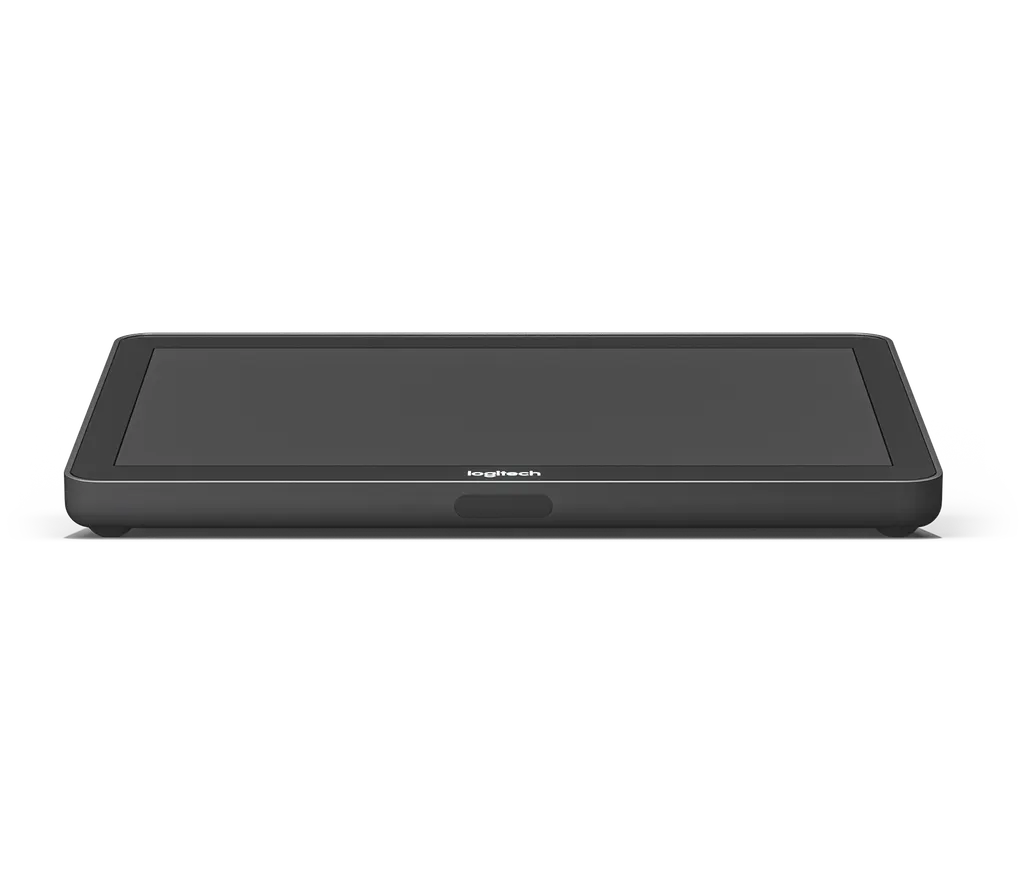
Logitech Tap
Logitech Tap 10.1-inch USB Meeting Room Touch Controller
- Platforms
- Google Meet
Priceon request
QuotationWithin 1 working day
DeliveryConfirmed with your quote, based on stock
Overview
The Logitech Tap is a 10.1-inch touch controller for one-touch meeting joins in Microsoft Teams Rooms, Zoom Rooms and Google Meet. It connects to the room computer over USB using the included Cat5e kit, with 2.97 m and 7.0 m cables and runs up to 40 m. An integrated PIR motion sensor and anti-glare 1280 x 800 screen suit boardrooms, classrooms and training rooms. Request a quote today.
What the Logitech Tap does in a meeting room
The Logitech Tap replaces a scattering of room controls with one 10.1-inch touch display that starts a scheduled video call in a single touch. It works with Microsoft Teams Rooms on Windows, Zoom Rooms and Google Meet, so the same controller can serve whichever platform your organisation has standardised on. It sits alongside the room computer rather than replacing it, which makes it a practical upgrade for rooms that already have a conferencing PC.
Cabling, power and the 40 m reach
Tap connects to the room computer over USB. The Cat5e kit includes a Tap receiver, a dongle transceiver and two Cat5e cables measuring 2.97 m and 7.0 m, and the kit supplies inline power to the controller over the same cable. Where the run needs to be longer, customer-supplied category cabling can be used, with a combined maximum of 40 m. That reach lets the controller sit close to participants while the computer stays in a cabinet, under a table or behind a display.
Screen, sensing and mounting options
The screen is a 10.1-inch capacitive touch display at 1280 x 800 pixels, with an oleophobic and anti-glare coating and a 14° display angle. An integrated PIR motion sensor supports always-on readiness, and the controller includes an integrated ultrasonic speaker and a 3.5 mm headset jack. Three optional mounts cover different layouts. The table mount keeps a low profile and swivels 180° so both sides of the table can reach it. The riser mount raises the viewing angle from 14° to 30° for better visibility across the room. The wall mount sits flush against the wall and includes a magnetic cable clip and dock for the HDMI cable.
Where it fits in Qatar
- Boardroom in a government authority in Msheireb: the controller sits on a table grommet while the Windows PC stays in a cabinet, so calls with colleagues abroad start in one touch.
- Seminar room in Education City: the riser mount helps attendees at the back see the screen while staff join Teams Rooms or Zoom Rooms meetings.
- Training room for an energy company in Mesaieed: a wall-mounted controller keeps the table clear, and the magnetic clip keeps the HDMI cable within reach but out of the way.
What to check before you order
Start with the room computer. Tap needs Windows 10 or later, or ChromeOS 80 or later, a USB 2.0 or higher Type A port, and a USB Type C port for the Tap receiver. It can also use an HDMI input for 1080p video and audio content sharing. Plan the cable route so the total run stays within 40 m, and note that the power supply is rated 100-240 V and ships with an international adaptor set. The published specification does not list an operating temperature range, so ask the SmartRooms Qatar team to confirm the environment before fitting the controller anywhere other than an air-conditioned room, such as a window-facing area exposed to sun and dust.
Ordering for several rooms
A free site survey confirms cable runs, desk layout and mount choice before anything is ordered. Organisations buying for several rooms, such as a school, a hotel group or a government authority, can issue one purchase order (LPO) or reference a tender. SmartRooms Qatar supplies and delivers to all 8 municipalities of Qatar, with professional installation available. Quotations are usually issued within one working day, and lead times are estimates confirmed with your quotation. Request a quote for your Logitech Tap order today.
Highlights
- 10.1-inch capacitive touch display at 1280 x 800 resolution
- One-touch join for Teams Rooms, Zoom Rooms and Google Meet
- Cat5e kit with 2.97 m and 7.0 m cables, up to 40 m total
- Integrated PIR motion sensor and ultrasonic speaker
- Table, riser and wall mounts available as accessories
- Two Kensington lock slots and VESA 100 x 100 mm pattern
Room fit
Tell us the room size and platform (Teams, Zoom or BYOD) and we confirm the right combination with your quotation.
Estimated timeline
Quotation within 1 working day · delivery timing depends on stock availability, and we confirm it with your quotation.
Specifications
7 specifications · Source: manufacturer · checked Oct 2026
Part Number1
- Items
- 939-001950
Dimensions - Touch Screen1
- Items
- 10.1” diagonal screen with 14° display angle · Oleophobic and anti-glare coating · 1280 x 800 resolution
Technical Specifications - General Specifications1
- Items
- Internal cable retention and strain relief system · Integrated ultrasonic speaker · Integrated PIR Motion Sensor · 100mm x 100mm VESA FDMI (Flat Display Mounting Interface) · Kensington Lock slots (2) · Cat5e or higher cables, combined maximum length: 40 m
Technical Specifications - COMPATIBILITY AND CERTIFICATIONS2
- Logitech Tap is certified or compatible as a touch controlle
- Google Meet Microsoft Teams Rooms on Windows Zoom Rooms
- Items
- For the latest compatibility information, see https://www.logitech.com/support/tap-compatibility
Technical Specifications - DisplayLink Plug and Display™1
- Items
- Tap connects via USB as an additional display for supported operating systems, including Windows 10 and ChromeOS
Technical Specifications - Optional Accessories1
- Items
- Table Mount · Riser Mount · Wall Mount
Downloads
2 files from the manufacturerQuestions about Logitech Tap
What is the Logitech Tap used for?
The Logitech Tap is a USB-connected touch controller for meeting rooms. Staff use its 10.1-inch screen to join scheduled video calls in one touch, and it integrates with room calendars so upcoming meetings appear on screen. It suits boardrooms, classrooms and training rooms across Doha where people need a simple way to start calls without a keyboard or mouse.
Which meeting platforms does the Tap support?
The Logitech Tap supports Google Meet, Microsoft Teams Rooms on Windows and Zoom Rooms. Google Meet is supported on ChromeOS and Android, so a school running Google Meet on Chromebooks can use it as well. Check the platform each room runs before ordering, because the manufacturer's data lists only these services.
Does the Tap need a network connection?
No. Tap is USB-connected and works through the room computer rather than the network. For Android-based room deployments, Logitech offers Tap IP, a separate network-connected touch controller that suits that setup. Your SmartRooms Qatar contact can help you compare the two before you request a quote.
How far can the Tap sit from the room computer?
The combined maximum cable length is 40 m. The Cat5e kit includes 2.97 m and 7.0 m cables, and customer-supplied Cat5e or higher cabling can extend the run within the same limit. This lets you place the controller near participants while keeping the PC in a cabinet, under a table or behind a display.
Is the Tap suitable for a boardroom in West Bay with a Windows PC?
Yes, provided the room PC runs Windows 10 or later and has a USB 2.0 or higher Type A port plus a USB Type C port for the Tap receiver. A boardroom running Microsoft Teams Rooms on Windows can use the table mount to keep the controller low profile, swivelling 180 degrees so attendees on both sides of the table can reach it. Book a free site survey to confirm cable routing before ordering.
We are equipping a school in Al Wakrah with Google Meet on Chromebooks. Will the Tap work?
Tap supports Google Meet on ChromeOS 80 or later and connects via USB as an additional display on supported operating systems. Before ordering, confirm that the USB ports on each room computer match the Tap receiver requirements, and that cable runs stay within 40 m. A quotation can cover several classrooms in one request, with delivery to Al Wakrah included.
Can a hotel in Lusail order several Tap units under one LPO?
Yes. SmartRooms Qatar can quote for several meeting rooms under one purchase order (LPO), with delivery to all 8 municipalities of Qatar. Each room needs its own computer with a suitable USB port, so confirm those before ordering. A free site survey checks cable runs of up to 40 m and the right mount for each room before installation begins.
Which mounting options are available for the Tap?
Three accessories are available: a table mount, a riser mount and a wall mount. The table mount secures the controller to a table grommet with a low profile and swivels 180 degrees. The riser mount does the same but raises the viewing angle from 14 to 30 degrees. The wall mount sits flush to the wall and includes a magnetic cable clip and dock for the HDMI cable.
What are the display specifications?
The Logitech Tap has a 10.1-inch diagonal capacitive touch display at 1280 x 800 pixels. It has an oleophobic and anti-glare coating and a 14-degree display angle, and it comes in graphite. The published data does not give a brightness figure, so compare the screen with your room's lighting during the site survey.
For a training room in Mesaieed where staff join Zoom Rooms calls with teams abroad, does the motion sensor help?
The integrated PIR motion sensor supports always-on readiness, so the controller is ready to use when people enter the room. The Tap also includes an integrated ultrasonic speaker, a 3.5 mm headset jack and internal cable retention and strain relief to keep cabling tidy on the table. It works with Zoom Rooms for PC, which suits training teams calling colleagues overseas.
Does the Tap work with Qatar's 240 V mains supply?
The power supply is rated 100-240 V and ships with an international adaptor set. Qatar mains is 240 V at 50 Hz with BS 1363 (Type G) sockets, so ask the SmartRooms Qatar team to confirm the correct adaptor for your sockets before you request a quote. Plug type and power routing can be checked during the site survey.
Can the Tap be installed in a lobby exposed to dust or heat?
The published specification does not list an operating temperature range or dust protection rating, so do not treat the Tap as an outdoor device. In places where summer heat above 45 degrees Celsius and dust storms are a concern, such as lobbies and window-facing reception areas, ask the SmartRooms Qatar team to confirm the environment before installation. Raise it during the free site survey.
Similar models



Biamp
Evoko Liso Freestand Mount - Boltable
Biamp Evoko Liso Freestand Mount (Boltable) 910-01935 Floor Stand
