





Thursday, 22 October 2026 · 11 Jumada I 1448 AH Sun – Thu · 9:00 – 18:00
+971 56 914 9477 العربية
WhatsApp

XCore Kit Pro

MAXHUB XCore Kit Pro Teams Room Kit for Medium to Large Rooms

WhatsApp
Priceon request
QuotationWithin 1 working day
DeliveryConfirmed with your quote, based on stock
PDFDownload datasheet (Xcore Kit Pro-Xcore Kit Pro-datasheet.pdf)
Overview

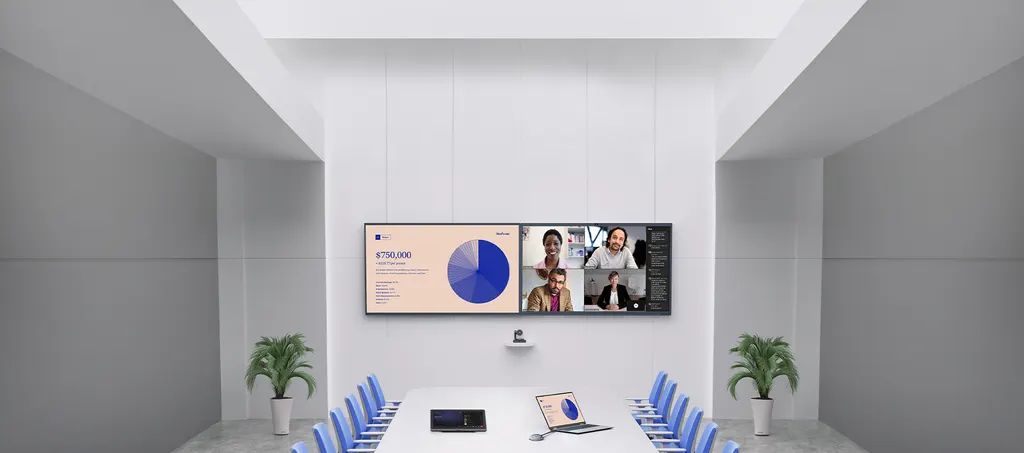
The MAXHUB XCore Kit Pro is a Microsoft Teams Rooms bundle for medium to large conference rooms. It pairs an XC25T mini-PC with a 12th Gen Intel i5 processor, 16GB memory and 256GB storage with a TCP30T 11.6-inch touch console, linked by a single Cat5e or Cat6a cable. Three HDMI outputs support dual-screen layouts, and an optional second console suits longer boardrooms. Organisations in Doha, Lusail and West Bay standardising meeting rooms can request a quote.

What the XCore Kit Pro bundles together

The MAXHUB XCore Kit Pro is a complete room system built around Microsoft Teams Rooms. Instead of sourcing a computer, a touch controller and cabling separately, buyers receive an XC25T mini-PC and a TCP30T touch console as one matched package. It is designed for medium to large conference rooms where participants need to start calls, share content and manage the meeting from the table.

Processing, display and connectivity

The XC25T runs a 12th Gen Intel i5 processor with 16GB DDR4 memory and 256GB storage, and it runs Windows 11 IoT Enterprise SAC with the Microsoft Teams Room application. Its ports include three HDMI outputs for a dual-screen layout, an HDMI input for content sharing, four USB-A 3.0 ports, gigabit Ethernet and Wi-Fi 6 with Bluetooth 5.1. The TCP30T has an 11.6-inch 1920 × 1080 capacitive touchscreen running at 60Hz. Its surface is anti-fingerprint and anti-glare, brightness is rated at a minimum of 250 cd/m² and a typical 300 cd/m² with glass, and display life is rated at 20,000 hours or more.

Cabling, sharing and console flexibility

One Cat5e or Cat6a cable carries the link between the touch console and the mini-PC, so the console can sit where participants can reach it without separate video and power runs to the table. The package includes a 7.5m Ethernet cable and a 1.8m USB-C cable for content sharing. Rooms that need a second control point can connect an optional second TCP30T through the console's dedicated RJ45 port. Wireless sharing works with the MAXHUB Wireless Dongle, which pairs through a USB-A 2.0 port on the console. That dongle is not listed among the included accessories, so confirm it when requesting your quote. The console also has a PIR motion sensor that wakes the screen as people approach, and a headphone output without a microphone.

Where it fits in Qatar

Three situations show where the kit earns its place:

  • A ministry meeting room in West Bay: officials join Teams calls with colleagues abroad using one tap on the console, while documents appear on a second screen.
  • A boardroom at an international school in Lusail or The Pearl: a second console lets staff at either end of a long table control the meeting without passing the controller around.
  • A hybrid meeting room in Msheireb or the Industrial Area: site and head-office teams share a dual-screen layout, with the mini-PC mounted out of sight behind a display.

What to plan before ordering

Measure the room and decide where each display goes before ordering. Three HDMI outputs and two 3m HDMI cables in the package set the practical reach from the mini-PC, so confirm distances early. Wired Ethernet links both the mini-PC and the console, so check that network points are available near both positions. The mini-PC weighs 1.12 kg and measures 196 × 196 × 40 mm, and a wall mount kit is included. Its maximum power consumption is 120W with a 19.5V 6.15A DC supply. The source data does not give an operating temperature range for the kit, so confirm the installation environment with the SmartRooms Qatar team before placing equipment, especially near windows or in rooms where summer temperatures can exceed 45°C. A free site survey can check cable routes and mounting before the order is placed.

Send your room dimensions and display plan to SmartRooms Qatar to request a quote. Quotations usually arrive within one working day, and we supply, deliver to all 8 municipalities of Qatar and install the kit professionally. Request a quote to start planning your meeting room.

Highlights

  • Microsoft Teams Rooms solution for medium to large conference rooms
  • XC25T mini-PC with 12th Gen Intel i5, 16GB memory and 256GB storage
  • TCP30T 11.6-inch 1920 × 1080 capacitive touch console
  • Three HDMI outputs for dual-screen display setups
  • Single Cat5e or Cat6a cable links console to mini-PC
  • Dedicated RJ45 port for an optional second touch console

Room fit

Tell us the room size and platform (Teams, Zoom or BYOD) and we confirm the right combination with your quotation.

Estimated timeline

Quotation within 1 working day · delivery timing depends on stock availability, and we confirm it with your quotation.


Specifications

Source: manufacturer · checked Oct 2026
The full specification and datasheet for this model are available on request; we send them with your quotation.

Downloads

9 files from the manufacturer

Questions about XCore Kit Pro

What is the MAXHUB XCore Kit Pro used for?
It is a Microsoft Teams Rooms kit for medium to large conference rooms, combining an XC25T mini-PC with a TCP30T 11.6-inch touch console. Participants can join Teams meetings with one tap on the console, and the mini-PC drives two displays through its three HDMI outputs. It suits meeting rooms where staff regularly host hybrid calls with colleagues across Qatar or abroad.
What processor, memory and storage does the XC25T mini-PC have?
The XC25T uses a 12th Gen Intel i5 processor with 16GB DDR4 memory and 256GB storage, with Intel UHD Graphics for video output. It runs Windows 11 IoT Enterprise SAC with the Microsoft Teams Room application. IT teams planning a Teams deployment can use these specifications when checking that the device matches their room and content sharing requirements.
Can the kit drive two screens in one meeting room?
Yes. The bundle is designed for dual-screen display, and the XC25T has three HDMI OUT ports to feed the displays. The package includes two 3m HDMI cables, so measure the distance from the mini-PC position to each screen before ordering. Longer runs may need cables that are not part of this package, which the SmartRooms Qatar team can confirm in your quotation.
How is the touch console connected to the mini-PC?
A single Cat5e or Cat6a cable links the TCP30T's RJ45 port to the RJ45 Touch Console port on the XC25T. The package includes a 7.5m Ethernet cable for this connection. Because the console is connected by network cable rather than separate video cabling, it can be placed on the table where participants can reach it easily, while the mini-PC is kept elsewhere.
Can we add a second touch console to the same room?
Yes. The TCP30T has a second RJ45 port for an optional second touch console, so a long boardroom can have controls at two positions. A second console is not part of the package listed for this kit, so include it in your quote request. This is useful in rooms where the presenter and the meeting chair sit at opposite ends of the table.
Does the kit support wireless content sharing?
Wireless sharing uses the MAXHUB Wireless Dongle, which pairs through a USB-A 2.0 port on the TCP30T console. The dongle is not listed among the included accessories, so ask SmartRooms Qatar to confirm whether it is needed for your setup. For wired sharing, the console's USB-C port handles content sharing, and the manufacturer describes 4K sharing over wired connections.
What are the display specifications of the TCP30T console?
The TCP30T has an 11.6-inch screen at 1920 × 1080 resolution and a 60Hz refresh rate, with a capacitive touch surface treated against fingerprints and glare. Brightness is rated at a minimum of 250 cd/m² and a typical 300 cd/m² with glass, and display life is rated at 20,000 hours or more. The console also has a PIR motion sensor that wakes the screen when someone approaches.
What power does the kit need?
The XC25T is powered by a DC input rated 19.5V 6.15A through the supplied power adapter and power cable, with a maximum consumption of 120W. The source data does not describe how the TCP30T console is powered, so confirm the power arrangement and socket types for Qatar's mains supply with the SmartRooms Qatar team before installation.
Can IT managers in Doha manage several meeting rooms remotely?
Yes. MAXHUB Pivot allows IT managers to monitor, control and update room devices remotely. This is useful for a government authority or school group with several meeting rooms across Doha, where IT staff cannot visit every room for routine checks. Ask the SmartRooms Qatar team how the management tool fits your existing IT policies when requesting a quote.
Will the mini-PC and console fit a boardroom in Msheireb?
The XC25T measures 196 × 196 × 40 mm and weighs 1.12 kg, and the TCP30T console measures 278 × 164 × 82 mm and weighs 1.16 kg. A wall mount kit is included with the mini-PC, so it can sit out of sight behind a display. A free site survey lets our team check cable routes, mounting positions and display placement before you order.
Can the equipment be used in a hot room with direct sunlight?
The source data does not state an operating temperature range for this kit. Summer temperatures in Qatar regularly exceed 45°C, so rooms with large windows or direct sun need careful planning. Confirm the installation environment with the SmartRooms Qatar team before placing the mini-PC or console, and ask about suitable locations for the equipment during the site survey.
Can our organisation order this kit on a purchase order or LPO?
Yes. SmartRooms Qatar accepts purchase orders and LPOs, and we also handle government tenders, including Monaqasat. For a government office or school ordering this kit for several rooms, send the room list, display plan and purchase order requirements with your request. We will issue a quotation that matches the kit contents and the delivery and installation arrangements for your sites.

Similar models

Yealink MVC S60 Yealink MVC S60 Microsoft Teams Rooms System with 360° Camera
360°
Biamp Evoko Liso Wall Mount Kit Biamp Evoko Liso Wall Mount Kit (910-01930) for Room Scheduling Displays
TAA Compliant
Email Call


