





Thursday, 22 October 2026 · 11 Jumada I 1448 AH Sun – Thu · 9:00 – 18:00
+971 56 914 9477 العربية
WhatsApp

CC200

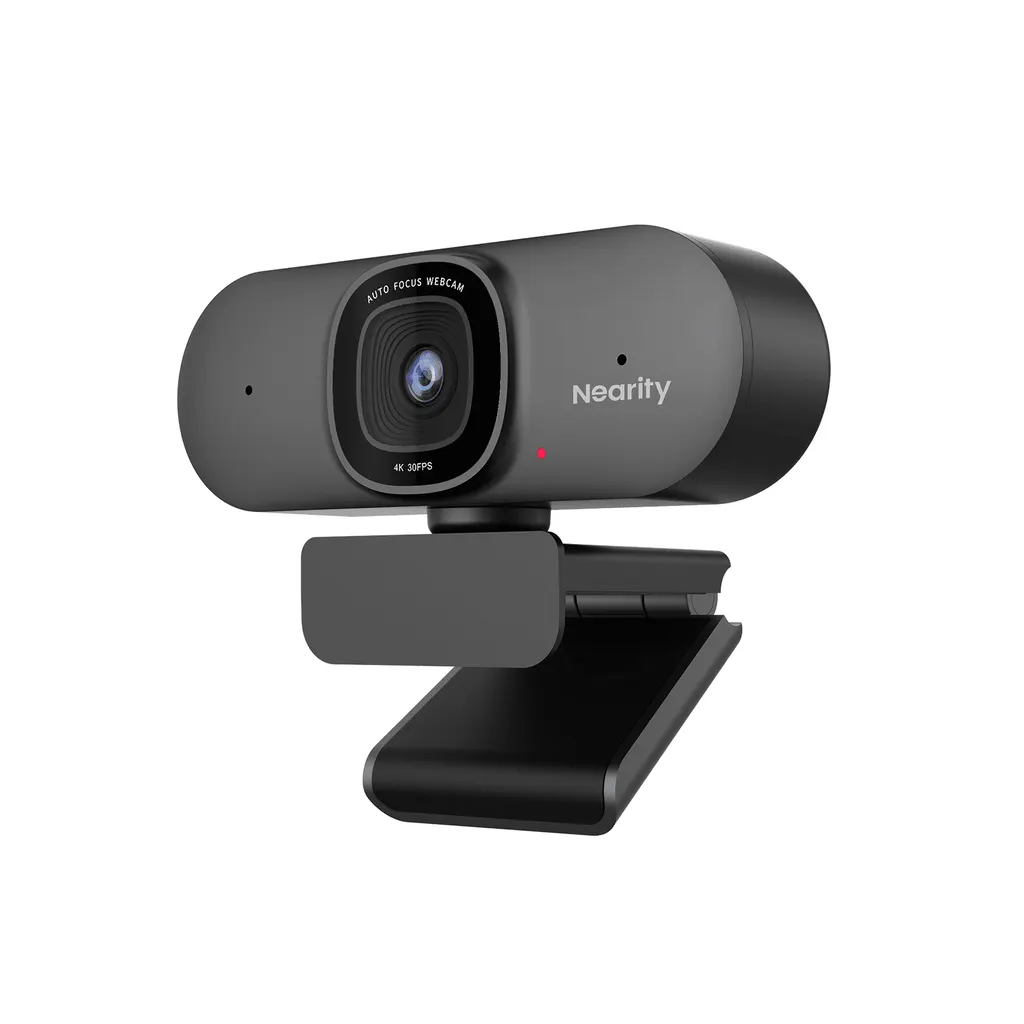
Nearity CC200 4K USB Conference Webcam

WhatsApp
Priceon request
QuotationWithin 1 working day
DeliveryConfirmed with your quote, based on stock
PDFDownload datasheet (Datasheet - CC200.pdf)
Overview

The Nearity CC200 is a 4K USB webcam with an 8-megapixel Sony CMOS sensor, true autofocus and AI-powered auto-framing that keeps speakers centred as they move. It runs at 60 FPS in 1080p, with a default 90° field of view adjustable to 45°, 60° or 75° in NearSync software. Two noise-canceling microphones suit home offices, boardrooms and classrooms across Doha. Request a quote for one unit or a batch.

What the CC200 delivers on a video call

The Nearity CC200 is a USB webcam designed for desks, laptops and monitors. Its 8-megapixel Sony CMOS sensor records in 4K resolution. For smoother motion, the manufacturer specifies 60 frames per second at 1080p. The default 90° field of view covers a small group seated around one table, so the CC200 suits a team more than a single person.

Focus, framing and field of view

Autofocus locks onto the person speaking, or onto an object held up to the lens such as an ID card. The AI-powered auto-framing mode keeps the speaker centred as they move, and the camera refocuses and widens its frame when new participants join, so nobody has to adjust it by hand. Framing is switched on inside NearSync, where the field of view can also be set to 45°, 60°, 75° or 90°. A 45° setting suits one presenter, while 75° fits a small team.

Audio and low-light performance

Two built-in microphones pick up clear speech within 10 ft, and the noise-canceling algorithm filters sounds such as keyboard typing, which helps in shared offices. Exposure is corrected automatically when lighting changes, and brightness and saturation can be fine-tuned in NearSync. The adjustable fill light helps in rooms with uneven lighting.

Where the CC200 fits in Qatar

  • Remote work in The Pearl: a professional joins daily calls with a head office abroad from a home desk.
  • Distance learning in Al Rayyan: a teacher presents lessons to a small group of students from one fixed position.
  • Sales calls in Lusail: a small office uses the camera for client meetings, with the auto-framing following the presenter.

What to plan before ordering

  • Choose the mounting position: desk, monitor or laptop, or stand or tripod.
  • Test the conferencing platform you use. The product data gives Zoom as the only example, so confirm others first.
  • Keep the camera away from sunlit windows and hot spaces, and ask the SmartRooms Qatar team to confirm the operating environment.
  • The manufacturer provides a 1-year warranty covering quality-related issues.
  • Schools and government bodies can order several units against a purchase order (LPO).

If you are equipping a meeting room, classroom or home office, send the quantity, the platform you use and your delivery location to the SmartRooms Qatar team and request a quote. Quotations are usually issued within one working day.

Highlights

  • 8-megapixel Sony CMOS sensor with 4K resolution
  • 60 FPS at 1080p for smoother motion
  • Default 90° field of view, adjustable to 45°, 60° or 75°
  • True autofocus with AI-powered auto-framing
  • Two built-in noise-canceling microphones, pickup within 10 ft
  • Three mounting options: desk, monitor or laptop, stand or tripod

Room fit

Tell us the room size and platform (Teams, Zoom or BYOD) and we confirm the right combination with your quotation.

Estimated timeline

Quotation within 1 working day · delivery timing depends on stock availability, and we confirm it with your quotation.


Specifications

Source: manufacturer · checked Oct 2026
The full specification and datasheet for this model are available on request; we send them with your quotation.

Downloads

1 file from the manufacturer

Questions about CC200

Who is the Nearity CC200 best suited for?
The CC200 suits one or a few people sitting at a desk, such as a remote worker in The Pearl joining calls with a head office abroad, or a teacher in Al Rayyan delivering lessons from home. The default 90° field of view covers a small team gathered around a table, and the 45° setting narrows the frame for a single presenter. Setup is a single USB connection, which keeps it simple for users who want a quick start.
What resolution and frame rate does the CC200 deliver?
The CC200 records in 4K resolution from an 8-megapixel Sony CMOS sensor. The manufacturer specifies 60 frames per second at 1080p for smoother motion when people move around the frame. It does not publish a separate frame rate for 4K, so ask the SmartRooms Qatar team to confirm the output for your lecture or board meeting before planning a large session.
How does auto-framing work when more people join a call?
Auto-framing uses AI to keep the speaker centred as they move, while autofocus sharpens on the person or on an object such as an ID card held to the lens. When new participants join, the camera refocuses and widens its frame to include them. To use it, enable the framing mode in NearSync. This suits a presenter in a Msheireb meeting room who stands up while colleagues join from the table.
Can I change the field of view, and where are the settings adjusted?
Yes. The default field of view is 90°, and NearSync software lets you change it to 45°, 60° or 75°. A 45° setting gives a tighter view for a single presenter, while 60° or 75° suits two to four people at a table. NearSync also adjusts brightness and saturation. Set the field of view to match the room, then check it with a test call before an important meeting.
Will the microphones pick up background noise in a busy open-plan office in Doha?
The two built-in microphones capture clear speech within 10 ft, and the noise-canceling algorithm blocks unwanted sounds such as keyboard tapping. That makes the CC200 practical for shared workspaces in West Bay or the Industrial Area where desks sit close together. In a large conference room, a dedicated microphone placed closer to the speakers will usually cover the room better than a webcam microphone at this range.
Does the CC200 work in dim meeting rooms in Lusail?
It corrects exposure automatically, so the image stays usable as light changes during the day. You can also fine-tune brightness and saturation in NearSync, and the fill light is adjustable. A Lusail sales office with a window on one side may still need a desk lamp placed to light the presenter's face, because a webcam performs best when light falls evenly on the subject.
How is the CC200 set up and mounted?
Connect the USB cable to your computer, then select the camera in your conferencing application. The CC200 has three mounting options: on the desk, on a monitor or laptop, or on a stand or tripod. Choose the position before ordering so the lens sits at eye level in front of the person presenting, and plan cable routing so the USB lead reaches the computer without strain.
Which video conferencing apps does the CC200 work with?
The manufacturer's example shows the CC200 selected as both the video and audio source in Zoom. Other platforms are not listed in the product data, so confirm compatibility with the SmartRooms Qatar team before rolling it out across your organisation. Include the platform, operating system and number of units in your request, so the quotation reflects your setup.
Can a school in Al Wakrah use the CC200 for hybrid classes?
Yes, for a teacher or tutor presenting from one desk or lectern. A school in Al Wakrah running hybrid lessons could mount the CC200 on a monitor or tripod at the front of a classroom, with autofocus keeping the teacher sharp and auto-framing following movement. Schools ordering several units often issue a purchase order (LPO), and SmartRooms Qatar can quote for multiple cameras with delivery across Qatar.
Can I place the CC200 beside a sunny window in a Doha office?
The product data does not give an operating temperature range, so do not assume the CC200 tolerates direct sun or hot air. Place it in an air-conditioned room away from direct sunlight, especially in summer when outdoor temperatures can exceed 45°C. Ask the SmartRooms Qatar team to confirm the operating environment before you mount it near a window or in a space without cooling.
What warranty applies, and how do I request a quote?
The manufacturer provides a 1-year warranty on its products, covering quality-related issues. To request a quote, send SmartRooms Qatar the quantity, the conferencing platform you use and your delivery location. Quotations are usually issued within one working day. Buyers can pay by bank transfer, cheque or purchase order, and government tenders such as Monaqasat are also supported.

Similar models

Biamp Vidi 100 Biamp Vidi 100 4K Conferencing Camera
Cameras
Biamp Vidi 150 Biamp Vidi 150 4K Conferencing Camera
Cameras
Biamp Vidi 250 Biamp Vidi 250 4K Conferencing Camera
120 Degrees Zoom Certified
Biamp Vidi 280 Biamp Vidi 280 4K Conferencing Camera with Dual Sensors
Ultrawide Lens Zoom Certified
Biamp Vidi Content Cam 250 Biamp Vidi Content Cam 250 4K Whiteboard Content Camera Kit
120° Up to 5x digital zoom
Email Call


