






Barco
ClickShare Power Supply 100W
Barco ClickShare Power Supply 100W, 100-Watt Video Conferencing Accessory
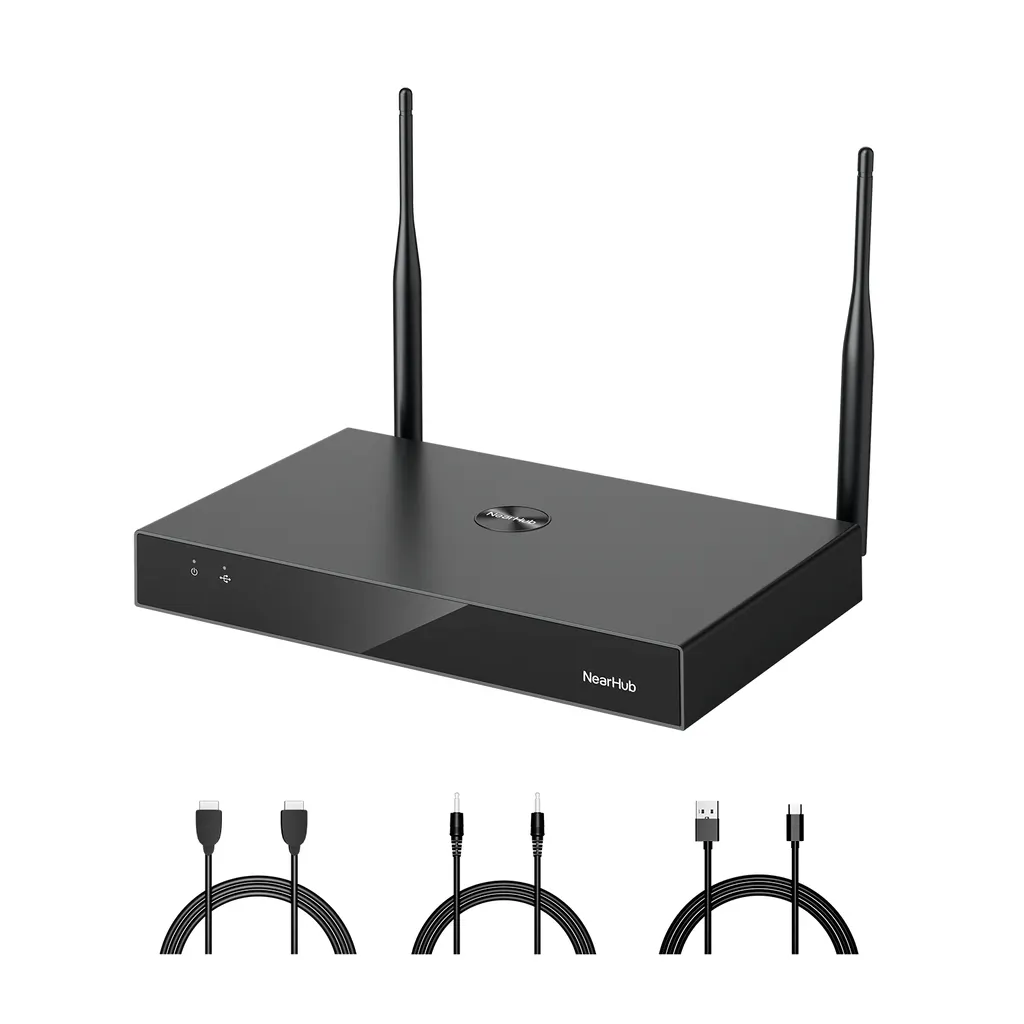
NearHub Rooms NR10
Nearity NearHub Rooms NR10 Recording and Streaming Device
Priceon request
QuotationWithin 1 working day
DeliveryConfirmed with your quote, based on stock
Overview
The NearHub Rooms NR10 from Nearity is a compact recording and streaming device for meeting rooms, lecture spaces and events. It accepts HDMI, USB and network inputs, mixes multi-channel audio, and outputs 1080P video encoded in H.264 or H.265. Staff can switch saved scene layouts from a tablet, record to SD card, and stream over RTMP. It suits Qatari schools, universities and corporate teams that want lecture capture.
What the NearHub Rooms NR10 does
The NearHub Rooms NR10 is a recording and streaming device from Nearity for rooms where a presenter, lecturer or small production team needs a clean recording or live feed without a dedicated operator. Instead of a control dock, several boxes and a tangle of cabling, the NR10 gathers inputs, audio mixing and output into one compact unit that is run from a tablet.
Inputs, video output and audio mixing
The unit takes HDMI, USB and network sources, so a laptop, a camera feed and a networked source can all be selected within one session. Video output is 1080P HD, encoded with H.264 or H.265. The built-in audio mixer blends several audio channels into one program mix, which helps when a lectern microphone, a room microphone and a laptop soundtrack all need to be balanced in the recording.
- Inputs: HDMI, USB and network sources in one unit.
- Output: 1080P HD video using H.264 or H.265 encoding.
- Audio: multi-channel mixing built into the device.
Scenes, tablet control and storage
Saved scene presets let staff recall a screen layout and audio setup with one selection, so a lesson or board meeting starts with the same configuration every time. Control runs from a tablet interface designed for users without deep technical training, and the operator can move around the room while keeping full control. Recordings can be stored on an SD card, reviewed in the companion app, or exported by USB, and live feeds can be sent over RTMP to the streaming platform your team uses.
Where it fits in Qatar
Three situations show where the NR10 earns its place:
- A private school in Al Wakrah recording classroom presentations and assemblies so parents abroad can watch later, with teachers running each session from a tablet.
- A government authority in Msheireb holding a board meeting that includes colleagues joining from another emirate, with a recording kept for the minutes.
- A training centre in Education City capturing a workshop demonstration and streaming it live to a second group in another building.
What to plan before installation
Start with the room. Confirm which sources need to be connected, such as a laptop, a camera or a networked feed, and check that each one has a matching HDMI, USB or network connection. The NR10 offers an Ethernet connection, so plan a network point near where the unit will sit. Storage on an SD card should suit the length of the sessions you plan to record.
The source data does not give operating temperature, dimensions or power details for this model. Before placing the unit in a hot, dusty or unconditioned space, confirm the environment with the SmartRooms Qatar team, because summer temperatures in Qatar can exceed 45°C.
SmartRooms Qatar offers free site surveys, delivery to all 8 municipalities of Qatar and professional installation. The NR10 comes with a 1-year manufacturer warranty covering quality-related issues. Request a quote with your source list, room layout and number of units, and the team will usually send a quotation within one working day.
Highlights
- HDMI, USB and network inputs handled in one unit
- 1080P HD video output using H.264 or H.265 encoding
- Built-in audio mixer for multi-channel sound
- Custom scene presets for screen layout and audio
- Tablet control, SD card storage and RTMP streaming
- Ethernet connection and 1-year warranty on quality issues
Room fit
Tell us the room size and platform (Teams, Zoom or BYOD) and we confirm the right combination with your quotation.
Estimated timeline
Quotation within 1 working day · delivery timing depends on stock availability, and we confirm it with your quotation.
Specifications
Source: manufacturer · checked Oct 2026
The full specification and datasheet for this model are available on request; we send them with your quotation.
Downloads
0 files from the manufacturerNo downloadable files are listed for this model yet. Ask us and we will send the datasheet.
Questions about NearHub Rooms NR10
What is the NearHub Rooms NR10 used for?
The NR10 is a recording and streaming device that brings HDMI, USB and network sources into one unit, mixes the audio and outputs 1080P video. It suits lecture rooms, training rooms and meeting rooms where staff want a recording or live stream without a camera operator or a rack of separate boxes. Choose it when the goal is capturing a session rather than running a full broadcast studio.
Which video resolution and codecs does it output?
The NR10 outputs 1080P HD video and uses H.264 or H.265 encoding for the video output. Both codecs are widely used for recordings and streams, so files can be shared on the platforms your team already uses. The source data does not list other resolutions, so ask the SmartRooms Qatar team to confirm any specific output requirement before you order.
Can it stream live to a platform over RTMP?
Yes. The NR10 can export over RTMP to leading streaming platforms, so a live feed from a lecture or event can reach a destination that accepts RTMP. Recordings can also be saved to an SD card or exported over USB. Confirm your streaming platform's RTMP settings with the SmartRooms Qatar team before the first session so the broadcast starts on time.
How is the NR10 controlled during a session?
Control runs through a tablet interface that the manufacturer designed to need minimal technical expertise. The operator can move around the room with an extended range while keeping full control. Scene presets can be saved, so the same screen layout and audio setup is recalled with one selection at the start of each lesson or meeting, which suits teachers who run sessions without an AV technician.
Does the NR10 connect to a school or office network?
Yes. The NR10 includes an Ethernet connection that eases integration into existing networks. Because a live stream depends on a steady link, plan a wired network point close to where the unit will sit, and ask the SmartRooms Qatar team to check the cable route during the free site survey before the equipment is ordered.
Can I combine a lectern microphone, a room microphone and a laptop?
The built-in audio mixer blends multi-channel audio into one output, so a lecturer's microphone, a room microphone and a laptop soundtrack can be balanced into one recording. In a lecture hall in Education City, this avoids a separate mixing desk for routine captures. Check that each microphone and source connects through HDMI, USB or the network inputs before ordering.
Will it work with my existing AV equipment?
The manufacturer describes broad compatibility with mainstream AV devices, which is a useful starting point. It is not a guarantee for every camera, microphone or switcher already installed in your room. Send your device list to SmartRooms Qatar, and the team will confirm inputs and cabling before a quotation is issued, usually within one working day.
What warranty comes with the NR10?
Nearity offers a 1-year warranty on its products, covering quality-related issues. The NR10 is covered by the manufacturer's warranty when supplied through SmartRooms Qatar. The source data does not list further warranty terms, so ask the team to state the warranty conditions in your quotation before you sign a purchase order.
Can a government entity buy the NR10 with an LPO or tender?
Yes. SmartRooms Qatar accepts purchase orders (LPOs) and government tenders, including Monaqasat, and accepts payment by bank transfer, cheque or purchase order. A ministry or authority equipping one board room can issue an LPO against the quotation, and the team can align the delivery and installation schedule with the approval process.
Is it suitable for a hospital, outdoor or hot location?
The source data does not give an operating temperature range or an outdoor rating for the NR10, so do not assume it suits outdoor, hot or dusty areas. Qatar summers can exceed 45°C. Plan the NR10 for a meeting, lecture or training room, and confirm the environment with the SmartRooms Qatar team before placing it in any other location.
How much space does the NR10 need, and how is it mounted?
The source data does not list dimensions or weight, so the footprint of the NR10 is not stated here. Plan for a secure, ventilated spot in an equipment cabinet or on a shelf near the display and the network point. SmartRooms Qatar offers free site surveys, so the team can measure the room and cable run before you commit to a quantity.
What should a school ordering several units plan for?
Standardising on one model across classrooms means every room gets the same inputs, tablet control and scene presets, so teachers learn one workflow. Count the rooms that need capture, list the sources in each room, and confirm the network points. A school in Al Wakrah or Al Rayyan can then request one quotation covering all units and issue a single LPO.



