Sennheiser
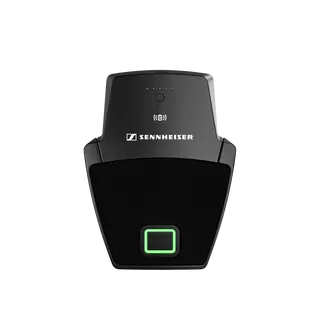
SL Boundary 114-S DW-3 B
Sennheiser SL Boundary 114-S DW-3 B Wireless Table Boundary Microphone

SOImage on request
Microphone Array System Manager MASM-1
Sony MASM-1 Microphone Array System Manager, Free Software for MAS-A100
Priceon request
QuotationWithin 1 working day
DeliveryConfirmed with your quote, based on stock
Overview
The Sony MASM-1 is free management software for the MAS-A100 Beamforming Microphone. It finds microphones on your local network, registers them, runs automatic calibration on several units at once and keeps their settings and status under one screen. It suits Qatari meeting rooms, lecture halls and conference venues where multiple microphones need consistent audio. Request a quote for a planned rollout.
What the MASM-1 manages on your network
The Sony Microphone Array System Manager MASM-1 is management software for the MAS-A100 Beamforming Microphone. Instead of configuring each microphone by hand, you run one application that installs and manages several units centrally over the local network. It covers initial setup, calibration, general settings, day-to-day operation and firmware management.
Discovery, registration and grouping
The search function looks for MAS-A100 units across the local area network, then sets them up and registers them with the manager. Once registered, you can group devices in whatever arrangement suits your building, such as by floor, wing or cluster of meeting rooms, so related microphones can be handled together.
Calibrating several microphones in the same room
Auto calibration can run on multiple microphones at the same time inside one room, and each Beamforming Microphone is tuned to that room's acoustic parameters. In a boardroom with several units, this means one calibration session rather than adjusting each device separately, which shortens setup before the room goes live.
Settings that return after restarts and standby
The software assigns default settings to each device when it is turned on and when it moves from standby back to active. Audio settings are initiated automatically at startup, so a room that is shut down overnight or over a weekend comes back to its configured state without manual reconfiguration.
Where it fits in Qatar
- Ministry boardrooms in Doha, where several microphones must be calibrated to one room and managed by IT staff from a single place.
- University lecture theatres and seminar rooms in Education City, where a central team needs to see the status of many rooms without visiting each one.
- Hotel and conference venues in Lusail and West Bay, where room configurations change often and default settings must be restored reliably after startup.
Planning the PC and network before rollout
The manager runs on Microsoft Windows 10 (64-bit) with a 2GHz or faster processor, at least 4GB of memory, at least 300MB of disk space and a minimum display resolution of 1280x720. It also needs Google Chrome version 70 or later and .NET Framework 4.7.2 or later. Because discovery runs across the local network, confirm that the host PC and the microphones sit on the same network before installation.
A free site survey from SmartRooms Qatar can confirm room layouts and network arrangements before you decide on the number of units. If your project covers several rooms, a purchase order (LPO) is an option. Request a quote, tell us how many MAS-A100 microphones you plan to manage and where they will be installed, and we will confirm the software requirements for your project.
Highlights
- Discovers and registers MAS-A100 microphones on the local network
- Calibrates several microphones in the same room at once
- Groups devices for clearer management across multiple rooms
- Assigns default audio settings at power-on and when leaving standby
- Monitors and controls microphones centrally over the network
- Requires Windows 10 (64-bit), Chrome 70+ and .NET Framework 4.7.2+
Room fit
Tell us the room size and platform (Teams, Zoom or BYOD) and we confirm the right combination with your quotation.
Estimated timeline
Quotation within 1 working day · delivery timing depends on stock availability, and we confirm it with your quotation.
Specifications
7 specifications · Source: manufacturer · checked Oct 2026
General7
- Operating system
- Microsoft Windows 10 (64-bit)
- Processor
- 2GHz or faster
- Memory
- 4GB (minimum)
- Disk space
- 300MB (minimum)
- Display resolution
- 1280x720 (minimum)
- Web browser
- Google Chrome version 70 or later
- Other
- .NET framework 4.7.2 or later
Downloads
2 files from the manufacturerQuestions about Microphone Array System Manager MASM-1
What is the Sony MASM-1 used for?
The MASM-1 is free management software for the MAS-A100 Beamforming Microphone. It supports installing and managing several microphones centrally over a local network, covering initial setup, calibration, general settings, operation and firmware management. It is most useful when a room has more than one microphone, or when you need to manage several rooms from one place.
Does the MASM-1 work with microphones other than the MAS-A100?
The software is built for the MAS-A100 Beamforming Microphone, the only microphone model named for it in its published information. If you plan to use a different microphone, ask the SmartRooms Qatar team to confirm compatibility before you request a quote, so you do not purchase hardware the software cannot manage.
Can the software find microphones on our network automatically?
Yes. The search function discovers MAS-A100 microphones in the local area, sets them up and registers them with the manager. You can then group devices as you wish, for example by floor, wing or group of meeting rooms. That grouping helps a facilities team organise an office building or campus with many rooms.
Can it calibrate several microphones in the same room at once?
Yes. Automatic calibration can run on several microphones at the same time in one room, and each Beamforming Microphone is tuned to that room's parameters. At a conference centre in Lusail with several units in a single hall, this means one calibration session rather than tuning each microphone separately, which saves time before an event.
What computer specification does the software need?
The manager runs on Microsoft Windows 10 (64-bit) with a 2GHz or faster processor, at least 4GB of memory, at least 300MB of disk space and a minimum display resolution of 1280x720. It also needs Google Chrome version 70 or later and .NET Framework 4.7.2 or later. Check your existing PC against these figures before scheduling installation.
Does it support Windows 11 or macOS?
The published requirements list only Windows 10 (64-bit). Before your IT team plans a deployment on Windows 11 or any other operating system, ask the SmartRooms Qatar team to confirm which platforms are supported. Include the PC and operating system you intend to use in your quotation request, so the check is completed before you buy.
Will the microphones keep their settings after a restart?
Yes. The software assigns default settings when a microphone is turned on and when it switches from standby to active, and audio settings are initiated automatically at startup. A hotel conference room in Lusail or West Bay that is shut down overnight can therefore return to its configured audio state without an operator reconfiguring each unit.
How do facilities teams monitor microphones across several rooms?
The software monitors and controls multiple microphones over the network from one application. An IT or facilities team responsible for several buildings in Doha can check the status of units in different rooms from a single PC, which reduces site visits when a microphone needs attention before a meeting.
Is it a good fit for a large ministry boardroom in Doha?
Yes, a boardroom with several MAS-A100 units sharing one acoustic space is a sensible fit. Auto calibration tunes each microphone to the room and can run on all units together, so setup can be completed in one session. Ask for a free site survey first to confirm the room layout and network before fixing microphone positions.
Could a private school in Al Rayyan use it across several classrooms?
Yes, if the classrooms use MAS-A100 microphones. The school's IT team can register units across several rooms, group them by building or floor, and monitor their status over the local network from one Windows 10 PC. Confirm the network arrangement and PC specification before ordering, and request a site survey that covers every block.
Can a government body buy this through a tender or purchase order?
Yes. SmartRooms Qatar supports purchase orders (LPOs) and government tenders, including those issued through Monaqasat. Payment can be made by bank transfer, cheque or purchase order. Quotations are usually sent within one working day, so the quote can reach your internal approval process in time.
Similar models
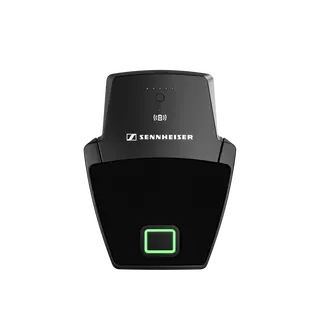
Sennheiser
SL Boundary 114-S DW-4 B
Sennheiser SL Boundary 114-S DW-4 B Wireless Table Boundary Microphone