UMB202
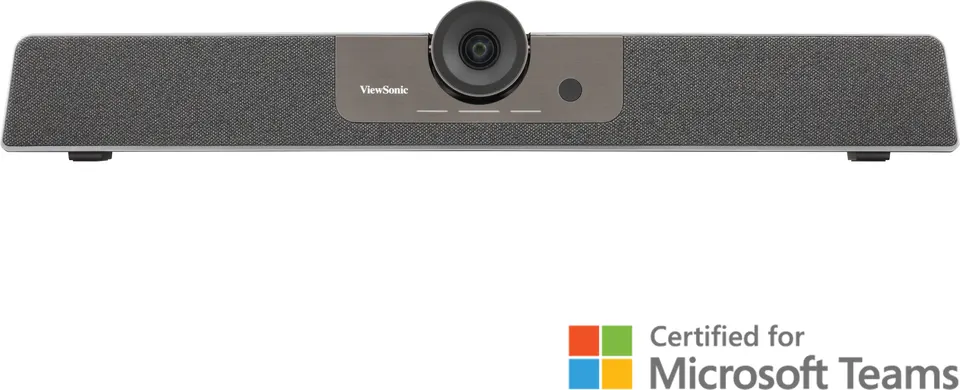
ViewSonic UMB202 TeamJoin 4K Video Bar for Microsoft Teams Rooms
- Video
- H.264/MJ: @30FPS
- Field of view
- 117.8° (DFOV) ,109°…
- Microphones
- 6 element
- Speakers
- mid-bass modulex1
The ViewSonic UMB202 is a video bar that combines a 4K camera with a Sony IMX577 sensor, 5x digital zoom, auto-framing and direction-of-arrival voice tracking. A six-microphone array covers an 8-metre pickup range, and an 8W and 3W speaker setup handles the audio. It suits mid-sized Teams meeting rooms in ministries, schools and corporate offices across Qatar.
What the UMB202 does in a meeting room
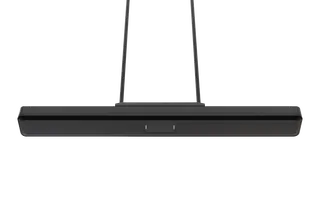
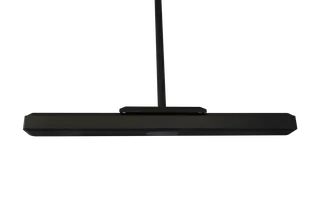
The ViewSonic UMB202 TeamJoin 4K Video Bar System combines a camera, a six-microphone array and a speaker in one bar that sits above or below the display. ViewSonic positions it within its TeamJoin solutions for Microsoft Teams Rooms, so it suits rooms where people join Teams calls and remote colleagues need to see and hear everyone seated at the table.
Camera and tracking that follow the conversation
The camera uses a Sony IMX577 sensor, a 1/2.3-inch CMOS chip with 12 million pixels, and outputs up to 3840×2160 at 30 fps using H.264. Its field of view is 117.8° diagonal, 109° horizontal and 74.4° vertical, a wide angle that suits rooms where several people sit along one side of the table. Auto-framing adjusts the shot as people arrive or move, while direction-of-arrival voice tracking turns the view toward whoever is speaking. A 5x digital zoom with electronic pan and tilt lets a remote team focus on a presenter at the front of the room, and the remote control handles these functions from the table.
Microphones and speaker sized for the room
Six beamforming microphones cover an 8-metre pickup range, so participants can speak from their seats without passing a microphone around. The speaker has a mid-bass module and a treble module, rated 8W and 3W, and produces 80 dBA at 1 metre at maximum volume. A dedicated mic mute button sits on the unit, and USB audio supports a 16 kHz sampling rate with UAC 2.0.
Connections, power and what to plan before installation
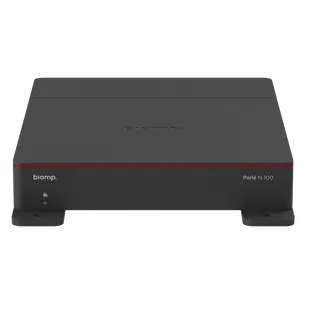
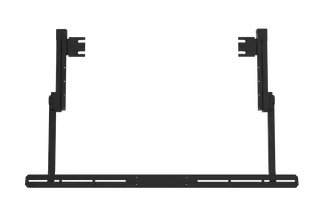
The rear panel offers a USB-C port, USB 3.0 with USB 2.0 compatibility, an audio output, a DC 2.0 power input and an RJ45 port. The RJ45 port is for power only, using IEEE 802.3at at up to 25.50 W, and a power adapter is included as well. The box also contains a 1.8-metre USB Type-C cable with a Type-C to A adapter, the remote control, wall mount components, screws, a lens cover, a quick start guide and the compliance statement.
Supported host systems are Windows 7, 8.1, 10 and 11 or later, macOS 10.10 or later, Google Chromebook running version 29.0.1547.70 or later, and Android. Before ordering, confirm which power route your room will use and the cable path from the bar to the host computer. Plan the mount height so the lens sits at a sensible level for the seating, and book a free site survey before drilling into a wall or glass partition. The source data gives no operating temperature range, so confirm the environment with the SmartRooms Qatar team before installing the unit in a space that is not air-conditioned.
Where it fits in Qatar
- A government authority in Doha equipping a mid-sized meeting room where officials join Teams calls with colleagues in other offices.
- A private school in Al Wakrah setting up a staff or parent meeting room, where auto-framing and the remote control keep the system simple for non-technical users.
- A consultancy in Lusail or The Pearl running calls with overseas project teams, where the 4K camera and six-microphone array help keep discussions clear when several people speak.
To check whether the UMB202 suits your room size, camera position and power plan, request a quote from SmartRooms Qatar. Quotations are usually issued within one working day, and we supply, deliver to all eight municipalities of Qatar and arrange professional installation.
Highlights
- Sony IMX577 1/2.3-inch 12MP sensor, video up to 4K at 30fps
- 5x digital zoom with electronic pan and tilt
- Auto-framing and direction-of-arrival voice tracking
- Six beamforming microphones with an 8-metre pickup range
- 8W and 3W speaker rated at 80 dBA at 1 metre
- USB-C connection and RJ45 power over IEEE 802.3at, 25.50W max
Room fit
Tell us the room size and platform (Teams, Zoom or BYOD) and we confirm the right combination with your quotation.
Estimated timeline
Quotation within 1 working day · delivery timing depends on stock availability, and we confirm it with your quotation.
Specifications
Camera7
- Resolution
- H.264/MJ: @30FPS (1)3840×2160 (2)2560×1440 (3)1920×1080 (4)1280×720 (5)1024×576 (6)960×540 (7)800×600 (8)640×480 (9)640×360 (10)480×270 (11)352×288 (12)320×240 NV12 / YUY2: @30FPS (1)1920×1080(2)1280×720 (3)640×360
- Sensor
- IMX577 1/2.3 inch, CMOS, 12M pixel
- FOV
- 117.8° (DFOV) ,109° (HFOV),74.4° (VFOV)
- PTZ
- EPTZ (5X digital Zoom)
- Digital Noise Reduction
- Yes
- White Balance
- Yes
- Exposure
- Yes
Audio3
- Microphone array
- 6 element, 8 meters pickup range
- Speaker
- mid-bass modulex1, treble module x1 in one box (Maximum output 8W + 3W)
- Output Power
- 80 dBA @ 1000 Hz @ 1 meter at maximum volume
I/O6
- USB-TypeC
- 1
- Audio Out
- 1
- DC 2.0 Power
- 1
- RJ45
- 1 (Only for power supply) IEEE 802.3 at,25.50W (max)
- Power Button
- Power Button: In startup mode, press the power button to mute. In standby mode, press the power button to power on.
- MIC Mute Button
- Yes
USB feature5
- Connection type
- USB 3.0, downward compatible with USB2.0
- Video Compression
- MJPEG /YUY2 / H.264 / NV12
- USB audio
- 16K sampling rate, support UAC2.0
- USB video communication protocol
- UVC 1.1
- UVC PTZ control
- Support (Control Via Remote controller)
Intelligent Function2
- Auto Framing
- Yes
- Voice tracking
- Yes
System Compatibility1
- OS
- Windows 7 /8.1/10/11 or higher macOS® 10.10 or higher Google ChromebookTM Version 29.0.1547.70 or higher Android
Accessory (inbox)8
- USB Type-C cable
- 1.8m typeC x1 (include TypeC to A Plug adaptor)
- Remote Control
- Yes
- Power adapter
- 1
- Wall mount components
- 1
- Screws
- Yes
- Lens Cover
- 1
- QSG
- Yes
- Compliance statement
- Yes