






Biamp
Evoko Kleeo Desk Manager 6-pack + 1yr license
Biamp Evoko Kleeo Desk Manager 6-Pack (910-01972) Desk Booking Display
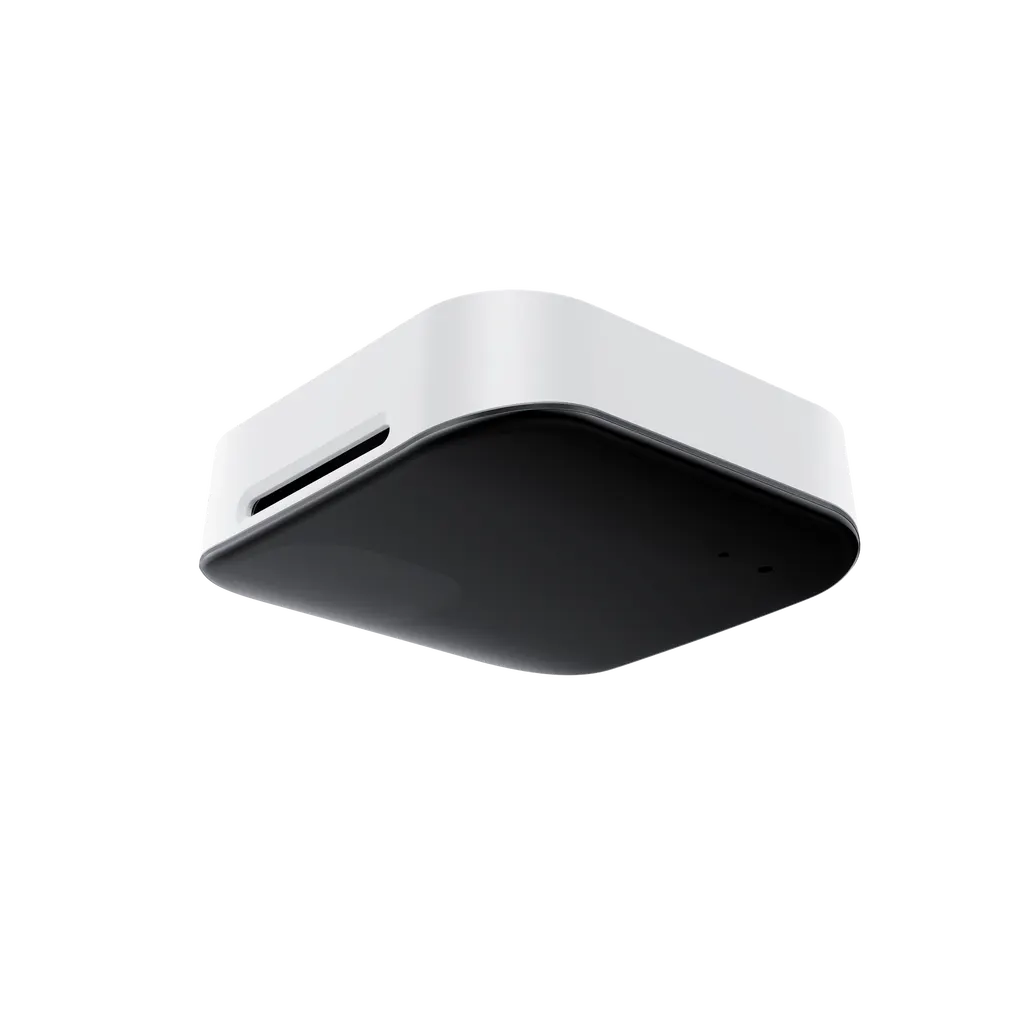
RoomSensor Pro
Yealink RoomSensor Pro Room Occupancy and Environment Sensor
Priceon request
QuotationWithin 1 working day
DeliveryConfirmed with your quote, based on stock
Overview
The Yealink RoomSensor Pro is a ceiling-mounted sensor that counts people in a meeting room and measures temperature, humidity and illuminance. Its AI-based counting covers a 4 m radius at 3 m mounting height, and it sends data over Bluetooth 5.2 to compatible Yealink gateways. It suits medium meeting rooms in Doha that need automatic occupancy tracking and environmental monitoring. Request a quote.
What the RoomSensor Pro measures in a meeting room
The Yealink RoomSensor Pro is a ceiling-mounted sensor built for meeting rooms. It counts the people present and monitors temperature, humidity and illuminance, which is the light level in the room. Counting uses an AI algorithm that recognizes both moving and static people, so participants who sit still through a long review session still register in the count. The sensor links to a compatible Yealink gateway over Bluetooth 5.2 and pushes its data to the gateway on its own initiative.
Coverage and zone setup for medium rooms
With the sensor mounted at 3 m, its detection area is a circle with a 4 m radius, roughly 50 square meters. The recommended mounting height sits between 2.7 m and 3 m, and the manufacturer advises placing the unit directly above the meeting table so that every seat falls inside the circle. Detection distance reaches 5 m. Up to 8 customizable detection zones can be set within the main area, which helps when a doorway, window or corridor falls inside the field and should be handled differently. For a larger boardroom, up to 4 RoomSensors can be paired to extend coverage.
Environmental data and room automation
Temperature is measured from 0°C to 40°C at 0.1°C resolution. Humidity covers 10% to 95% RH at 0.5% resolution, and illuminance is reported across five gears, from 0 to 300 lux up to 20,000 lux and above. The gateway can pass these readings to a third-party IoT platform, which may use them to control lighting, curtains or air conditioning. What the platform can actually switch depends on its own functions and settings, so confirm this during design. Because the operating range is 0°C to 40°C with 10% to 95% humidity, non-condensing, install the sensor in an air-conditioned room. Summer temperatures in Doha can exceed 45°C.
Power, ports and installation planning
The sensor takes power from PoE (IEEE 802.3af) or a DC 5V/1.2A supply, so you can choose the option that suits the ceiling and cabling. It has one 10/100Mbps Ethernet port, one USB-A port and a reset button, plus a USB LED and a system LED. It measures 98 × 98 × 30.5 mm and weighs 187.5 g. Fixing is by 3M adhesive or drilling, and the detachable base makes maintenance straightforward. Before installation, check the ceiling material and thickness, since these determine the recommended fixing method.
Where it fits in Qatar
- Government offices in West Bay: ministry meeting rooms where occupancy data shows staff which rooms are truly in use and helps release unused bookings.
- Private schools in Lusail: air-conditioned staff and parent meeting rooms, where temperature and light readings help keep long sessions comfortable.
- Universities in Education City: small seminar rooms and research team rooms, where headcount data helps plan room use across a term.
Before ordering, send SmartRooms Qatar the room dimensions, ceiling type and the Yealink gateway model you plan to use, and the team will confirm placement and compatibility. Free site surveys are available, and quotations are usually issued within one working day. Purchase orders and government tenders are accepted, and payment can be made by bank transfer, cheque or purchase order. Request a quote for your RoomSensor Pro today.
Highlights
- Recognizes both dynamic and static people for occupancy counting
- Covers a 4 m radius, about 50 square meters, at 3 m height
- Measures temperature, humidity and illuminance in one device
- Up to 8 customizable detection zones per sensor
- Bluetooth 5.2 link to compatible Yealink gateway devices
- PoE (IEEE 802.3af) or DC 5V/1.2A power options
Room fit
Tell us the room size and platform (Teams, Zoom or BYOD) and we confirm the right combination with your quotation.
Estimated timeline
Quotation within 1 working day · delivery timing depends on stock availability, and we confirm it with your quotation.
Specifications
23 specifications · Source: manufacturer · checked Oct 2026
Basic1
- Details
- Detection: - People Counting - Temperature - Humidity - Illuminance
Sensor11
- - Detection range
- Radius 4m circular area (when the installation height is 3m)
- - Detection distance
- ≤5m
- - Range
- 0° C~40℃; 10~95% RH
- - Resolution
- 0.1℃; 0.5%RH
- - Accuracy
- -2~+3℃; ±10%;; ±10%
- - First Gear
- 0~300lux
- - Second Gear
- 301~800lux
- - Third Gear
- 801~3000lux
- - Fourth Gear
- 3001~20000lux
- - Fifth Gear
- 20000lux and above
- Details
- People Counting: Temperature: Humidity: Illuminance: - Range:
Connectivity5
- Ethernet
- 1 x Ethernet port (10/100Mbps)
- Bluetooth
- 5.2
- USB
- 1 x USB-A
- Button
- 1 x Reset
- Details
- Power Supply: - PoE (IEEE 802.3af) - DC 5V /1.2 A LED: - 1×USB LED - 1×System LED
Installation2
- Method
- Ceiling installation
- Height
- ≤ 3m ( The recommended deployment height for the device is between 2.7 meters and 3 meters. )
Environmental2
- Operating Temperature
- 0~40° C
- Operating Humidity
- 10~95%, non-condensing
Dimension2
- weight(g/lb)
- 187.5/0.41
- size(mm/in )
- 98×98×30.5 ( 3.86 ″ ×3.86 ″ ×1.20 ″ )
Downloads
11 files from the manufacturer
PDF
Yealink RoomSensor Pro datasheets (PDF, 146 KB)
PDF
Yealink RoomSensor Pro manuals & guides (PDF, 465 KB)
PDF
Yealink RoomSensor Pro manuals & guides (PDF, 2.0 MB)
URL
Yealink RoomSensor Pro manuals & guides (URL)
DXF
Yealink RoomSensor Pro drawings & cad (DXF)
STP
Yealink RoomSensor Pro drawings & cad (STP)
10 -
Yealink RoomSensor Pro software & firmware (10 - FIRMWARE & RELEASE NOTE)
25 -
Yealink RoomSensor Pro software & firmware (25 - FIRMWARE & RELEASE NOTE)
PDF
Yealink RoomSensor Pro other documents (PDF, 1.0 MB)
URL
Yealink RoomSensor Pro other documents (URL)
MP4
Yealink RoomSensor Pro other documents (MP4)
Questions about RoomSensor Pro
What is the Yealink RoomSensor Pro used for?
It counts people in a meeting room and monitors temperature, humidity and illuminance, then sends the data to a compatible Yealink gateway. Organizations use the occupancy data to show room status on a RoomPanel and to find rooms that are booked but empty. It suits small and medium conference rooms where room use is hard to track manually, such as shared meeting rooms in government offices and corporate headquarters.
How many people can it count, and how large an area does it cover?
It counts both moving and static people. At a 3 m mounting height, the detection area is a circle with a 4 m radius, about 50 square meters, and detection distance reaches 5 m. One unit fits a small to medium meeting room. For larger spaces, up to 4 RoomSensors can be paired to extend coverage, and people counting is accurate only within the sensor's own coverage area.
What environmental readings does it provide, and at what ranges?
Temperature is reported from 0°C to 40°C at 0.1°C resolution, humidity from 10% to 95% RH at 0.5% resolution, and illuminance in five gears up to 20,000 lux and above. These readings let facilities teams check whether a room is too warm, too humid or too dark before a meeting starts. Ask SmartRooms Qatar for the current accuracy specification before you set alert thresholds.
How does it connect to the rest of my room system?
It connects to compatible Yealink gateway devices over Bluetooth 5.2 and sends its data to them proactively. The gateway passes occupancy information to RoomPanel or RoomPanel Plus. The manufacturer lists specific compatible gateway models on its support website, so confirm your gateway model before ordering. SmartRooms Qatar can check compatibility with you when you request a quote.
Can it help release unused meeting room bookings?
Yes. The manufacturer describes occupancy reporting to RoomPanel and RoomPanel Plus for room occupancy and release, and lists automatic reservation and automatic release among its functions. For example, if a room booked for 10 o'clock stays empty, it can be released for colleagues. The actual behaviour depends on your booking platform and RoomPanel configuration, so confirm the workflow in the quotation.
What powers the RoomSensor Pro, and what cabling does it need?
It runs on PoE (IEEE 802.3af) or a DC 5V/1.2A supply, so it does not rely on batteries. PoE suits ceilings near a network point, because one Ethernet cable provides both power and data. The DC option suits rooms without a spare PoE switch port. The sensor has a 10/100Mbps Ethernet port, so check your switch port speed before installation.
How is it mounted, and does the ceiling type matter?
It is designed for ceiling installation and can be fixed with 3M adhesive or by drilling. The recommended height is 2.7 m to 3 m, and it should not exceed 3 m. Ceiling material and thickness can change which method is recommended, so check the ceiling type before choosing adhesive or drilling. The base and body detach, which simplifies deployment and later maintenance.
Can it be installed in a hot Qatar room or a dusty public area?
Its operating range is 0°C to 40°C with 10% to 95% humidity, non-condensing. Summer temperatures in Doha can exceed 45°C, so install it in air-conditioned meeting rooms rather than outdoor, open-sided or unconditioned spaces. Confirm the room's conditions with the SmartRooms Qatar team during the free site survey before the unit is fixed to the ceiling.
Can I set separate detection zones within a meeting room?
Yes. You can customize up to 8 detection zones within the main detection area. This helps when people pass through a doorway or corridor without sitting down, so the occupancy count matches the room layout more closely. Zones are configured during setup, and the SmartRooms Qatar team can help identify the right zone positions during the site survey.
Is it suitable for a meeting room in Education City or a government office in West Bay?
Yes, if the room is small or medium-sized with a central table. Mount the RoomSensor Pro above the table at 2.7 m to 3 m so the seats fall within coverage. Larger boardrooms, such as a government authority's board room, can use up to 4 paired RoomSensors. Check the ceiling and lighting conditions on site, then request a quote stating the number of rooms.
Can my organization buy it through a purchase order or government tender?
Yes. SmartRooms Qatar accepts purchase orders (LPOs) and government tenders, including those on Monaqasat, and payment by bank transfer, cheque or purchase order. Quotations are usually issued within one working day, and a free site survey confirms placement, ceiling type and gateway compatibility. Products are covered by the manufacturer's warranty. Request a quote with your room count and ceiling details.
Similar models



Biamp
Evoko Liso Freestand Mount - Boltable
Biamp Evoko Liso Freestand Mount (Boltable) 910-01935 Floor Stand
