






Biamp
Evoko Kleeo Desk Manager 6-pack + 1yr license
Biamp Evoko Kleeo Desk Manager 6-Pack (910-01972) Desk Booking Display
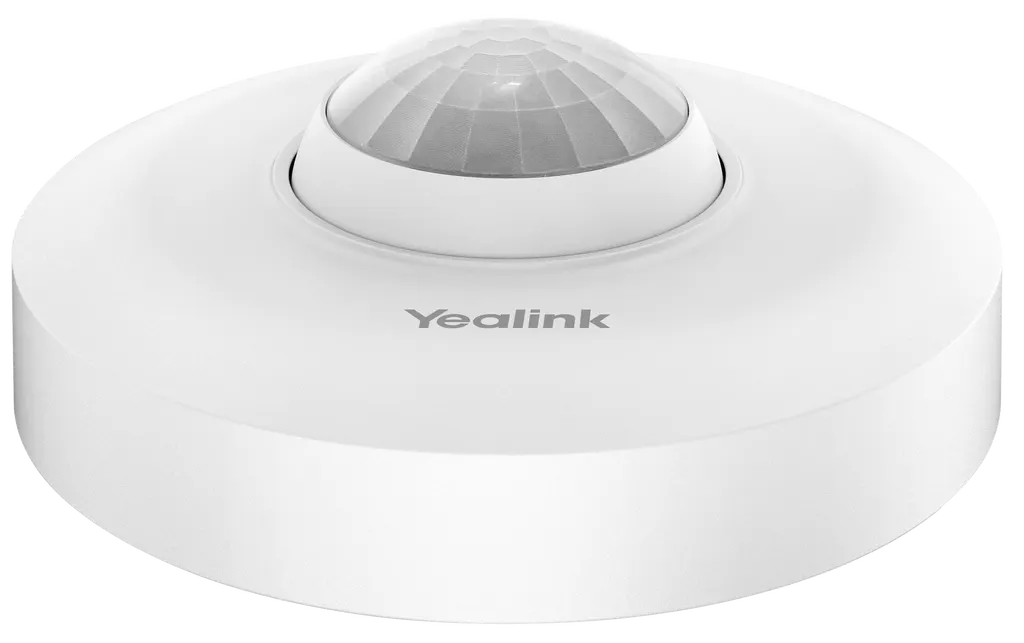
RoomSensor
Yealink RoomSensor Occupancy Sensor for Meeting Rooms
- Connectivity
- Maximum 4 simultaneously
Priceon request
QuotationWithin 1 working day
DeliveryConfirmed with your quote, based on stock
Overview
The Yealink RoomSensor is a wireless PIR occupancy sensor for meeting rooms that also reads temperature, humidity and light. Its magnetic bracket lets it mount on a ceiling or wall without cabling, and its replaceable lithium battery is rated for up to four years. It links with Yealink RoomPanel units over Bluetooth Low Energy for automatic check-in and room release, suiting huddle and medium meeting rooms in Doha and Lusail.
What the RoomSensor detects in a meeting room
The Yealink RoomSensor is a battery-powered wireless sensor built around passive infrared (PIR) detection. It reports whether a room is occupied and also measures temperature, humidity and ambient light, so one compact device gives a room booking system and building controls the data they need.
- Occupancy: PIR detection across a 120° angle, with the sensor head adjustable by ±20° to fine-tune coverage.
- Temperature: measuring range of -10°C to 70°C.
- Humidity: measuring range of 0 to 80% RH.
- Light: ambient light detection for linking with a connected light controller.
Mounting and coverage planning
At a standard 3 m mounting height, the sensor covers a 6 m radius for major motion and a 3 m radius for minor motion. Its circular bracket uses a magnetic design, so the unit can be fitted to a ceiling or wall without running cables and removed when the battery needs replacing. The body measures Φ95.3 mm by 36 mm and weighs 0.092 kg. A single RoomSensor is designed for huddle to medium meeting rooms; larger rooms can use several units on a Bluetooth mesh to extend coverage across the space.
Qatar meeting rooms where it earns its place
Consider an office in West Bay where bookable rooms often sit empty after the scheduled start time. Linking the sensor to a RoomPanel lets the system release a reservation automatically when no check-in is detected, so the room returns to the pool for colleagues. A Doha company running hybrid meetings with teams abroad can use the same occupancy data to switch lights off when a room empties, through a connected light controller.
In a government body or university office in Education City, facilities teams can use temperature and humidity readings to drive air conditioning control through a linked gateway, keeping meeting spaces comfortable during long sessions. The RoomSensor is for indoor use only: its operating range is 0 to 40°C with 10 to 95% non-condensing humidity, and its IP20 rating does not suit dusty or outdoor locations. Summer temperatures in Qatar often exceed 45°C, so keep units away from sun-exposed windows and unconditioned areas, and confirm room conditions with the SmartRooms Qatar team before installation.
What to plan before ordering
- Confirm which RoomPanel units and workspace management platform the sensors will pair with.
- Plan a battery replacement schedule, since service life is up to four years and the battery is user-replaceable.
- Book a free site survey to check room size, mounting height and ceiling type.
- For multi-room projects, SmartRooms Qatar delivers to all eight municipalities and accepts purchase orders (LPOs).
To get a quotation, send your room sizes, mounting heights and the RoomPanel models you already use. The SmartRooms Qatar team usually responds within one working day. Request a quote today to confirm how many RoomSensor units each meeting room needs.
Highlights
- Passive infrared occupancy detection across a 120° angle
- Measures occupancy, temperature, humidity and ambient light
- Magnetic circular bracket for ceiling or wall mounting
- Replaceable CR123A lithium battery, up to four years service life
- Bluetooth Low Energy link to RoomPanel, 30 m reach
- Mesh support for multi-sensor coverage in larger rooms
Room fit
Tell us the room size and platform (Teams, Zoom or BYOD) and we confirm the right combination with your quotation.
Estimated timeline
Quotation within 1 working day · delivery timing depends on stock availability, and we confirm it with your quotation.
Specifications
24 specifications · Source: manufacturer · checked Oct 2026
Basic2
- Housing
- PC, White
- Details
- Detection: Occupancy Temperature Humidity Light
Sensor6
- Occupancy Type
- Passive Infrared Tech
- PIR detection angle
- 120°
- Sensor adjustable angle
- ± 20°
- PIR coverage (Standard 3 m/9.8 ft mounting height)
- 6 m/19.7 ft radius (major motion); 3 m/9.8ft radius (minor motion)
- Temp measuring range
- -10° C to 70° C
- Humidity measuring range
- 0-80% RH
Communication4
- Protocol
- Bluetooth BLE 5.2
- Frequency band
- 2.4 GHz
- Reach
- 30 m (100 ft)
- Multi-connectivity
- Maximum 4 simultaneously, BLE mesh
Power Supply2
- Power supply
- 3 V (1*CR123A lithium battery)
- Battery life
- 4 years of service life
Indicator2
- Button
- 1 x config button
- Led
- 1 x LED
Operating Environmental2
- Temperature range
- 0 to 40℃
- Humidity
- 10-95%, non-condensing
IP Rating1
- IP Rating
- IP20
Dimension&Weight2
- Dimensions
- Φ95.3 mm*36 mm
- Weight
- 0.092 KG(0.203 lb)
Mount2
- Bracket
- Circular mounting bracket, Magnetic Design
- Mounting
- Ceiling/Wall Mounted
Management1
- Details
- Yealink Management Cloud Service Yealink Device Management Platform
Downloads
15 files from the manufacturer
PDF
Yealink RoomSensor datasheets (PDF, 613 KB)
PDF
Yealink RoomSensor datasheets (PDF)
PDF
Yealink RoomSensor manuals & guides (PDF, 1.8 MB)
PDF
Yealink RoomSensor manuals & guides (PDF, 1017 KB)
URL
Yealink RoomSensor manuals & guides (URL)
URL
Yealink RoomSensor manuals & guides (URL)
URL
Yealink RoomSensor manuals & guides (URL)
PDF
Yealink RoomSensor manuals & guides (PDF)
DXF
Yealink RoomSensor drawings & cad (DXF)
STP
Yealink RoomSensor drawings & cad (STP)
60 -
Yealink RoomSensor software & firmware (60 - FIRMWARE & RELEASE NOTE)
PDF
Yealink RoomSensor other documents (PDF, 1.0 MB)
URL
Yealink RoomSensor other documents (URL)
MP4
Yealink RoomSensor other documents (MP4)
MP4
Yealink RoomSensor other documents (MP4)
Questions about RoomSensor
What is the Yealink RoomSensor used for?
The RoomSensor is a wireless PIR occupancy sensor for meeting rooms. It reports whether a room is occupied and also measures temperature, humidity and ambient light. Paired with a Yealink RoomPanel, it supports automatic check-in and automatic room release, so unused bookings are freed for other staff. It is designed for huddle rooms and medium-sized meeting rooms rather than large halls.
Which room sizes suit a single RoomSensor?
A single unit is designed for huddle to medium meeting rooms. At a standard 3 m mounting height it covers a 6 m radius for major motion and a 3 m radius for minor motion. For a larger boardroom or training room, several units can be linked in a Bluetooth mesh to extend coverage. Measure the room and confirm the layout during a free site survey before ordering.
How does the detection angle adjustment work?
The PIR detection angle is 120°, and the sensor can be adjusted by ±20°. This lets installers aim coverage at seating areas rather than doorways or corridors that can distort readings. The adjustable lens allows different sensing area configurations, which helps when a meeting room has an unusual layout or a ceiling position that is not central.
How long does the battery last and can it be replaced?
The sensor runs on one 3 V CR123A lithium battery that the user can replace. It is rated for up to four years of service life. The status alarm reports abnormal equipment and battery status, so facilities teams can schedule a swap before a room loses coverage. Keep a battery log for every unit, especially in multi-site projects across Doha, Al Rayyan and Lusail.
Does the RoomSensor need cables or a separate gateway?
No cabling is needed. The unit connects over Bluetooth Low Energy with a reach of 30 m (100 ft), and the manufacturer states it can connect directly to a RoomPanel without extra gateways. It supports up to four simultaneous connections and BLE mesh. Mounting uses a magnetic circular bracket on a ceiling or wall, so wiring costs are kept low during installation.
Is the RoomSensor suitable for hot or dusty spaces in Qatar?
It is for indoor use only. Its operating range is 0 to 40°C with 10 to 95% non-condensing humidity, and its IP20 rating does not suit dusty or outdoor locations. Summer temperatures in Qatar can exceed 45°C, so keep units away from sun-exposed windows, lobbies with open doors and unconditioned areas. Confirm the room conditions with the SmartRooms Qatar team before fixing the unit.
Can the RoomSensor control lights and air conditioning?
It can contribute to both when linked with other equipment. The data sheet describes automatic light switching based on ambient light through a connected light controller, and environmental adjustment by linking to a gateway that controls the air conditioner. The RoomSensor itself detects conditions; the switching happens in the connected controller or gateway, so those devices should be included in the design.
Which management platform does the RoomSensor use?
RoomSensor devices are managed through the Yealink Workspace Management Platform and its cloud service. Administrators can monitor, manage and diagnose devices remotely, and receive alarms for abnormal equipment or battery status. Ask the SmartRooms Qatar team which platform option fits your organisation when you request a quote, so the sensors and RoomPanel units are configured together.
Does a RoomSensor replace a RoomPanel?
No. The RoomSensor adds occupancy and environmental sensing, while the RoomPanel handles the booking display. The sensor pairs with the RoomPanel to enable automatic reservation, automatic release and power supply alarms. If a room already has a RoomPanel, the sensor adds occupancy-based release. If you are fitting out a new room, request a quote for both devices together.
How big is the RoomSensor and how heavy is it?
The unit measures Φ95.3 mm by 36 mm and weighs 0.092 kg (0.203 lb). Its small footprint suits ceiling or wall mounting in a meeting room without a visible cable run. For planning, the 3 m mounting height is the coverage reference used in the specification. A site survey in West Bay, Msheireb or Lusail can confirm ceiling type and fixing points before installation.
Can a school or ministry pay for several units with a purchase order?
Yes. SmartRooms Qatar accepts purchase orders (LPOs) and government tenders, including Monaqasat, and accepts payment by bank transfer, cheque or purchase order. A school in Al Rayyan fitting out several meeting rooms can send one LPO covering all units, with delivery to any of the eight municipalities of Qatar. Products are covered by the manufacturer's warranty.
Is the RoomSensor the right choice for a large conference hall?
Only with a multi-sensor layout. The RoomSensor is described as ideal for huddle to medium meeting rooms. For larger halls, several units can be networked on a Bluetooth mesh to provide broader coverage. A conference centre or training facility near Education City should plan unit positions with a site survey and confirm the total count in the quotation before ordering.
Similar models



Biamp
Evoko Liso Freestand Mount - Boltable
Biamp Evoko Liso Freestand Mount (Boltable) 910-01935 Floor Stand
