






Barco
ClickShare Power Supply 100W
Barco ClickShare Power Supply 100W, 100-Watt Video Conferencing Accessory
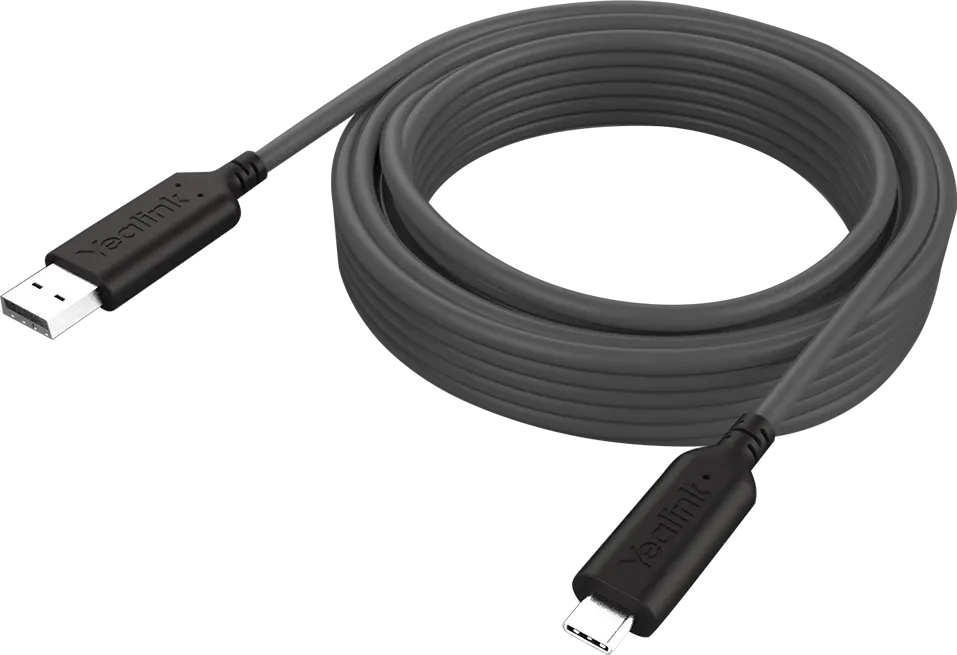
USB3 Cable
Yealink USB3 Cable - USB 3.0 Cable for SmartVision 60 (15m or 30m)
Priceon request
QuotationWithin 1 working day
DeliveryConfirmed with your quote, based on stock
Overview
The Yealink USB3 Cable is a USB 3.0 cable made for the Yealink SmartVision 60 video conferencing device. It comes in 15-metre and 30-metre lengths, so the device can sit well away from the computer or control point. Yealink certifies it for this device. It suits boardrooms, lecture halls and training rooms in Qatar where the camera and control point are at opposite ends of the room. Request a quote for the length your room needs.
What the Yealink USB3 Cable does
The Yealink USB3 Cable is a USB 3.0 cable made to connect the Yealink SmartVision 60 when the device has to sit farther from the computer or control point than a standard cable allows. It is supplied in two lengths, 15 metres and 30 metres. Yealink certifies the cable for this device, which matters because a generic cable of the same length is not guaranteed to meet the same requirements in a live meeting.
Choosing between 15m and 30m
Measure the actual route rather than the straight-line distance. Include vertical drops to ceiling or wall trunking, any detours around doors, columns or AV racks, and a small service loop at each end. A 15-metre cable suits a compact meeting room where the camera and host computer sit close together. A 30-metre cable is the practical choice for a large boardroom, lecture hall or training room where the control point is at the back of the room or in a separate equipment cabinet.
Where it fits in Qatar
- Boardrooms in West Bay or Msheireb: a camera mounted on the wall above a large display, with the computer in a credenza at the far end of the table.
- Lecture halls and seminar rooms in Education City: a camera at the front of the room and a control point at the rear, where the lecturer can manage the session.
- Ministry and authority conference rooms in Doha: cable routed through existing trunking so the room layout and finishes stay as they are.
Planning the cable run
Plan the route before ordering. Keep the cable away from mains power cables where possible, avoid tight bends, and route through trunking or conduit where the building allows it. Leave slack at each end so the connectors are not under strain. The source data does not state an operating temperature range for this cable, so keep it away from direct sunlight and hot surfaces near windows, and confirm the installation environment with the SmartRooms Qatar team before fixing it in place.
SmartRooms Qatar offers a free site survey, which is useful for longer runs where the cable path must be checked against real walls, ceilings and furniture. Professional installation can be included in the quotation. The product is covered by the manufacturer's warranty.
Requesting a quote
Send the room layout, the device model and the approximate route length, and the SmartRooms Qatar team will confirm the correct length and quantity. Quotations are usually issued within one working day. We supply against purchase orders (LPOs) and government tenders, including Monaqasat, and accept payment by bank transfer, cheque or purchase order. Request a quote for the Yealink USB3 Cable today.
Highlights
- Designed for the Yealink SmartVision 60 video conferencing device
- Available in 15m or 30m lengths
- Certified by Yealink for this device
- USB 3.0 cable for longer camera runs
- Covered by the manufacturer's warranty
Room fit
Tell us the room size and platform (Teams, Zoom or BYOD) and we confirm the right combination with your quotation.
Estimated timeline
Quotation within 1 working day · delivery timing depends on stock availability, and we confirm it with your quotation.
Specifications
Source: manufacturer · checked Oct 2026
The full specification and datasheet for this model are available on request; we send them with your quotation.
Downloads
2 files from the manufacturerQuestions about USB3 Cable
What is the Yealink USB3 Cable used for?
The Yealink USB3 Cable is a USB 3.0 cable made to connect the Yealink SmartVision 60 when the device has to sit farther from the computer or control point than a standard cable allows. It is sold in 15-metre and 30-metre lengths. It suits meeting rooms, boardrooms and lecture halls in Doha, Lusail and Education City where the camera and the host computer are at opposite ends of the room.
Which lengths are available, and how do I choose?
The cable is available in 15 metres and 30 metres. Measure the route from the device to the computer or control point, including vertical drops and detours around columns, doors and racks, then add slack at each end. A 15-metre cable suits a compact meeting room. A 30-metre cable suits a large boardroom, lecture hall or training room. Our team can confirm the correct length during a site survey before you order.
Is this cable only for the SmartVision 60?
The source data describes the cable as certified for the Yealink SmartVision 60, and that is the device it is listed for. If you plan to use it with another device, ask the SmartRooms Qatar team to confirm compatibility before ordering, because the certification applies to the SmartVision 60. Do not assume that a generic USB 3.0 cable of the same length will perform in the same way.
Why choose the certified Yealink cable instead of a generic USB 3.0 cable?
Long USB 3.0 runs are sensitive to cable quality, and a cable that is not matched to the device can cause dropped connections or unreliable performance during a meeting. Yealink certifies this cable for the SmartVision 60, so it is the safer choice for a room where the camera must work reliably. Ask SmartRooms Qatar to quote the certified cable alongside your camera rather than sourcing a loose cable separately.
We have a boardroom in West Bay with the camera above the screen and the PC in a credenza at the far end of the table. Which length should we order?
For a boardroom where the camera sits on the wall above the display and the computer is across the room, measure the run along the wall and down to the credenza, then add slack at both ends. The 30-metre cable gives more room for routing and service loops, while the 15-metre option only works if the computer sits close to the camera. Confirm the exact route during our free site survey before ordering.
Can this cable be used in a university lecture hall in Education City?
Lecture halls are a typical use for a longer cable run, where the camera is mounted at the front of the room and the lecturer's control point is at the back or in a separate cabinet. Plan the route through floor or wall trunking, keep it away from mains power cabling where possible, and avoid tight bends. Measure the longest route in the hall and check it against the 30-metre length before requesting a quote.
How should the cable be routed in a Doha office to avoid damage?
Route it through existing trunking or conduit where the building allows, leave a service loop at each end, and avoid sharp bends or places where it could be crushed under furniture or doors. Keep it clear of mains power cables where possible. The source data does not give a bend radius or an operating temperature, so have the installer follow the manufacturer's guidance and confirm the route with the SmartRooms Qatar team before fixing clips or trunking.
Is the cable covered by a warranty?
The Yealink USB3 Cable is covered by the manufacturer's warranty. The source data does not state the warranty duration or its terms, so ask the SmartRooms Qatar team to confirm them when you request a quote. Keep your purchase order and invoice with the room's equipment record so the cable can be identified quickly if a warranty claim is ever needed.
Can I include the cable in a quotation for a SmartVision 60 installation?
Yes. The cable can be included in the same quotation as the SmartVision 60 and any mounting or installation work, so the length, quantity and route are agreed in one document. Send the room layout and device details when you request a quote. Quotations are usually issued within one working day, and the cable can be added to a purchase order for a government or school project.
Will the cable perform in a hot room with sunlight coming through the windows?
The source data does not state an operating temperature range for this cable, so we cannot confirm its performance in high heat. Summer temperatures in Qatar can exceed 45°C, so keep the cable away from direct sunlight, hot window surfaces and equipment exhaust. Our team can check the environment during a free site survey and advise on routing before the cable is installed.
Do I need a site survey before ordering?
A survey is recommended for any run longer than a few metres, because the length you need depends on the wall, ceiling and furniture layout. SmartRooms Qatar offers free site surveys across Qatar, including Doha, Lusail, Al Rayyan and Al Khor. Measuring the route in advance also helps you choose between the 15-metre and 30-metre lengths. Ask for the survey when you request a quote.
What information do you need to quote this cable?
To quote the correct cable, we need the device model, the room type, the route length from the device to the computer or control point, and the mounting position of the camera. Include any trunking or ceiling access details you have. Quotations are usually issued within one working day. We accept LPOs, government tenders including Monaqasat, and payment by bank transfer, cheque or purchase order.



