Sennheiser
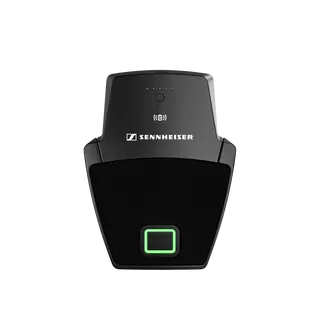
SL Boundary 114-S DW-3 B
Sennheiser SL Boundary 114-S DW-3 B Wireless Table Boundary Microphone
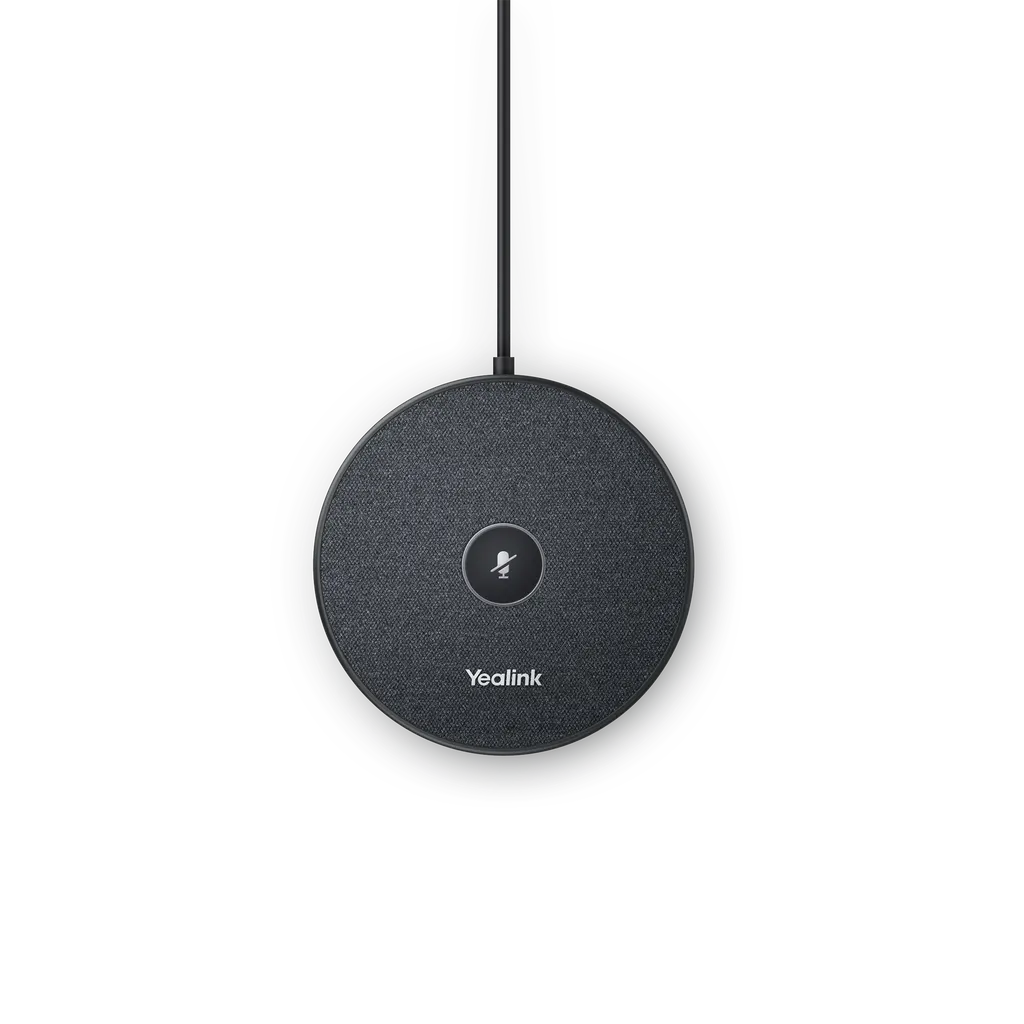
VCM35
Yealink VCM35 Video Conferencing Microphone Array
Priceon request
QuotationWithin 1 working day
DeliveryConfirmed with your quote, based on stock
Overview
The Yealink VCM35 is a wired video conferencing microphone array with a built-in three-microphone array, a 5m pickup range and 360° coverage. Full-duplex audio, acoustic echo cancellation and noise reduction of up to 90 dB help remote participants hear every speaker clearly. It suits medium and large meeting rooms in Doha, Lusail and West Bay using Yealink video conferencing systems.
What the Yealink VCM35 does in a meeting room
The Yealink VCM35 is a wired microphone array built for video conferencing rooms. Its built-in three-microphone array covers a 5m radius with 360° pickup, so a presenter at the head of the table, a colleague at the far end and someone sitting by the door can all be heard by remote callers without passing a microphone around. It is designed for the newer generation of Yealink video conferencing systems and suits rooms where people move around and speak from different seats.
Audio performance that matters on live calls
Most conferencing problems start with audio rather than video. The VCM35 tackles the common ones directly:
- Full-duplex audio lets both ends of a call talk at the same time, so clipped words and interruptions are less frequent during discussions.
- Acoustic echo cancellation stops the voices of remote participants from looping back into the room through the speakers.
- Noise reduction lowers ambient sound by up to 90 dB according to the manufacturer, so air conditioning and general room noise are less noticeable to the far end.
- Voice activity detection helps the system separate speech from silence.
- Touchpad muting lets a participant mute the microphone directly on the unit.
The frequency response runs from 100Hz to 8kHz, the band that carries most speech in conferencing. The LED shows solid red when muting or starting up, solid green when audio is being picked up normally, flashing yellow during an update, and stays off when the unit is idle or powered off.
Where it fits in Qatar
Three situations show where the VCM35 earns its place. A ministry meeting room in Msheireb hosting sessions in Arabic and English, connected to a team working outside Doha, needs every speaker audible at the far end. A seminar room in Education City with a mid-size table benefits from the 5m pickup range, so students seated at the back can join the discussion. A developer's boardroom in Lusail holding hybrid board meetings with overseas directors needs full-duplex audio so the discussion does not stall when two people speak together.
Yealink lists the VCM35 with MVC S50 systems for medium to large rooms, MVC S80 for large rooms, MVC S90 for boardrooms and MVC S98 for ProAV rooms. It is also shown in combinations with MeetingBar A40 for small rooms and MeetingBoard for medium rooms.
Planning the installation
- Check the environment. The operating range is 0°C to 40°C with 10% to 90% humidity, so keep the unit in air-conditioned rooms away from sun-facing windows and poorly ventilated cabinets, because Qatar summer heat can exceed 40°C outdoors.
- Plan the cable route. The VCM35 is wired and the package includes an RJ45 connector for the Ethernet cable, so decide the path from the table to the video system before installation.
- Fix the unit with the double-sided tape supplied, once its position on the table has been confirmed.
- Survey the room before ordering several units, particularly for lecture layouts and boardrooms with long tables.
SmartRooms Qatar offers free site surveys, professional installation and delivery to all 8 municipalities of Qatar. Schools and government bodies ordering several units can work through a purchase order or a tender. Request a quote listing each room and its Yealink system, and our team will confirm compatibility, quantities and availability with the quotation.
Highlights
- Built-in three-microphone array with a 5m pickup range
- 360° omnidirectional voice pickup around the table
- Full-duplex audio for overlapping speech on both ends
- Acoustic echo cancellation and noise reduction up to 90 dB
- Frequency response from 100Hz to 8kHz
- Operating range 0°C to 40°C with 10% to 90% humidity
Room fit
Tell us the room size and platform (Teams, Zoom or BYOD) and we confirm the right combination with your quotation.
Estimated timeline
Quotation within 1 working day · delivery timing depends on stock availability, and we confirm it with your quotation.
Specifications
17 specifications · Source: manufacturer · checked Oct 2026
Audio Features2
- Frequency response
- 100Hz to 8kHz
- Details
- Optima HD Audio Yealink Full Duplex Technology Yealink Acoustic Echo Canceling Yealink Noise Proof Technology VAD (Voice Activity Detection) 360° 5m omnidirectional pickup Muting the microphone with the touchpad
Physical Features4
- Dimension
- φ100 * T17 mm
- Weight
- 199 g
- Operating humidity
- 10% - 90%
- Operating temperature
- 0℃ -40℃ (+32 ℉ - 104 ℉ )
Package Contents6
- Qty/CTN
- 20 PCS
- N.W/CTN
- 4.878 kg
- G.W/CTN
- 5.612 kg
- Giftbox size
- 148 x 135 x 45 mm
- Carton Meas
- 464 x 282 x 165 mm
- Details
- VCM35 RJ45 connector for Ethernet cable Double-sided tape Quick Start Guide
LED Status1
- Details
- Description
Solid red1
- Details
- Muting Starting up
Solid green1
- Details
- The audio can be picked up normally during the meeting
Off1
- Details
- In the idle state or powered off
Flash yellow1
- Details
- Updating
Downloads
11 files from the manufacturer
PDF
Yealink VCM35 datasheets (PDF, 337 KB)
PDF
Yealink VCM35 manuals & guides (PDF, 454 KB)
PDF
Yealink VCM35 manuals & guides (PDF, 258 KB)
PDF
Yealink VCM35 manuals & guides (PDF, 435 KB)
PDF
Yealink VCM35 manuals & guides (PDF, 598 KB)
DXF
Yealink VCM35 drawings & cad (DXF)
STP
Yealink VCM35 drawings & cad (STP)
PDF
Yealink VCM35 other documents (PDF, 65 KB)
PDF
Yealink VCM35 other documents (PDF, 1.0 MB)
URL
Yealink VCM35 other documents (URL)
URL
Yealink VCM35 other documents (URL)
Questions about VCM35
What is the Yealink VCM35 and who is it for?
The Yealink VCM35 is a wired video conferencing microphone array with a built-in three-microphone array and 360° pickup within a 5m radius. It suits organisations that run Yealink video conferencing systems in medium and large meeting rooms, such as ministry boardrooms in Doha or company meeting spaces in Lusail, where participants sit around a table and every voice needs to reach remote callers clearly.
What room sizes and pickup range does the VCM35 cover?
The VCM35 picks up voices within a 5m (16ft) radius with 360° coverage, so it is aimed at medium and large rooms rather than small huddle spaces. Yealink's listings pair it with MVC S50 systems for medium to large rooms and MVC S90 systems for boardrooms. For a room in Al Sadd or West Bay, a site survey can confirm whether the full table falls within that radius.
Can the VCM35 work alongside the built-in microphone of an MVC system?
No. The VCM35 is an external microphone and does not pick up sound at the same time as the built-in microphone. You choose which microphone is active in the MTouch II settings. The MVC system also does not mix different microphone types, so if the VCM35 does not respond to pickup or muting, check that no other microphone is connected at the same time.
How does full-duplex audio help when several people speak at once?
Yealink Full Duplex Technology allows both ends of a call to speak and be heard at the same time, so people can interrupt, answer or add points without cutting each other off. In a hybrid board meeting in Lusail with directors joining from abroad, this keeps the discussion natural even when two or three participants talk together. The VCM35 combines it with acoustic echo cancellation.
How much ambient noise and echo does the VCM35 reduce?
According to the manufacturer, the VCM35 with its Acoustic Echo Canceling and Noise Proof technology reduces ambient noise by up to 90 dB. Echo cancellation stops remote participants' voices from looping back through the room speakers, and voice activity detection helps separate speech from silence. This matters in air-conditioned rooms where background hum would otherwise reach the far end of the call.
Can I connect several VCM35 units in one room?
The manufacturer describes star-cascaded deployment, which it says makes setup faster and lets the design scale to conference rooms of different sizes. How many units a specific system accepts is defined in Yealink's Teams Rooms Accessories Compatibility Lists, so check the entry for your system before ordering more than one. Our team can confirm the layout and quantities during the quotation.
What does the box contain and how is the unit fixed in place?
The package includes the VCM35 unit, an RJ45 connector for the Ethernet cable, double-sided tape and a Quick Start Guide. The tape provides a simple fixing option for a table or surface. Because the unit is wired, plan the cable route from the table to the video system before installation, and ask for a site survey if the room has a complex layout or existing cable trays.
What temperature and humidity limits apply in a Qatar meeting room?
The VCM35 operates between 0°C and 40°C (32°F to 104°F) at 10% to 90% humidity. Outdoor temperatures in Qatar regularly exceed 40°C in summer, so keep the unit inside air-conditioned meeting rooms rather than in sun-exposed areas, outdoor pavilions or poorly ventilated cabinets. Confirm the room's cooling capacity with your facilities team during the site survey.
Which Yealink systems is the VCM35 used with?
Yealink's listings show the VCM35 with MVC S50 for medium to large rooms, MVC S80 for large rooms, MVC S90 for boardrooms and MVC S98 for ProAV rooms. For smaller spaces, the listed combinations include the VCM35 with MeetingBar A40, and with MeetingBoard for medium rooms. Check the compatibility list for your exact system before ordering, and ask SmartRooms Qatar to confirm the pairing in your quotation.
How do muting and the LED colours work?
Use the touchpad on the unit to mute the microphone. The LED shows solid red when muted or starting up, solid green when audio is being picked up normally, flashing yellow during a firmware update, and stays off when the unit is idle or powered off. Knowing these states lets the meeting host confirm that the room is live before a hybrid call starts.
Where should the VCM35 sit in a boardroom in West Bay?
Place it on the table where the main speakers sit, within the 5m pickup radius, so the full table is covered. Keep it clear of direct sunlight from windows and away from air-conditioning outlets that could create noise near the unit. A site survey can mark the seating positions and confirm that the presenter's place falls inside the 360° pickup area before the cable is run.
What should I check before ordering several units for a school or ministry?
Confirm the size of each room, the compatible Yealink system for each one and the cable route from every table, because the VCM35 is wired and each unit comes with its own RJ45 connector. Schools and government bodies often work through a purchase order (LPO) or a tender, and SmartRooms Qatar can supply against both. Request a quote that lists each room and its system.
Similar models
Sennheiser
SL Boundary 114-S DW-4 B
Sennheiser SL Boundary 114-S DW-4 B Wireless Table Boundary Microphone