CS6501
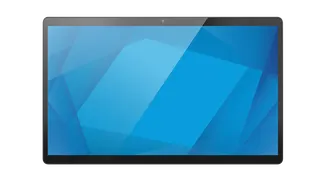
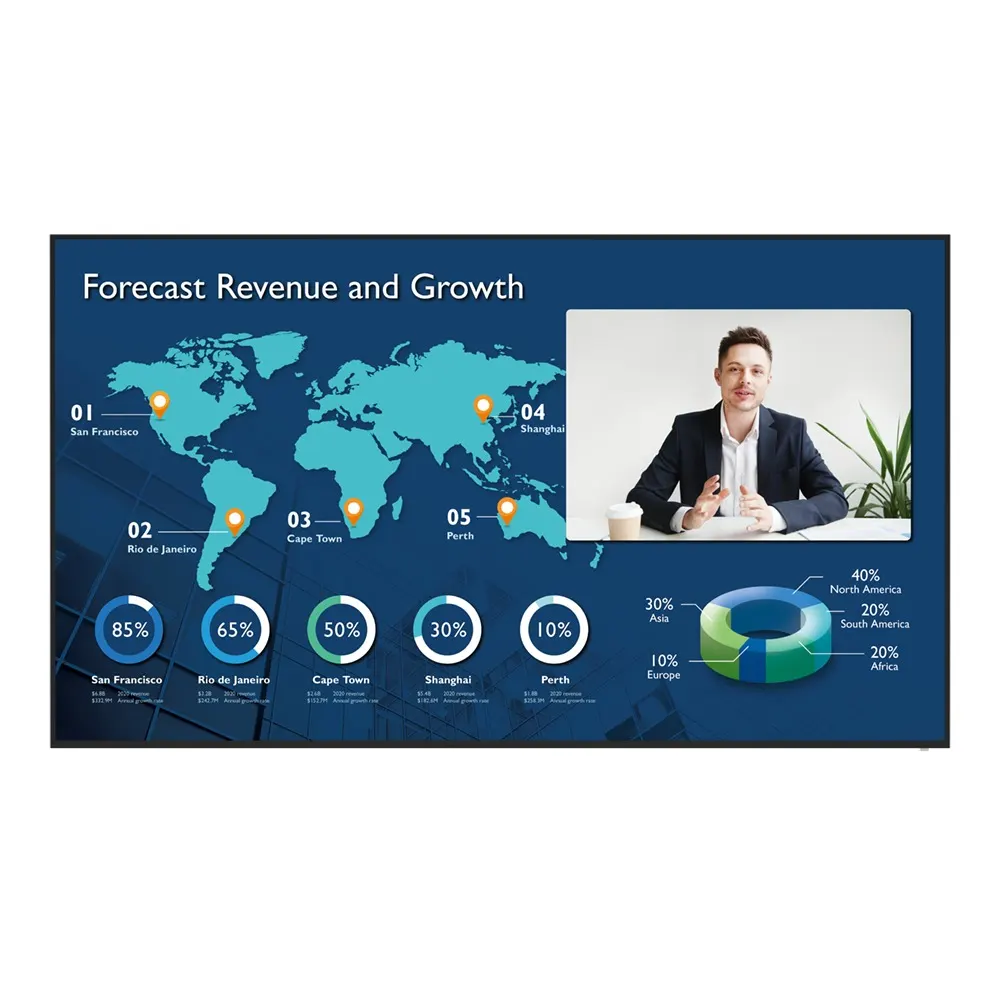
BenQ CS6501 65-inch Corporate Meeting Room Display
- Screen size
- 65''
- Resolution
- UHD 3840 × 2160 pixels
- Brightness
- 450 nits
- Operation
- 18 hours / 7 days
The BenQ CS6501 is a 65-inch non-touch corporate display built for medium-sized meeting rooms. It offers a 4K UHD panel, 450 nits typical brightness and an OPS slot for a conferencing computer, so presenters can share wirelessly and join video calls without a laptop on the table. It suits boardrooms in West Bay and Msheireb, training rooms in Education City, and teams running calls with colleagues abroad.
What the BenQ CS6501 is built to do
The BenQ CS6501 is a 65-inch corporate display for medium-sized meeting rooms. It combines a 4K UHD panel, an Android 8.0 platform, a slot for a conferencing computer and a set of inputs that let one screen handle presentations and video calls. It is a non-touch model, so the room is run from connected sources, the slot-in computer and the included remote control.
Specifications that shape daily use
The 3840 × 2160 panel shows 10-bit colour with 72% NTSC gamut coverage, a typical brightness of 450 nits and a typical contrast ratio of 1,200:1. Those figures matter in rooms with daylight from a window, where a bright panel keeps slides and spreadsheets legible at the back of the room. The panel is rated for 18 hours of operation a day, seven days a week, with a typical backlight life of 50,000 hours.
Inputs include three HDMI 2.0 ports, one HDMI 2.0 output, VGA, RS-232 and an optical S/PDIF output, along with USB-A ports and 10/100/1000 Mbps Ethernet. The OPS slot accepts a slot-in computer, and the display has 4GB of memory and 32GB of storage. Two 10 W speakers are built in.
Where it fits in Qatar
A boardroom in West Bay or Msheireb. Executives connecting with colleagues in other countries can join calls from the room using a slot-in computer running their preferred platform, while the display shows shared documents at a size everyone can read.
A training room in Education City. Lecturers and trainers can share content wirelessly with InstaShare 2 and mark up slides with EZWrite 5.0, so students do not need to connect laptops at the start of each session.
A government or authority meeting room. Facilities teams can manage several displays from one place with the BenQ Device Management Solution, push announcements through X-Sign Broadcast, and sync room bookings through Meeting Room 365 with Outlook or Google Workspace.
What to plan before installation
The panel weighs 27 kg and ships at 40 kg, and it uses a VESA 400 × 200 mm mounting pattern. A wall carrying a panel this size needs a suitable bracket and a structural check, so SmartRooms Qatar offers a free site survey before wall-mounting. The operating range is 0°C to 40°C with 10% to 90% non-condensing humidity. Qatar summers regularly exceed 45°C, so the display should sit in an air-conditioned room, and the team can confirm the environment with you before quotation. The power input is rated 100-240 V at 50/60 Hz, and typical consumption is 119 W. The package includes a 5 m VGA cable, a 1.5 m HDMI cable, a 3 m USB cable and a remote control. A camera is not part of the package, so plan the camera and microphone separately for your room.
Request a quote
If you are equipping a meeting room and want a 65-inch display matched to your conferencing setup, request a quote from SmartRooms Qatar. We supply to all eight municipalities of Qatar, install professionally and usually issue quotations within one working day, including for LPO and tender purchases.
Highlights
- 65-inch 4K UHD panel at 3840 × 2160 pixels
- 450 nits typical brightness and 1,200:1 typical contrast
- OPS slot for a slot-in conferencing computer
- Three HDMI 2.0 inputs and one HDMI 2.0 output
- Wireless sharing with InstaShare 2 and EZWrite 5.0 whiteboarding
- Rated 100-240V 50/60Hz; typical consumption 119 W
Estimated timeline
Quotation within 1 working day · delivery timing depends on stock availability, and we confirm it with your quotation.
Specifications
Panel14
- Screen size
- 65''
- Panel type
- ADS
- Active area
- 1428.5 × 803.5 mm
- Aspect ratio
- 16:9
- Resolution
- UHD 3840 × 2160 pixels
- Response time
- 8 ms
- Color depth
- 10-bit
- Orientation
- Landscape
- Operation hours
- 18 hours / 7 days
- Panel brightness (typical)
- 450 nits
- Contrast ratio (typical)
- 1200:1
- Dynamic contrast ratio
- 30,000:1
- Color gamut
- 72% NTSC
- Backlight life (typical)
- 50,000 hrs
System4
- GPU
- Mali-G51MP4
- CPU
- A73 × 2 + A53 × 2
- Memory | Storage
- 4GB I 32GB
- OS
- Android 8.0
Connectivity10
- HDMI (in | out)
- 3 × HDMI 2.0 | 1 × HDMI 2.0
- USB-A
- 3 × 2.0 + 3 × 3.0
- USB-B (for touch)
- 2 × 2.0
- 3.5 mm Line in (1)
- Mic / PC Audio × 1_test
- VGA
- 1 | 0
- 3.5 mm Line out
- Earphone × 1
- OPS slot (for slot-in PC)
- 1
- S/PDIF out
- 0 | 1 (optical)
- Ethernet
- 10 / 100 / 1000 Mbps (Android), 10 / 100 / 1000 Mbps (OPS) × 1
- RS-232
- 1 | 0
Built-in peripherals1
- Speaker
- 2 × 10 W
Power2
- Power
- AC 100-240V 50/60Hz
- Typical power consumption
- 119 W
Physical4
- Dimensions (W x H x D)
- 1450.6 × 828.1 × 90.2 mm (57.1 × 32.6 × 3.6 inch)
- Shipping dimensions (W x H x D)
- 1605 × 965 × 220 mm (63.2 × 38.0 × 8.7 inch)
- Weight (product I shipping)
- 27 kg | 40 kg (59.5 lbs | 88.2 lbs)
- Mount (screws)
- VESA 400 × 200 mm (4 × M6 × 10L)
Environment4
- Operating temperature
- 0°C ~ 40°C | 32°F ~ 104°F
- Storage temperature
- -20°C ~ 60°C | -4°F ~ 140°F
- Storage humidity
- 10% ~ 90% RH non-condensing
- Operating humidity
- 10% ~ 90% RH non-condensing
Software6
- Whiteboarding
- EZWrite 5.0
- Wireless screen sharing
- InstaShare 2
- Device management
- DMS
- Account management
- AMS
- Quick access tool
- Floating Tool
- Broadcast system
- X-Sign Broadcast
Accessories2
- Cables
- 1 × VGA(5 m | 16.4 ft), 1 × HDMI (1.5 m | 4.9 ft), 1 × USB (3 m | 9.8 ft)
- Remote control
- 1