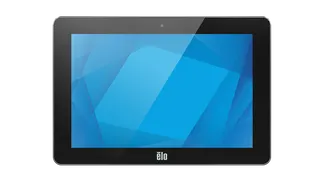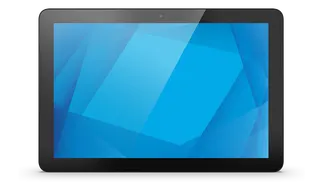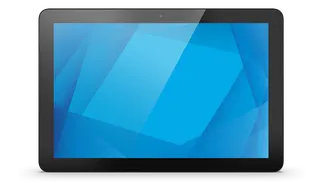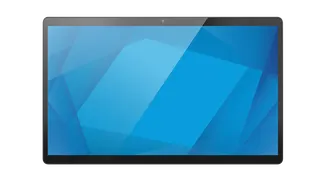
5054L
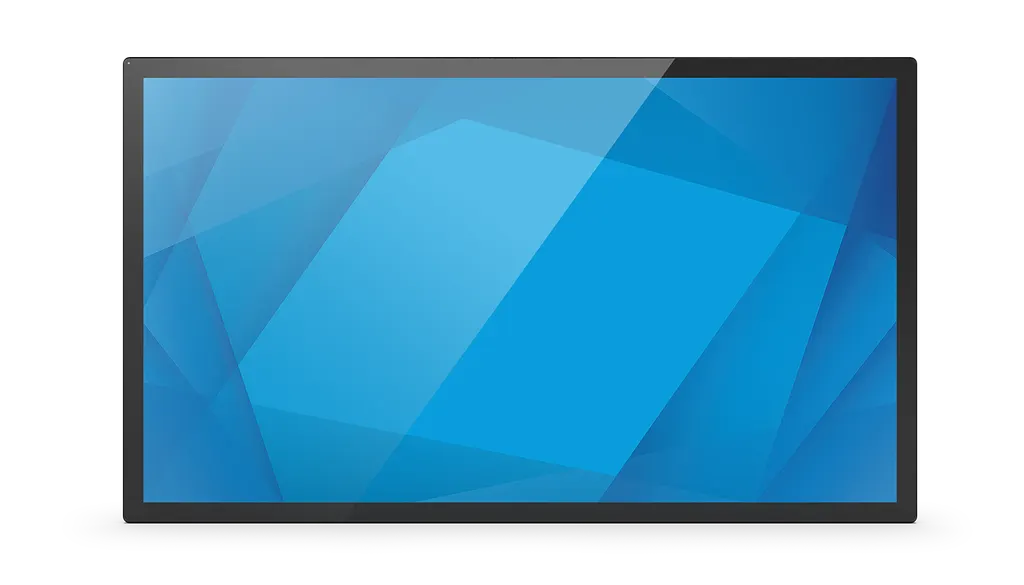
Elo 5054L 50-inch Interactive Touch Display
- Screen size
- 50'' / 1270 mm diagonal
- Resolution
- 3840 x 2160 @ 60 Hz
- Brightness
- LCD Panel: 500 nits
- Contrast
- 4000:1
The Elo 5054L is a 50-inch 4K interactive display with projected capacitive touch that recognises up to 40 simultaneous touches. It suits Doha businesses building wayfinding, self-service and collaboration screens, and it can run an Elo Backpack or BrightSign player behind the panel. Available with clear anti-friction or anti-glare glass, or infrared touch. Request a quote from SmartRooms Qatar for a configuration matched to your site.
What the Elo 5054L is
The Elo 5054L is a 50-inch, 16:9 touch display built on an active matrix LCD panel with a native resolution of 3840 x 2160 at 60 Hz. Three part numbers cover the range: E103538 uses PCAP touch with clear anti-friction glass, E103738 uses PCAP touch with anti-glare glass, and E103937 uses infrared touch with clear anti-friction glass. The right variant depends on the lighting in the room and the touch behaviour you need.
Touch performance and glass options
The PCAP models recognise up to 40 simultaneous touches with palm rejection, while the infrared version handles 20. Touch Thru allows the PCAP layer to work through up to 6 mm of glass or 3 mm of plastic, with up to two touches registered through the barrier, and gloves up to 1.4 mm thick are supported. This matters for screens behind mirrors, in counters and in sealed kiosks where the glass is a fixed part of the build.
Specifications that matter on a Qatar site
- Brightness: LCD panel 500 nits, PCAP 430 nits and infrared 450 nits (typical).
- Contrast: 4000:1 (typical).
- Inputs: two HDMI 2.0 ports, a DisplayPort and a USB-C port that carries both video and touch control.
- Audio: two 8 W stereo speakers and a 3.5 mm headphone output.
- Power: 100-240 VAC at 50/60 Hz through an IEC 60320-C13 inlet, with typical consumption of 99 W on and 2.3 W in sleep.
- Operating temperature: 0°C to 40°C in portrait, landscape or tilted up to 15°, and 0°C to 35°C in tabletop mode.
- Humidity: 20% to 80% in operation.
Where it fits in Qatar
A hotel in West Bay could use the 5054L as a check-in or wayfinding screen in an air-conditioned lobby, away from direct sunlight. A hospital reception in Al Sadd could run visitor information and virtual reception on the same panel, while a training centre in Education City might use the screen for group collaboration sessions. For content, the Elo Backpack 4 or 5 with Android, the Elo Backpack with Intel, an Intel NUC on a 100 mm x 100 mm VESA plate, or a BrightSign XT, XD, XC or HD series player can be mounted behind the display.
Planning the installation
The panel weighs 24.23 kg unpackaged and is 1161.1 mm wide, mounted on VESA 400 x 400 mm points. A wall mount kit and a stand are available as optional accessories. Confirm the wall construction, fixings and cable route before ordering, and book a free site survey so the structure can be checked. Because the rated operating range tops out at 40°C, keep the display in air-conditioned indoor space and avoid positions where summer sun or heat from a window will reach it. The unit carries a three-year warranty with advance unit replacement included.
Send SmartRooms Qatar your room layout, the touch variant you need and your content source, and we will return a quotation, usually within one working day. Request a quote today and we will confirm the right configuration for your site.
Highlights
- 40-point PCAP touch with palm rejection on E103538 and E103738
- 3840 x 2160 4K resolution on a 50-inch 16:9 panel
- 500-nit LCD panel with 4000:1 typical contrast
- Touch Thru works through up to 6 mm of glass for mirror or kiosk builds
- Compatible with Elo Backpack, BrightSign players and Intel NUC
- Three-year warranty with advance unit replacement included
Estimated timeline
Quotation within 1 working day · delivery timing depends on stock availability, and we confirm it with your quotation.
Specifications
Technical43
- Part Number(s)
- TouchPro PCAP (clear with anti-friction) - E103538 TouchPro PCAP (anti-glare) - E103738 IR (clear with anti-friction) - E103937
- Enclosure Color
- Black
- Touch Technology & Capacity
- PCAP (TouchPro® Projected Capacitive) - 40 Touch with Palm Rejection and Touch Thru capability Infrared - 20 Touch
- Touch Thru
- Supports up to 6mm glass/3mm plastic with up to 2 touches. Supports gloves up to 1.4mm
- Touch Interfaces
- USB-C
- Diagonal Size
- 50'' / 1270 mm diagonal, Active matrix TFT LCD (LED)
- Active Area
- 43.14" x 24.27" / 1095.8 mm x 616.4 mm
- Aspect Ratio
- 16:9
- Resolution
- 3840 x 2160 @ 60 Hz
- Other Supported Resolutions
- 640 x 480 @ 60Hz 800 x 600 @ 56/60Hz 1024 x 768 @ 60Hz 1280 x 720 @ 60Hz 1280 x 960 @ 60Hz 1280 x 1024 @ 60Hz 1920 x 1080 @ 50/60Hz 2560 x 1440 60 Hz 2560 x 1600 60 Hz 3840 x 2160 30/60 Hz
- Viewing Angle
- Horizontal: ±89° or 178° total / Vertical: ±89° or 178° total
- Number of Colors
- 8-bit + FRC (1.07 billion)
- Brightness (typical)
- LCD Panel: 500 nits PCAP: 430 nits \IR: 450 nits
- Response Time-total (typical)
- 9.5 msec
- Contrast Ratio
- 4000:1
- Compute mounting options
- Elo Backpack 4 & 5 with Android Elo Backpack with Intel Intel NUC with 100 mm x 100 mm VESA mounting plate BrightSign XT/XD/XC/HD Series Player
- Built-in IoT control
- EloView: Elo Cloud control supported Crestron: Crestron Connected V2 supported
- On Screen Display
- Let’s Get Started: Language Selection, Time Setting, Time Zone Video Source Select: HDMI-1, HDMI-2, DisplayPort, USB-C Video Settings: Video Port Discovery, Brightness, Contrast, Black Level, Sharpness and Aspect Ratio Color Settings: Color Temperature, Color Sensor, User Preset (for color), Picture Modes and HDMI Full Range Audio Settings: Audio Output, Mute, Volume selection Information: Monitor, Temperature, IoT Network status, IoT Error Message, Help and Support Power: Power Loss Behavior, Power Lock, Energy Saving Mode, Power Status Light options, HDMI CEC Time: Time Set, On/Off Schedule
- I/O Ports
- 2x HDMI 2.0 USB-C (for Touch control and Video input) USB-A (for Wi-Fi Adapter only) RJ45 (for IoT LAN port) RJ45 (for optional OSD remote) DisplayPort 1.4 3.5mm TRS jack (for RS232/MDC) 3.5mm Audio Headphones out 4x Elo Edge Connect Micro USB 2.0
- Control Buttons
- Power Video Source Selection On Screen Display
- Video
- 2x HDMI on Type A connector (HDCP-capable) DisplayPort 1.2 connector (HDCP-capable) USB-C connector (HDCP-capable) Input Video Horizontal Sync frequency range: FHD: 30 – 135 KHz Input Video Vertical Sync (frame rate) frequency range: 24 - 64 Hz
- Headphone Output Connector
- 3.5 mm TRS jack
- Speakers
- 2 x 8 W stereo speakers
- Power
- Input connector (power): IEC 60320-C13 Input signal specifications (power): 100-240VAC 50/60Hz Output connector (bypass input power to backside device): IEC 60320-C14 AC outlet short cable (IEC C14 to C5 head) power rating: 100V/2A (200Watt), 220V/2A (440Watt)
- Maximum Operating Time
- 24 hours/day
- Power Consumption (Typical)
- ON: 99 W SLEEP: 2.3 W OFF: 0.28 W
- Dimensions
- PCAP: 45.71" x 26.84" x 2.11" / 1161.1 mm x 681.7 mm x 53.6 mm IR: 45.71" x 26.84" x 2.50" / 1161.1 mm x 681.7 mm x 63.4 mm
- Shipping Box Dimensions
- 51.57" x 37.0" x 7.36" / 1310 mm x 940 mm x 187 mm
- Weight (Unpackaged)
- PCAP: 56.79 lbs / 24.23 kg IR: 56.99 lbs / 24.42 kg
- Weight (Packaged)
- PCAP: 69.84 lbs / 30.79 kg IR: 71.1 lbs / 30.89 kg
- Operating Temperature
- Portrait/Landscape/Tilt (≤15°) Mode: 0°C to 40°C / 32°F to 104°F Table top Mode: 0° C to 35° C / 32°F to 95°F
- Storage Temperature
- -20°C to 60°C / -4°F to 140°F
- Humidity
- Operating: 20% to 80% Storage: 10% to 95% (38.7°C max wet bulb temperature)
- Mounting Options
- VESA 400 x 400mm, M6
- Sealability
- Touchscreen sealed to bezel Touchscreen sealed to LCD
- MTBF
- 50,000 hours demonstrated
- Warranty
- 3-year with AUR included
- Extended Service Options
- 4 year warranty coverage + AUR - Elo P/N: E740135 5 year warranty coverage + AUR - Elo P/N: E740330 3 year warranty coverage + OSE - Elo P/N: E740527* 4 year warranty coverage + OSE - Elo P/N: E740728* 5 year warranty coverage + OSE - Elo P/N: E740918* *Continental US only
- Regulatory approvals and declarations
- UL 62368-1 FCC/CEC (US) cUL, IC (Canada) CB (International safety) (IEC/EN60950-1+IEC/EN62368-1) CE (Europe) VCCI (Japan) RCM (Australia) CCC/CEL, China RoHS (China) NOM Mexico KCC (Korea) IK07 and UL60950 for ball drop test
- Energy Star
- 8.0
- Other Features
- Ambient Light Sensor - changes panel color to match ambient light, Auto Wake OTA FW upgrade
- What's in the Box
- 5054L Interactive Display Quick Install Guide AC(in) Power cable, IEC 60320-C13 to NA plug AC(in) Power cable, IEC 60320-C13 to EU/KR plug AC(in) Power cable, IEC 60320-C13 to UK plug AC(out) Power cable, IEC 60320-C14 to IEC 60320-C5 (0.3m) (With PSE certified) USB cable (1m) (Connector: Type-C to Type-C) Energy label according to EU Regulation 2019/2013, 1x EU EEI, 2x UK EEI 4x M4x6mm flat head screws (for BrightSign players)
- IDS Optional Accessories
- 2D Barcode Scanner (SE4107) – Elo P/N: E245047 2D Barcode Scanner (SE2707) – Elo P/N: E393160 Fingerprint Scanner – Elo P/N: E134286 Stand for IDS - Elo P/N: E722153 Wired OSD Remote - Elo P/N: E483757 Wall Mount Kit - Elo P/N: E721949 Replacement Cable Kit - Elo P/N: E285277 Passive Stylus - Elo P/N: E727568 Active PCAP Stylus - Elo P/N: E216215 Elo Backpack® 4 (Value Model) - Elo P/N: E393754 Elo Backpack® 4 (Standard Model) - Elo P/N: E393359 Elo Backpack® 5 (Standard Model) - Elo P/N: E620713 Elo Backpack® with Intel, Win 11, N97, 8GB RAM, 128GB SSD - Elo P/N: E345569 Elo Backpack® with In