TW1025LASC-B3PNR
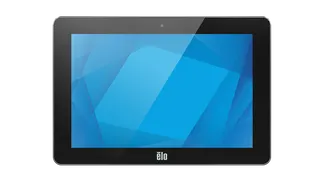
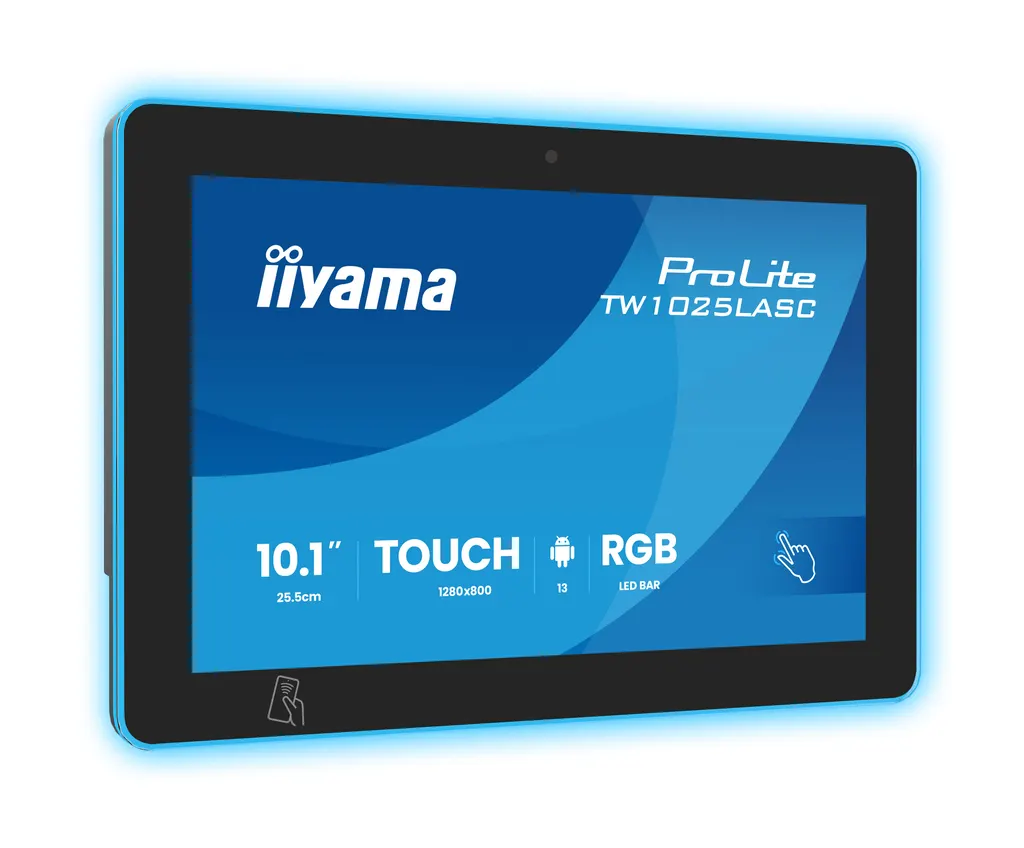
iiyama ProLite TW1025LASC-B3PNR 10.1-inch Android Touch Panel PC
- Screen size
- 10.1" / 25.5cm
- Resolution
- 1280 x 800 (1 megapixel HD)
- Brightness
- 450 cd/m²
- Contrast
- 1000:1 with touch
The iiyama TW1025LASC-B3PNR is a 10.1-inch touch panel PC running Android 16, built for room booking panels and reception desks. Its projected capacitive touch supports ten points, and one Ethernet cable can deliver both data and power through PoE. An RGB LED bar shows room availability at a glance, and an NFC/RFID reader reads nearby tags. Offices, hotels and universities in Doha, Lusail and The Pearl can request a quote.
A 10.1-inch touch panel PC for booking and reception points
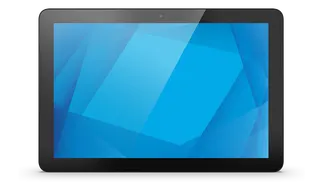
The iiyama TW1025LASC-B3PNR packs a 10.1-inch touchscreen and an Android 16 computer into one unit measuring 259.5 x 178.5 x 28 mm. It weighs 1.1 kg without its box and is rated for 24/7 non-stop operation, which makes it suited to spaces where people book rooms, check in visitors or read information throughout the working day.
The 1280 x 800 IPS panel uses a 16:10 aspect ratio and an edge-to-edge glass front with a matte black bezel. Panel brightness is rated at 450 cd/m2, falling to 390 cd/m2 with the touch layer fitted. Horizontal and vertical viewing angles are both 160 degrees, and the cover glass is 1.85 mm thick with 6H hardness.
Touch, status lighting and tag reading
The projected capacitive layer recognises ten touch points and responds to a finger, a latex glove or a capacitive stylus. The touch layer is optically bonded to the glass, which the data links to lower light reflection and protection against humidity, useful for entrances that receive damp air or occasional spills.
An RGB LED bar runs around the screen and can show a wide range of colours, so passers-by can see whether a meeting room is free, occupied or reserved. The NFC/RFID reader communicates with enabled devices and tags held close to it, which supports badge-based check-in at room doors.
One cable for data and power
The RJ45 port supports Power over Ethernet to IEEE 802.3af at 15.4 W, so a single cable carries both the network connection and the power supply. Where cable routes are congested, or a wall point has only one data outlet, this simplifies the installation. Typical consumption is 10 W, with 0.5 W in standby and 0.3 W in off mode. An external DC 12 V power supply is also listed for the unit.
Three USB ports (one USB 3.2 Gen 1, one USB 2.0 and one mini OTG port), a mini jack audio output and a cable cover are included to keep wiring tidy. The built-in 5 megapixel camera, microphone and two 2 W speakers extend what the panel can do when your software uses them.
Where it fits in Qatar
- Corporate offices in West Bay or Lusail: a booking panel outside shared meeting rooms, showing availability from the corridor.
- Universities in Education City: room-booking points beside study and seminar spaces, where single-cable PoE reduces work in older buildings.
- Hotels around The Pearl or Msheireb: a unit at a meeting room door or concierge counter, with schedules and way-finding managed from iiSignage2.
In each case, the unit is a fixed point that staff and visitors use through the day, so the touch layer, LED status bar and 24/7 rating matter more than raw screen size.
Planning the installation
Mounting uses a 75 x 75 mm VESA pattern, and the panel can be set in landscape, portrait or face-up orientation. Before ordering, check the wall plate or stand against that pattern, plan the route for the PoE cable to the switch, and confirm the mounting height for the people who will use the touch screen.
SmartRooms Qatar offers free site surveys, so we can review the location, cable path and mounting before you commit. Quotations are usually issued within one working day, and we accept purchase orders (LPOs) and government tenders, including Monaqasat, with payment by bank transfer, cheque or purchase order. Request a quote and we will confirm the configuration for your site.
Highlights
- 10.1-inch 16:10 IPS display at 1280 x 800 native resolution
- 10-point projected capacitive touch, works with gloves and stylus
- Android 16 pre-installed, apps can be installed directly
- PoE over RJ45 to IEEE 802.3af, 15.4 W, one cable for data and power
- NFC/RFID reader and RGB LED room availability bar
- Rated 24/7 non-stop operation, 75 x 75 mm VESA mounting
Estimated timeline
Quotation within 1 working day · delivery timing depends on stock availability, and we confirm it with your quotation.
Specifications
DISPLAY CHARACTERISTICS15
- Design
- Edge to edge glass
- Diagonal
- 10.1", 25.5cm
- Panel
- IPS Panel Technology, LED
- Native resolution
- 1280 x 800 (1 megapixel HD)
- Aspect ratio
- 16:10
- Panel brightness
- 450 cd/m²
- Brightness
- 390 cd/m² with touch
- Light transmittance
- 86%
- Static contrast
- 1000:1 with touch
- Response time (GTG)
- 25ms
- Viewing zone
- horizontal/vertical: 160°/160°, right/left: 80°/80°, up/down: 80°/80°
- Colour support
- 16.7mln 8bit
- Viewable area W x H
- 216.6 x 135.4mm, 8.5 x 5.3"
- Pixel pitch
- 0.1692mm
- Bezel colour and finish
- black, matte
TOUCH4
- Touch technology
- projective capacitive
- Touch points
- 10 (HID, only with supported OS)
- Touch method
- finger, glove (latex), capacitive stylus
- Touch interface
- USB
INTERFACES / CONNECTORS / CONTROLS4
- Audio output
- Mini jack x1 Speakers 2 x 2W
- USB ports
- x3 (1x v. 3.2 (Gen 1, 5Gbit; DC5V, 900mA), 1x 2.0 (DC5V, 500mA), 1 x Mini with OTG (DC5V, 500mA))
- RJ45 (LAN)
- x1 (PoE - IEEE802.3af/15.4W)
- Microphone
- x1
FEATURES4
- Integrated software
- Android 16
- Max. non-stop operating time
- 24/7
- Glass thickness
- 1.85mm
- Glass hardness
- 6H
MECHANICAL3
- Orientation
- landscape, portrait, face-up
- VESA mounting
- 75 x 75mm
- Cable management system
- yes
ACCESSORIES INCLUDED2
- Guides
- quick start guide, safety guide
- Cable cover
- yes
POWER MANAGEMENT3
- Power supply unit
- external
- Power supply
- DC 12 V
- Power usage
- 10W typical, 0.5W stand by, 0.3W off mode
SUSTAINABILITY2
- Regulations
- CE, EAC, RoHS support, ErP, WEEE, REACH, UKCA
- REACH SVHC
- above 0.1%: Lead
DIMENSIONS / WEIGHT5
- Product dimensions W x H x D
- 259.5 x 178.5 x 28mm
- Box dimensions W x H x D
- 363 x 225 x 65mm
- Weight (without box)
- 1.1kg
- Weight (without stand)
- 1.6kg
- EAN code
- 4948570127146