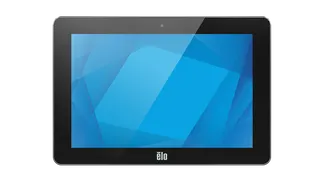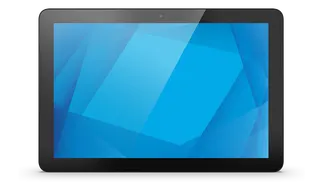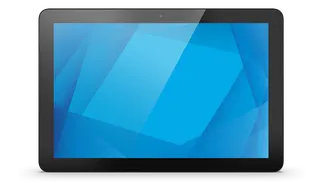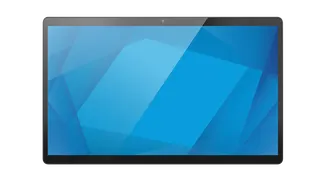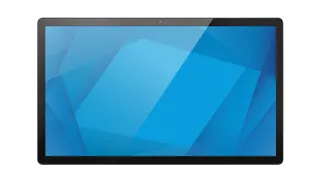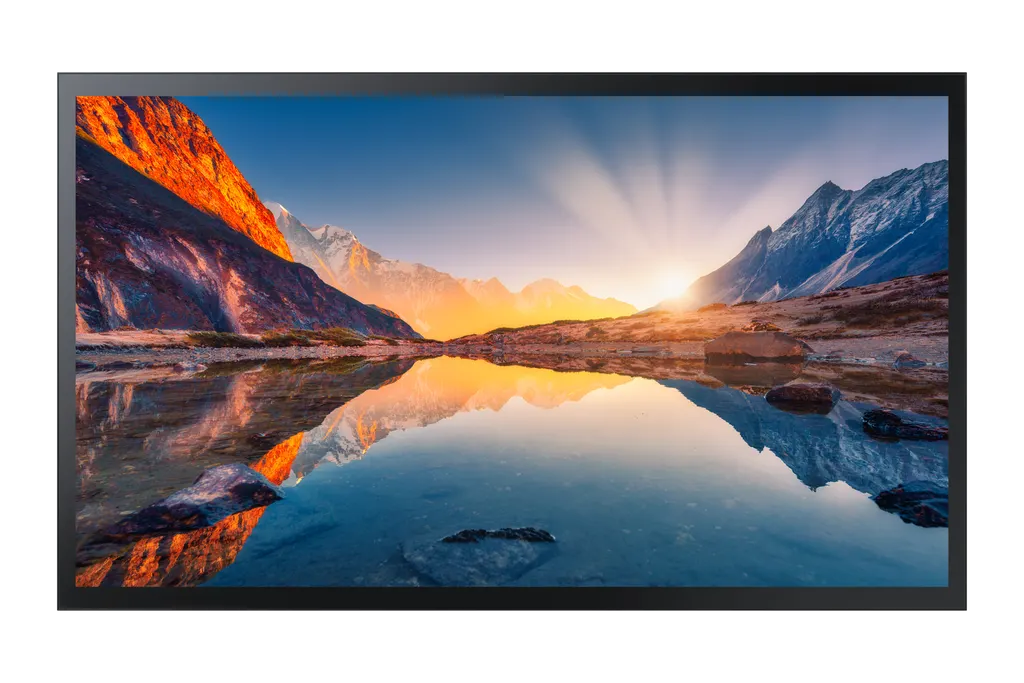
QM43R-T
Samsung QM43R-T 43-inch UHD 4K Interactive Display
- Screen size
- 43"
- Resolution
- 3,840 x 2,160
- Brightness
- 500(without glass)
- Contrast
- 5000:1(without glass)
The Samsung QM43R-T is a 43-inch 4K UHD touch display with a built-in Tizen media player, so many signage setups need no separate media box. It delivers 3,840 x 2,160 resolution, 400 nits typical brightness with glass fitted and an IP5X dust rating. It suits reception desks, mall wayfinding and interactive meeting spaces in Doha. Request a quote from SmartRooms Qatar.
What the QM43R-T is and where it earns its place
The QM43R-T is a 43-inch interactive display built around a 4K UHD panel with 3,840 x 2,160 pixels. A Tizen-based media player runs inside the unit, so signage playlists and touch applications can play directly on the screen without a separate PC or media box. For a reception desk, a meeting room or a wayfinding point, that means one device to install, power and manage instead of two.
Samsung also lists this unit under the variant code LH43QMRTBGCXEN. Quote both codes when you request a quote so the order matches the exact model.
Picture, brightness and touch performance
Typical brightness is 500 nits without glass and 400 nits with the cover glass fitted, so plan around the lower figure for glass-fronted installations. The contrast ratio is 5000:1 without glass, the horizontal and vertical viewing angles are 178 degrees, and the panel covers 92% of the DCI-P3 colour space. The 8 ms response time suits moving content, and the capacitive touch layer responds quickly when people browse menus, maps and forms.
The glass has a haze value of 0.25 for the unit without glass fitted, and the frame has a non-glossy finish. The bezel measures 26.0 mm at the top and bottom and 21.0 mm on each side, a detail that matters when several units sit side by side.
Connectivity and control for Qatar sites
The rear panel offers two HDMI inputs, one DisplayPort input, one DVI input, two USB ports, an audio input, a stereo mini jack audio output, a video output, RS232 input and output, an RJ45 input, an IR input, Wi-Fi and Bluetooth. There is no RJ45 output and no HDBaseT input, so plan long cable runs and any daisy-chain links before installation.
In an office in West Bay or a government building, the RS232 ports let a facilities team or a building control system manage the screen, while the IR input accepts a standard remote signal. Wi-Fi and Bluetooth add wireless options where cabling to a wall position is difficult.
Planning mounting, power and the environment in Qatar
- Weight: 14.5 kg for the set and 18.7 kg packaged, so confirm the wall or stand can carry it.
- Mounting: 200 x 200 mm VESA pattern, with the WMN4070SE wall mount and STN-L4355F stand listed by Samsung as optional accessories.
- Power: AC 100 to 240V at 50/60Hz, drawing 110 W in on mode and 0.5 W in sleep mode.
- Operating range: 0 to 40 °C and 10 to 80% humidity, non-condensing.
Summer temperatures in Doha often exceed 45 °C, which is above the operating range, so install the QM43R-T in an air-conditioned indoor space away from direct sunlight and hot window glare. The IP5X dust rating helps in dusty lobbies, but it does not extend the temperature limits. Before you order, SmartRooms Qatar can carry out a free site survey to check wall structure, cable routes and room conditions.
Send your room layout, the number of units and your wall details, and request a quote for the QM43R-T. SmartRooms Qatar delivers to all 8 municipalities of Qatar, offers professional installation and accepts purchase orders and bank transfer, cheque or purchase order payment.
Highlights
- 43-inch 4K UHD panel at 3,840 x 2,160 resolution
- Built-in Tizen media player with MagicInfo content management
- Capacitive touch with 178-degree viewing angles
- 400 nits typical brightness with glass; 500 nits without
- IP5X dust protection and 0 to 40 °C operating range
- MagicInfo daisychain videowall support; 200 x 200 mm VESA
Estimated timeline
Quotation within 1 working day · delivery timing depends on stock availability, and we confirm it with your quotation.
Specifications
Display14
- Diagonal Size
- 43"
- Panel Type
- New Edge, 60Hz
- Resolution
- 3,840 x 2,160
- Pixel Pitch (HxV, mm)
- 0.2451 x 0.2451
- Brightness (Typical)
- 500(without glass), 400(with glass)
- Contrast Ratio
- 5000:1(without glass)
- Viewing Angle (H/V)
- 178/178
- Response Time
- 8ms
- Color Gamut
- 92% (DCI-P3, CIE 1976)
- Glass Haze
- 0.25 (without Glass)
- H-Scanning Frequency
- 30 ~ 81kHZ
- Maximum Pixel Frequency
- 594MHz
- V-Scanning Frequency
- 48 ~ 75HZ
- Contrast Ratio (Dynamic)
- Mega
Connectivity15
- HDMI In
- 2
- DP In
- Yes
- DVI In
- 1
- USB
- 2
- IR In
- Yes
- HDBaseT In
- No
- Audio In
- Yes
- Audio Out
- Stereo Mini Jack
- Video Out
- Yes
- RS232 In
- Yes
- RS232 Out
- Yes
- RJ45 In
- Yes
- RJ45 Out
- No
- WiFi
- Yes
- Bluetooth
- Yes
Power3
- Power Supply
- AC 100-240V 50/60Hz
- Power Consumption (On Mode, W)
- 110
- Power Consumption (Sleep Mode, W)
- 0.5
Dimension2
- Set Dimension (WxHxD, mm)
- 986.2 x 584.4 x 56.7
- Package Dimension (WxHxD)
- 1134 x 725 x 141
Weight2
- Set Weight
- 14.5 kg
- Package Weight
- 18.7 kg
Operation Conditions2
- Temperature
- 0℃~ 40℃
- Humidity
- 10 ~ 80%, non-condensing
Mechanical Specification3
- VESA Mount (mm)
- 200 x 200
- Bezel Width (mm)
- 26.0(U/D). 21.0(L/R)
- Frame Material
- Non-Glossy
Optional Feature3
- Touch
- Yes
- Mount
- WMN4070SE
- Stand
- STN-L4355F
Internal Player (MagicInfo)1
- MagicInfo Daisychain Videowall Support
- Yes
Eco1
- Energy Efficiency
- G
Touch1
- Touch Technology
- Capative
Certification and Compliance2
- EMC
- Class B
- Safety
- 60950-1