Thursday, 22 October 2026 · 11 Jumada I 1448 AH Sun – Thu · 9:00 – 18:00
+971 56 914 9477 العربية
WhatsApp

TD-133CDT

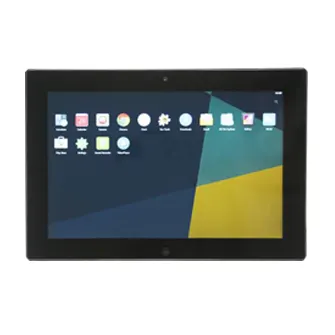
Trend TD-133CDT 13.3-inch Touch Compact Display for Digital Signage

Screen size
13.3 Inch
Resolution
1920x1080 FHD
Brightness
300cd/m2
System
Android 6.0
WhatsApp
Priceon request
QuotationWithin 1 working day
DeliveryConfirmed with your quote, based on stock
PDFDownload datasheet (TD-133CDT_Datasheet.pdf)
Overview

At 13.3 inches, the Trend TD-133CDT is a compact touch display for digital signage at counters and desks. Its 1920x1080 panel offers 10-point capacitive touch, RJ45 networking with PoE support and an included desktop bracket, with Android 6.0 as the operating system. It suits hotel front desks, clinic reception areas and training registration points in Qatar that need a small, interactive screen rather than a wall-sized display.

A compact touch display for close-range content

At 13.3 inches, the TD-133CDT is built for screens that people use up close: a directory on a counter, a visitor sign-in panel, or a short promotional loop beside a till. Its 1920x1080 panel uses a 16:9 aspect ratio, and the 10-point capacitive touch layer lets several people interact at once. The unit runs Android 6.0 as standard, so it can host Android applications for content and forms. At 353 x 277 x 32 mm and 1.15 kg, it occupies little desk space.

The specifications that shape the buying decision

Brightness is rated at 300 cd/m² with a contrast ratio of 700:1, which suits indoor areas with controlled light rather than bright sunlight. Network connection runs through an RJ45 port that supports PoE, so one cable can carry both data and power when the switch supplies it. Wireless is limited to 802.11b/g/n and Bluetooth 4.0, so a dual-band network should be checked during planning. The speakers are 3 W each, with a 3.5 mm headphone output for external audio.

  • Video and images: MPEG-1, MPEG-2, MPEG-4, H.263, H.264 and VC1 up to 1080p, plus JPEG images
  • Audio: MP3, WMA and AAC playback
  • Ports: SD card slot (up to 32G), mini USB OTG, three USB 2.0 host ports, RJ45 network port, DC power input and a 3.5 mm headphone output
  • Peripherals: wireless keyboard and mouse supported; external 3G USB dongle supported

Where it fits in Qatar

Three realistic setups show where a compact display of this kind earns its place:

  • Hotel lobbies in West Bay: a check-in or concierge screen placed on a front desk, with the touch layer used for local directions and service requests.
  • Clinic reception areas in Al Rayyan: a patient check-in or wayfinding screen at a desk, mounted with the desktop bracket so it can be angled toward the patient.
  • University departments in Education City: a visitor sign-in or room booking display at an administration desk, connected by PoE where the network switch supports it.

What to plan before you order

Start with the network. Confirm that the switch or PoE injector supplies the power you need, and that the Wi-Fi standard matches your network if you use wireless. Next, check the software: the base system is Android 6.0, with 5.1 and 4.4 available as options, so confirm your content application runs on the version you choose. The base memory is 1GB RAM, and the manufacturer lists 2GB and 4GB RAM, an SSD 16GB storage option and a 5MP camera as configuration choices.

The source data does not give an operating temperature range, so do not place the unit in direct sunlight, near a window or in an outdoor kiosk without first confirming the environment with the SmartRooms Qatar team. Desk setup needs only the included bracket. For wall or arm mounting, the VESA pattern is 75 x 75 mm, and SmartRooms Qatar offers a free site survey so the fixing position is checked before drilling.

Request a quote

Tell the SmartRooms Qatar team how many units you need, where they will sit and which options you want, and we will return a quotation, usually within one working day. Purchase orders and LPOs are accepted, and delivery covers all eight municipalities of Qatar. Request a quote today and we will confirm the configuration with your quotation.

Highlights

  • 13.3-inch Full HD display, 1920x1080 and 16:9
  • 10-point capacitive touch screen
  • RJ45 network port with PoE support
  • Desktop bracket and 12V/3A adapter included
  • Android 6.0 standard, with 5.1 and 4.4 options
  • 1-year manufacturer warranty

Estimated timeline

Quotation within 1 working day · delivery timing depends on stock availability, and we confirm it with your quotation.

Specifications

31 specifications · Source: manufacturer · checked Oct 2026
Quick Details9
Brand Name
Trend Displays
Model Number
TD-133CDT
Resolution
1920x1080 FHD
Brightness
300cd/m2
Contrast
700:1
RAM
1GB, up to 2GB/4GB
WIFI
802.11b/g/n
Warranty
1 Year
Speaker
3Wx2 (standard)
Technical22
Accessories
Adapter 12V/3A Desktop Bracket Standard
Aspect Ratio
16:9
Audio
MP3/WMA/AAC etc.
Bluetooth
Bluetooth 4.0
Dimension
353(L)x277(W)x32(H)mm
Ethernet
Support PoE
Interface
SDx1 Support SD Card (32G) Mini USGx1 USB OTG USB Hostx3 USB Host 2.0 RJ45x1 Network interface (can support POE) Powerx1 DC input Earphonex1 3.5mm stereo head phone output
Photo
jpeg
Software Support
QQ/Facebook/Map/Email/Games and so on
VESA
75x75mm
Video
MPEG-1,MPEG-2,MPEG-4,H.263,H.264,VC1,RV etc.,support up to 1080p
Wireless Keyboard
Support
Wireless Mouse
Support
Operating system
Android 6.0, optional Android 5.1/4.4
Storage
2GB
CPU
A64, optional RK3188 / RK3288
OSD language
Multi-language OSD Operation
Touch screen
capacitive touch
Size
13.3 Inch
3G
Support external 3G USB dongle
Weight
1.15KG
Camera
2 million pixel camera

Downloads

1 file from the manufacturer

Questions about TD-133CDT

Who should buy the Trend TD-133CDT?
It suits organisations that need a small interactive screen at a counter or desk rather than a large wall display. Typical buyers in Qatar include hotel front desks in West Bay, clinic reception areas and training centre registration desks. The 13.3-inch 1920x1080 panel with 10-point capacitive touch handles menus, directories and sign-in forms, and the included desktop bracket keeps set-up quick. If you need a larger screen, a bigger display will suit that job better, and we can discuss options.
Does the TD-133CDT support Power over Ethernet?
Yes. The RJ45 network interface supports PoE, so one Ethernet cable can carry the network connection and power when the switch or injector supplies PoE. The unit also has a DC power input and includes a 12V/3A adapter, so you can power it that way if PoE is not available. Before ordering, check that your switch's PoE budget covers the unit at your planned location, and confirm the power option in your quotation.
How many touch points does the screen support?
The screen uses 10-point capacitive touch, which lets several people interact at the same time, for example two visitors selecting different options on one screen at a reception desk. Capacitive touch responds to light finger contact without needing pressure. That makes the touch layer well suited to sign-in and directory tasks. Ask us to confirm touch behaviour with the software you plan to run.
Which wireless standards does it support, and will it work on our dual-band network?
The data sheet lists 802.11b/g/n Wi-Fi and Bluetooth 4.0. It does not list 802.11ac or 5 GHz operation, so check your network before relying on Wi-Fi. A wired RJ45 connection is the safer choice for a fixed desk unit. Offices in Lusail running dual-band access points should confirm which band the unit will connect to, or use the Ethernet port for a stable connection.
Which operating system does it run, and can I choose another version?
The standard system is Android 6.0, and the manufacturer offers Android 5.1 or 4.4 as options. The standard processor is listed as A64, with RK3188 or RK3288 as optional upgrades. Check that your content app or signage player supports the version you select, because older Android releases can limit app updates. Your quotation will confirm which configuration is available for your order.
Can it play looping promotional video in a shopping mall?
Yes, for short looping content. It plays MPEG-1, MPEG-2, MPEG-4, H.263, H.264 and VC1 video up to 1080p, plus JPEG images and MP3, WMA and AAC audio. Content can be loaded from an SD card of up to 32G or from a USB drive through the USB host ports. For a retail counter promotion in The Pearl or West Bay, test your files at the screen's resolution before preparing a full batch.
Are the built-in speakers loud enough for a training room?
The unit has two 3 W speakers, which suit a small reception area or a quiet corner better than a training room with a full group. For larger spaces, connect the 3.5 mm headphone output to an external amplifier or speaker system. If the screen will play sound in a busy lobby, plan external audio from the start so the installation is right first time.
How bright is the screen near a window in Doha?
The panel is rated at 300 cd/m² brightness and 700:1 contrast, which suits indoor areas with controlled lighting. Direct sunlight through a window can wash out the picture, so position the unit away from glare and direct sun, or use blinds. The data does not give an operating temperature range, so confirm the location with the SmartRooms Qatar team before installing near a sunny glass frontage.
How do I mount it, and what space does it need?
It comes with a desktop bracket and supports a 75 x 75 mm VESA pattern for wall or arm mounting. The unit measures 353 x 277 x 32 mm and weighs 1.15 kg. Allow room for the cables and for the power or PoE connection. For wall mounting, the wall and fixing position need checking, and SmartRooms Qatar offers a free site survey before installation.
What memory and storage options can I choose?
The base unit has 1GB RAM and 2GB storage. Options listed by the manufacturer include 2GB or 4GB RAM, an SSD 16GB storage upgrade and a 5MP camera in place of the standard 2 million pixel camera. Compare your application requirements with these options, since heavier apps benefit from more RAM. Request the options you need in your quotation so the configuration is confirmed before you order.
Can I connect a wireless keyboard, mouse or 3G dongle?
Yes. The unit supports a wireless keyboard and wireless mouse, which lets staff change content or settings at the desk without extra cabling. It also supports an external 3G USB dongle, useful at a site without a fixed data line, though mobile coverage and data plans should be checked for the chosen location. The dongle plugs into one of the three USB host ports.
What warranty applies, and how do we order for a school or government purchase?
The unit carries a 1-year manufacturer warranty. SmartRooms Qatar accepts purchase orders (LPOs) and government tenders, including Monaqasat, and payment can be made by bank transfer, cheque or purchase order. Send the quantity, options and delivery address, and a quotation will usually follow within one working day. Delivery covers all eight municipalities of Qatar, so schools and ministries outside Doha can order the same way.

Similar models

Elo 10-inch I-Series 5 with Android Elo 10-inch I-Series 5 Touchcomputer with Android 14 for Digital Signage and Self-Service
10″ 1920 x 1200 @ 60Hz LCD Panel: 450 nits
Elo 10-inch I-Series with Linux Elo I-Series 10-inch Linux Touch Computer E143205
10″ 1280 x 800 @ 60Hz LCD Panel: 300 nits
Email Call