





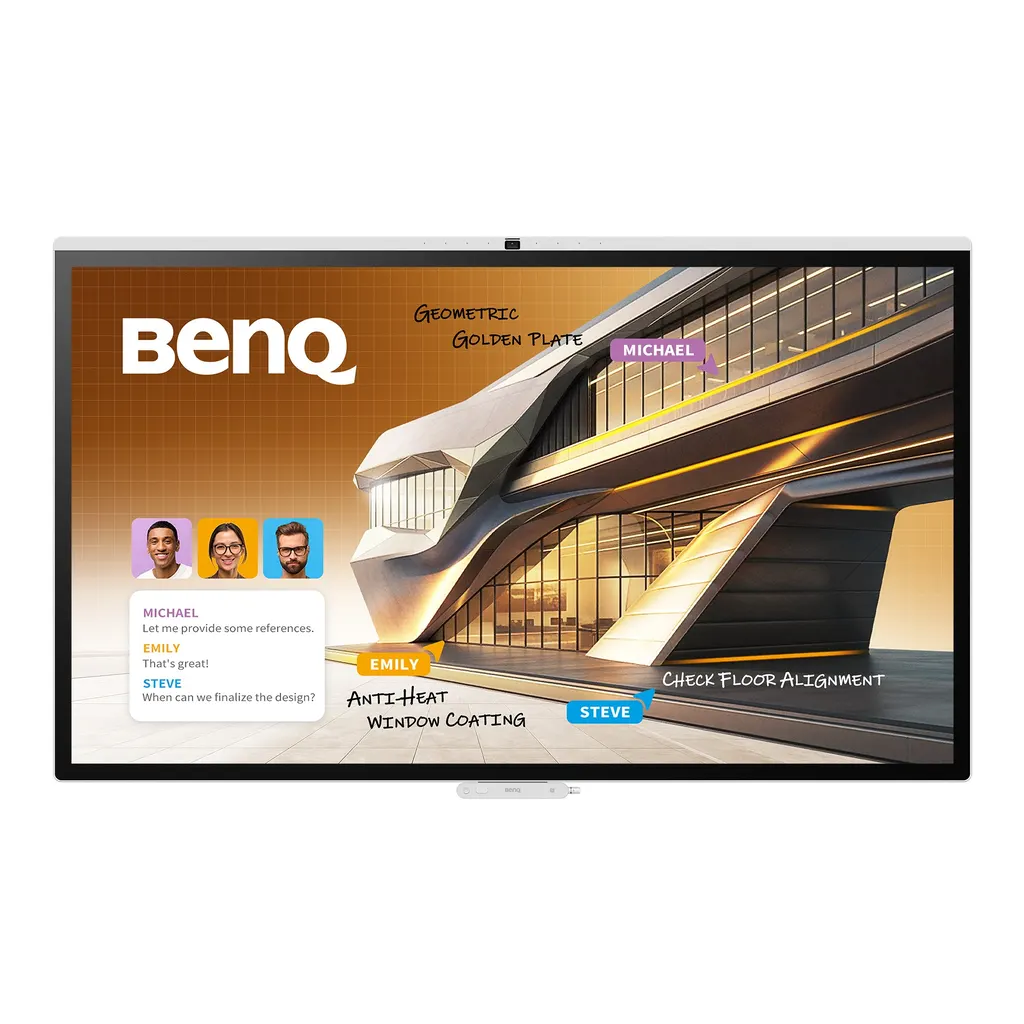
CP7505
BenQ Board CP7505 75-inch Interactive Display
- Screen size
- 75''
- Resolution
- UHD 3840 × 2160 pixels
- Touch
- Capacitive touch
- System
- Android 15.0 (EDLA)
The BenQ Board CP7505 is a 75-inch 4K interactive display for meeting rooms. It pairs a 10 TOPS NPU with a 50 MP AI camera, 160° field of view, 8-microphone array and SummarAI automatic meeting minutes. Android 15 with 16GB memory and 256GB storage, plus an OPS slot for a slot-in PC, suits boardrooms and training rooms in Doha, Lusail and Education City.
What the BenQ Board CP7505 is
The BenQ Board CP7505 is a 75-inch interactive display with a 3840 × 2160 UHD panel, projected capacitive touch that supports up to 50 touch points, and a 10 TOPS NPU for built-in AI tools. It runs Android 15.0 and brings the screen, a 50 MP camera, a microphone array and speakers into one unit, so a meeting room can be fitted out with fewer separate devices and cables.
Display, touch and colour performance
The panel offers 450 nits typical brightness, a 1200:1 typical contrast ratio, 10-bit colour depth, 90% NTSC colour gamut and an 8 ms response time. The 9H tempered glass has a nano-ionic silver germ-resistant treatment, and touch response is under 5 ms, so annotation keeps pace when several people write at once. The colour modes suit different work:
- Pantone mode for brand-accurate colour checks across more than 2,000 named shades
- ePaper mode that switches to grayscale for reading contracts and financial tables
- DICOM mode for training use only, not medical diagnosis
Camera, microphones and built-in AI tools
The 50 MP camera has a 160° field of view and supports AI tracking and gesture controls, so remote participants follow the speaker rather than a fixed frame. The 8-microphone array picks up voices at up to 12 m, and the 2 × 25 W speakers are backed by a 40 W subwoofer. SummarAI produces automatic meeting minutes, and the active pen can launch Google Gemini and control slides, keeping the presenter at the board.
Where it fits in Qatar
- A boardroom in West Bay or Msheireb where Doha staff join calls with teams abroad and need minutes captured without a dedicated note-taker.
- A seminar room in Education City or a training centre in the Industrial Area, where a lecturer annotates diagrams and connects a laptop through USB-C.
- A private school in Al Wakrah or Al Rayyan fitting out a shared room for staff meetings, used in a controlled, air-conditioned space.
Planning the installation and power
The unit weighs 55 kg, or 74 kg when shipped, and measures 1720.7 × 1052.7 × 97.5 mm, so check doorways, lift access and the route to the room before delivery. The rear mount follows a VESA 800 × 400 mm pattern, and one wall mount is included. The rated operating range is 0°C to 40°C at 20% to 80% non-condensing humidity, so the room must be air-conditioned, which is essential when Qatar summer temperatures pass 45°C outside. The power supply accepts 100–240 V at 50/60 Hz, which covers Qatar's 240 V, 50 Hz mains, with typical consumption of 135 W.
SmartRooms Qatar offers a free site survey to check wall loading, power points, cable runs and room conditions before installation. Quotations are usually issued within one working day, and we supply to all eight municipalities with professional installation, purchase orders and government tenders. Request a quote for the BenQ Board CP7505 and we will confirm the mounting and delivery plan for your site.
Highlights
- 75-inch 4K UHD panel at 3840 × 2160 pixels
- 10 TOPS NPU powers built-in AI meeting tools
- 50 MP camera with 160° field of view
- 8-microphone array with pickup up to 12 m
- Android 15.0 with 16GB memory and 256GB storage
- OPS slot, Wi-Fi 6 and HDMI 2.0 input
Classroom fit
At 75″ the farthest student should sit within about 5.6 m (6× the screen height).
Estimated timeline
Quotation within 1 working day · delivery timing depends on stock availability, and we confirm it with your quotation.
Specifications
Panel14
- Screen size
- 75''
- Panel type
- ADS
- Active area
- 1650.2 × 928.2 mm
- Aspect ratio
- 16:9
- Resolution
- UHD 3840 × 2160 pixels
- Response time
- 8 ms
- Color depth
- 10-bit
- Orientation
- Landscape
- Operation hours
- 18 hours / 7 days
- Panel brightness (typical)
- 450 nits
- Contrast ratio (typical)
- 1200:1
- Dynamic contrast ratio
- 50,000:1
- Color gamut
- 90% NTSC
- Backlight life (typical)
- 50,000 hrs
Glass3
- Germ-resistant technology
- Nano-ionic silver
- Anti-glare
- Yes | NA
- Hardness
- 9H tempered
Touch screen3
- Touch technology
- Capacitive touch
- Touch points
- up to 50
- Touch response time
- < 5 ms
System5
- GPU
- Arm Mali-G57 MC2
- CPU
- Arm Cortex-A78 × 2 + A55 × 6
- NPU
- 10 TOPS
- Memory | Storage
- 16GB I 256GB
- OS
- Android 15.0 (EDLA)
Connectivity9
- HDMI (in | out)
- 1 × HDMI 2.0 | No
- USB-A
- 2 × 3.0
- USB-C
- 1 × 2.0 + 1 × 3.0 (PD 65 W)
- USB-C out
- 1 x Type-C (2.0 data / video out / audio out / touch)
- 3.5 mm Line out
- Earphone × 1
- OPS slot (for slot-in PC)
- 1
- Wi-Fi
- Wi-Fi 6
- Ethernet
- 10 / 100 / 1000 Mbps (Android), 10 / 100 / 1000 Mbps (OPS) × 2
- RS-232
- 1 | 0
Built-in peripherals7
- NFC sensor
- Yes
- Ambient light sensor
- Yes
- IR sensor
- Yes
- Microphone
- 8-microphone array (range: up to 12 m | 39ft)
- Speaker
- 2 × 25 W
- Camera
- 1 (50MP FOV160°)
- Subwoofer
- 1 × 40 W
Power3
- ENERGY STAR®
- Yes
- Power
- AC 100-240V 50/60Hz
- Typical power consumption
- 135 W
Physical4
- Dimensions (W x H x D)
- 1720.7 x 1052.7 x 97.5 mm (67.7 x 41.4 x 3.8 inch)
- Shipping dimensions (W x H x D)
- 1880 x 1135 x 220 x mm (74 × 44.7 × 8.7 inch)
- Weight (product I shipping)
- 55 kg | 74 kg (121.3 lbs | 163.1 lbs)
- Mount (screws)
- VESA 800 × 400 mm (4 × M8 × 25L)
Environment4
- Operating temperature
- 0°C ~ 40°C | 32°F ~ 104°F
- Storage temperature
- -10°C ~ 60°C | 14°F ~ 140°F
- Storage humidity
- 20% ~ 90% RH non-condensing
- Operating humidity
- 20% ~ 80% RH non-condensing
Software8
- Whiteboarding
- EZWrite 6.0
- Wireless screen sharing
- InstaShare 2
- Device management
- DMS
- Account management
- AMS
- Flicker Free
- Yes
- Quick access tool
- Floating Tool
- Broadcast system
- X-Sign Broadcast
- Low Blue Light
- Yes
Accessories3
- Cables
- 1 × HDMI (3 m | 9.8 ft), 1 × USB-C (1.5 m | 4.9 ft), 1 × USB-C to A (3 m | 9.8 ft), 1 x RS232 (1.8 m | 5.9 ft)
- Wall mount
- 1
- Pen
- Active x 1, Passive x 1




