





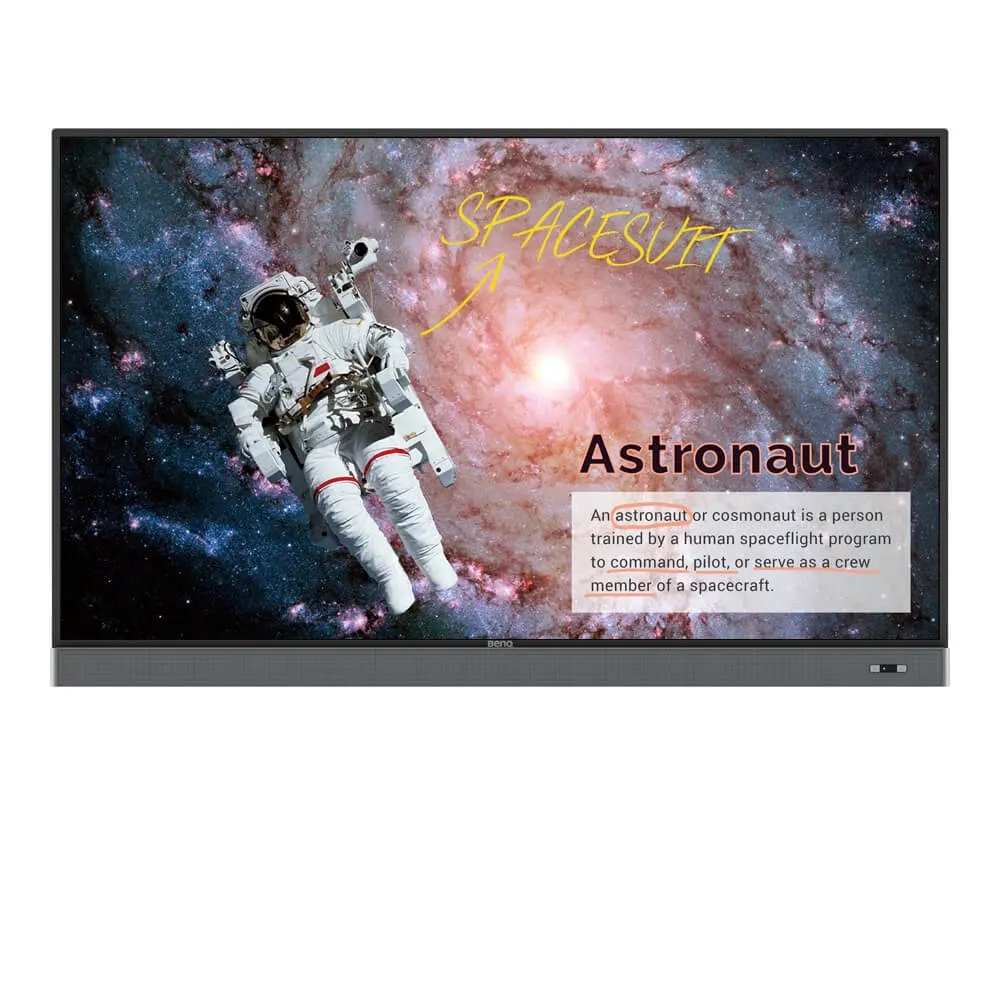
RM7502K
BenQ RM7502K 75-inch 4K UHD Education Interactive Flat Panel Display
- Screen size
- 75''
- Resolution
- UHD 3840 × 2160 pixels
- Touch
- Infrared touch
- System
- Android 8.0
The BenQ RM7502K is a 75-inch 4K UHD interactive flat panel built for classrooms and lecture spaces. It pairs a 3840 × 2160 IPS display with 20-point infrared touch, built-in Android 8.0, EZWrite 5 annotation software and an OPS slot for a slot-in PC. It suits schools and training centres in Doha, Lusail and Al Wakrah that want one screen for teaching, annotation and wireless sharing.
What the BenQ RM7502K offers a teaching space
The RM7502K is a 75-inch landscape interactive flat panel that combines a large 4K display, infrared touch and a full Android 8.0 system in one unit. The IPS panel delivers 3840 × 2160 pixels with 10-bit colour depth, 400 nits typical brightness and a 1200:1 typical contrast ratio. The 9H tempered glass carries nano-ionic silver germ resistance and an anti-glare coating, and the screen is certified by TÜV and SIAA for germ resistance and non-toxicity. For a room that needs one display for teaching, annotation and wireless sharing, this combination reduces the number of separate devices a school must buy, mount and maintain.
Touch, annotation and sharing tools
- Infrared touch: 20 touch points with a response time under 8 ms.
- EZWrite 5: write over any app, video, website or image with the Floating Tool, and save notes to Google Drive or Dropbox.
- Dual pens: two users can write at the same time in different colours.
- InstaShare 1: mirror and control content from PCs, tablets and smartphones.
- X-Sign Broadcast: send alerts to a single room, a selected group of screens or the whole school.
EZWrite 5 also converts handwriting into digital text without switching modes, and its brush mode suits art lessons.
Connectivity, power and mounting
Inputs include three HDMI 2.0 ports and one VGA input. Outputs include one HDMI 2.0 port for a second display, optical S/PDIF audio and a 3.5 mm earphone line out. Other connections are three USB 3.0 and two USB 2.0 Type-A ports, two USB-B ports for touch, a 1000 Mbps Ethernet port, an RS-232 port for control and one OPS slot for a slot-in PC.
The power input is rated AC 100-240 V at 50/60 Hz, which covers the 240 V, 50 Hz supply used in Qatar. Typical consumption is 143 W and standby consumption is below 0.5 W. Mounting follows a VESA 800 × 400 mm pattern with four M8 screws, and a wall mount is included. The panel measures 1488.7 × 938.9 × 115.6 mm and weighs 54.4 kg, or 76.1 kg packed for shipping, so plan for two people on installation day. SmartRooms Qatar offers a free site survey to confirm the wall, mounting height and cable routes before fitting.
Where it fits in Qatar
- A private school in Al Wakrah fitting out a classroom, where teachers annotate over lesson slides and save their notes to cloud storage.
- A training centre in Lusail running several rooms, where administrators send timetable alerts with X-Sign Broadcast and manage every panel through DMS Cloud.
- A mid-sized lecture room in Education City, where the 75-inch screen works with a PC docked in the OPS slot.
What to plan before ordering
The panel is rated for operation from 0°C to 40°C at 10% to 90% humidity, non-condensing, and for storage from -20°C to 60°C. Summer temperatures in Qatar can exceed 45°C, so install it in an air-conditioned room away from direct sunlight and window glare, and confirm the room temperature with the SmartRooms Qatar team before ordering. For multi-room deployments, DMS Cloud controls displays over the internet and supports app installation and over-the-air firmware updates. DMS Local manages panels over a LAN on Windows, and MDA controls them through RS-232.
Request a quote from SmartRooms Qatar to confirm quantities, wall mounts, installation and the expected lead time, which we confirm in the quotation, usually within one working day. We supply and deliver to all 8 municipalities of Qatar and accept purchase orders, government tenders including Monaqasat, and payment by bank transfer, cheque or purchase order.
Highlights
- 75-inch 4K UHD IPS panel at 3840 × 2160 pixels
- 20-point infrared touch with response time under 8 ms
- Built-in Android 8.0 with 4GB memory and 32GB storage
- Three HDMI 2.0 inputs, one HDMI 2.0 output and an OPS slot
- Nano-ionic silver germ-resistant screen certified by TÜV and SIAA
- Operating range 0°C to 40°C, 10% to 90% humidity non-condensing
Classroom fit
At 75″ the farthest student should sit within about 5.6 m (6× the screen height).
Estimated timeline
Quotation within 1 working day · delivery timing depends on stock availability, and we confirm it with your quotation.
Specifications
Panel14
- Screen size
- 75''
- Panel type
- IPS
- Active area
- 1649.7 × 927.9 mm
- Aspect ratio
- 16:9
- Resolution
- UHD 3840 × 2160 pixels
- Response time
- 8 ms
- Color depth
- 10-bit
- Orientation
- Landscape
- Operation hours
- 18 hours / 7 days
- Panel brightness (typical)
- 400 nits
- Contrast ratio (typical)
- 1200:1
- Dynamic contrast ratio
- 30,000:1
- Color gamut
- 68% NTSC
- Backlight life (typical)
- 50,000 hrs
Glass3
- Germ-resistant technology
- Nano-ionic silver
- Anti-glare
- Yes | NA
- Hardness
- 9H tempered
Touch screen3
- Touch technology
- Infrared touch
- Touch points
- 20
- Touch response time
- < 8 ms
System4
- GPU
- Mali-G51MP4
- CPU
- A73 × 2 + A53 × 2
- Memory | Storage
- 4GB I 32GB
- OS
- Android 8.0
Connectivity10
- HDMI (in | out)
- 3 × HDMI 2.0 | 1 × HDMI 2.0
- USB-A
- 2 × 2.0 + 3 × 3.0
- USB-B (for touch)
- 2 × 2.0
- 3.5 mm Line in (1)
- Mic / PC Audio × 1_test
- VGA
- 1 | 0
- 3.5 mm Line out
- Earphone × 1
- OPS slot (for slot-in PC)
- 1
- S/PDIF out
- 0 | 1 (optical)
- Ethernet
- 10 / 100 / 1000 Mbps (Android) × 1
- RS-232
- 1 | 0
Built-in peripherals1
- Speaker
- 2 × 16 W
Power2
- Power
- AC 100-240V 50/60Hz
- Typical power consumption
- 143 W
Physical5
- Dimensions (W x H x D)
- 1488.7 × 938.9 × 115.6 mm (58.6 × 37.0 × 4.6 inch)
- Shipping dimensions (W x H x D)
- 2214 × 1358 × 283 mm (87.2 × 53.5 × 11.1 inch)
- Weight (product I shipping)
- 54.4 kg | 76.1 kg (119.9 lbs | 167.8 lbs)
- Mount (screws)
- VESA 800 × 400 mm ( 4 × M8 × 25L)
- Pen Tray
- 1
Environment4
- Operating temperature
- 0°C ~ 40°C | 32°F ~ 104°F
- Storage temperature
- -20°C ~ 60°C | -4°F ~ 140°F
- Storage humidity
- 10% ~ 90% RH non-condensing
- Operating humidity
- 10% ~ 90% RH non-condensing
Software7
- Whiteboarding
- EZWrite 5.0
- Wireless screen sharing
- InstaShare 1 (BenQ App Store)
- Account management
- AMS
- Flicker Free
- Yes
- Quick access tool
- Floating Tool
- Broadcast system
- X-Sign Broadcast
- Low Blue Light
- Yes
Accessories4
- Cables
- 1 × VGA(5 m | 16.4 ft), 1 × HDMI (1.5 m | 4.9 ft), 1 × USB (3 m | 9.8 ft)
- Wall mount
- 1
- Pen
- 2
- Remote control
- 1




