





RP7503
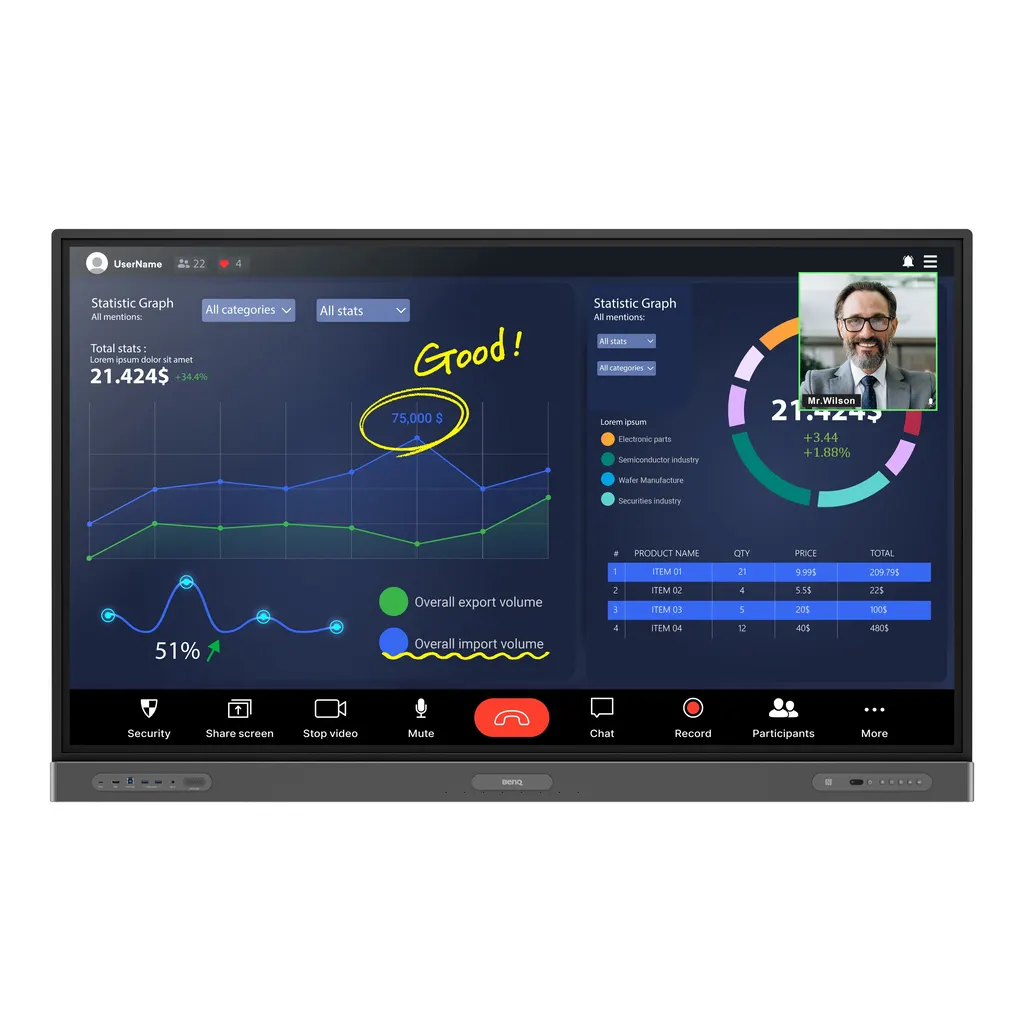
BenQ Board Pro RP7503 75-inch Interactive Display
- Screen size
- 75''
- Resolution
- UHD 3840 × 2160 pixels
- Touch
- High Precision IR
- System
- Android 11.0
The BenQ Board Pro RP7503 is a 75-inch 4K UHD interactive display for boardrooms and project teams. Its IR touch surface supports up to 40 touch points, and built-in NFC login loads personal settings in a tap. An OPS slot takes a slot-in PC for Windows and video calls. Teams in Doha, Lusail and Education City who run hybrid meetings can use it as one shared workspace.
What the BenQ Board Pro RP7503 does in a meeting room
The BenQ Board Pro RP7503 is a 75-inch interactive display that combines a large 4K UHD IPS panel, a touch layer and an Android-based whiteboard in one unit. Teams write, annotate and share content directly on the glass, and the display can run a slot-in PC when a meeting needs full Windows software. A single screen can host a presentation, a shared whiteboard and a video call at the same time.
The specifications that matter for buyers
The 3840 × 2160 panel uses IPS technology and a 10-bit colour depth, with 450 nits typical brightness and a 1,200:1 typical contrast ratio. The infrared touch surface supports up to 40 touch points, with touch response under 10 ms. Inside the unit, 8GB memory and 64GB storage run Android 11.0, and the glass is 9H tempered with nano-ionic silver germ resistance. Buyers comparing screens should note the 8 ms panel response time and the 72% NTSC colour gamut, which suit presentations and whiteboarding.
- Three HDMI 2.0 inputs and one HDMI 2.0 output
- One DisplayPort 1.2a, VGA, and USB-C ports, including one with 65 W power delivery
- One OPS slot for a slot-in PC, with Ethernet rated 10/100/1000 Mbps
- Built-in Wi-Fi, NFC sensor and an RS-232 port for control
Where it fits in Qatar
A mid-sized corporate boardroom in West Bay or Msheireb is a typical match. The 75-inch screen keeps content readable for attendees at the far end of the table, while the 8-microphone array, with a pickup range of up to 8 m, captures speakers across the room. In Education City or a university department, the panel works for project reviews, with students sharing their screens wirelessly through InstaShare 2 and working side by side in multi-window mode.
For a ministry or authority in Doha hosting mixed teams from several directions, multi-window mode lets presenters switch between documents without swapping cables. A logistics or energy company in the Industrial Area or Mesaieed can use it in a planning room that links several sites, because cloud whiteboarding lets remote attendees write on the same board.
What to plan before ordering
At 1717.1 × 1065.3 × 121.7 mm and 55.5 kg without packaging (70 kg shipped), the RP7503 is a two-person lift and needs a wall that can carry it. The mounting reference is a VESA 800 × 400 mm pattern with four M8 × 25 screws, and a wall mount is included with the unit. SmartRooms Qatar offers a free site survey before wall-mounting a panel this size, covering wall structure, cable routes to the OPS slot and the distance to power.
Typical power draw is 90.1 W, and standby is under 0.5 W. The power input is rated for 100 to 240 V at 50/60 Hz, which covers Qatar's 240 V, 50 Hz supply. Plan for air conditioning as well: the operating range is 0°C to 40°C, and Qatar summer temperatures can exceed 45°C, so the display belongs in a climate-controlled room, not a hot corridor or an uncooled space.
The box includes VGA, HDMI, USB-B touch and USB-C cables, two pens, one remote control and the wall mount. If you are equipping several rooms, one purchase order (LPO) can be raised against a single quotation for multiple units, and payment is accepted by bank transfer, cheque or purchase order.
Request a quote from SmartRooms Qatar. Our team will return pricing, installation options and delivery details, usually within one working day.
Highlights
- 75-inch 4K UHD IPS panel at 3840 × 2160 resolution
- Infrared touch with up to 40 points and under 10 ms response
- 450 nits typical brightness and 10-bit colour depth
- 2 × 16 W speakers, 16 W subwoofer and 8-microphone array
- One OPS slot for a slot-in PC plus three HDMI 2.0 inputs
- Built-in NFC sensor, Wi-Fi and Android 11.0 with 8GB/64GB
- Operating range 0°C to 40°C; VESA 800 × 400 mm mount
Classroom fit
At 75″ the farthest student should sit within about 5.6 m (6× the screen height).
Estimated timeline
Quotation within 1 working day · delivery timing depends on stock availability, and we confirm it with your quotation.
Specifications
Panel14
- Screen size
- 75''
- Panel type
- IPS
- Active area
- 1649.7 × 927.9 mm
- Aspect ratio
- 16:9
- Resolution
- UHD 3840 × 2160 pixels
- Response time
- 8 ms
- Color depth
- 10-bit
- Orientation
- Landscape
- Operation hours
- 18 hours / 7 days
- Panel brightness (typical)
- 450 nits
- Contrast ratio (typical)
- 1200:1
- Dynamic contrast ratio
- 30,000:1
- Color gamut
- 72% NTSC
- Backlight life (typical)
- 50,000 hrs
Glass3
- Germ-resistant technology
- Nano-ionic silver
- Anti-glare
- Yes | NA
- Hardness
- 9H tempered
Touch screen3
- Touch technology
- High Precision IR
- Touch points
- up to 40
- Touch response time
- < 10 ms
System4
- GPU
- G52 MP8
- CPU
- A73 × 4 + A53 × 4
- Memory | Storage
- 8GB I 64GB
- OS
- Android 11.0
Connectivity14
- HDMI (in | out)
- 3 × HDMI 2.0 | 1 × HDMI 2.0
- DisplayPort
- 1 × 1.2a
- USB-A
- 2 × 2.0 + 5 × 3.0
- USB-C
- 1 × 3.0 + 1 × 3.0 (PD 65 W)
- USB-B (for touch)
- 3 × 3.0
- 3.5 mm Line in (1)
- Mic × 1
- VGA
- 1
- 3.5 mm Line out
- Earphone × 1
- OPS slot (for slot-in PC)
- 1
- Wi-Fi
- Built-in
- S/PDIF out
- 0 | 1 (optical)
- Ethernet
- 10 / 100 / 1000 Mbps (Android), 10 / 100 / 1000 Mbps (OPS) × 2
- 3.5 mm Line in (2)
- PC Audio × 1
- RS-232
- 1
Built-in peripherals8
- NFC sensor
- Yes
- Ambient light sensor
- Yes
- Motion sensor
- Yes
- Microphone
- 8-microphone array (range: up to 8 m | 26ft)
- Speaker
- 2 × 16 W
- Air sensor
- TVOC
- Subwoofer
- 1 × 16 W
- Air Ionizer
- Yes
Power2
- Power
- AC 100-240V 50/60Hz
- Typical power consumption
- 90.1 W
Physical5
- Dimensions (W x H x D)
- 1717.1 × 1065.3 × 121.7 mm (67.6 × 41.9 × 4.8 inch)
- Shipping dimensions (W x H x D)
- 1900 × 1160 × 225 mm (74.8 × 45.7 × 8.9 inch)
- Weight (product I shipping)
- 55.5 kg | 70 kg (122.4 lbs | 154.3 lbs)
- Mount (screws)
- VESA 800 × 400 mm ( 4 × M8 × 25L)
- Pen Tray
- Yes
Environment4
- Operating temperature
- 0°C ~ 40°C | 32°F ~ 104°F
- Storage temperature
- -10°C ~ 60°C | 14°F ~ 140°F
- Storage humidity
- 10% ~ 60% RH non-condensing
- Operating humidity
- 20% ~ 80% RH non-condensing
Software8
- Whiteboarding
- EZWrite 6.0
- Wireless screen sharing
- InstaShare 2
- Device management
- DMS
- Account management
- AMS
- Flicker Free
- Yes
- Quick access tool
- Floating Tool
- Broadcast system
- X-Sign Broadcast
- Low Blue Light
- Yes
Accessories4
- Cables
- 1 × VGA (3 m | 9.8 ft), 1 × HDMI (3 m | 9.8 ft), 1 × USB-B for touch (3 m | 9.8 ft), 1 × USB-C (1.5 m | 4.9 ft)
- Wall mount
- 1
- Pen
- 2
- Remote control
- 1




