





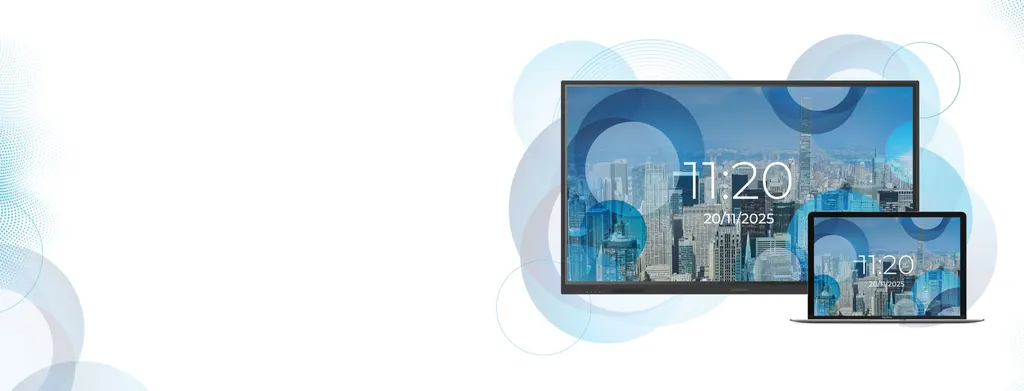
Pro Series 3 Lite 65"
Clevertouch Pro Series 3 Lite 65-inch Non-OS Interactive Display
- Screen size
- [65" / 75" / 86"] 4K | 4K | 4K
- Resolution
- 4K UHD (3840x2160 @60Hz)
- Touch
- 40 points touch
- Brightness
- 350cd/m²
The Clevertouch Pro Series 3 Lite 65-inch is a non-OS interactive display for organisations that want to run their own laptop or PC on a 4K touch screen. It offers a 65-inch 4K VA panel with 5000:1 contrast, 40-point infrared touch, 2x20W speakers and 4K HDMI, USB-C and USB 3.2 inputs. It suits smaller classrooms, meeting rooms and training rooms across Qatar. Request a quote from SmartRooms Qatar.
A non-OS 65-inch touchscreen for your own computer
The Clevertouch Pro Series 3 Lite 65-inch is a non-OS interactive display with no built-in operating system. A laptop, PC or media device connected to it runs the content and keeps its own software, apps and files. The 65-inch is the smallest size in this series, and this approach suits schools, offices and meeting rooms that already standardise on a particular computer, because management stays simple and staff keep working in a familiar environment.
Display and touch facts that shape the buying decision
- Panel: 65-inch 4K UHD VA panel with direct LED backlight, 3840 by 2160 resolution at 60Hz and a 16:9 aspect ratio.
- Contrast and colour: 5000:1 contrast ratio, 1.07 billion colours at 10-bit and 72% NTSC.
- Brightness: 300 cd/m² minimum and 350 cd/m² typical with glass, plus an anti-glare finish.
- Touch: infrared recognition with a passive pen, 40 touch points, 3mm minimum object size and ±1.5mm accuracy.
- Audio: 2.0 channel sound from 2x20W speakers, rated at 82dB SPL.
- Life: 50,000 hours minimum, with an operation rating of 7 days by 16 hours.
Connectivity for laptops, cameras and networks
The single HDMI input supports up to 4K at 60Hz, with CEC on three channels and ARC on one. The USB-C input supports DP-Alt and 65W charging, and that charging remains available when an OPS module is fitted. Four USB 3.2 ports sit across the front and rear, alongside a USB 2.0 port for system upgrades, two TOUCH 2.0 ports, a microphone input with audio mixing, a 3.5mm audio output, SPDIF, RS232 at 9600 baud and two RJ45 ports at 10/100/1000Mbps.
Where it fits across Qatar
A 65-inch panel suits rooms where people sit close to the screen. In Al Wakrah, a private school fitting out new classrooms could use it for lessons run from a teacher's laptop, with annotation directly on the touch surface. In West Bay, a company meeting room could connect a video conferencing laptop to teams abroad and add a USB camera through CleverCam. In The Pearl, a reception lobby with large windows could benefit from the anti-glare finish to keep the screen readable through the day.
Summer conditions need planning. The operating range is 0 to 40°C at 10 to 90% relative humidity, so the room should be air-conditioned and the panel kept out of direct sunlight.
What to plan before you order
- Check the wall against the 600 by 400mm VESA pattern and M8 x 25mm screws.
- Allow for 31.57kg net and 40.17kg gross when planning handling and lifting.
- Confirm the supplied power cord suits BS 1363 sockets at your site.
- Plan for 127W typical power, and 360W maximum with an OPS module fitted.
SmartRooms Qatar offers a free site survey, professional installation and delivery to all eight municipalities of Qatar. Schools and government buyers can issue a purchase order (LPO) or respond to a tender, and payment can be made by bank transfer, cheque or purchase order.
Request a quote
Send your room size, mounting wall and number of units to SmartRooms Qatar, and request a quote for the Clevertouch Pro Series 3 Lite 65-inch. Quotations are usually issued within one working day.
Highlights
- 65-inch 4K UHD panel at 3840x2160, 60Hz
- VA panel with 5000:1 contrast ratio
- 40-point infrared touch, 3mm minimum object size
- Runs your own laptop, PC or media device
- 2x20W speakers rated at 82dB SPL
- Optional OPS PC module and USB camera support
Classroom fit
At 65″ the farthest student should sit within about 4.9 m (6× the screen height).
Estimated timeline
Quotation within 1 working day · delivery timing depends on stock availability, and we confirm it with your quotation.
Specifications
Display16
- Diagonal Size
- [65" / 75" / 86"] 4K | 4K | 4K
- Panel Type
- [65" / 75" / 86"] VA - Direct LED Backlight VA - Direct LED Backlight IPS - Direct LED Backlight
- Response Time
- [65" / 75" / 86"] 6.5ms 6.5ms 8ms
- Display Area
- [65" / 75" / 86"] 1428.48(H)×803.52(V)mm 1650.24(H)×928.26(V)mm 1895.04(H)×1065.96(V)mm
- Aspect Ratio
- 16:9
- Display Colours
- 1.07 Billion (10 bit)
- Resolution
- 4K UHD (3840x2160 @60Hz)
- Refresh Rate
- 60Hz
- Display Color
- 1.07B(10bit)
- NTSC
- 72%
- Contrast Ratio
- [65" / 75" / 86"] 5000:1 | 5500:1 | 1200:1
- LCD Viewing Angle
- 178°
- Brightness with glass (min)
- 300cd/m²
- Brightness with glass (typ)
- 350cd/m²
- Operation Time
- 7 days×16 hours
- Life Time
- 50,000 hours minimum
Interactivity9
- Sensing Type
- Infrared recognition
- Touch Tool
- Passive infrared pen
- Touch Accuracy
- ±1.5mm
- Touch Point
- 40 points touch
- Minimum object size
- 3mm
- Writing Height
- ≤2mm
- Interpolation Resolution
- 32768(W)×32768(D)
- Response Time
- ≤10ms
- System
- Windows10/Windows8/Windows7/WindowsXP/ Android/Linux/Mac OS X/Chrome
Audio3
- Sound Channel
- 2.0
- Speaker Power
- 2×20W
- Sound pressure level
- 82dBSPL
Power3
- Power Requirements
- [65" / 75" / 86"] 100-240V~50/60Hz 3.5A 100-240V~ 50/60Hz 4.0A 100-240V~50/60Hz 4.5A
- Typical Power* (1)
- [65" / 75" / 86"] 127W 167W 203W
- Max Power*(2) (W/OPS)
- [65" / 75" / 86"] 360W 396W 437W
Connectivity11
- HDMI In
- Up to 4K@60Hz, Onboard, both 3 channels support CEC, with one of them supporting ARC
- USB 2.0
- 1 For system upgrades
- USB 3.2
- Front×2+Rear×2, 4 Can switch channels.
- USB Type-C IN
- Supports USB 2.0, DP-Alt mode, and 1 supports 65W charging (also 65W when OPS is inserted)
- TOUCH 2.0
- 2 Front×1+Rear×1
- MIC IN
- 1 Supports audio mixing function
- AUDIO OUT
- 1 3.5mm Jack
- SPDIF
- 1 PCM output format
- RS232
- 1 Baud rate 9600
- RJ45 IN
- 1 10M/100M/1000Mbps
- RJ45 OUT
- 1 10M/100M/1000Mbps
Physical Spec7
- Panel Dimensions
- [65" / 75" / 86"] 1491×898.5×98.8mm 1712×1022×99mm 1957×1159.9×97.8mm
- Thickness of machine and wall mount
- [65" / 75" / 86"] 128.8mm(WIB6540B) 129mm(WIB9060H) 127.8mm(WIB9060H)
- Packed Dimensions
- [65" / 75" / 86"] 1628×185×1014mm 1863×185×1148mm 2110×185×1283mm
- Net Weight
- [65" / 75" / 86"] 31.57kg 41.66kg 50.36kg
- Gross Weight
- [65" / 75" / 86"] 40.17kg 53.71kg 64.20kg
- VESA Mount Point
- [65" / 75" / 86"] 600×400mm/23.62×15.75 inch 800×400mm/31.50×15.75 inch 800×600mm/31.50×23.62 inch
- Screws for VESA
- M8 x 25mm
Environmental Conditions5
- Operating Temperature
- 0˚ to 40˚
- Operating Humidity
- 10% to 90% RH
- Storage Temperature
- -20˚to 60˚
- Storage Humidity
- 10% to 90% RH
- Altitude
- Below 5000 metres




